How to Make a Cartoon With AI
The Genosai Cartoon Studio makes a short animated film end to end: story, consistent characters, scenes, a narrator voice and music. The hardest part of animation, keeping a character the same from shot to shot, is solved with a single cast sheet: every character drawn on one image that acts as the reference for every scene. You do not have to invent the hero yourself: describe in plain words what they should be like and what should happen, and the studio will invent them for you. And if you already have a picture of a favourite cartoon character, upload it and the film will be made with them.
Updated: August 10, 2026
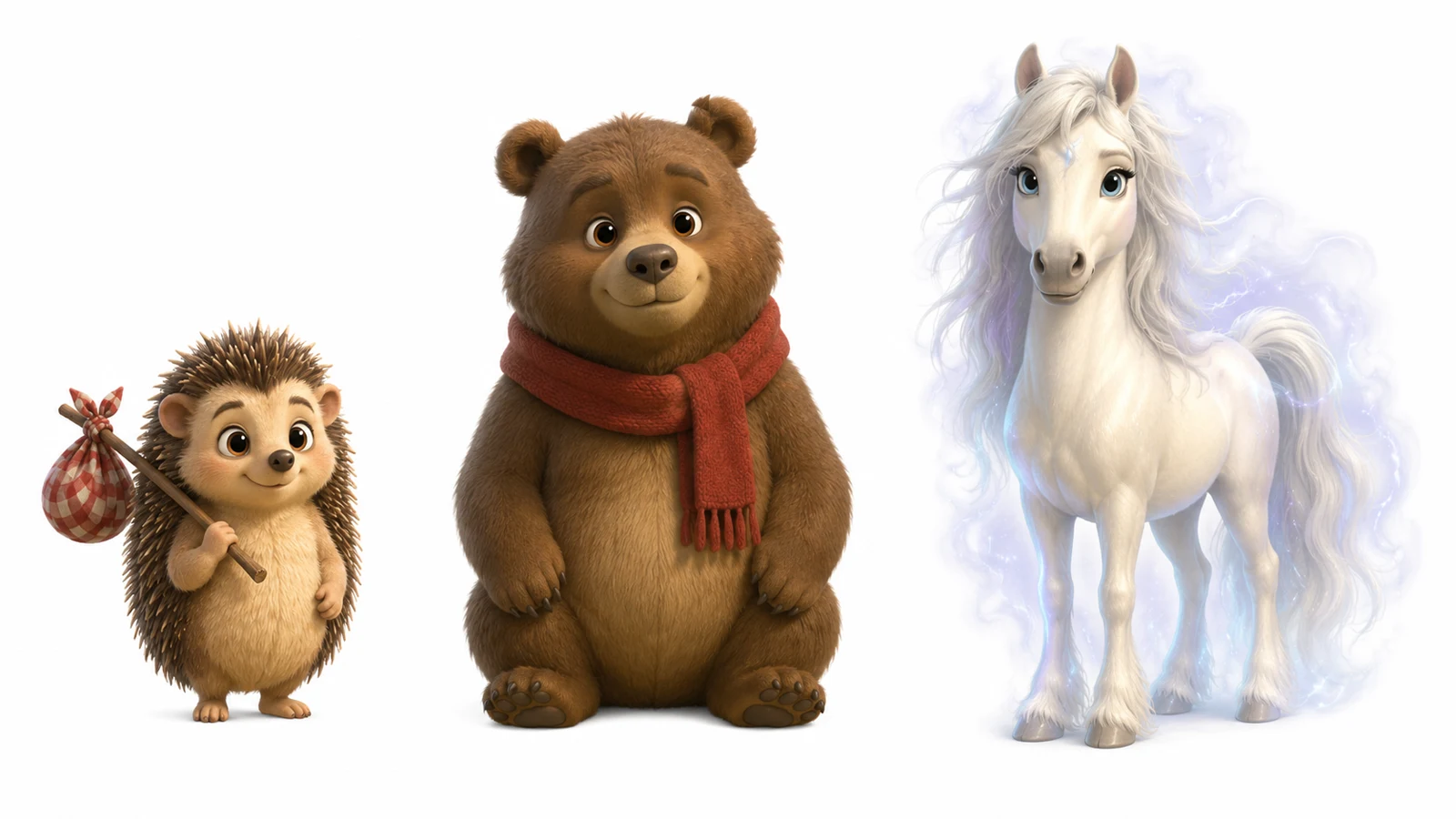
- Characters stay the same — The studio first draws one cast sheet with every character on a white background and you approve it. That sheet is then the reference for every scene, so the fox stays the same fox from first frame to last.
- The whole film, assembled — Scenes, narration and music are joined into one finished file. There is nothing for you to edit.
- Five animation styles — Rich 3D like the big studios, flat 2D, anime, claymation or watercolour. The choice is yours.
- A narrator voice to pick — Kore is a warm female voice, good for bedtime stories. Charon is a confident male voice for adventures. Puck and Leda are also available.
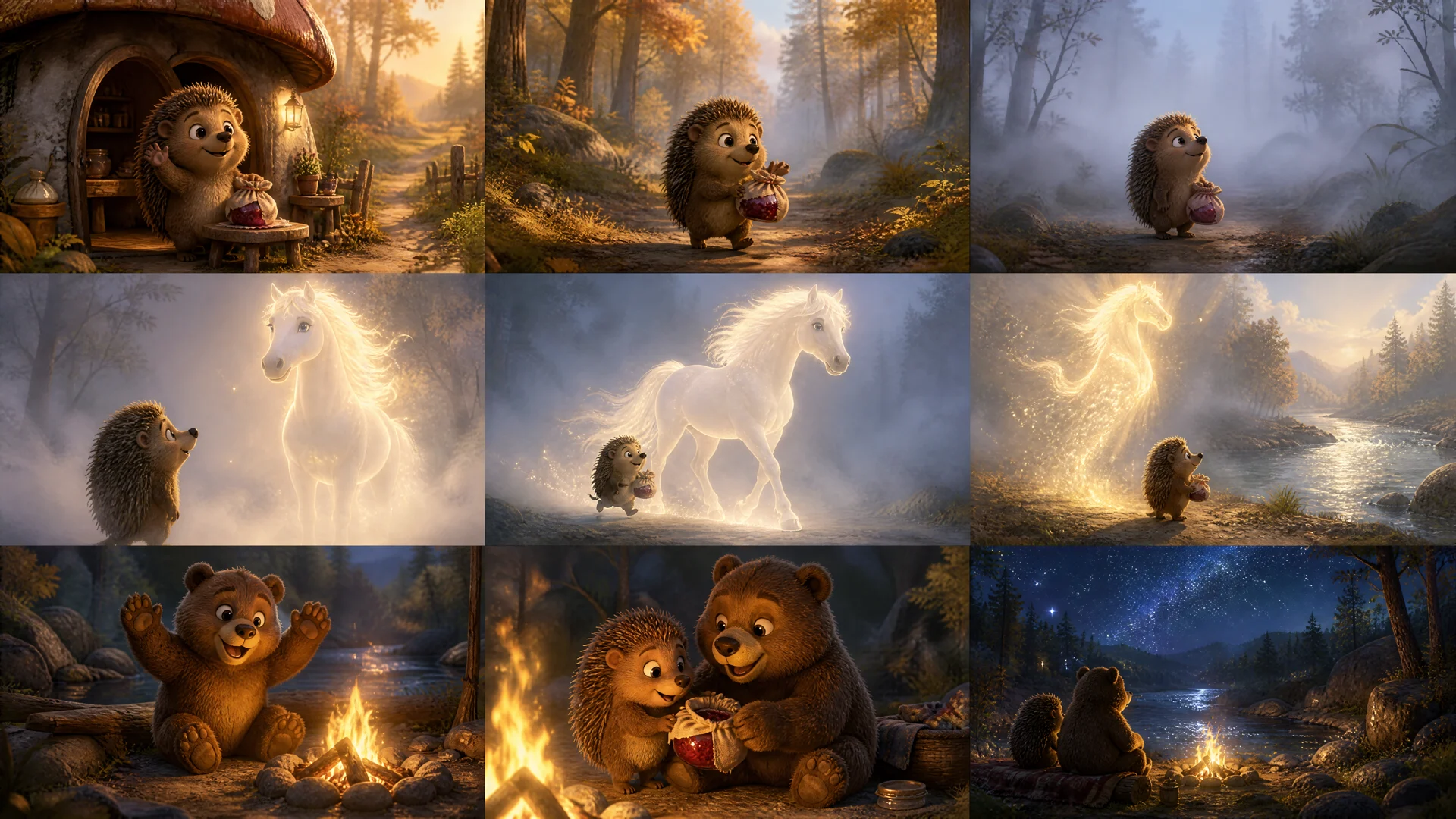
- A storyboard before filming — Before animating, the studio shows one grid image with every scene. Changing a frame here costs pennies, regenerating a filmed scene costs far more.
- An estimate at every stage — The cast sheet, storyboard, scenes with sound and the final edit are all quoted separately. The expensive part starts only once you like the characters.
What it produced
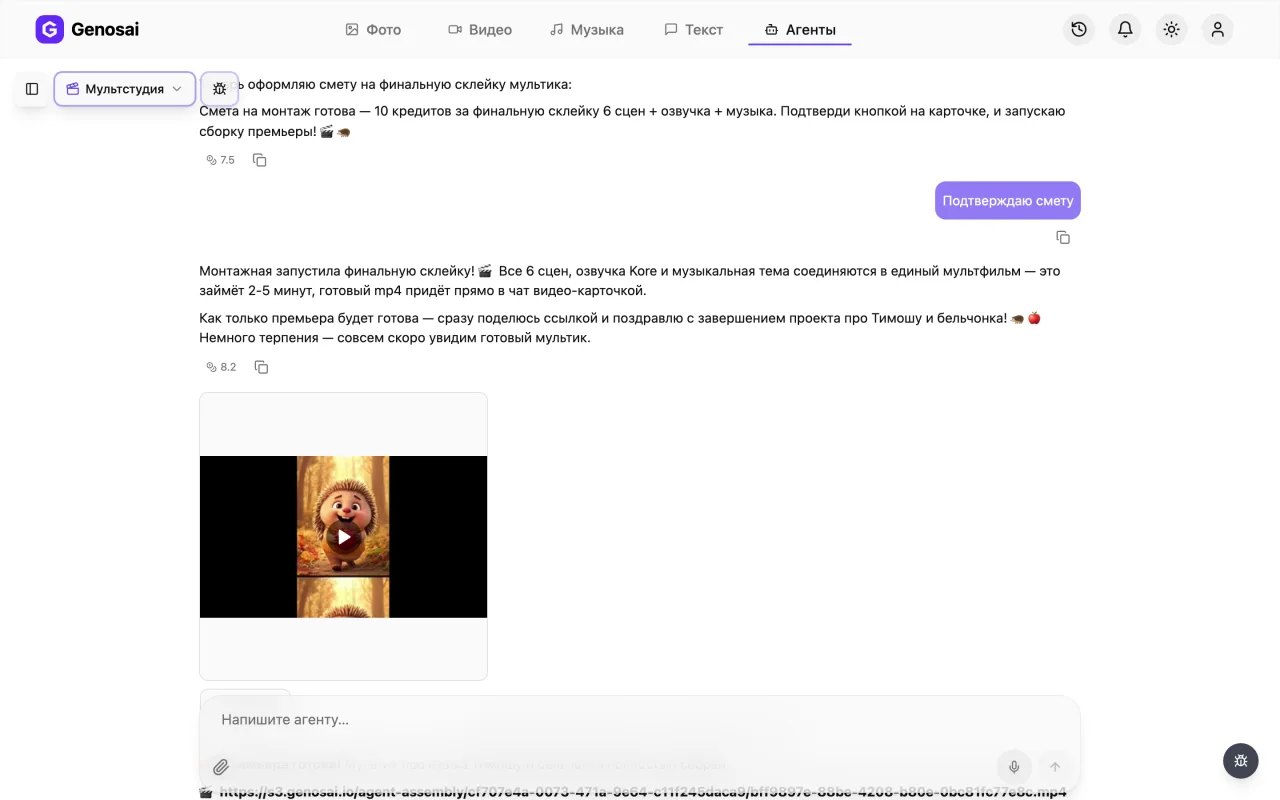
Example output of the Cartoon Studio agent — video 3
Step-by-step guide
1. Step 1. Create your account
Open the Genosai site and sign up with an email address or a one click login. Registration is free and no bank card is needed. New users get a small starter balance of credits so you can try the service first.

2. Step 2. Open the studio
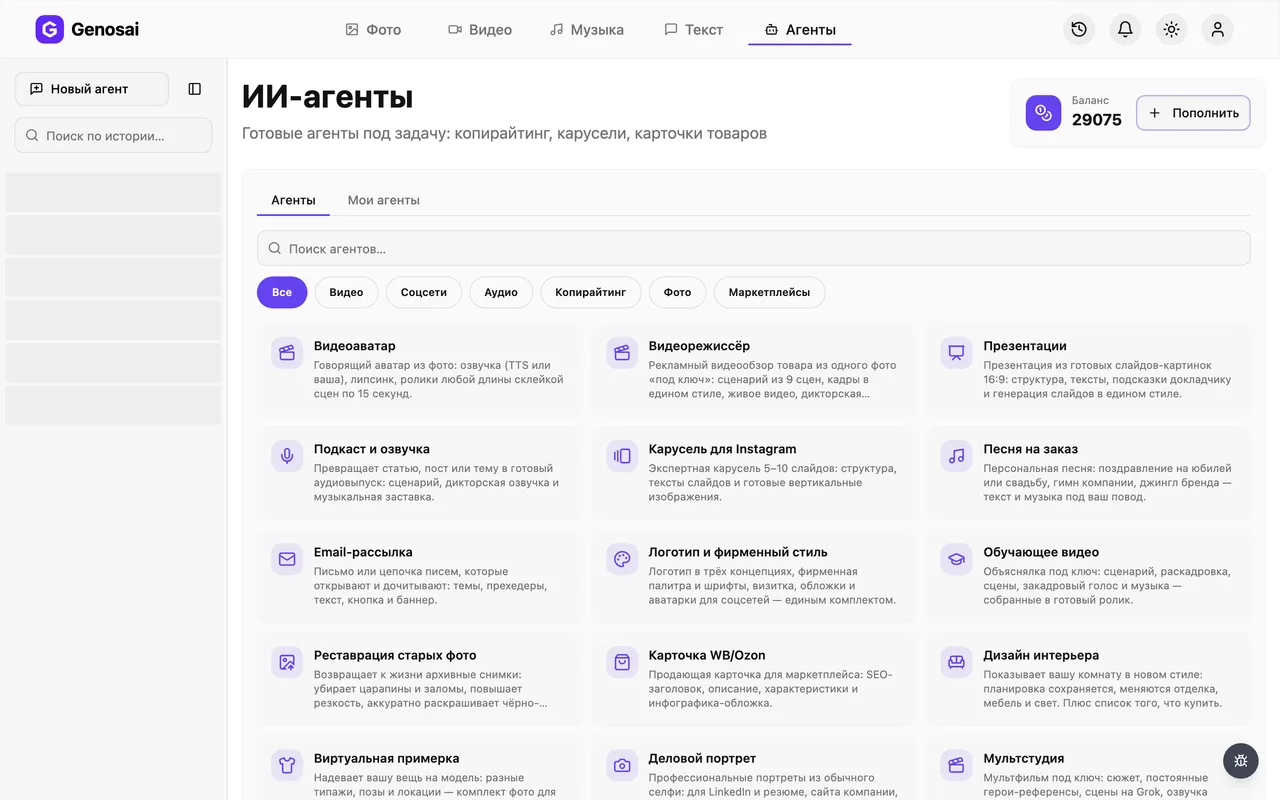
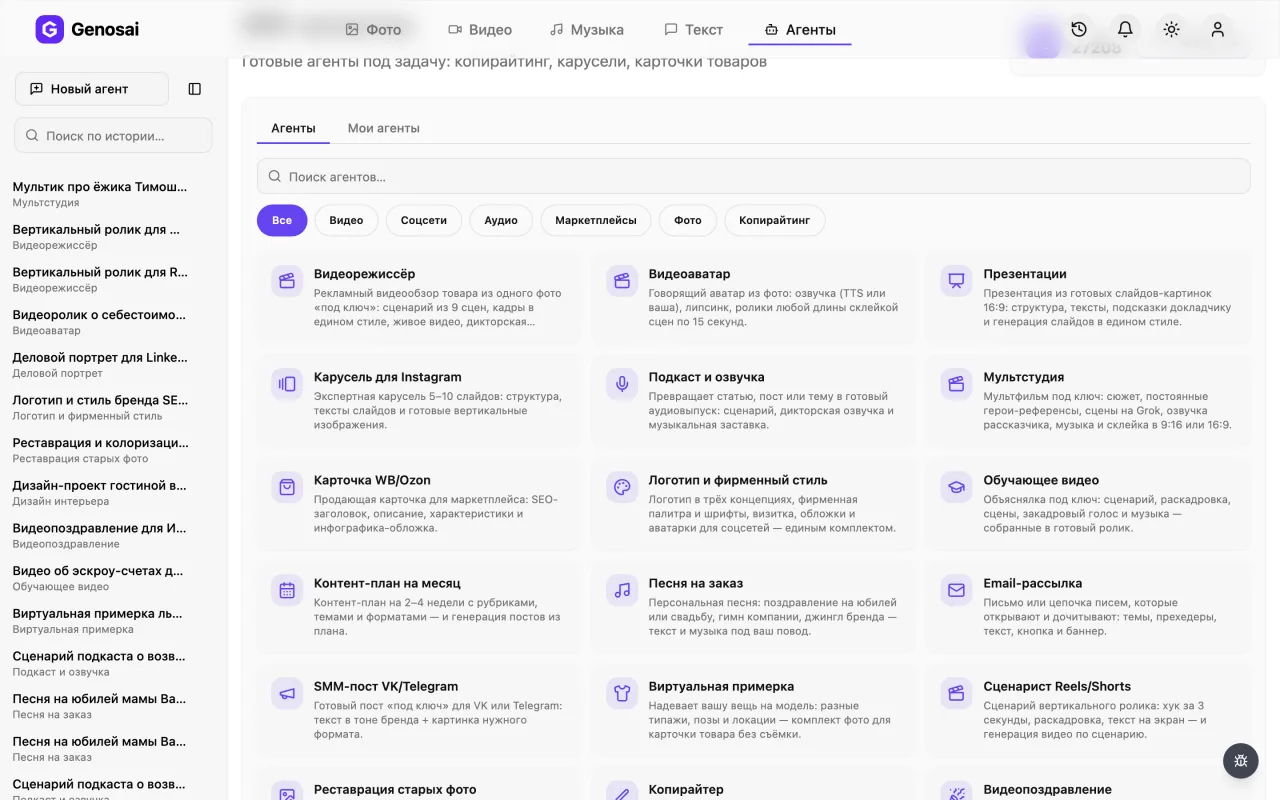
After logging in you land in the studio, which is your workspace. In the top menu find the Agents tab and click it. This opens a gallery of ready made assistants, each trained for one job.
3. Step 3. Find the Cartoon Studio
In the gallery pick the Video category or type cartoon into the search box. Click the card with the fox to open the chat. Each agent works in its own conversation and remembers only its own task.
4. Step 4. Tell the story
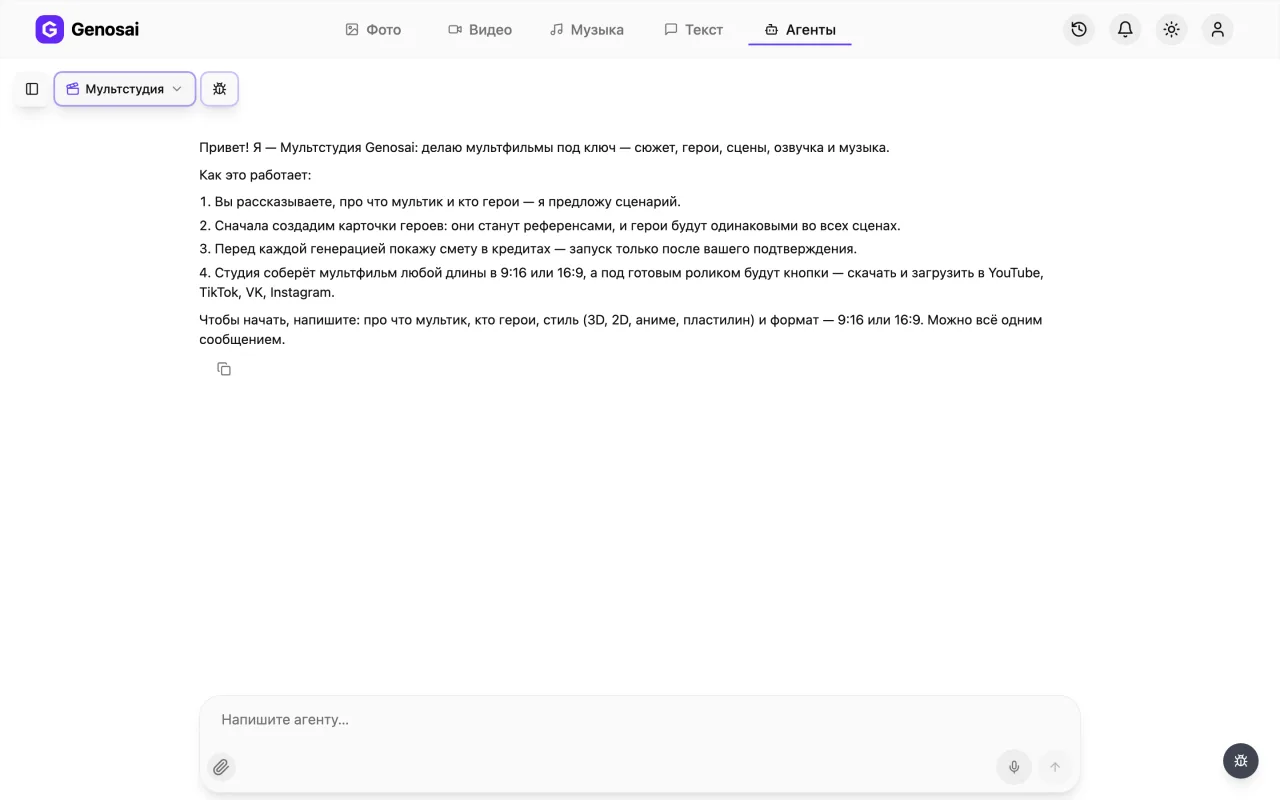
The agent asks what the cartoon is about, who the characters are and what they are called, what age it is for, which style and format, and which narrator voice. All in one message if you like. The clearer the arc, the better the result.
5. Step 5. Approve characters, script and storyboard
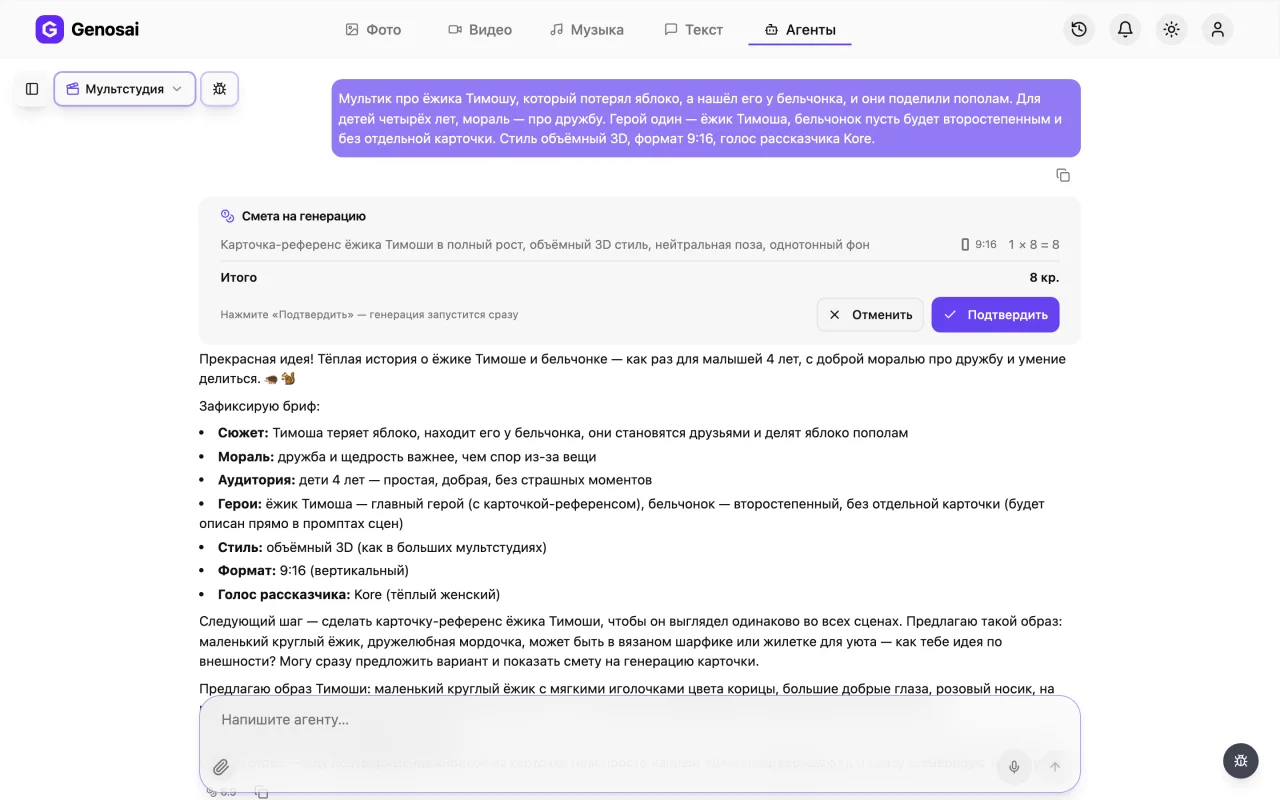
The agent repeats the brief in its own words and offers a first small estimate, for the cast sheet. That is one image with every character at full height on a white background, however many of them there are. You approve it: colour, clothing and distinctive details go into every scene unchanged. Then it writes the script as a table, scene number, what is on screen, narration, and edits it free of charge as many times as you need. After your yes the storyboard is quoted separately: one grid image the studio slices into the opening frame of each scene.
Do not skip the cast sheet to save money. Without it the characters change in every scene.
6. Step 6. Check your credit balance
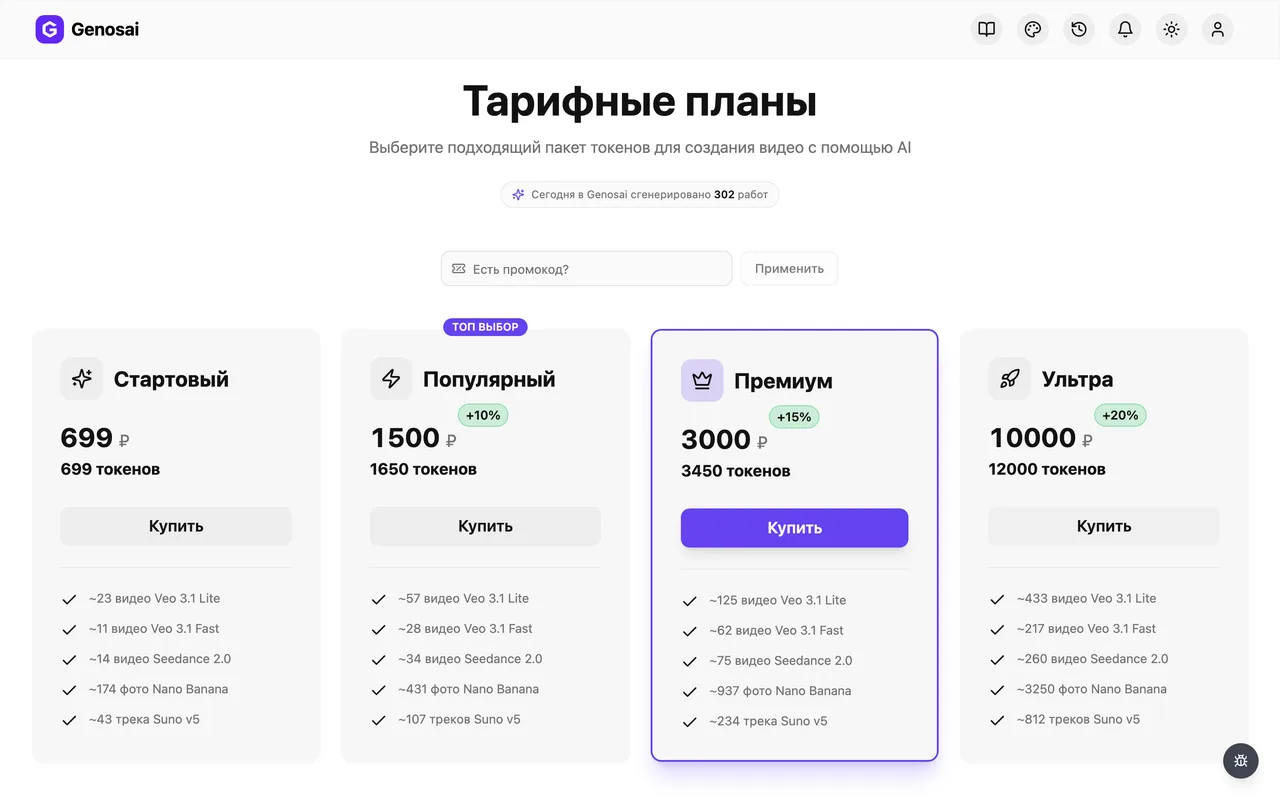
Credits are the internal currency that pays for generation. The balance sits in the studio header next to the top up button. A cartoon with sound uses noticeably more credits than images, so check before the expensive part starts.
7. Step 7. Review the estimate and confirm
There are several estimates along the way: the cast sheet, the storyboard, then the main one for scenes, narration and music, and finally the edit at a fixed ten credits. Nothing is charged until you press Confirm. If the total is high, ask for six scenes instead of nine or drop the music.
The confirmation is registered by the system, not the agent. Press the button on the card or write the single word confirm.

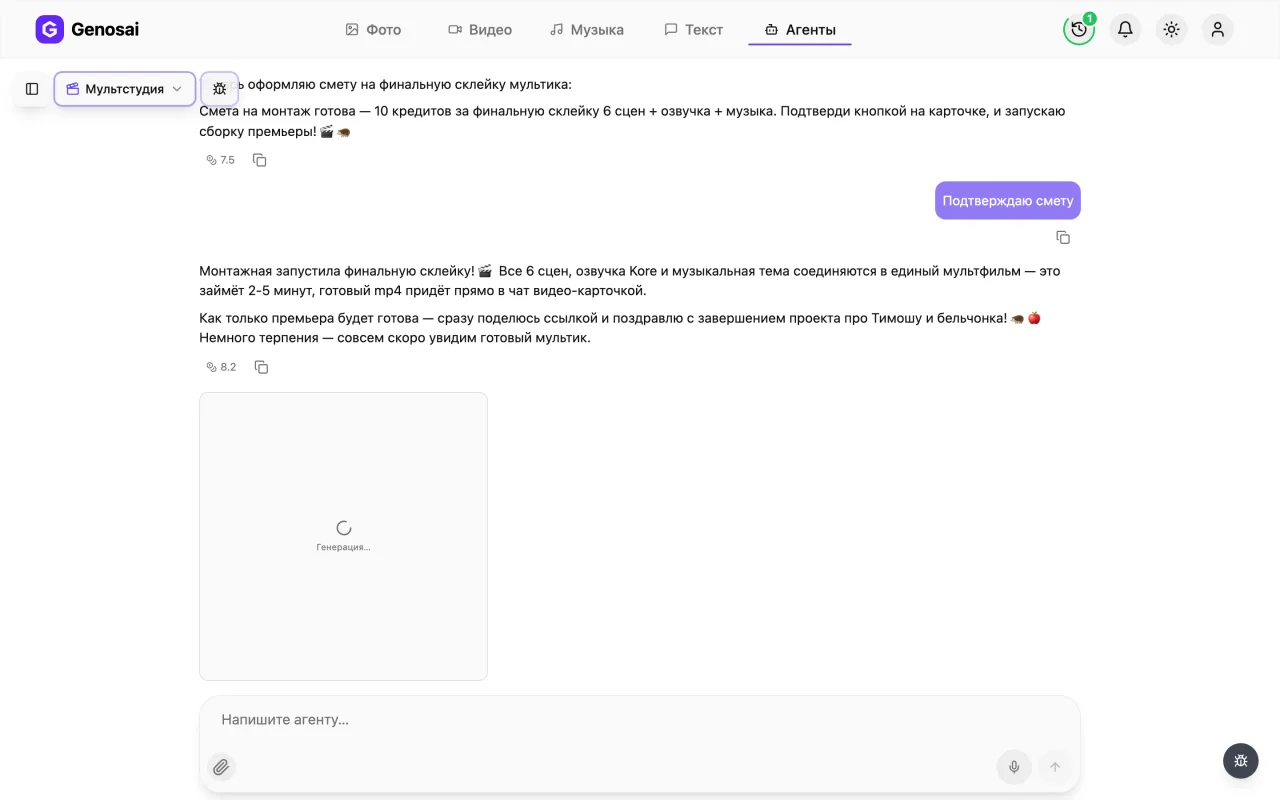
8. Step 8. Wait for the scenes and the edit
The studio renders the scenes one by one, records the narrator and mixes the music. Animation takes a while, several minutes per scene, and the final edit another two to five. You can close the tab and come back later, the work continues.
9. Step 9. Collect the cartoon
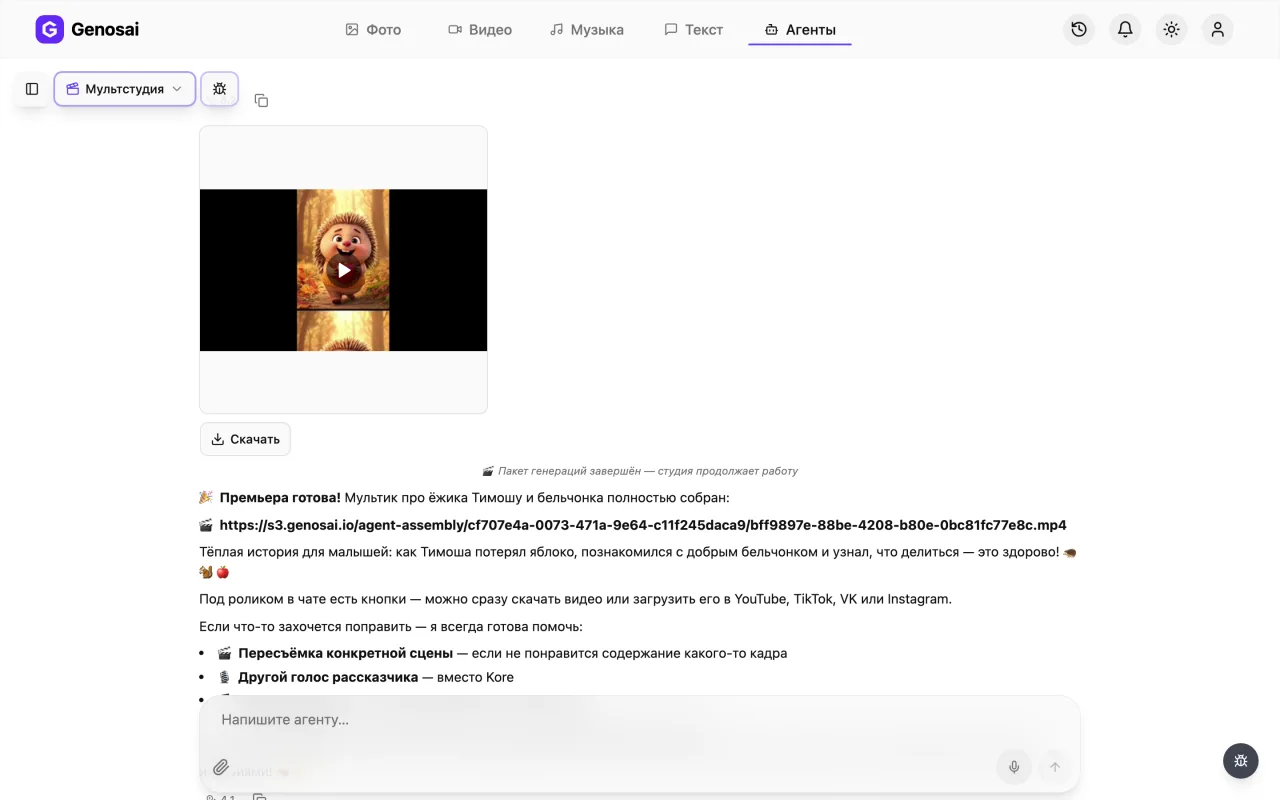
The finished film arrives in the chat as one file with sound and music. Click it to open full screen; the card has a Download button and the agent's message carries a direct mp4 link. From there you post the file wherever you need it yourself.
What This Agent Does
The Genosai Cartoon Studio is an animation studio that makes a short cartoon end to end. You describe in plain words what the film is about and who is in it, and the studio invents the story, draws the characters, renders the scenes, records the narrator, picks the music and joins it all into a finished film.
The key feature is consistent characters. The usual curse of homemade animation is that the character looks different in every shot: the fox is ginger, then brown, then wearing a scarf, then not. That problem does not exist here. The studio first creates one cast sheet with every character on a white background, you approve it, and from then on that sheet is the reference for every scene. The fox stays the same fox from the first frame to the last.
The cartoon is assembled whole, as one file with sound and music. Under the finished film the chat shows a Download button, and the agent's message carries a direct mp4 link, so you take the file and post it wherever you need.
You do not have to invent the hero yourself: say in plain words what the character should be like and what should happen, and the studio invents both for you. The reverse works too — attach a picture of a favourite cartoon character, and the cast sheet is built around your image so the film stars exactly that hero.
Between the brief and the filming there is one more important stage, the storyboard. It is a single image with a grid of frames: every scene at once, in the approved style and with your characters. The studio slices it up and animates the scenes from those frames. Read it carefully: changing a frame before filming costs pennies, regenerating a filmed scene is a full generation.
You pick the style: rich 3D like the big studios, flat 2D, anime, claymation or watercolour. The format is yours too, vertical 9:16 for Shorts, Reels and TikTok, or landscape 16:9 for YouTube.
Who It Is For
Parents who want a story about their own child, with their name, their toys and a gentle moral at bedtime. Such a film costs less than a birthday entertainer and stays forever.
Teachers and speech therapists: a short story explaining a rule or a letter works better than explaining it aloud. Nurseries and children's clubs use them for social media and parent chats.
Bloggers and children's channels that need a steady stream of short stories. And businesses explaining something complicated, because a cartoon lands where a slide deck tires people out.
And separately, anyone who tried making animation themselves and gave up because the characters drifted from scene to scene. Here that is solved mechanically, with references.
What to Prepare First
You do not need to draw anything, but it is worth thinking about the story.
First, what the cartoon is about. Not simply about a fox, but what happens: a setup, an adventure, a kind resolution. Even one sentence such as "a fox cub was afraid of the dark and then made friends with a firefly" is already a working skeleton.
Second, the characters. Who they are, what they are called, what they are like. Names matter: they are spoken by the narrator and make the story personal. If the cartoon is about your child, say so at the start.
Third, who it is for. Toddlers under three, preschoolers, early school age, family viewing or adult humour. This sets both the pace and the narrator's vocabulary.
Fourth, style and format. Rich 3D looks the most expensive, flat 2D is softer, claymation feels warm and homemade, watercolour suits quiet tales. Pick the format by platform: vertical for feeds, landscape for YouTube.
Fifth, the narrator voice. Kore is warm and female, good for bedtime. Charon is confident and male, good for adventures. Puck and Leda are also there.
If there is no story yet at all, sketch one with the copywriter and bring it here.
A Walk Through the Conversation
Here is the real sequence of messages so you know what to expect.
Agent: Hello! I am the Genosai Cartoon Studio: I make cartoons end to end, story, characters, scenes, narration and music. To start, tell me what the cartoon is about, who the characters are, the style (3D, 2D, anime, clay) and the format, 9:16 or 16:9.
You: A cartoon about a hedgehog called Timothy who lost his apple and looked for it all over the forest, then found it with a squirrel and they shared it in half. For my daughter, she is four. Rich 3D style, vertical format. Warm female voice.
Agent: Lovely story, about friendship and sharing. Before we film, let us create the cast sheet: Timothy and the squirrel on one image, so they look the same in every scene. That is a single generation. Here is the estimate.
You: confirm
Agent: Done, meet them. Timothy the hedgehog, warm brown with ginger spines and a green scarf. The squirrel, ginger, bushy tail, curious face. Approve, or shall I change anything?
You: Make Timothy's scarf blue, otherwise perfect.
Agent: Scarf redrawn. Now the script, seven scenes.
| # | On screen | Narration |
|---|---|---|
| 1 | Autumn forest, hedgehog rolling an apple | "In the forest lived a hedgehog called Timothy. And he had one apple" |
| 2 | The apple rolls away downhill | "But one day the apple rolled off and vanished" |
| 3 | Timothy searching among the roots | "He looked under the bush and under the fir tree" |
| … | … | … |
| 7 | Timothy and the squirrel eating halves | "And the apple, shared in half, tasted twice as good" |
Read it and we edit until you are happy.
You: All good, just add at the end that they became friends.
Agent: Added. Here is the estimate for seven scenes, narration and music. Nothing is charged until you confirm.
You: confirm
Agent: Added. Now the storyboard, one image with a grid of frames for every scene. It is quoted separately.
You: confirm
Agent: Frames are ready, sliced and numbered. Anything to reshoot before we film? If you are happy, here is the estimate for scenes, narration and music.
You: All good, go ahead.
Agent: Rendering the scenes… Recording the narrator… The composer picked a calm theme. One thing left, the final edit at ten credits, here is the estimate.
You: confirm
Agent: The edit suite has put the cartoon together. Here is your file with sound and music, a Download button under the card and a direct mp4 link next to it.
Note that the cast sheet is not a filler step or a way to spend credits. It is what holds the characters together. Skip that step and the hedgehog is a new animal in every scene.
What It Costs
There is no fixed price. The cost depends on the number of characters, the number of scenes, their length and whether you order narration and music. The agent calculates all of it and shows the estimate card.
There are several estimates along the way, and the split is deliberate: a small one for the cast sheet — one image however many characters there are — an equally small one for the storyboard, then the main one for scenes, voice and music, and finally the edit at a fixed ten credits. You see the characters and the frames for very little money before launching the expensive part.
The conversation costs pennies, so discussing the plot, changing names and editing lines is effectively free. Credits go on generation. Video is far more expensive than images: one second of animation costs considerably more than a whole picture.
If the total is high, ask for a shorter cartoon, six scenes instead of nine, or drop the music. The agent recalculates. Until you press Confirm, nothing is charged.
Common Beginner Mistakes
Skipping the cast sheet to save money. That is a false economy: without a reference the characters change from scene to scene and the film falls apart. Refilming costs more than the one image did.
Approving a character that is roughly right. Look closely at this step: the colour, the clothing and the distinctive details go into every scene unchanged. Fixing it later means regenerating everything.
Inventing an over complicated plot. Seven scenes of fifteen seconds is about two minutes. Three storylines will not fit and it turns into a rushed mess. One simple idea works better.
Changing the format midway. The format is shared by the characters, the storyboard and every scene. Decide at the start.
Asking for text inside the frame, character names or titles. AI models render letters poorly and they dissolve. Add titles on top of the finished film in any editor.
Ordering a very long cartoon in one piece. A scene is capped at fifteen seconds and assembly runs twelve clips per pass. A very long story is assembled in two passes, which is slower and dearer. Better to split it into episodes.
Why This Beats Doing It Yourself
You could open a video model and describe the scenes yourself. But then you have to solve animation's central problem on your own: keeping characters consistent. That means maintaining character descriptions by hand, feeding reference images into every generation and watching that the style does not drift.
The agent does this mechanically: the cast sheet becomes a compulsory attachment to every scene. On top of that it picks the model, turns your plain sentence into a detailed English frame description, holds one style and format, orders the voice and the music, and does the edit itself.
The second advantage is story structure. Setup, adventure, kind resolution is not decoration, it is the reason a child watches to the end. Someone writing their first cartoon script usually produces a set of pretty scenes with no story, and that is dull to watch.
Works Well With
A cartoon rarely stands alone, so other assistants usually work alongside it.
A thumbnail for YouTube is easy to build with YouTube thumbnails, and it strongly affects whether the video gets opened or scrolled past. The caption for a social post is written by social media post, and a short script for the feed by Reels and Shorts scriptwriter.
If you need a live action teaching clip rather than a fairy tale, look at the explainer video. For a greeting with a character there is greeting video, and a song for your cartoon can be written by custom song.
The full list of assistants with descriptions lives on the all agents page, where you can also see which ones work with video and which with text and images.
FAQ
Why can I not skip the cast sheet
Because it is what keeps the characters identical. The sheet becomes a compulsory reference for every scene. Without it the hedgehog in scene one and the hedgehog in scene five are different animals and the film falls apart.
How long is the finished cartoon
A single scene runs up to fifteen seconds and there are usually six to nine scenes, so roughly one and a half to two minutes. A longer story is assembled in two passes, but it is better to split it into episodes: cheaper and livelier to watch.
Can I make a cartoon about my own child
Yes, and it is a common request. Give the name, the age and how the child looks, and the studio draws them on the cast sheet and uses it in every scene. The name is spoken by the narrator.
Which style should I pick
Rich 3D looks the most expensive and children love it. Flat 2D is softer and calmer. Claymation feels homemade and warm, watercolour suits quiet bedtime stories, anime works for older kids.
Can I add titles and character names on screen
AI models still render letters poorly and they dissolve into unreadable mush. Add titles and captions yourself on top of the finished film in any free editor.
How long does it take
Discussing the story and the characters takes about fifteen minutes. Generating the scenes, the narration and the music takes considerably longer, usually half an hour or more. You can close the tab, the result waits in the same conversation.
What does it cost in money
There is no fixed price: it depends on the number of characters, the number of scenes and whether narration and music are ordered. The agent shows the estimate before starting and nothing is charged until you confirm.