Genosai Copywriter writes sales copy for social media and ads
The Genosai Copywriter is an assistant that takes the way you would describe your product out loud and turns it into finished copy for VK, Telegram, Instagram, Yandex Direct or Avito. It asks the questions for you, offers a few ways to build the text and rewrites it until you are happy. It can also draw an image for the post, but only after you approve the cost.
Updated: August 10, 2026
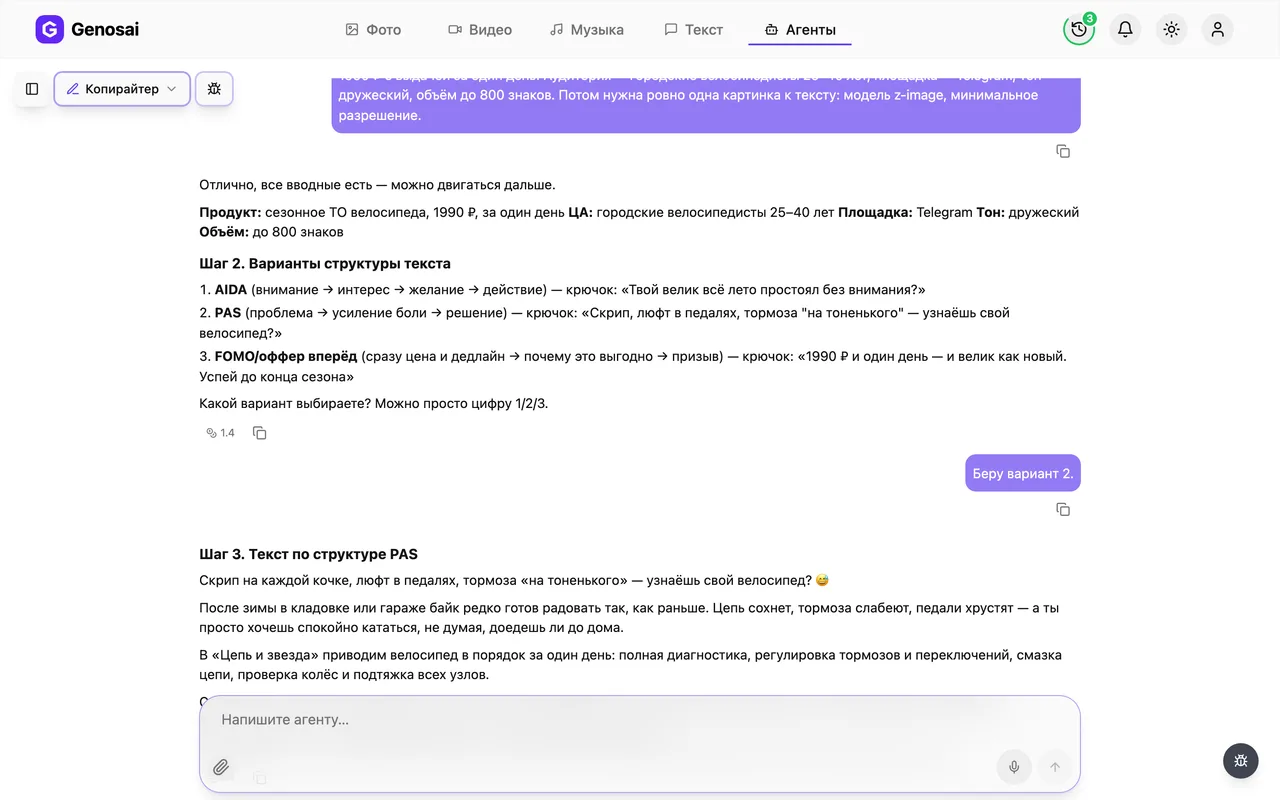
- It asks the questions — You do not need to brief an AI. The assistant asks about your product, audience, platform and tone in plain words.
- Three structures to pick from — Before writing it offers three different ways to build the text, so you choose the angle instead of accepting a random one.
- Unlimited rewrites — Ask it to shorten, soften or cut a paragraph as many times as you need. Editing the text costs next to nothing.
- Matching image on request — It can draw a picture for your post, including one with readable text baked into the image.
- Cost shown before anything runs — Every image generation starts with a written estimate. Nothing is charged until you press the confirm button.
- Copy ready to publish — The final version is placed in its own block so you can copy it straight into your social network.
What it produced

Step-by-step guide
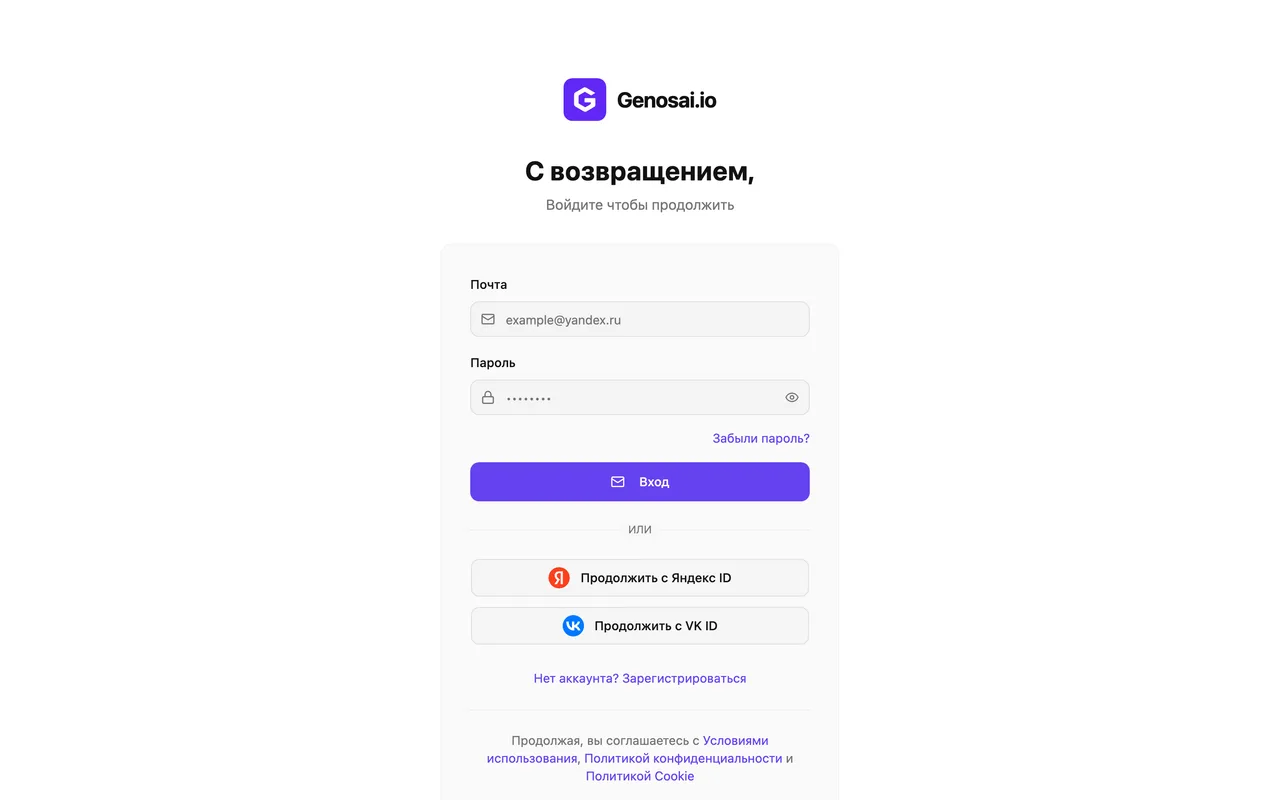
1. Step 1. Create your Genosai account
Open the site and press the sign in button. You can register with an email address or an account you already have, and there is nothing to configure. New users receive starter credits, so the first text usually costs nothing.
2. Step 2. Open the studio and the agents tab
After signing in you land in the studio, which is the main workspace. At the top there is an Agents tab, press it. An agent is a ready made assistant built for one job, so you never have to set anything up yourself.
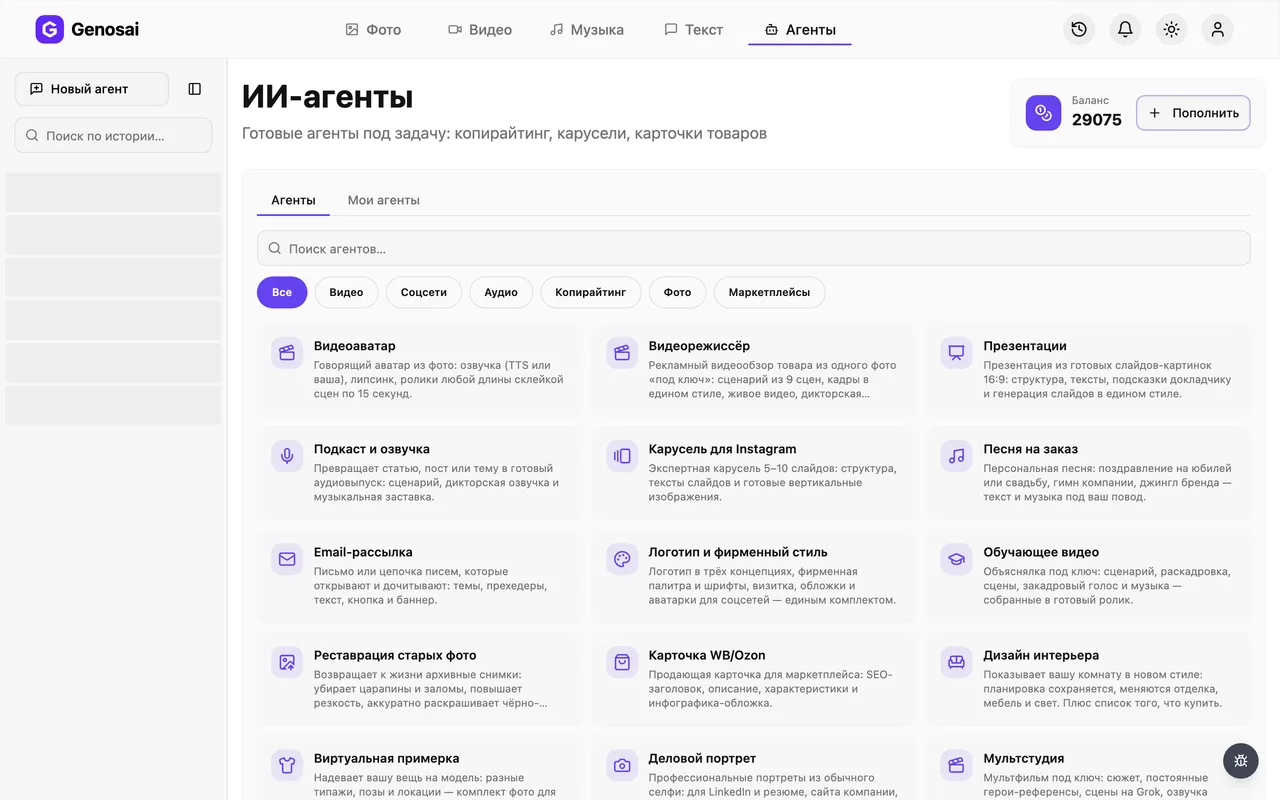
3. Step 3. Find the Copywriter in the gallery
The gallery lists every available assistant. Type copywriter into the search box or pick the category for text work. Press the card with the pen icon to open a conversation.
If you specifically need marketplace listings or newsletters, check the neighbouring cards, there are dedicated assistants for those.
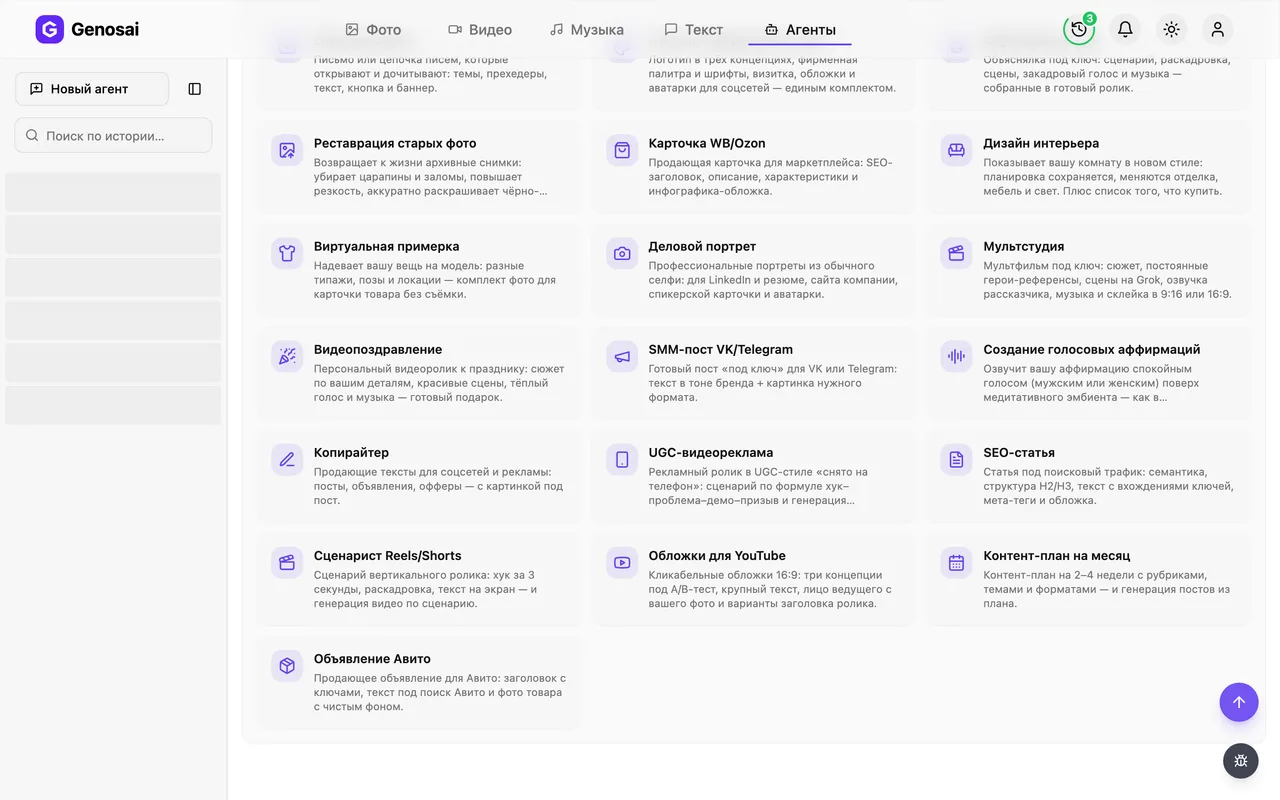
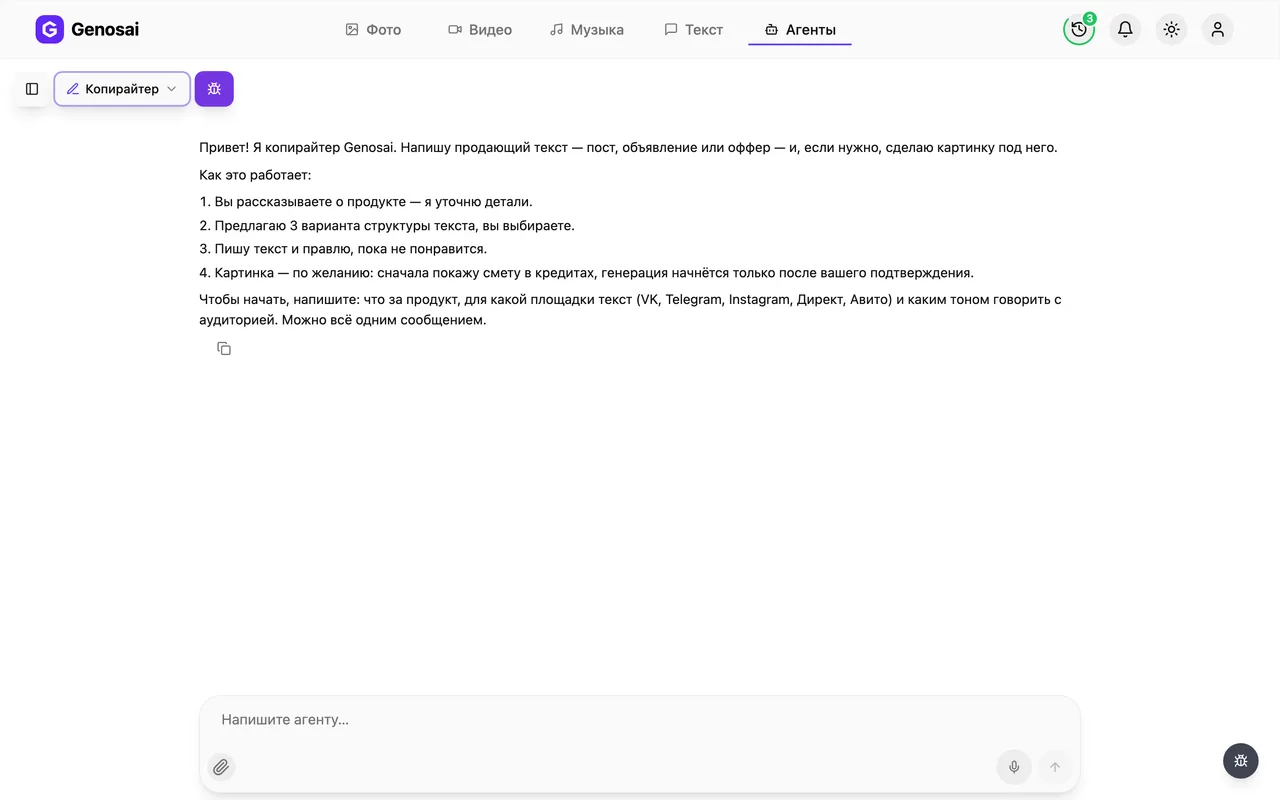
4. Step 4. Read what the agent asks first
The assistant writes first. It briefly explains how it works and asks about your product, the platform and the tone you want. Answer in everyday language, the way you would write to a friend.
5. Step 5. Describe your product
In one message say what you sell, who buys it and where the text will be published. The more concrete the detail, such as price, delivery time or what makes you different, the less filler ends up in the copy. If you do not know something, say so and the assistant will state a sensible assumption out loud.
Do not ask it to invent reviews or discounts. It only uses facts you supplied, and that is deliberate.
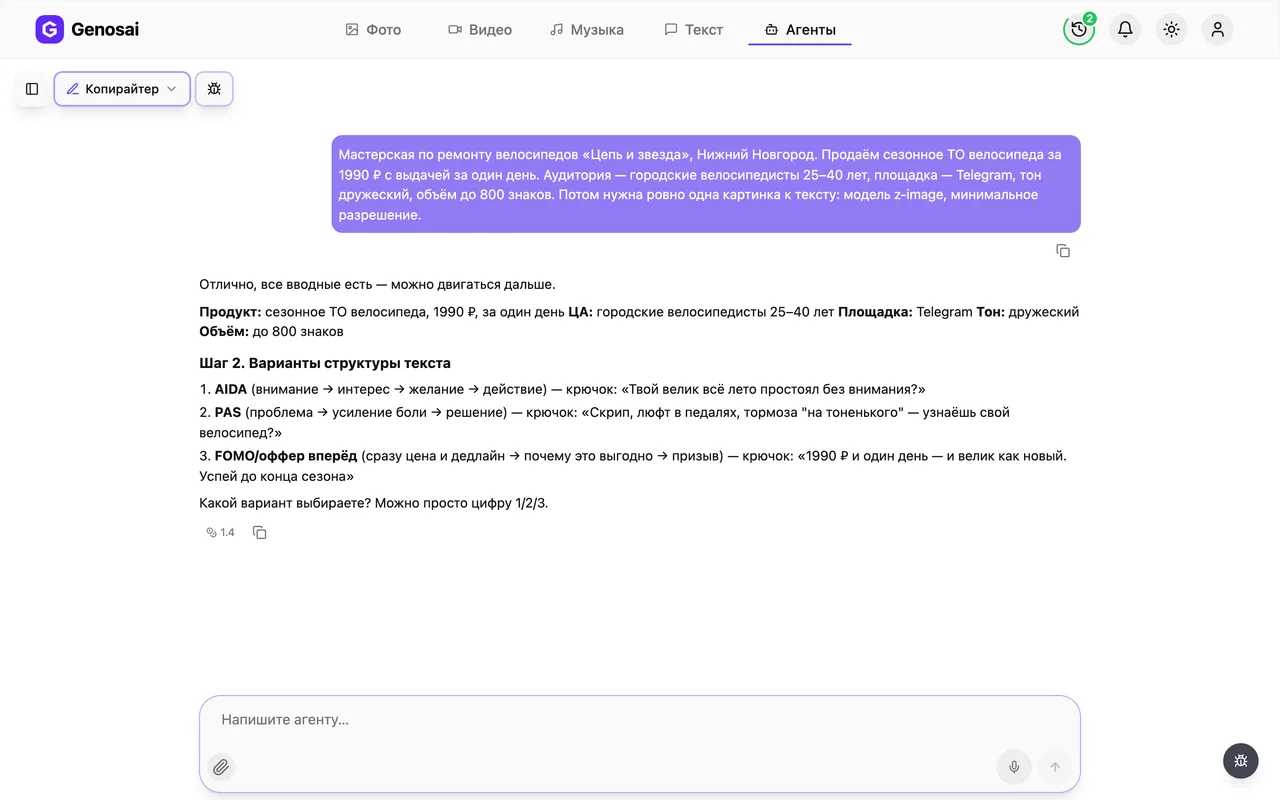
6. Step 6. Choose a structure and get the text
The assistant offers three ways to build the copy, for example through the customer problem, through a short story, or through a direct offer. Reply with the number you like and it writes the full text. After that ask for edits in plain words such as shorter, warmer, or drop the delivery part.
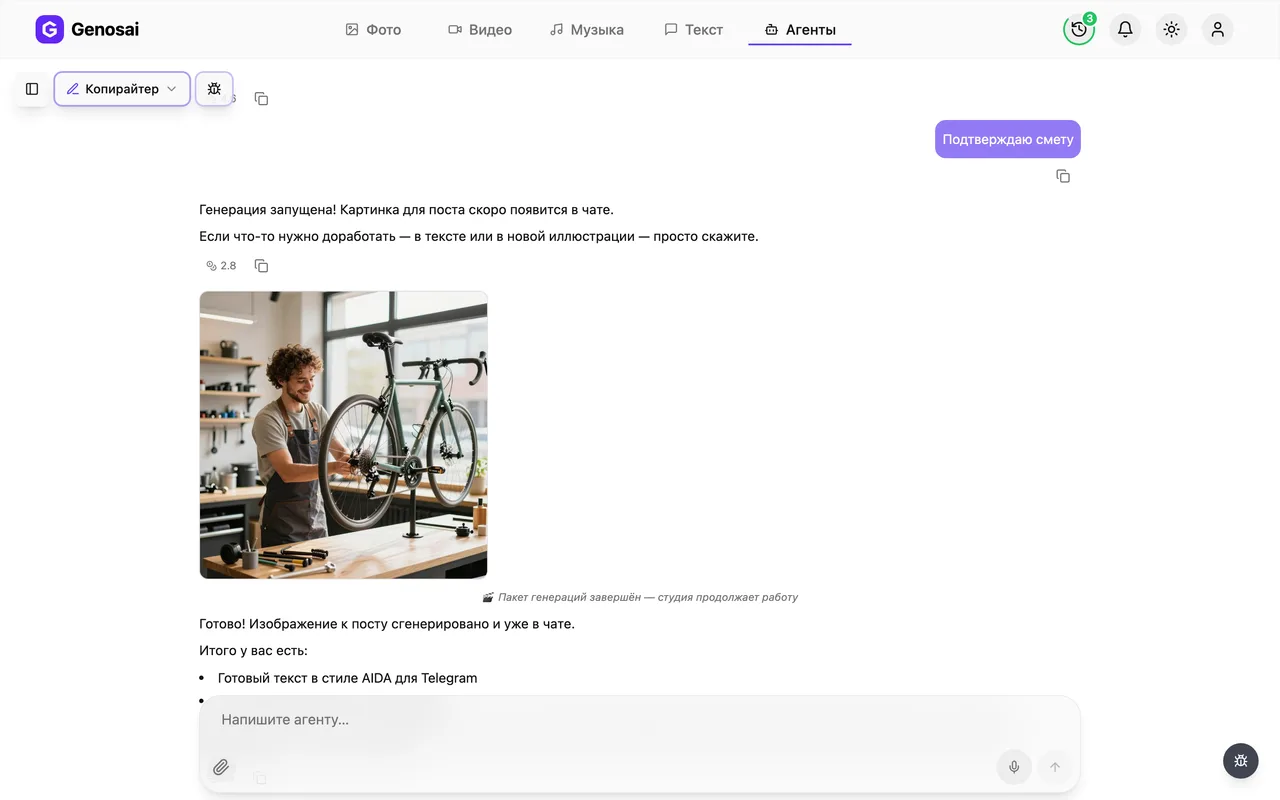
7. Step 7. Review the estimate for the image
If you want a picture with the post, say so. The assistant picks a model and shows an estimate card listing exactly what will be produced and how many credits it costs. This is the only place money is spent, and nothing is charged before you press the button.
Approval has to be the button or a single short word. A long sentence like yes great go ahead is deliberately not treated as consent, so credits are never spent by accident.

8. Step 8. Wait while the image is made
Once confirmed, generation starts and a tile labelled Generating appears in the chat, turning into the finished picture. It usually takes from a few seconds to a couple of minutes, and you do not have to keep the tab open.
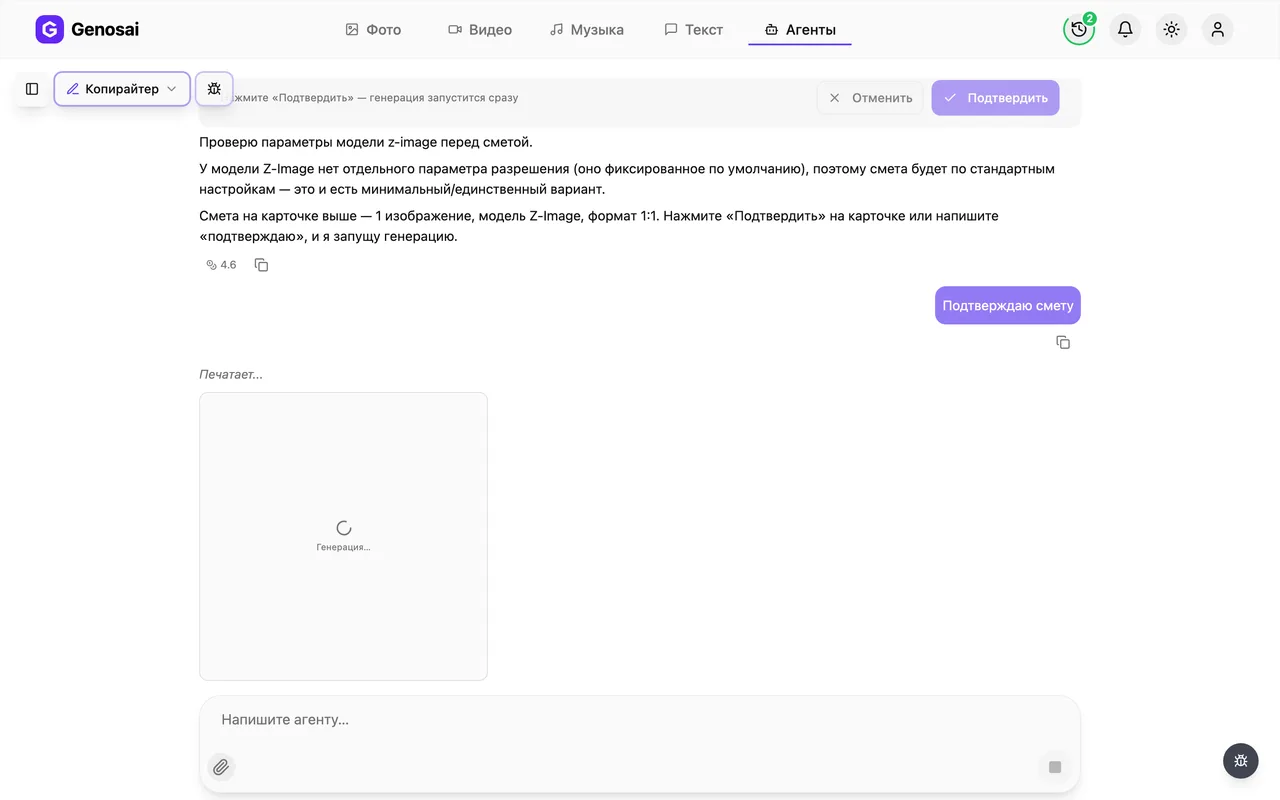
9. Step 9. Collect the text and the picture
The finished image appears in the chat as a tile. Click it to open the full screen viewer, where a download icon saves the file. The text you simply select and copy. Both are ready to publish as they are.
10. Step 10. Come back to the same conversation later
Every conversation is saved in the sidebar on the left. A week later you can reopen it and ask for another post in the same style, because the assistant still has the context of that discussion.
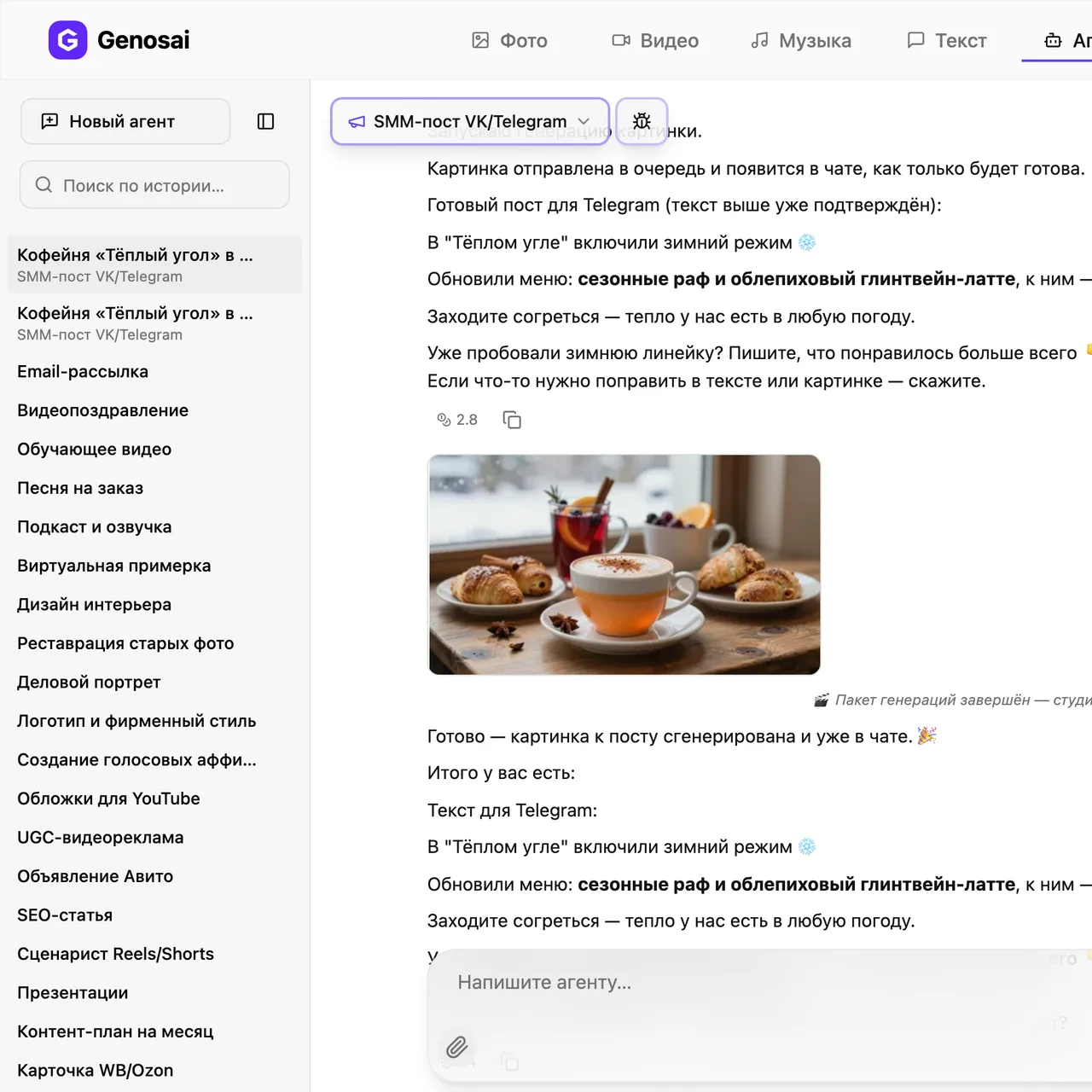
What this agent does
The Genosai Copywriter removes the part of the job where everyone gets stuck, which is the blank page and the blinking cursor. You arrive with a single sentence such as I sell homemade cakes to order, and you leave with a finished post, advertisement or offer, plus an image if you want one.
It helps to understand how this differs from an ordinary chat with an AI model. In a plain chat you have to invent the question. Here the assistant leads you through a script it already knows. First it establishes what the product is and where the text will run. Then it offers three ways to structure the copy and lets you pick. Then it writes and edits until the result works for you. Only at the very end, and only if you ask for a picture, does spending come into it.
The agent is tuned for the platforms people actually publish on, and it knows they are not interchangeable. A Telegram post and a classified ad are built differently, and it will not hand you one when you asked for the other.
Who it is for
Owner operators first. A baker, a nail technician, a private tutor, a car workshop, a small shop: everyone has something worth telling the customer, but few have the time or the habit of turning it into persuasive copy.
Second, people who are new to the marketing side of things. If you have just started running social media for a client, the agent gives you a solid skeleton and a choice of angle that you can then finish in your own voice.
Third, anyone who writes rarely but regularly. Once a month you need an announcement, a promotion, a note to partners. Memorising copywriting formulas for four occasions a year makes no sense, but the assistant remembers them permanently.
It is equally worth saying what this agent is not. It does not write long articles aimed at search engines, which is the job of the SEO Article assistant. It does not build newsletters with subject lines and preheaders, which belongs to Email Newsletter.
What to prepare in advance
Nothing to install and nothing to configure. Spend two minutes answering four questions for yourself and paste the answers straight into the chat.
First, what you sell and how it differs from the alternatives. Not vague talk about quality, but specifics: you work weekends, you deliver within an hour, you give a two year guarantee.
Second, who the buyer is. A parent of a school child, a truck owner, a bride a month before the wedding. One text for everyone convinces nobody.
Third, where the copy will be published, because the platform decides the length, the tone and even whether emoji belong.
Fourth, any real numbers you have: price, lead time, number of orders completed. The assistant will not invent these, so without your figures the copy stays more generic than it could be.
A real conversation walked through
Here is what an actual exchange looks like. The human lines are what you type, the agent lines are what comes back.
You. I sell homemade cakes to order in my city. I need a short Telegram post, friendly tone.
Agent. Noted: homemade cakes to order, Telegram, friendly tone, short format. One question: are we speaking to parents ordering a children's party, or to adults planning anniversaries? For now I am assuming parents, tell me if that is wrong and I will redo it. Here are three structures, reply with a number.
- Problem and relief. We open with the situation where the party is in two days and there is no cake.
- One order retold. A short story about a specific cake and the child's reaction.
- Straight offer. The proposition, what is included, the price and a call to message you.
You. The second one.
Agent. Done, here is the text. I put the final version in its own block so it is easy to copy in full. > Last Saturday Kate turned six. Her mother wrote to me on Wednesday, almost without hope...
What would you change?
You. Too long. Cut the paragraph about delivery and make it about a third shorter.
Agent. Shortened, delivery paragraph removed, the call to action is still at the end. > Last Saturday Kate turned six...
You. Perfect. Now make an image for it.
Agent. I picked a model suited to social media. Here is the estimate for one square image: a homemade cake close up, warm light, wooden table. Press confirm on the card, nothing is charged before that.
You. Confirmed.
Agent. Starting generation now, the picture will appear in the chat as its own card within a minute.
Two details are worth noticing. The assistant did not ask the same clarifying question twice; when the audience was unclear it took an assumption and said so aloud. And it did not draw anything until you pressed confirm.
What it costs
There is no flat price for a piece of copy. Spending splits into two very different things.
Talking to the assistant is billed separately and costs pennies, a handful of credits per message. Discussing structure, asking for edits and rewriting the text will barely move your balance.
Generating images is where real credits go, which is exactly why the assistant never starts one silently. It shows an estimate card for the specific job, listing how many images and at what quality, and the exact figure appears there before anything runs. As a rough guide, one picture for a post costs about the same as any single image generation, and asking for three variants costs roughly three times as much.
Until you press confirm, nothing at all is charged. That includes changing your mind: you can ignore the estimate entirely and carry on editing the text.
Your credit balance sits in your account page, where you can also top it up. New accounts start with free credits, so the first piece of copy is usually free.
Common beginner mistakes
Writing a first message that is too short. Write a post about my shop produces a text about nothing. Three lines of concrete detail about the product and the buyer change the result far more than any clever phrasing.
Approving an estimate with a long sentence. The system only counts a button press or one short word of consent. Something like yes brilliant let us go is deliberately ignored so credits are never spent on a passing remark. Many newcomers type that and wonder why nothing happens.
Asking for invented proof. If you request testimonials or client counts that do not exist, the assistant will decline. Give it real figures, however modest, and the copy gets stronger.
Trying to get everything from one message. The step by step script exists for a reason, and choosing the structure early saves a great deal of editing later.
Ignoring the history sidebar. People open a fresh conversation for every post and explain their business from scratch each time. Reopening the old one and writing another post in the same style but about the new promotion is much faster.
Why this beats writing it yourself
Speed. Copy that takes a person an evening is finished here in ten minutes, edits included.
Structure. Persuasive copy stands on a skeleton of hook, benefit, proof and call to action. The assistant never forgets the call to action at the end, and humans forget it constantly.
Choice. Your own draft is usually the only draft, with nothing to compare it against. Here you see three angles and can judge which one sounds right.
No blank page anxiety. Editing something that already exists is psychologically far easier than starting from nothing, and most people edit better than they draft.
The final word still belongs to you. You know your customers and the assistant knows how persuasion is built. The best results come when a person drops one real detail from their own practice into a well built skeleton.
Which agents pair well with this one
The Copywriter covers short form text, but it rarely works alone.
For long pieces aimed at search traffic, use the SEO Article assistant, which researches key phrases and builds a full length article.
If the text is going into a mailing, hand it to Email Newsletter, which adds subject lines, preheaders and a button.
A social post is easy to expand into an Instagram carousel or to adapt with the social post assistant for a specific network.
If you sell on marketplaces, add a marketplace product card, and to plan a month ahead use the monthly content plan.
To see everyone else who can help with text and images, browse the full list of all agents in the catalogue.
FAQ
Do I need to know how to write AI prompts
No. The assistant asks its questions one at a time and you answer in plain language. If you have no answer, it proposes a reasonable option and checks whether it suits you.
How much does a piece of copy cost
The conversation itself is billed per message and costs only a few credits. Real spending happens only when an image is generated, and that price is shown in an estimate beforehand.
Can I ask for a rewrite if I do not like the result
Yes, and it is a normal part of the process. Ask for changes in plain words as often as you need. Rewriting text never requires a new estimate.
Can it put readable words onto the picture
Yes. Tell it the exact phrase you want on the image and it will choose a model able to render readable lettering.
What happens if I close the tab during generation
Nothing is lost. The work continues on the server and the result appears in the same conversation when you return.
Does it work for search ads and classifieds
Yes. Name the platform in your first message and the assistant will respect the length limits for headlines and ad bodies.
Will it invent testimonials or discounts
No, and that limit is intentional. It only uses the numbers and facts you provide, so the copy never misleads your customers.