How to Make a Narrated Explainer Video Without Filming or Editing
An explainer video is a short clip that makes one idea clear in about a minute. The Genosai agent handles the whole chain on its own: it writes the script, draws every frame in one consistent style, animates them, records a narrator voice, adds music and assembles a finished file. You need neither a camera nor a video editor.
Updated: August 10, 2026
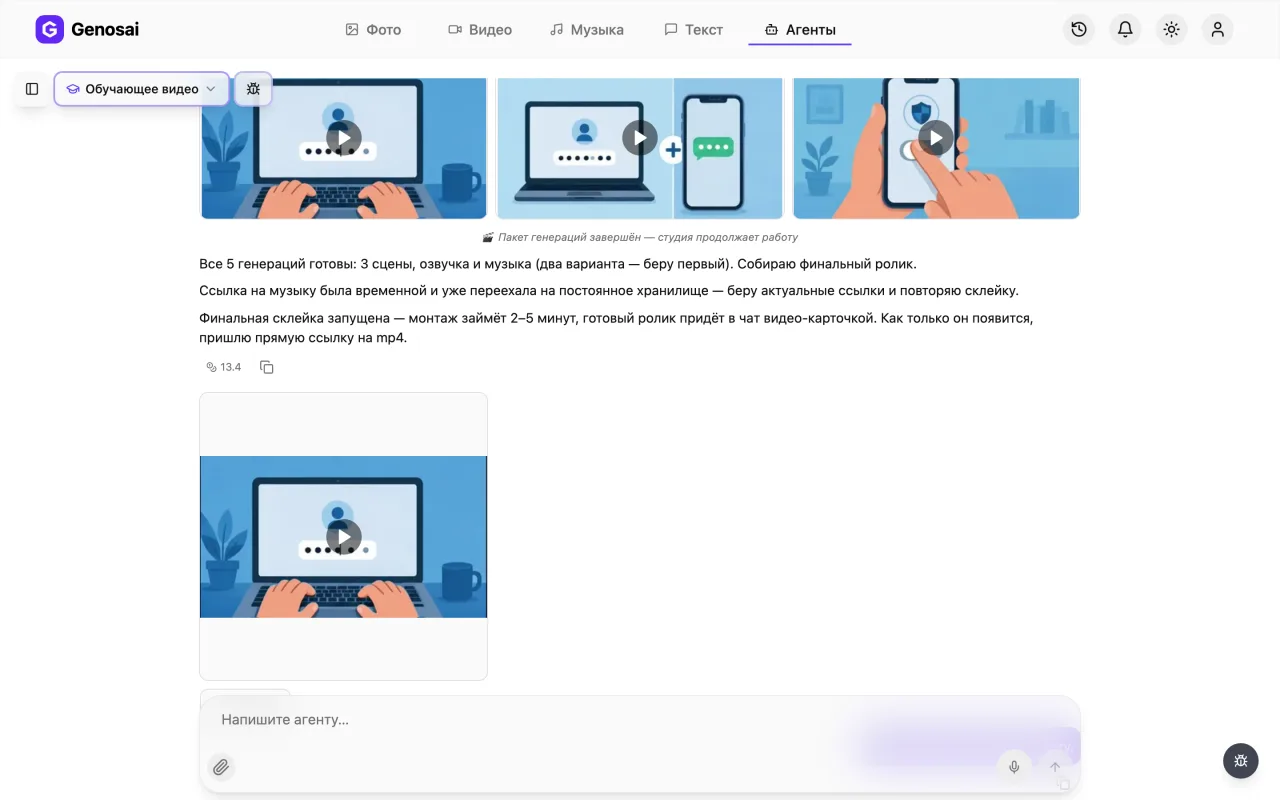
- A finished file, not clips — The agent assembles scenes, narration and music into one ready mp4. There is nothing left for you to edit.
- Script built like a lesson — Structure follows a teaching shape: hook, the idea in one line, three or four steps, summary and next action.
- One consistent visual style — All frames are drawn as a single storyboard sheet, so the look never jumps between one scene and the next.
- Narrator voice and music — The script is voiced by the narrator you pick, and the background track is ducked under speech automatically.
- Two formats for any platform — Choose 16 by 9 for courses and YouTube, or 9 by 16 for Shorts, Reels and vertical feeds.
- Price shown before you pay — A cost card appears before generation starts. Nothing is charged until you press the confirm button.
What it produced

Example output of the Explainer Video agent — video 2
Example output of the Explainer Video agent — video 3
Example output of the Explainer Video agent — music 4
Example output of the Explainer Video agent — music 5
Step-by-step guide
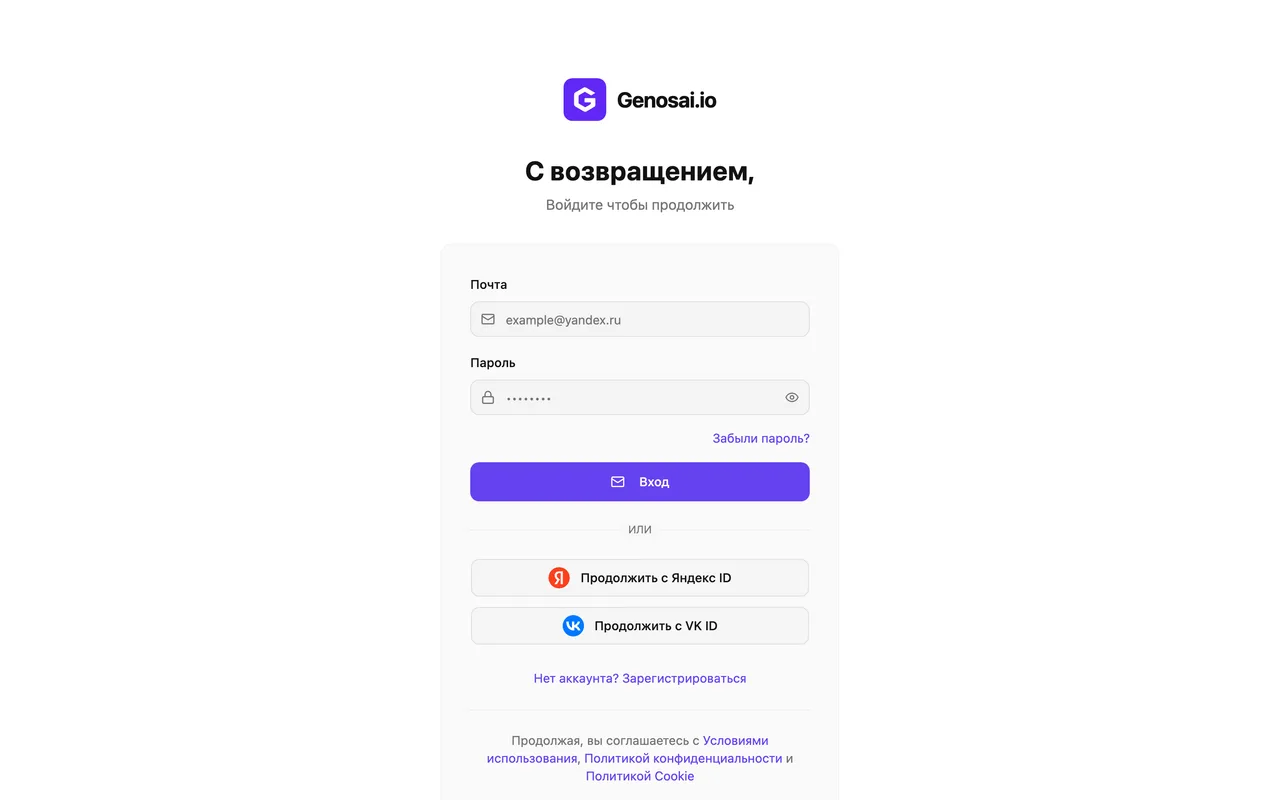
1. Step 1. Create your account
Open the Genosai site and register with an email address or a one click login. It is free and no bank card is required. New users receive a starter balance of credits so you can try the service before spending anything.
2. Step 2. Open the studio
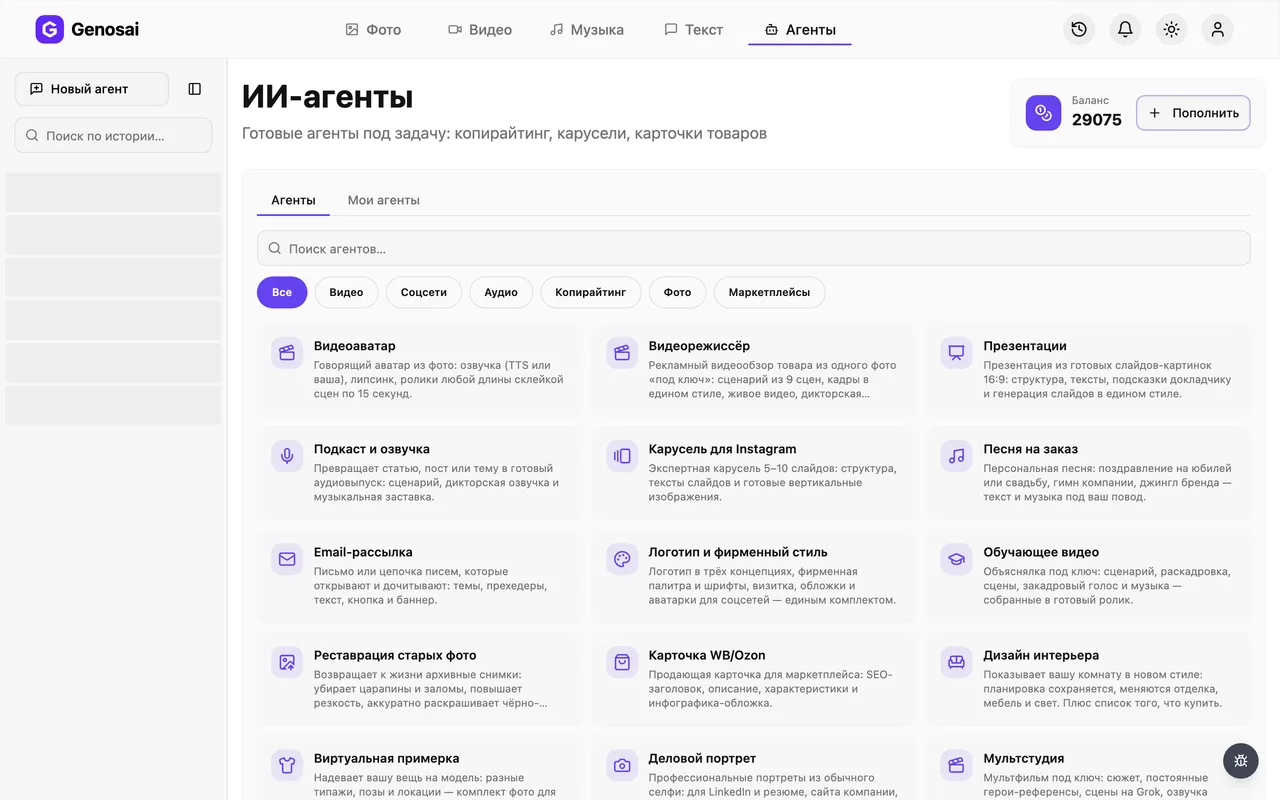
The studio is your workspace once you are logged in. In the top menu find the Agents tab and click it. A gallery of ready made assistants opens, each of them trained for one specific job.
3. Step 3. Find the explainer studio
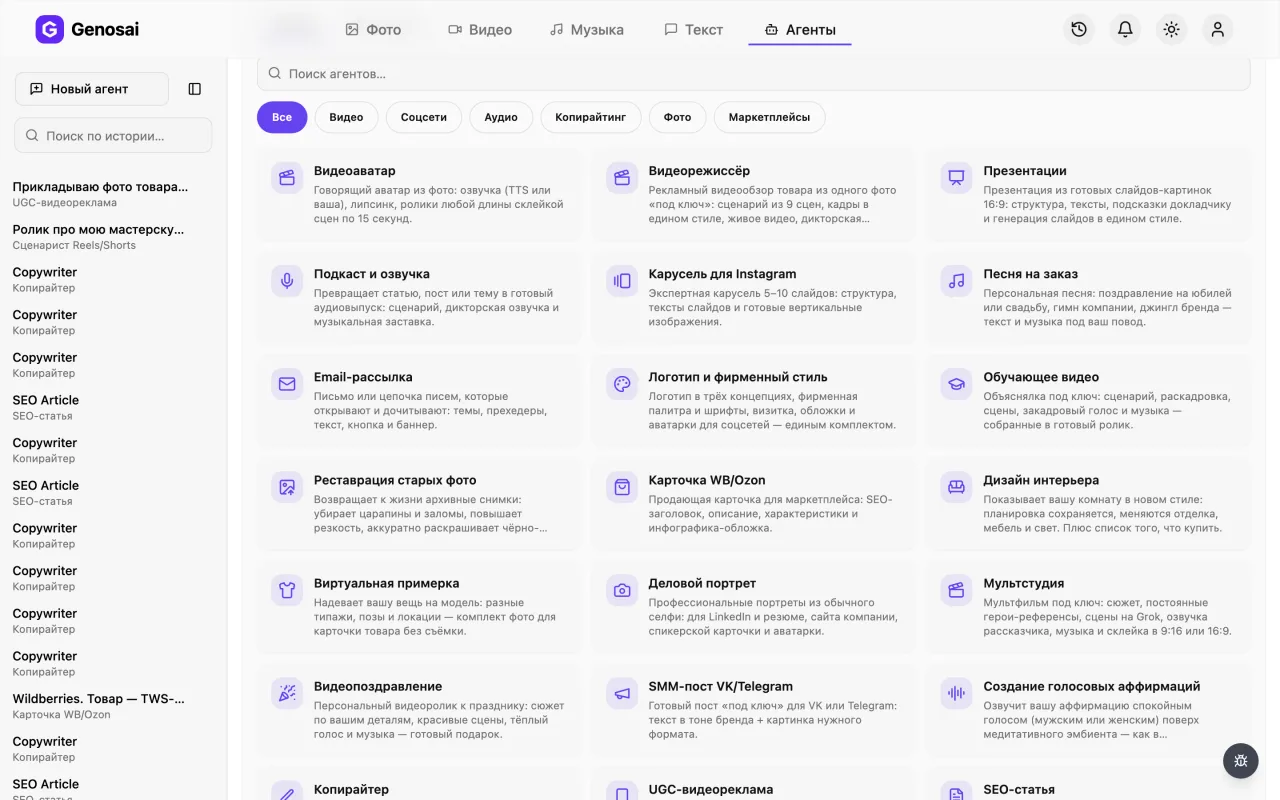
Choose the Video category or type explainer into the search field. Click the card with the graduation cap and a chat window opens. The conversation is saved, so you can return to it at any time.
4. Step 4. Describe your topic
The agent greets you and asks four things: the topic and what the viewer should understand afterwards, who the audience is, the length in seconds and whether you want a horizontal or vertical frame. Answer in plain language, one message is enough.
Mention the visual style you want as well: flat infographics, 3D icons, whiteboard drawing or realistic footage.
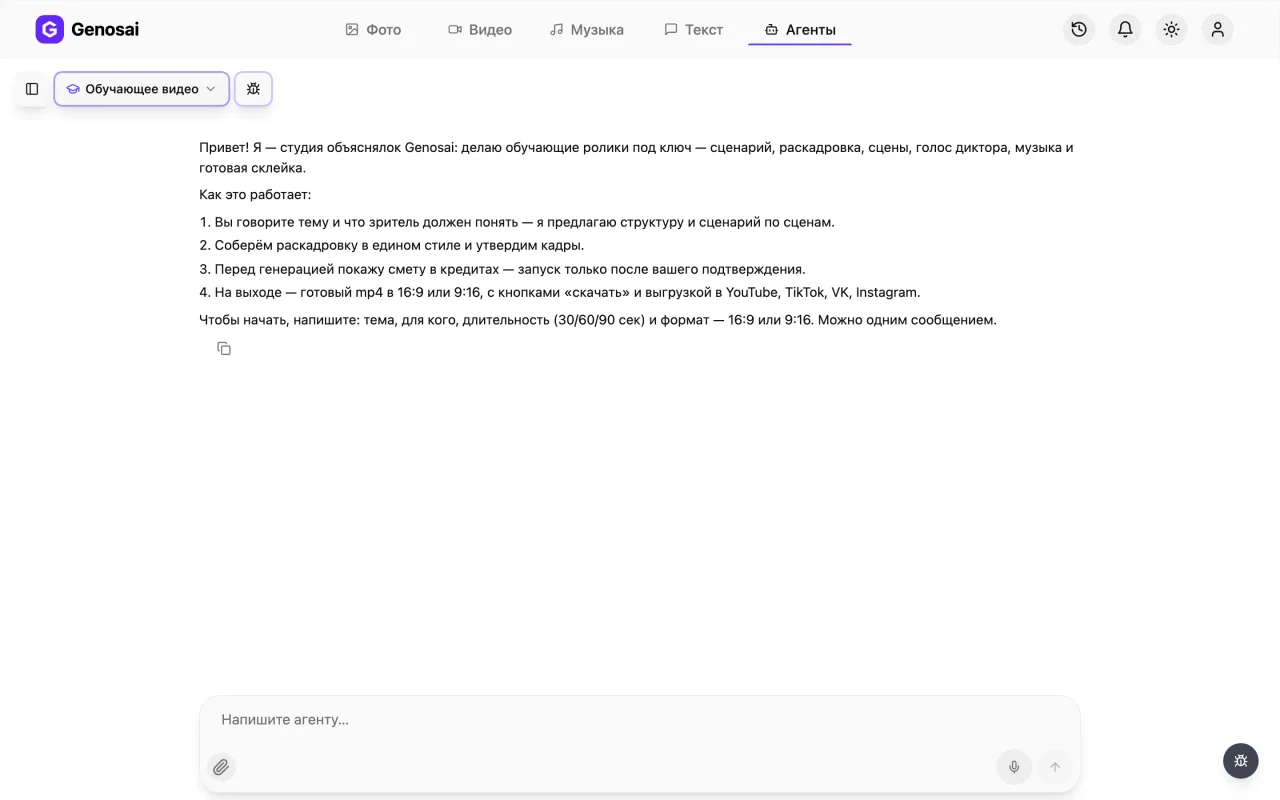
5. Step 5. Approve the outline and script
First the agent proposes a short outline of the video. Approve it or change it. Then it writes the full script as a table with the scene number, what happens on screen and the exact narration line. Rewrite as often as you like, discussion is free.
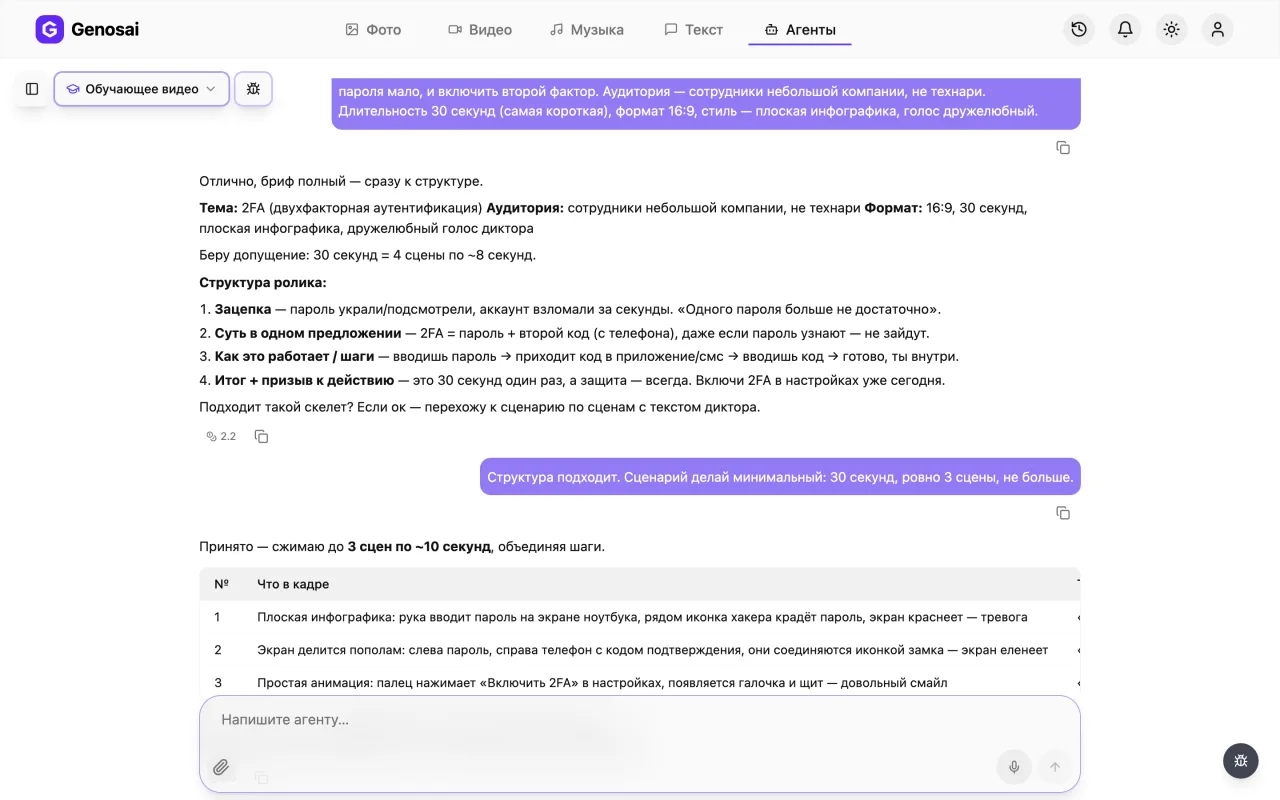
6. Step 6. Check your credit balance
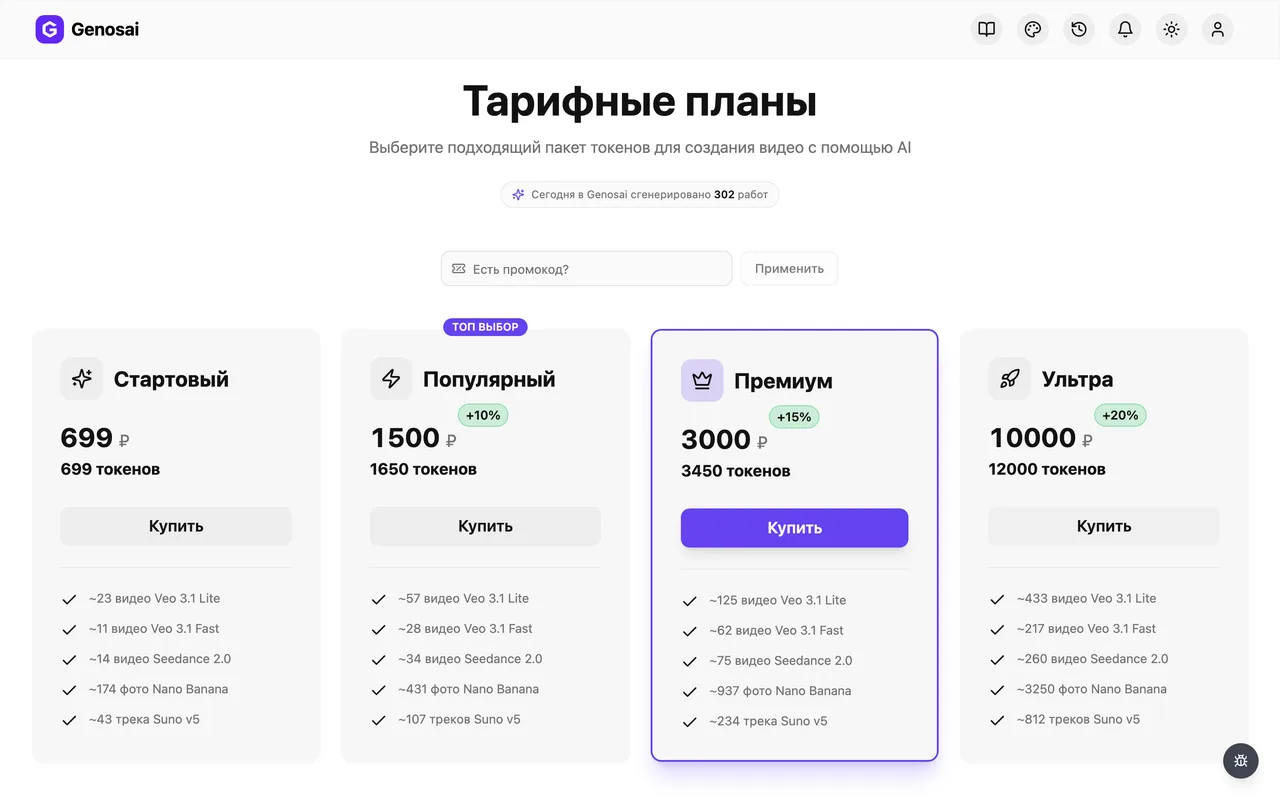
Credits are the internal currency that pays for generation. Your balance and the top up button sit in the studio header. Check it before starting, because an explainer has many moving parts and spends far more credits than a single image.
7. Step 7. Confirm the estimate
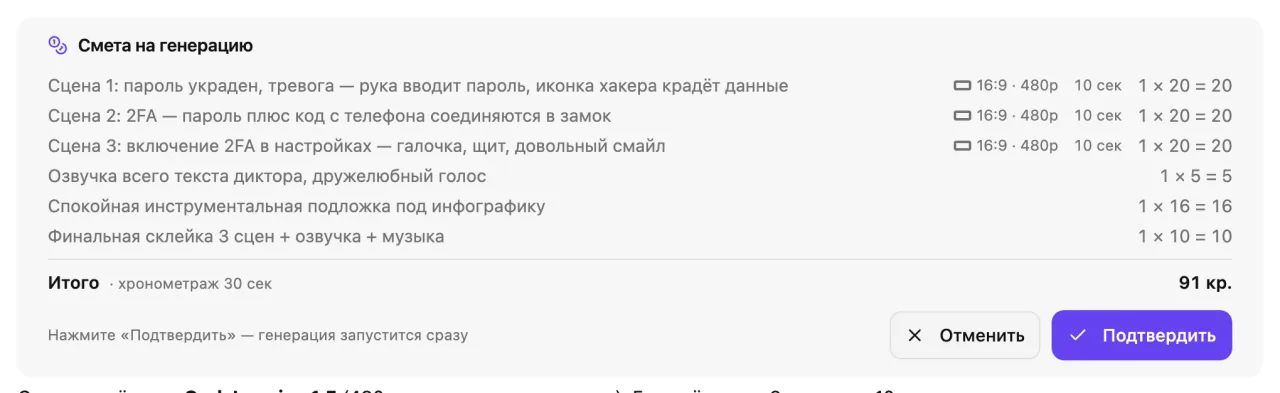
There will be two estimates. The first is small and covers the storyboard sheet, where every frame is drawn as one picture so the style matches. The second covers production: scenes, narration, music and final assembly in a single package. Nothing is charged until you press confirm.
The system registers the confirmation, not the agent. Press the button on the card or type the single word confirm.
8. Step 8. Wait for production
The agent runs the scenes first, then the narration, then the music. Scenes arrive in the chat as tiles with a line above them reading 3 of 8 ready, the rest are generating. This is the slow part: video renders far slower than images and there are many scenes. Budget fifteen to thirty minutes for a one minute video.
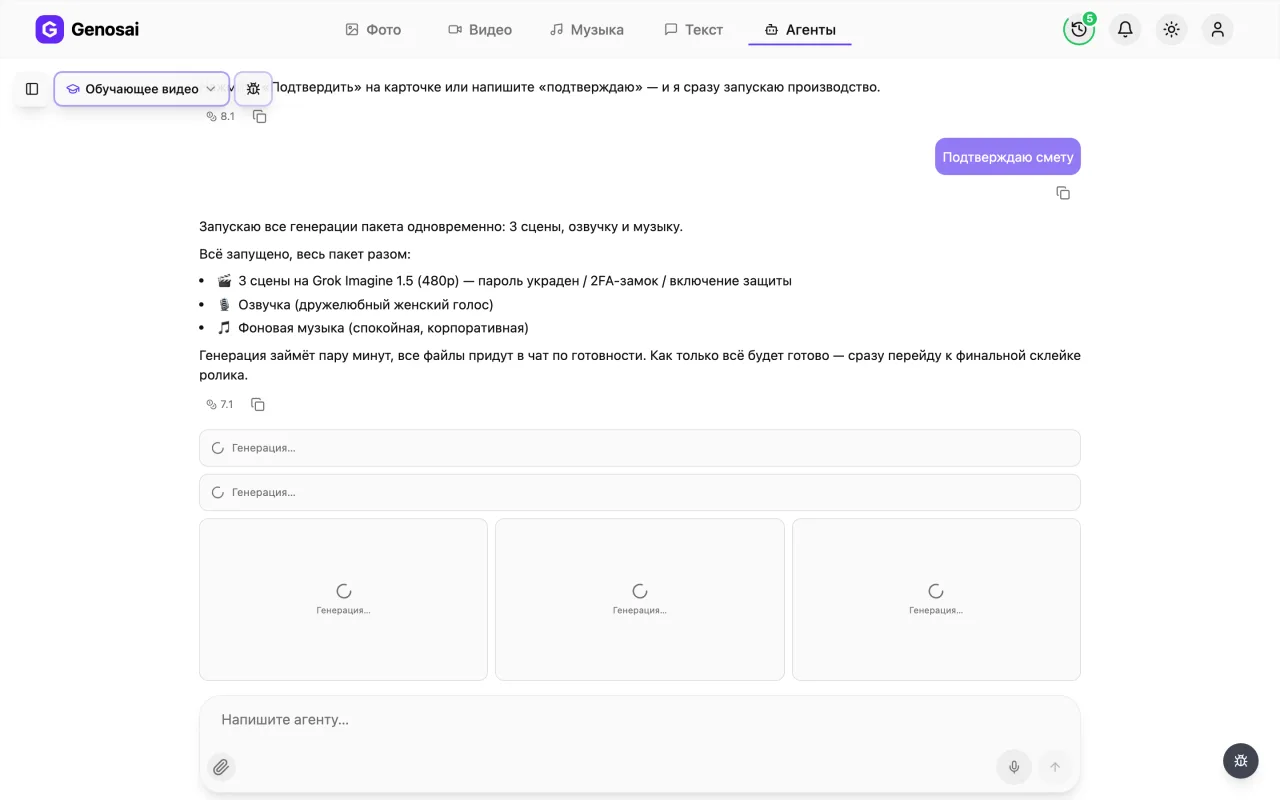
9. Step 9. Leave and come back
You do not have to sit and watch. Close the tab and get on with your day, the work keeps running. To return, open the history sidebar on the left and click the conversation. Everything finished so far will be waiting there.
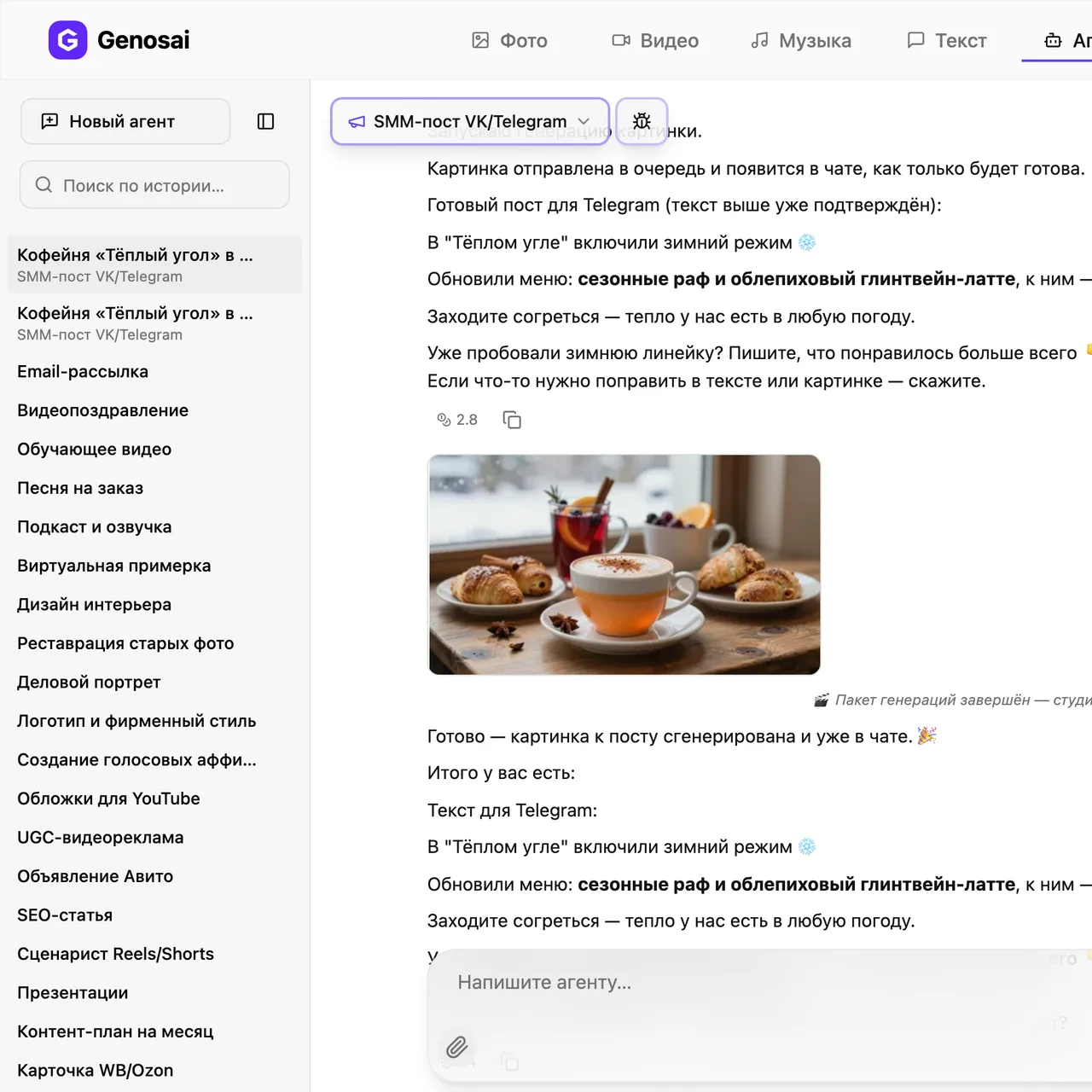
10. Step 10. Collect the finished video
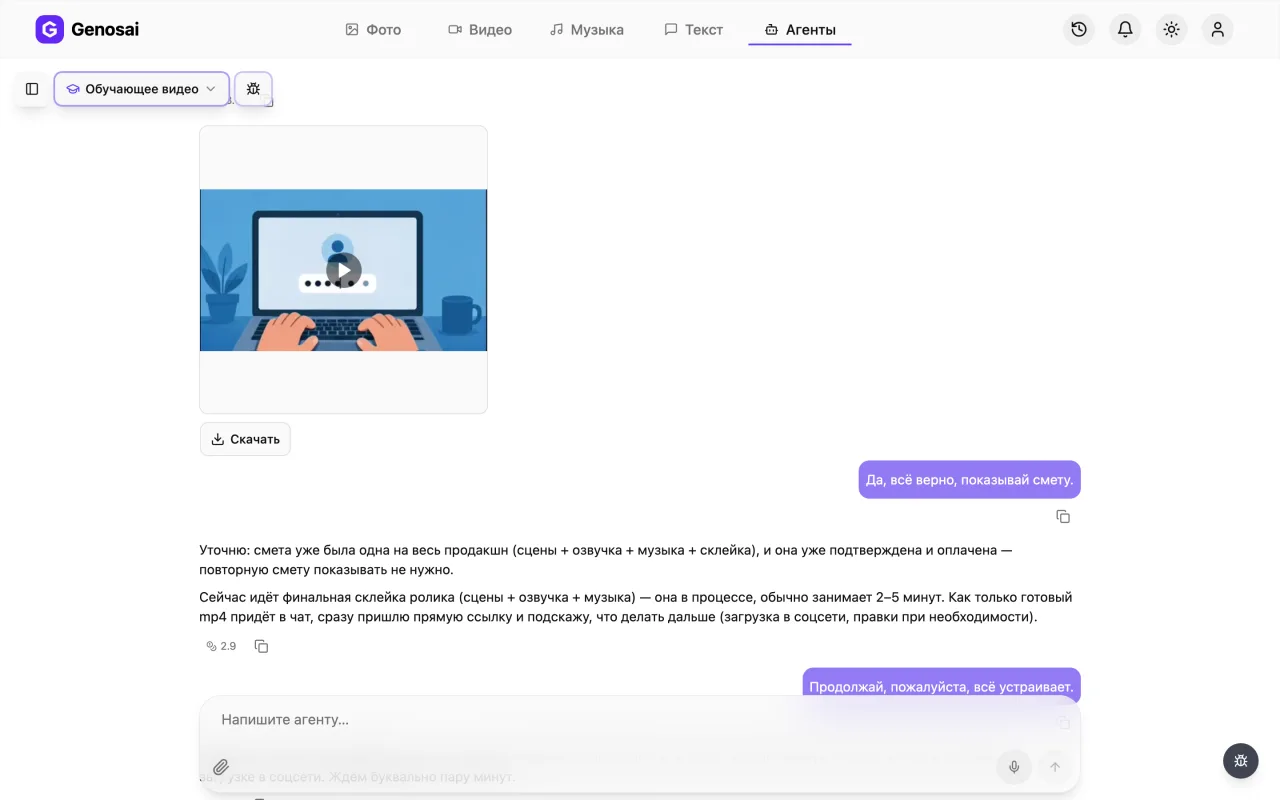
When assembly is done, a complete mp4 with sound appears in the chat. Under it is a Download button that saves the video to your device. Posting it to YouTube, TikTok, VK or Instagram is something you do yourself, from your own account. If one scene disappoints, say so and the agent regenerates that scene and rebuilds the cut under a new small estimate.
What This Agent Does
The Genosai explainer studio takes a video from idea to finished file. You describe the topic in ordinary words, and the agent walks through a production chain that would normally be split between a scriptwriter, an illustrator, a voice actor and an editor.
It starts by proposing the structure of the lesson. Then it writes the script scene by scene, with the exact narration line for each one. Next it draws the storyboard, rendering every frame at once as one large picture divided into nine tiles. That trick matters: drawing each frame separately lets the style drift, and the video falls apart into mismatched pieces. After that every frame is animated into a short scene, the narration is recorded, a background track is chosen, and everything is merged into one file with mixed audio.
The key difference from most video tools is that there is nothing left to edit. You receive a finished mp4 you can upload to a platform or drop straight into a course.
Who It Is For
Teachers and course creators who need to explain something visually but have no time or appetite for filming themselves. Instructional designers building onboarding modules. Companies producing internal how to videos for new hires or in house software.
It also works well in customer support: instead of a long email describing how to use an account dashboard, you send a one minute video. And it suits social media, where a short clip explaining one clear idea holds attention far better than a wall of text.
What to Prepare Before You Start
You can bring material in any shape, but four decisions are worth making in advance.
First, define what the viewer should understand or be able to do afterwards. That is not the same as the topic. The topic might be tax deductions, while the outcome is that the viewer knows which three documents to collect. Second, name the audience, because beginners and specialists need different vocabulary. Third, choose the length: thirty seconds carries one idea, sixty carries an idea plus three steps, ninety is close to a full mini lesson. Fourth, picture the visual style, whether that is flat infographics, 3D icons, isometric scenes, a whiteboard drawing or realistic footage.
If your material is still a jumble of notes, draft the key points with the copywriter first and bring the tidy version here.
A Real Conversation Walkthrough
Here is how an actual exchange looks, from the opening line to the finished file.
Agent: Hi! I am the Genosai explainer studio. To get started, send me the topic, who it is for, the length in seconds and whether you want a horizontal or vertical frame.
You: I want to show new hires how to request holiday through our portal. They are not technical people. 60 seconds, horizontal, flat infographic style.
Agent: Understood. Here is the structure I suggest: a hook about booking leave in three minutes, the idea in one line, four steps through the portal, a summary and a reminder about notice periods. Does that work?
You: Yes, but add at the end who to contact if the request gets stuck.
Agent: Added. Here is the script, eight scenes.
| Scene | On screen | Narration |
|---|---|---|
| 1 | A calendar with holiday days marked | Booking your holiday takes three minutes and never leaves the portal |
| 2 | The account login screen | Sign in to your account with your work email |
| 3 | The requests section | Open the requests section and choose holiday |
Five more scenes follow. Shall we edit or approve?
You: In scene two say corporate email, that is what we call it internally. The rest is fine.
Agent: Updated. Now the storyboard: I will draw all eight frames as one sheet so the style matches. The estimate is small, it is a single image.
You: confirm
Agent: Done, I have sliced the sheet into frames. Here they are by number. Is the style right or should I redraw?
You: The style is right.
Agent: Then here is the production estimate as one package: eight scenes, narration of the full script, background music and the final assembly. Nothing is charged until you confirm.
You: confirm
Agent: Starting the scenes. 4 of 8 ready. All scenes done, recording narration and music. Assembling the video. Finished, the file is in the chat.
Two things are worth noticing. There really are two estimates, and that is intentional: the cheap storyboard comes first so you can see the visual style before paying for any video. And generation never begins until an estimate is confirmed, either with the button on the card or with the single word confirm. A long friendly reply like yes great let us go is deliberately not accepted, so that money is never spent by mistake.
What It Costs
There is no flat price for a video. The total is built from the scope: the number of scenes, their length, the video model chosen, the number of characters in the narration and whether music is included. The agent calculates all of that and shows it in an estimate card before starting.
To be honest about the order of magnitude, this is the most expensive format among the Genosai agents. One second of video costs considerably more than an entire still image, because the model draws dozens of frames per second. A one minute video of eight scenes will cost noticeably more than a set of illustrations. On the other hand the price already includes narration, music and assembly, which are separate line items in any normal production.
The three easiest ways to save are picking a lighter video model, shortening the video and not ordering spare scenes just in case. The conversation, the outline and the script are text steps and cost very little. And the main rule stands: until you press confirm, your balance is untouched.
Common Beginner Mistakes
Trying to compress an entire course into one minute. An explainer carries one idea. If you have several, make several videos, which is both clearer and cheaper.
Asking for text on the frames. Letters break apart in video models, which is why the agent avoids them and lets the narrator carry every term.
Approving the storyboard without looking. That is the one cheap moment where the whole visual direction can still be changed. Study the frames: redrawing one sheet costs far less than remaking eight finished scenes.
Sitting at the screen and worrying. Producing a one minute video takes tens of minutes. Close the tab and come back through the history sidebar.
Asking for another version once everything is assembled, forgetting that finished scenes are already paid for. If you want a different ending, say so before confirming the production estimate.
Writing a long reply instead of a short one. The system waits for the button or the word confirm, and treats anything else as conversation.
Why This Beats Assembling It Yourself
You can build an explainer by hand, but that means four different tools and the skill to run them. You need to write the script, generate images in one consistent style, animate them in a video model with camera movement described in English, synthesise speech, find music you are allowed to use, and mix it all so the track ducks under the voice.
The agent holds that chain together and watches details a beginner would not think about: one model for the whole video, the same frame ratio in every scene, clip audio muted so it does not fight the narrator, music automatically lowered under speech. You talk in plain language and make decisions, while the technical work stays out of sight.
The second advantage is method. The hook, idea, steps, summary, next action shape is the working skeleton of instructional video. Beginners typically open with an introduction to their company and lose the viewer within two seconds.
Which Agents Pair Well With It
An explainer rarely stands alone, since a set of supporting materials usually grows around it.
If the same material is needed as slides for a webinar or a handout, build it with the presentations agent. For a short promotional teaser in the feed use the Reels and Shorts scriptwriter, and when you need a persuasive clip about the course in an honest review style, the UGC video ad agent is the right tool.
When the explanation is easier to listen to than to watch, the same script can become audio through the podcast and voice over agent. The full catalogue with descriptions lives on the all agents page, where you can see which assistants work with video, which with text and which with sound.
FAQ
How is this different from a plain video generator
A plain generator gives you one silent clip of a few seconds. This agent runs the whole pipeline: script, storyboard, every scene, narrator voice, music and the final cut in one file. You end up with a finished video rather than a pile of raw material.
How long does production take
The conversation and script edits take about fifteen minutes. Producing a one minute video usually runs fifteen to thirty minutes, because there are around eight scenes and each renders separately. That is normal and you can close the tab meanwhile.
Can I use my own voice instead of a synthetic one
The agent narrates with a synthetic voice you choose, either a business newsreader tone or a warmer friendly one. Both sound natural enough for most teaching material. If you want your own voice, record it separately and lay it over the downloaded file.
Why is there no text on the frames
Video models still render letters as unreadable shapes, so the agent never orders on screen text. Terms and numbers are spoken by the narrator instead. If you want captions, add them over the finished video in any editor.
How long can the video be
A single scene runs no more than ten seconds and the video is built from several scenes. Typical lengths are 30, 60 or 90 seconds. Longer pieces are assembled in two passes, though for teaching a short format almost always performs better.
What does it cost
There is no single price. The total depends on the number of scenes, their length, the chosen model and the amount of narration. The agent shows the exact figure in an estimate card before starting, while discussion and script edits cost very little.
Can I use the video commercially
Yes, the result is yours to publish and to sell. Do check the content yourself though: the agent gives no medical, legal or financial guarantees, and anything contested is worth verifying with a specialist before you publish.