AI Greeting Video Maker for a Personal Birthday Clip
A greeting video is a short clip with a story, a voice-over and music that you send straight to someone's phone or play on a screen at the party. The Genosai agent builds the whole thing for you: you describe the person in plain words, and it writes the script, creates the scenes, reads the wishes aloud and assembles the final file. You do not need any experience with AI tools, because everything happens in an ordinary chat.
Updated: August 10, 2026
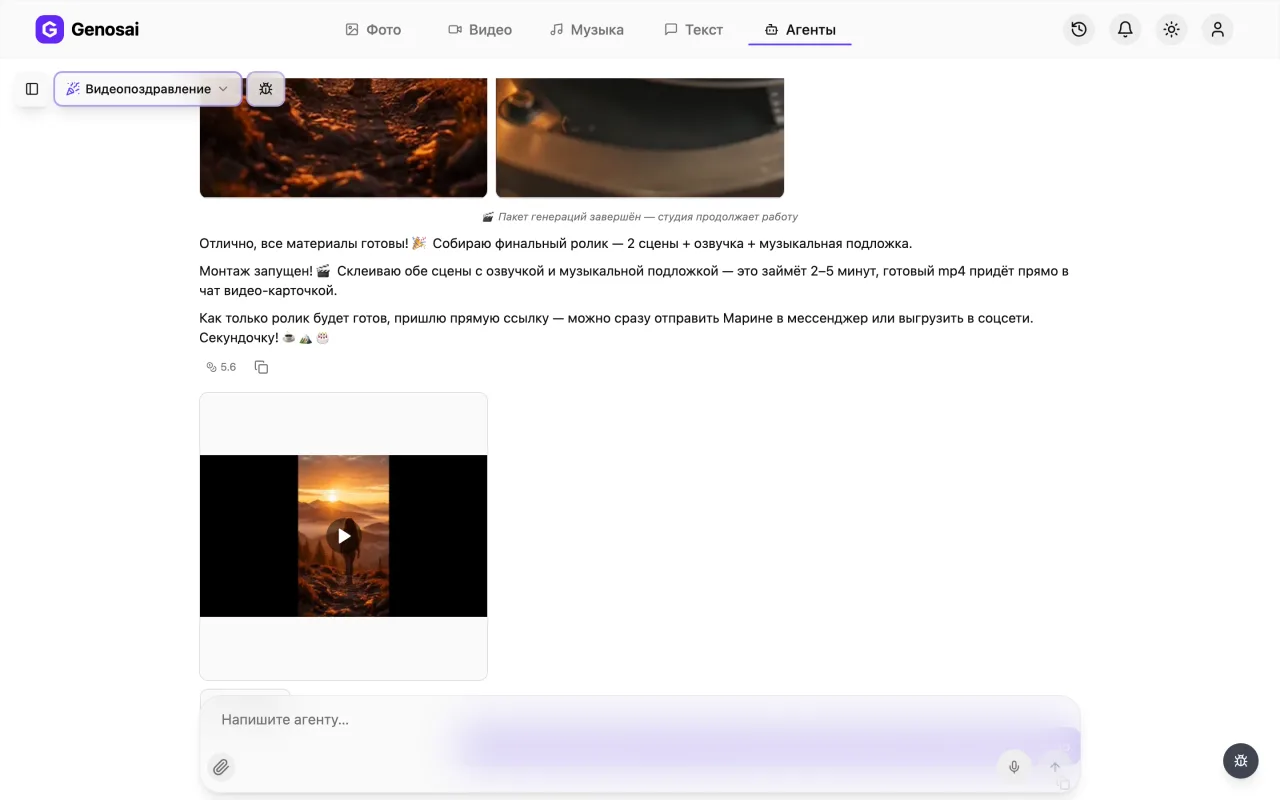
- A story about your person — The script is written from the name, the occasion and the small personal details you share, not from a stock template.
- A warm human sounding voice — Five narrator voices read the wishes aloud, from a soft female tone to a confident male one.
- Music and editing included — Soundtrack, scene assembly and audio mixing happen automatically, so no video editor is needed.
- Optional photo of the person — Attach a photo with the paper clip button and the agent will make the scenes resemble that person.
- Vertical or widescreen — Choose 9 by 16 for messengers and stories, or 16 by 9 for playback on a TV at the party.
- A quote before any charge — The agent shows the full cost before production starts, and nothing is deducted until you confirm.
What it produced
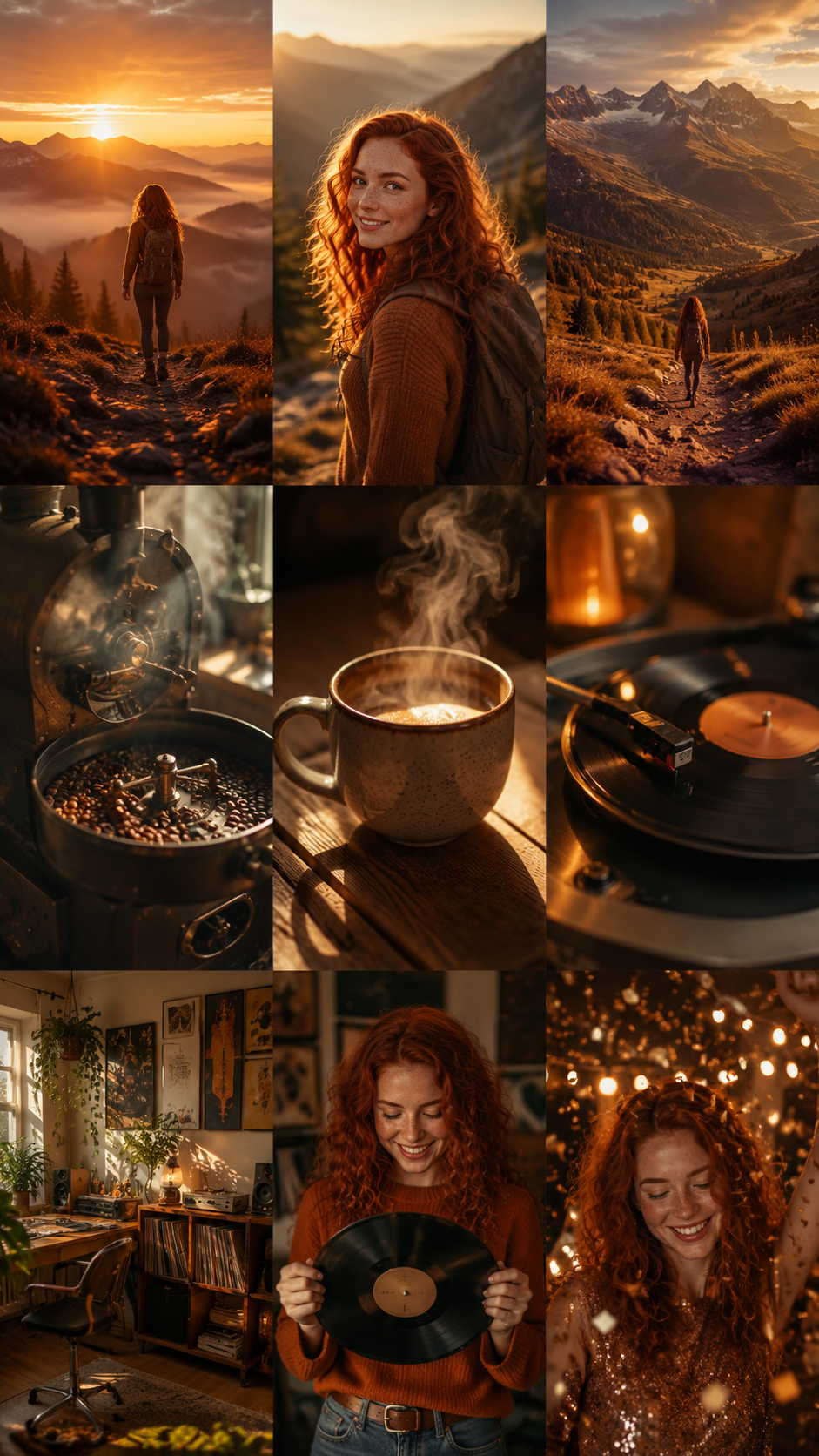
Example output of the Greeting Video agent — video 2
Example output of the Greeting Video agent — video 3
Example output of the Greeting Video agent — music 4
Example output of the Greeting Video agent — music 5
Step-by-step guide
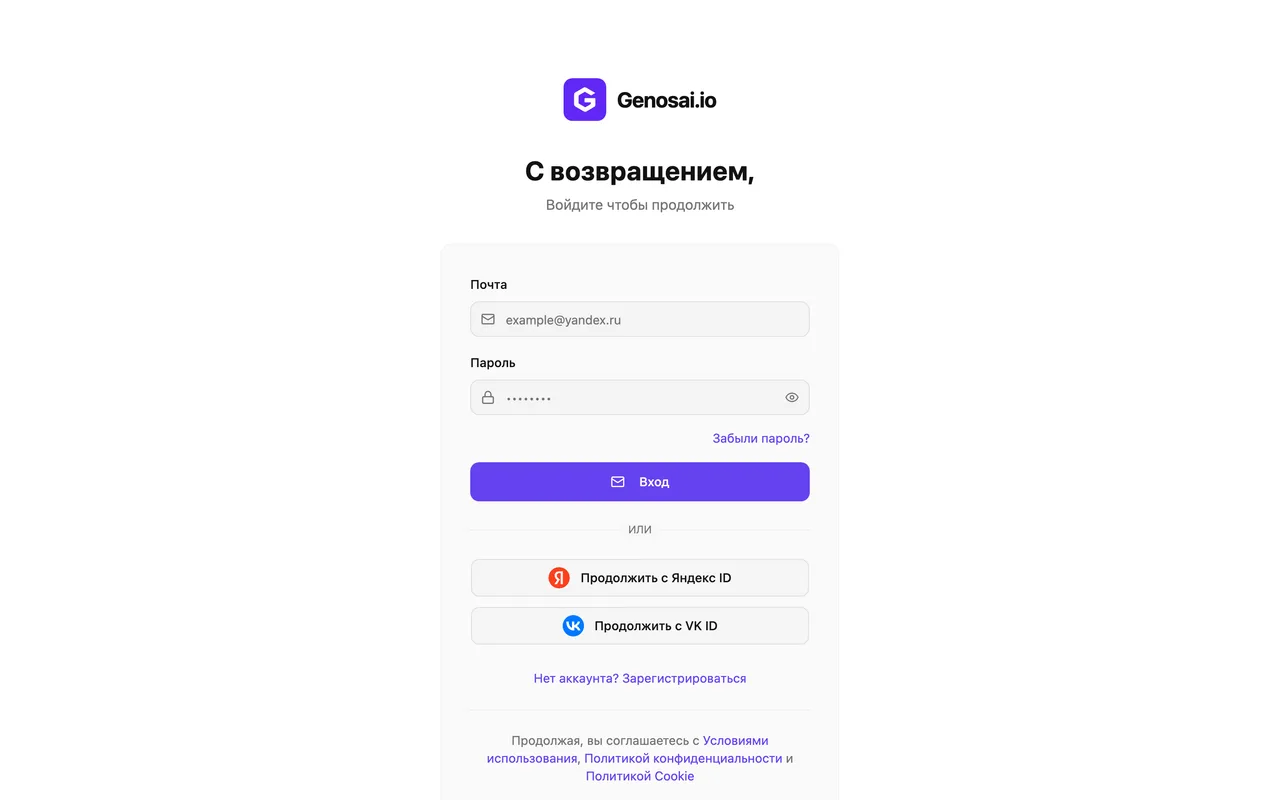
1. Step 1. Create your account
Open the Genosai website and click sign in. Registration takes a minute with an email and password. New accounts receive starter credits, the internal points that pay for the work the neural networks do.
2. Step 2. Open the studio
After signing in you land in the studio, your personal workspace. In the top menu open the Agents tab. An agent is a ready made assistant trained for one job, so you never have to explain how video production works.
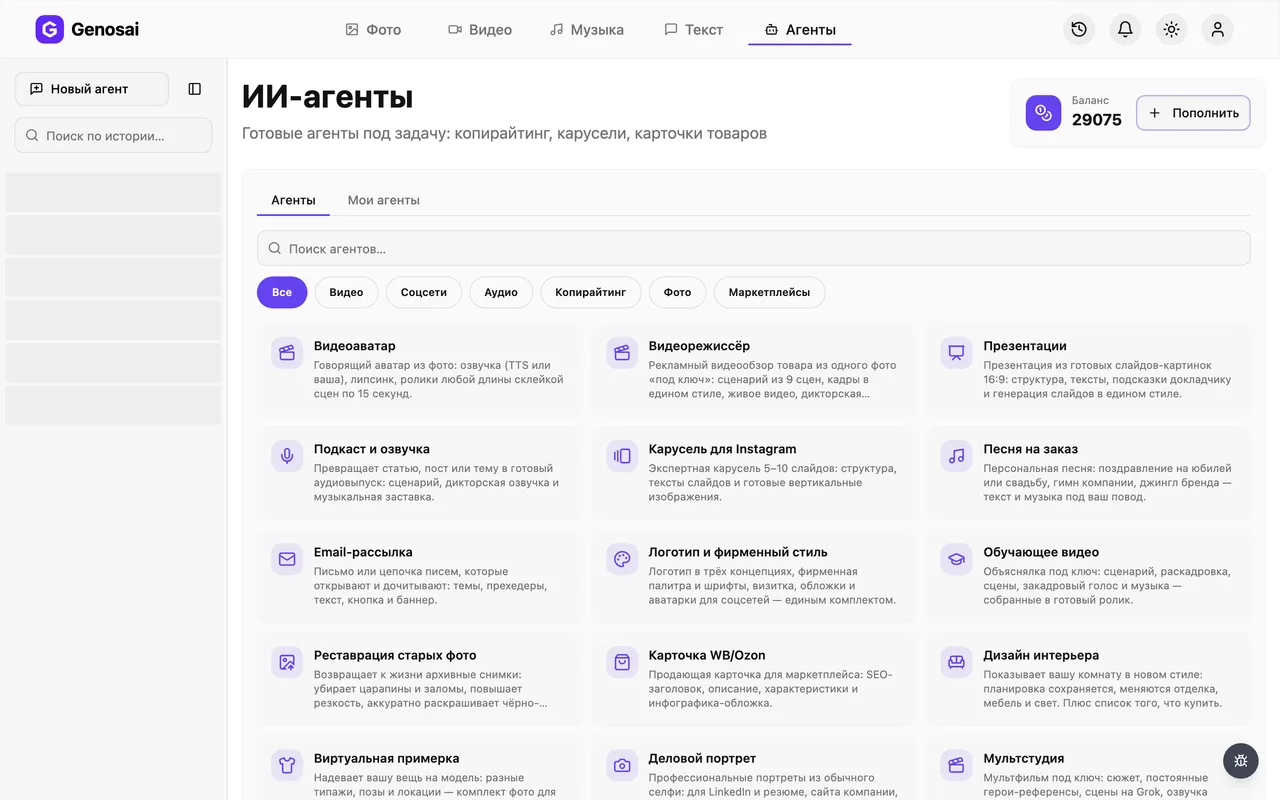
3. Step 3. Find the greeting video agent
In the agent gallery pick the Video category or type the word greeting into the search box. The card is marked with a party icon. Click it to open the chat.
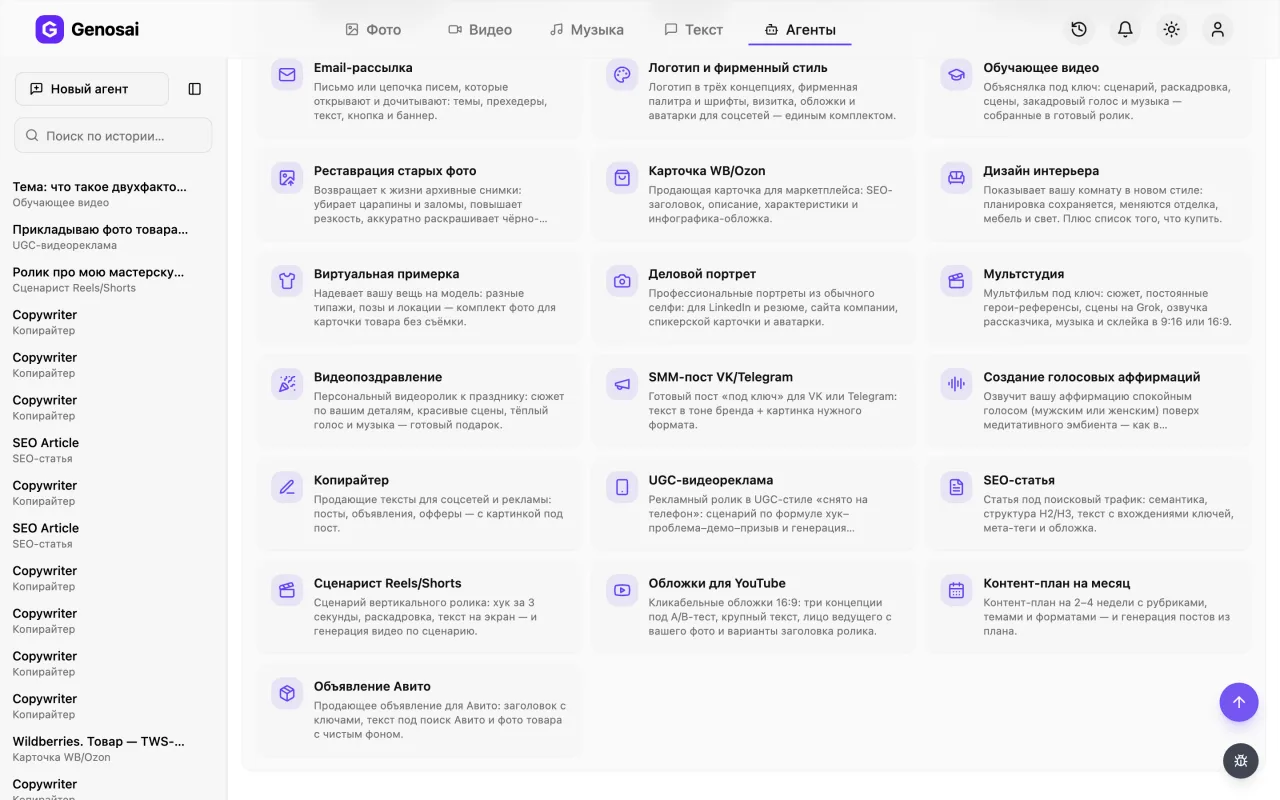
4. Step 4. Read the welcome message
The agent greets you and explains the order of work right away: script, frames, quote, finished file. At the end it lists what it needs from you. There are no special fields to fill in, you simply reply in plain language.
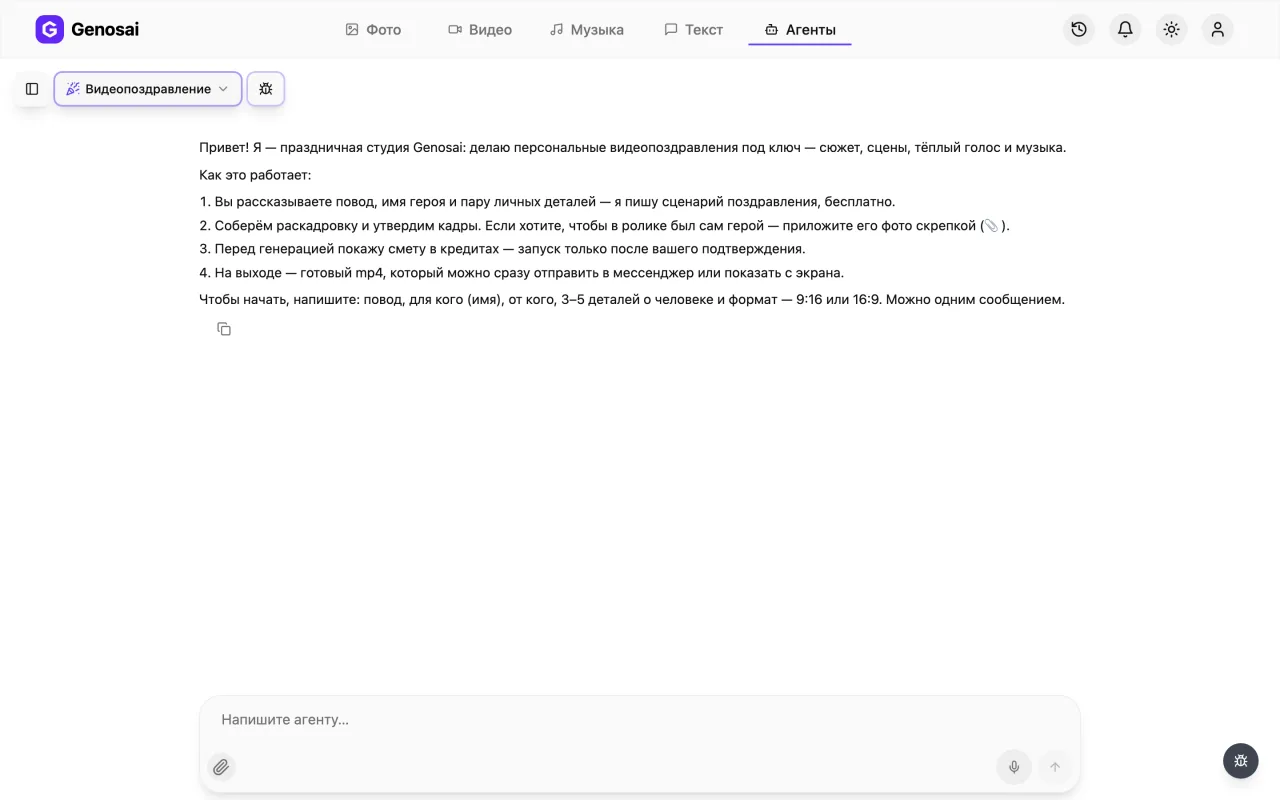
5. Step 5. Describe the person
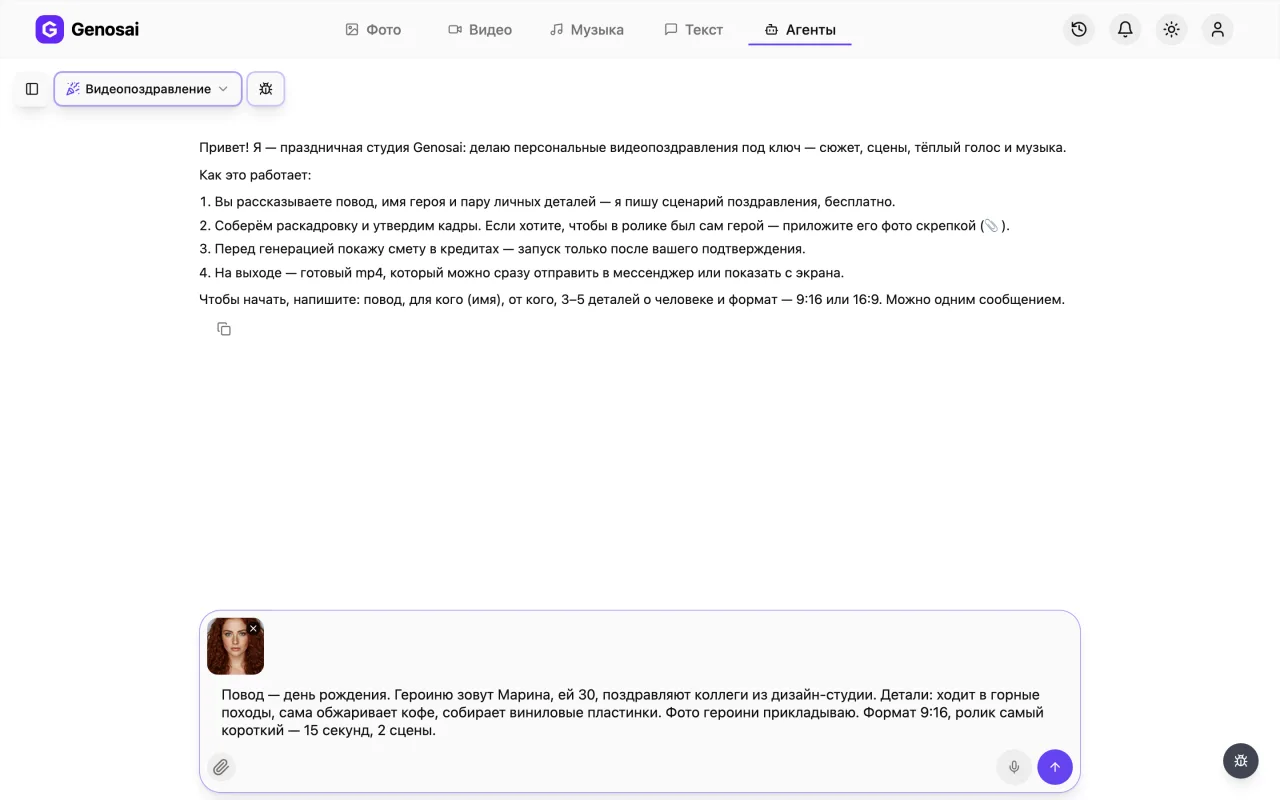
Write the occasion, the name, who the wishes come from and three to five personal details such as their job, hobby or a running family joke. Add the mood, the length and the aspect ratio. One message is enough.
Specific details beat polite generalities. Bakes the best cherry pie in the family works far better than a very good person.
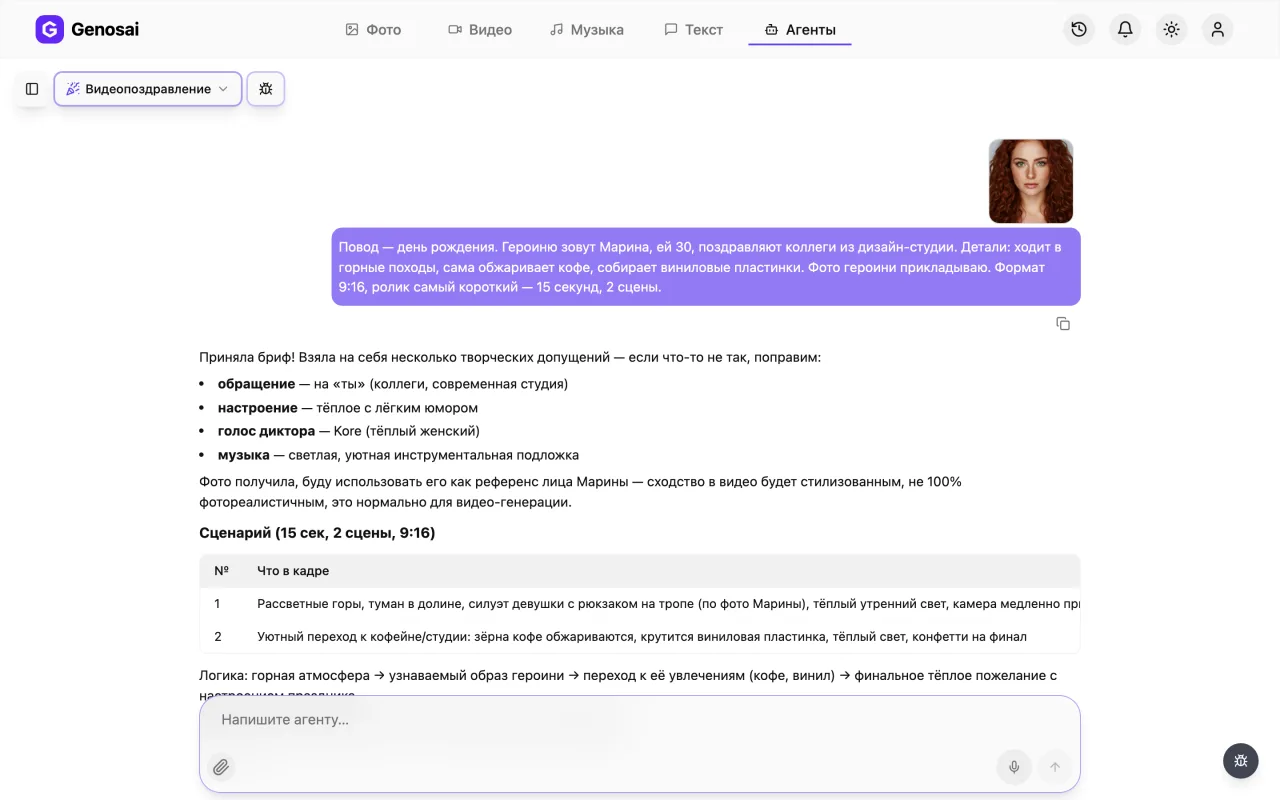
6. Step 6. Attach a photo
If you want the real person on screen, click the paper clip under the input box and attach a photo, ideally a daylight portrait where the face is clearly visible. Without a photo the clip becomes symbolic and the narrator still says the name aloud.
Expect a stylised likeness rather than an exact portrait. The model paints an impression of the face, not a copy of it.
7. Step 7. Confirm the quote
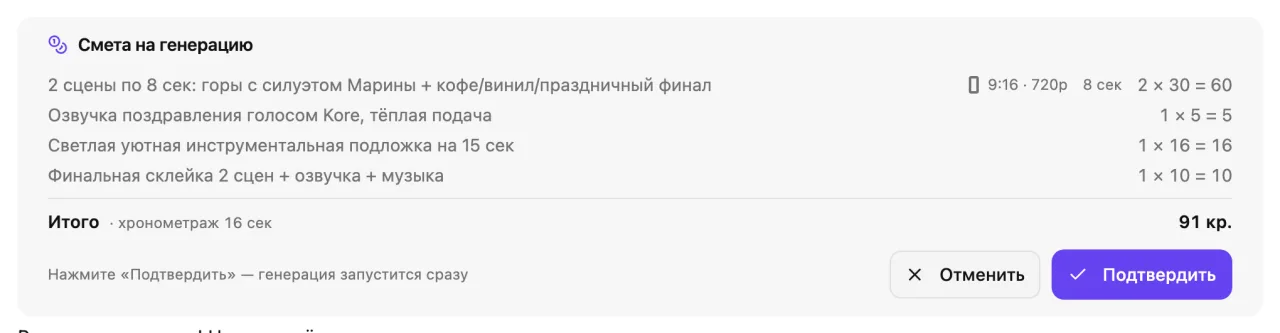
Once the script and the frames are approved, the agent shows a quote card listing the work and its cost in credits. Nothing leaves your balance until you press Confirm. If the figure feels high, ask for a shorter clip and the quote is recalculated.
Only the button or a short word such as confirm counts as approval. A long sentence like yes great lets go is deliberately ignored so credits are never spent by accident.
8. Step 8. Wait for the assembly
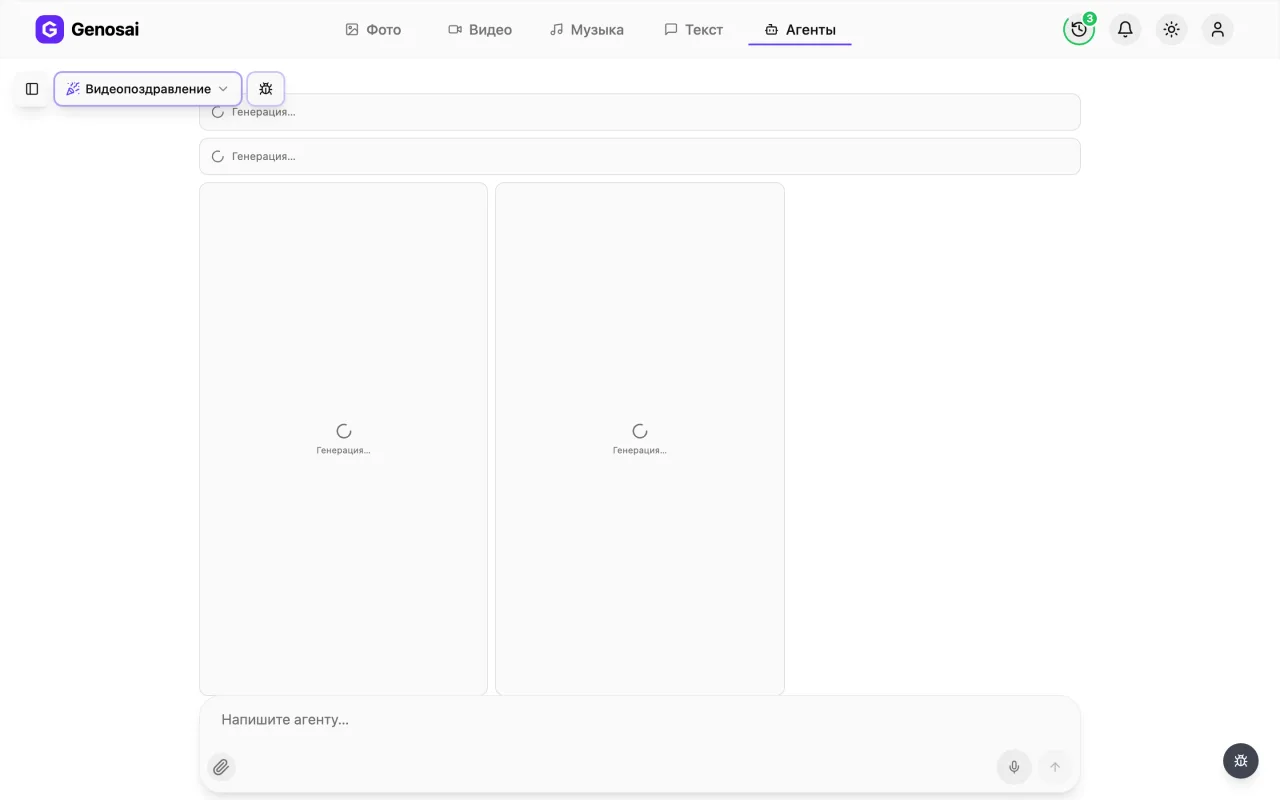
Production starts: scenes first, then the voice-over, the music and the final edit. Tiles labelled Generating appear in the chat and each turns into a finished part. A whole clip usually takes five to fifteen minutes, and you can close the tab because the conversation is saved in your history.
9. Step 9. Download the finished clip
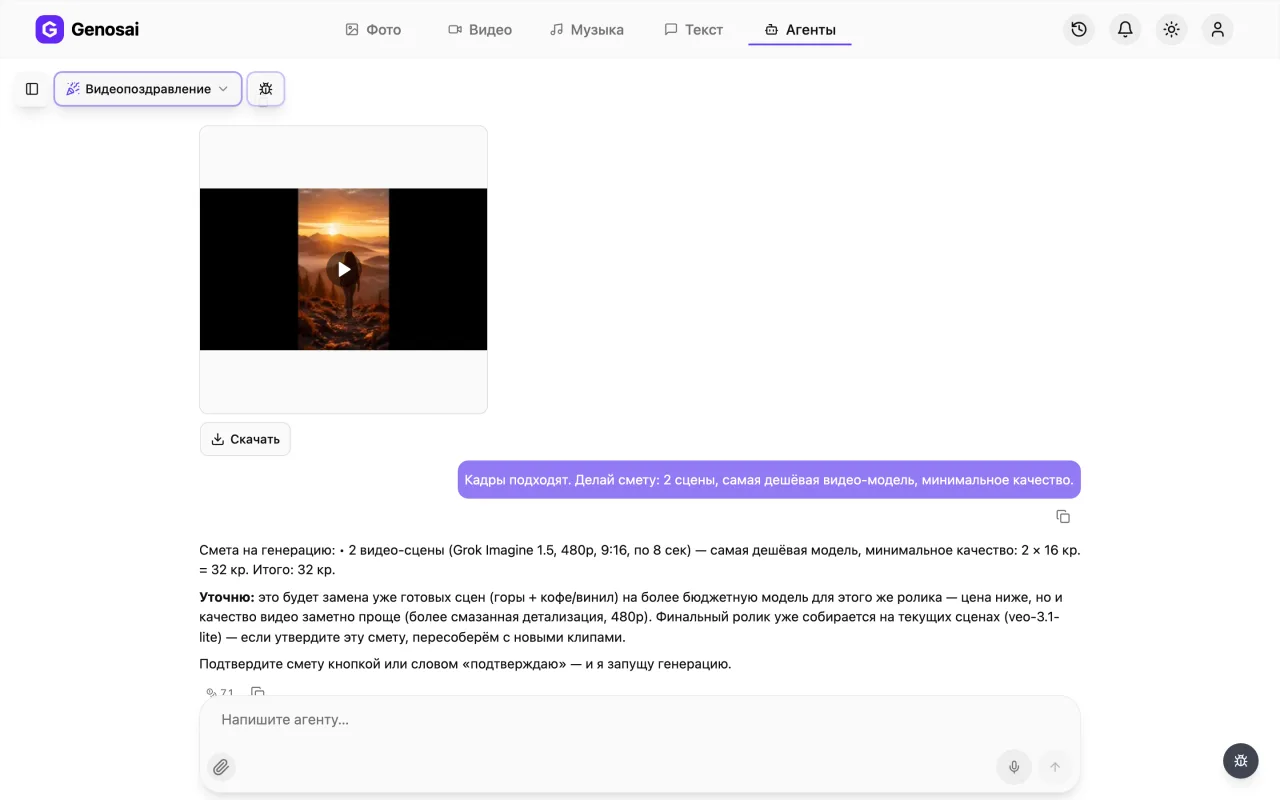
The finished video appears in the chat with a download button. Watch it through, save it to your phone or computer and send it to the person. If something needs changing, say so in the chat and the agent will redo that part.
What this agent does
A greeting video is a twenty to forty five second film you send to someone instead of a card. The Genosai agent produces the whole thing: it invents the story, creates the frames, reads the wishes in a narrator voice, adds music and assembles everything into a single mp4 file.
All of it happens through conversation. You explain in plain words who the clip is for and what the occasion is, and the agent asks follow up questions and shows you every intermediate result. First comes the text of the greeting, which you can rewrite as many times as you like at no cost. Then the agent builds a storyboard, a single image split into nine small frames that shows how the clip will look. The storyboard is the first paid step and carries its own small estimate; once you approve those frames the agent quotes the production itself, meaning scenes, narration, music and the final edit.
The clip is made of short scenes, each no longer than ten seconds. The scenes themselves are silent, and two audio layers sit on top of them: the narrator reading your greeting and a calm instrumental bed. You choose the voice, from soft female tones to a confident male one. You also choose the shape of the frame. Vertical 9 by 16 is convenient for messengers and stories, while widescreen 16 by 9 looks better when the clip is played on a television or a projector at a party.
Who it is for
Most people order a greeting video when the gift is already bought but they still want to say something personal. It fits birthdays and milestone anniversaries, weddings, New Year, graduations, office parties and professional holidays.
For families it replaces the awkward toast over a video call. You press play from a phone, everyone watches, everyone is moved. Colleagues chip in together and send one clip from the whole department. Small businesses greet clients and partners with a named video instead of a mass mailing with a stock picture. Teachers and event organisers build a clip for a graduation or a company party where a single coherent story works better than a random slideshow of photos.
There is one more group worth naming: people who simply refuse to open a video editor. Nothing here has to be dragged along a timeline. You talk, and the assembly happens by itself.
What to prepare in advance
Nothing has to be downloaded, but five minutes of preparation will save you two rounds of edits.
Decide on the occasion and on how the person should be addressed, formally or casually. Write down the name and three to five details people love them for: their profession, a hobby, a habit, an inside joke, a story everyone in the family remembers. Those small things are exactly what separates a real greeting from a generic one.
Decide who the wishes come from, whether that is one person, a family or a whole team. Pick the mood, whether touching, funny or formal. Choose the length: twenty seconds for a quick hello, thirty for a normal greeting, forty five for a fuller one. Think about where the clip will be watched and pick the aspect ratio from that.
If you want the person on screen, find a photo in advance: a front facing daylight portrait, no sunglasses, nobody else in the frame. And check your credit balance so production does not stop halfway.
A walk through a real conversation
Here is how it actually looks in the chat.
You: Sixtieth birthday. Wishes for my aunt Valentina from all her nephews and nieces. She is a paediatrician, forty years in the same clinic, adores her garden and her peonies, and always feeds us cherry pie. Warm mood, thirty seconds, vertical, female voice. I will attach a photo.
Agent: That is plenty of detail, I will not ask anything else. Here is a four scene script for thirty seconds.
The agent then shows a table with the scene number, what is in the frame and the exact words the narrator says. Scene one is sunrise over a blooming garden while the voice opens with her name. Scene two is a bright clinic room with children's drawings on the wall as the text mentions forty years of work. Scene three is a laid table. Scene four is a bouquet of peonies with the closing wish.
You: Good, but replace the pie scene with the grandchildren, and use her full name, that is what everybody calls her.
Agent: Updated, here is the new version. The script stage is free, so we can rewrite it as many times as you need.
You: That is right now, approved.
Agent: Building the storyboard, one image of nine frames in a single festive style so you can see the look before we produce anything. I will use the photo you attached.
Once the image is ready the agent slices it into separate frames and shows them to you. You reply that the frames look good.
Agent: Here is the production quote: four scenes, the narration, the music bed and the final edit. Press Confirm on the card, nothing is deducted before that.
You: confirm
Agent: Starting now. Scenes first, then the voice-over and the music. It will take a few minutes and I will post the status as it goes.
A little later the finished file appears in the chat, and the agent reminds you that it can be downloaded with the button underneath or forwarded straight to a messenger.
Notice one small but important detail. Approval of a quote means pressing the button or writing a short word like confirm. A longer sentence such as yes great just go ahead is not treated as consent, and that is intentional so a casual reply never spends your credits.
What it costs
There is no fixed price for a greeting video, and that is fairer than a flat rate. A two scene clip and an eight scene clip are very different amounts of work, so the agent calculates the cost for your specific job and shows it before anything starts.
The rough shape of the bill is easy to remember. Most of the cost sits in the scenes, the actual pieces of video, and it grows in direct proportion to how many there are. Narration, music and the final edit cost noticeably less than the scenes themselves. The storyboard is a single image, so it is comparable to one ordinary picture generation.
Chatting with the agent is billed separately and costs very little. Discussing the script, rewriting the text and asking questions barely touch your balance. What you actually pay for is generation, and only after you confirm the quote.
Three rules worth remembering. Nothing is deducted before you press confirm. If part of the work fails for technical reasons, those credits go back into the same quote and the agent reruns only the failed piece. And if you want to spend less, shorten the clip, because a thirty second version costs meaningfully less than a forty five second one and rarely feels worse.
Common beginner mistakes
The most frequent one is a thin brief. Wish Irina a happy birthday produces exactly the faceless text you could have found online in a minute. Three personal details turn the clip into a real gift.
The second is expecting a photographic likeness. The model paints an impression, not a copy. If exact resemblance matters to you, the version without a photo is often the better choice, because a symbolic clip with precise words usually lands harder than a scene with an almost right face.
The third is asking for written words inside the frame. Letters fall apart in video models, which is why the name and the wishes are spoken by the narrator instead of appearing as on screen text.
The fourth is squeezing a long speech into a short clip. Thirty seconds holds roughly seventy to eighty words of calm speech. Add more and the voice starts to rush, and all the warmth disappears.
The fifth is requesting a new quote while an unconfirmed one is still on screen. A quote depends only on the amount of work, and the voice, the music style or the wording do not change it. If you want a different voice, just say so and confirm the card that is already there.
The last one is closing the tab in a panic. The conversation is saved in the history on the left, and the finished clip waits for you there.
Why this beats doing it yourself
Building such a clip by hand means combining four separate skills: writing a script, sourcing or shooting the footage, recording a voice-over and mixing it all in an editor. Even for someone experienced that is an evening of work, and for a beginner it is a ruined weekend.
Hiring a videographer solves the problem but costs a few hundred and takes days of back and forth. Template apps are cheaper, but your person becomes an anonymous figure inside somebody else's preset while the words stay identical for everyone who uses it.
The agent offers a third path: a genuinely personal story with no editing and no waiting on a contractor. You stay in control at every stage, rewriting the text for free, reviewing frames before paying and seeing the cost before anything is charged. Best of all, you can redo the whole thing ten minutes after realising you forgot to mention the grandchildren.
Agents that work well alongside it
A greeting video rarely travels alone. Pair it with a custom song if you want the wishes sung as well, and the same person receives both a clip and an original track.
When you need a longer or more polished narration, for a family film or a speech at the party, use podcast and voice-over. For corporate work where the goal is explaining a product rather than celebrating, take the explainer video, and for short promotional clips on social platforms use the UGC video ad.
If the greeting is going public and you need a caption to go with it, the copywriter and the Reels and Shorts scriptwriter will help. The full catalogue lists all agents available in the service.
FAQ
Do I need video editing skills?
No. You only answer questions in plain language. The script, the scenes, the narration, the music and the final edit are produced automatically, so no editing software is required.
Is a photo of the person required?
No, it is optional. Without a photo you get a symbolic celebration clip while the narrator still says the name and every personal detail out loud. With a photo the scenes resemble that specific person.
How close is the likeness from a photo?
About as close as a friendly sketch by an artist. The model creates a stylised impression rather than a copy of the face, and the agent warns you about this before production.
How long is the finished video?
Usually twenty, thirty or forty five seconds. That is enough for a name, a couple of personal details and a wish. Longer clips are rarely watched to the end.
How much does it cost?
There is no fixed price, because cost depends on the number of scenes and the length. The agent shows the exact figure in a quote before production, and nothing is charged until you confirm it.
Can the narration be in English or another language?
Yes. Tell the agent which language the wishes should be spoken in and the narrator will read them in that language, whatever language you chat in yourself.
What if I do not like the result?
Say exactly what feels wrong, whether it is the pace, the voice or one scene, and the agent will redo that piece. If a generation fails for technical reasons, those credits are returned automatically.