AI Instagram carousel maker for people who have never used AI
An Instagram carousel is a post made of several images that readers swipe through. The Genosai agent asks a few questions about your topic, shows the planned slides as a table, and only then draws every image in one consistent style. You do not need design skills or any experience with AI tools.
Updated: August 10, 2026
- Plan before you pay — You approve a table of slides in plain words first, so credits are spent only on an outline you like.
- One style everywhere — Colours, layout and lettering repeat on every slide, so the carousel looks like a designer made it.
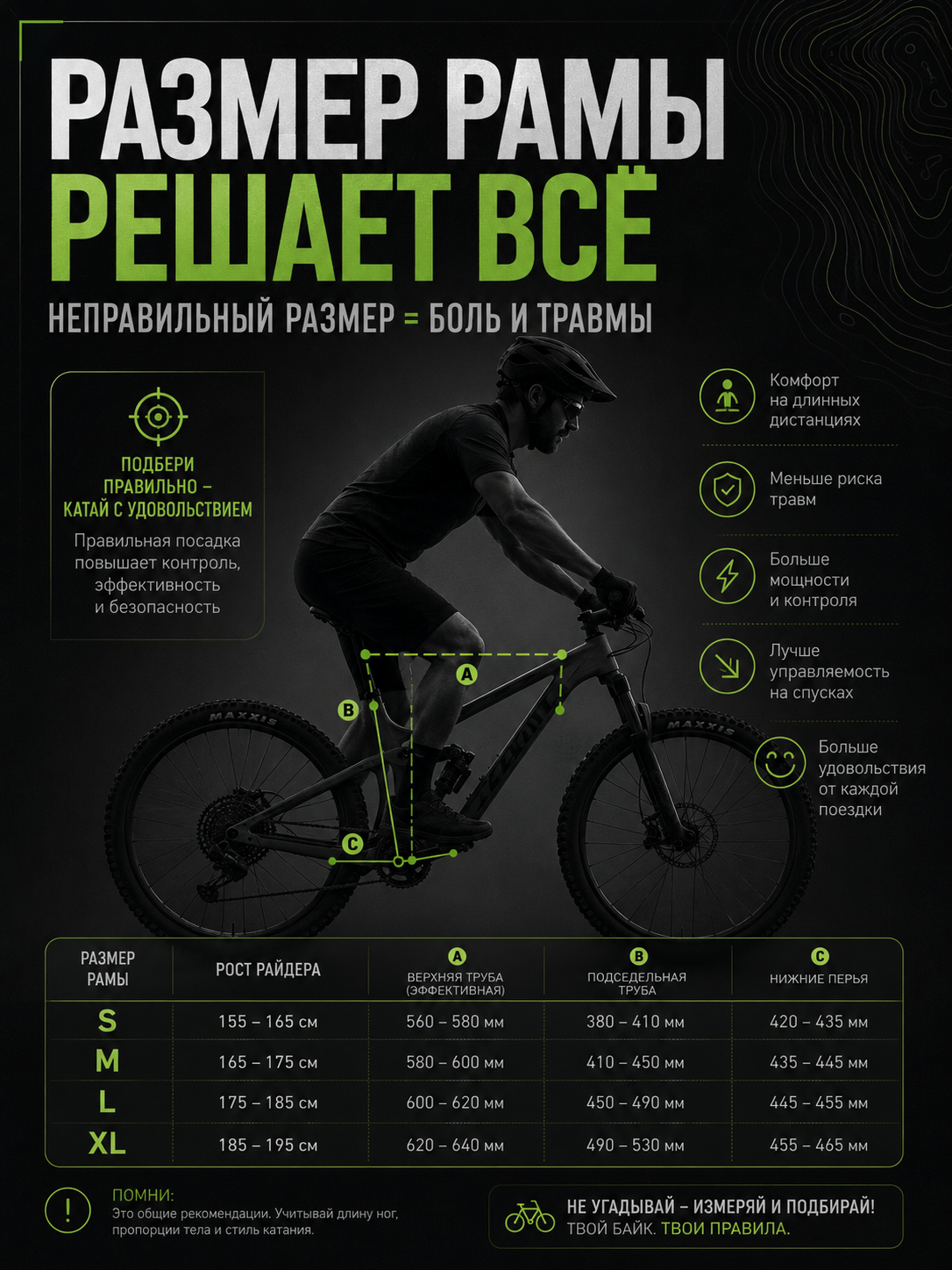
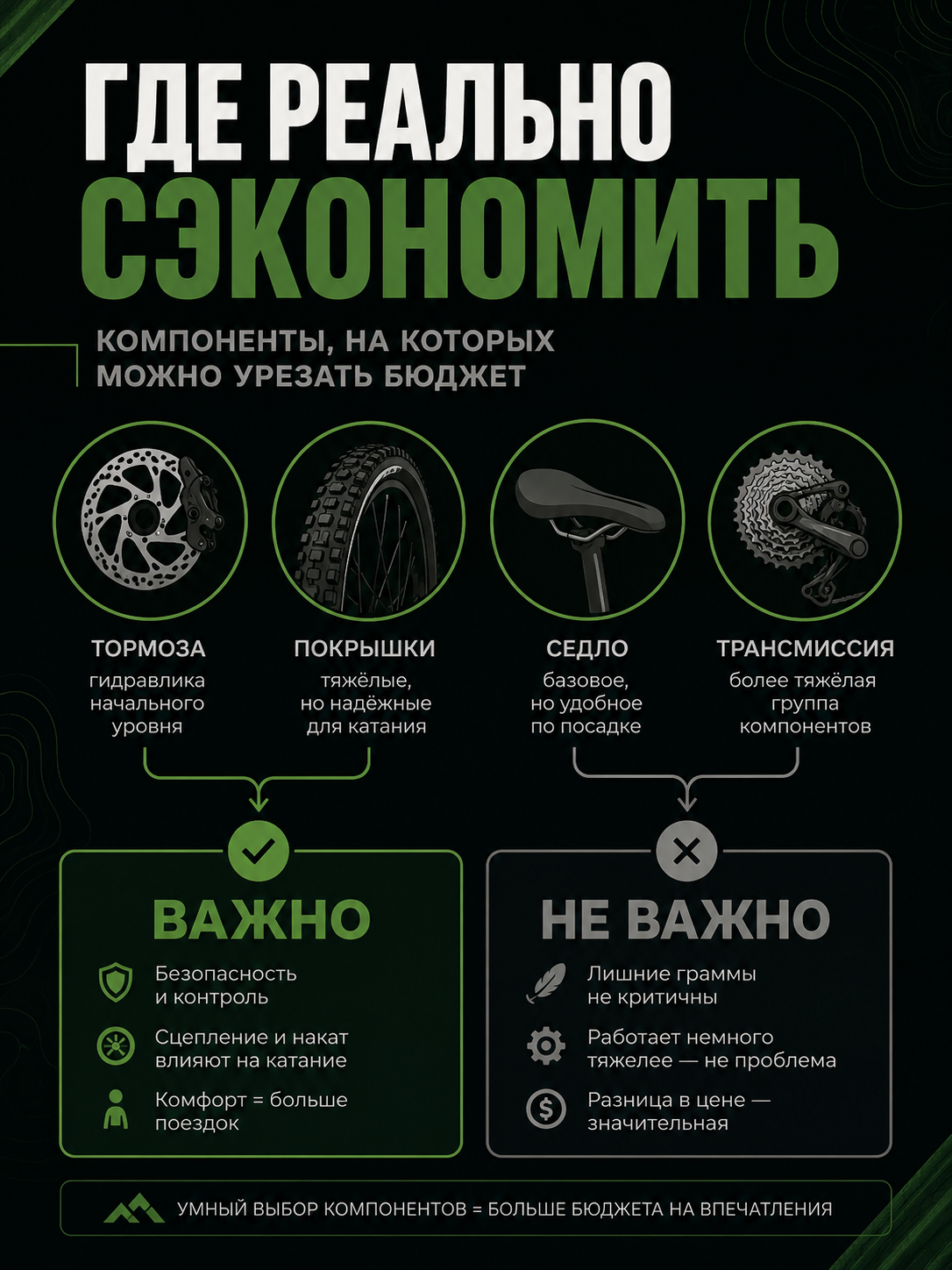
- Text baked into images — Headlines and short lines are drawn on the slides already, with no editor work needed afterwards.
- Ready vertical format — Slides arrive vertical in a 3 by 4 ratio, the familiar feed shape, with no editor work left to do.
- Caption and hashtags — Once the images are ready the agent offers a post caption with hashtags matched to your topic.
- Cost shown upfront — An estimate appears before any work starts, and nothing is charged until you press confirm.
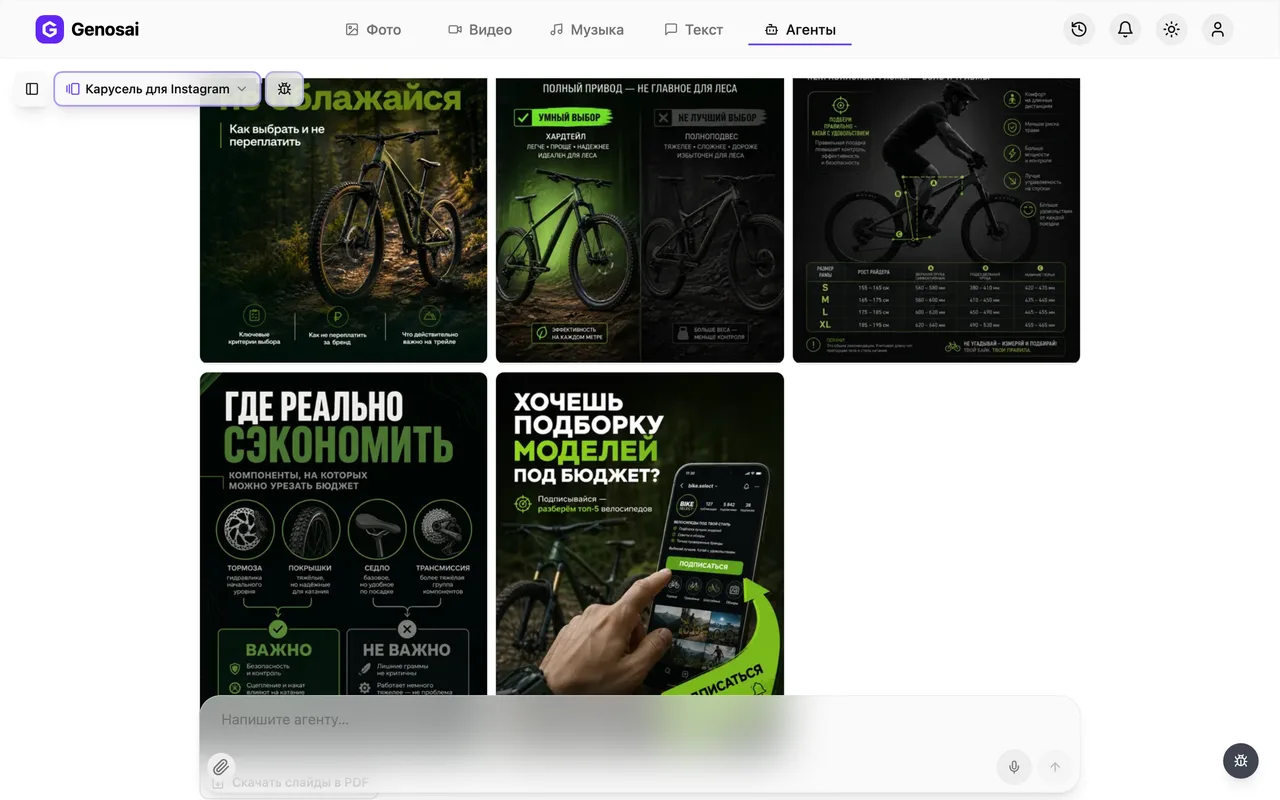
What it produced


Step-by-step guide
1. Step 1. Create your account
Open the Genosai site and press the sign-in button. You can register with an email address or an account you already use. New users get trial credits on the balance right away, so the first carousel can be made without paying anything.

2. Step 2. Open the studio
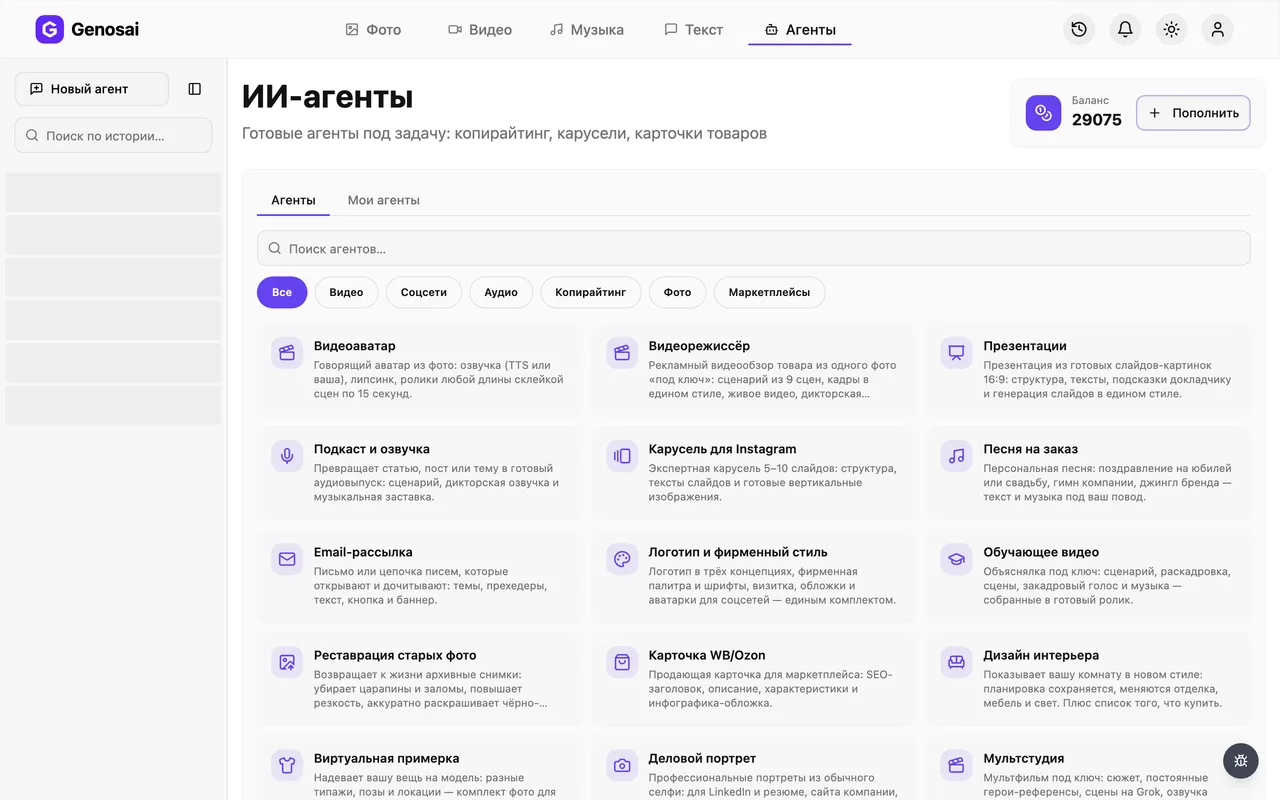
After signing in you land in the studio, the main workspace of the service. At the top there is an Agents tab. Agents differ from plain generation because they lead you through the job and ask questions themselves. Click that tab.
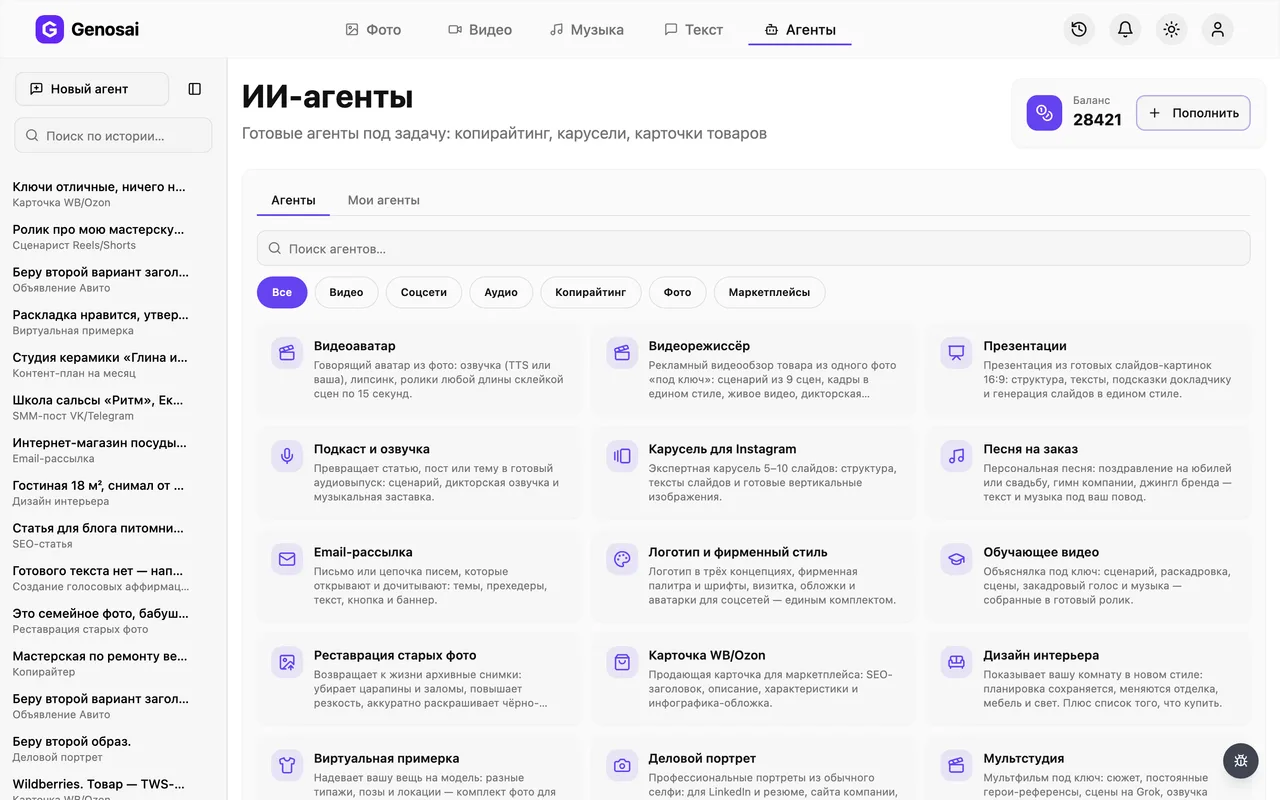
3. Step 3. Find the carousel agent
A gallery of helper cards opens, split into categories. Pick the social category or type the word carousel into the search box. Click the card named Instagram Carousel and a chat window opens.
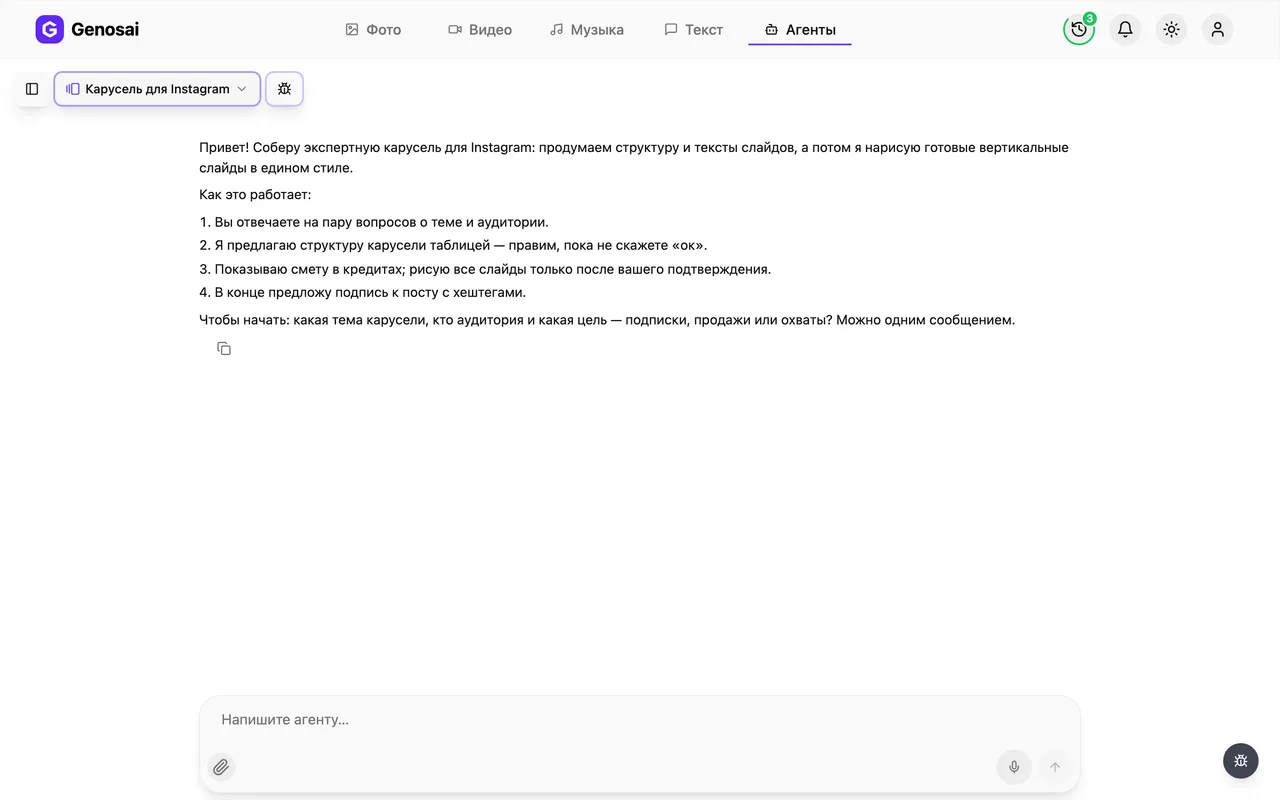
4. Step 4. Read the greeting
The agent writes first. It explains how the job will go and asks its opening questions. Nothing needs to be prepared in advance and you can answer in one message using everyday words. If anything is unclear, just ask in the chat.
Chatting costs very little, so do not hesitate to ask extra questions.
5. Step 5. Describe the topic and approve the slides
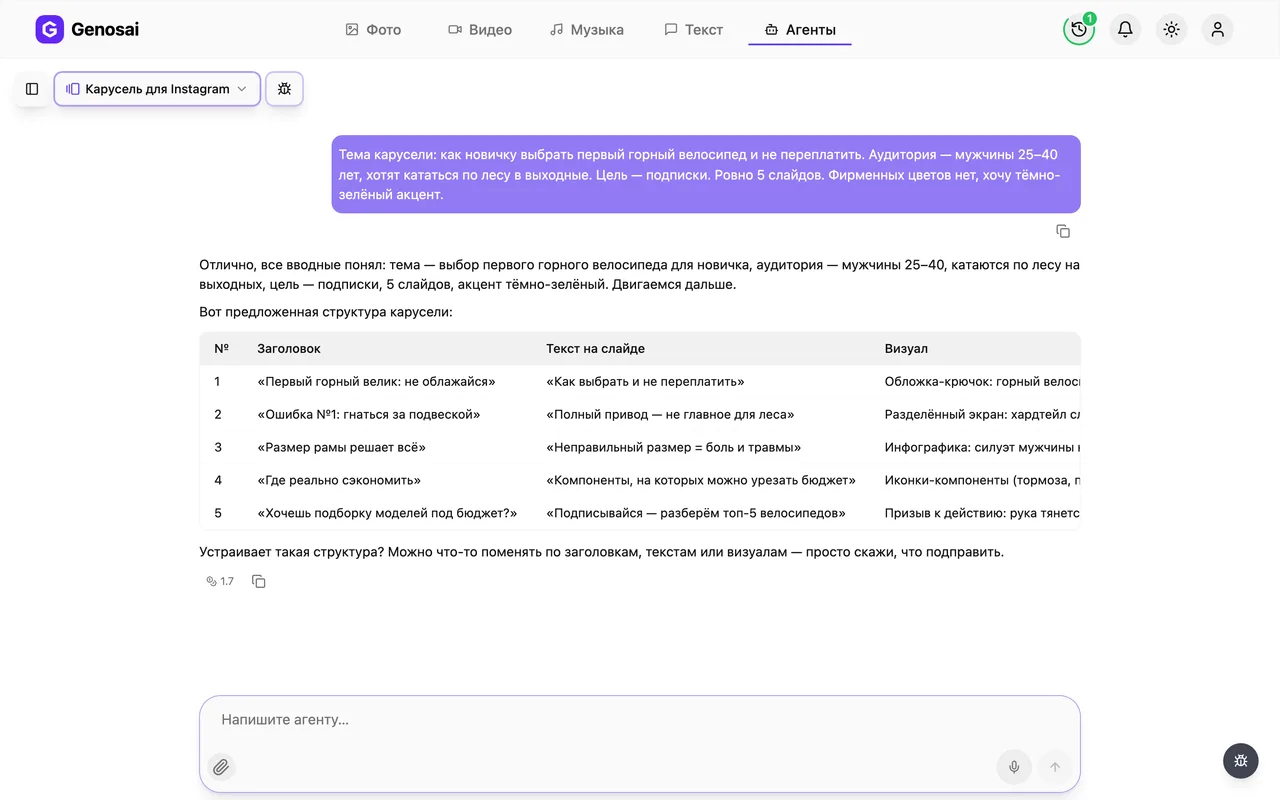
Write your topic, who it is for and what you want from the post: followers, sales or reach. You can also name the number of slides and your brand colours. The agent replies with a table showing each slide number, its headline, the words on the slide and the picture idea. Edit it as often as you like.
Edits at this stage are free, while redrawing finished slides costs as much as a new carousel.
6. Step 6. Check your balance
Open the credit balance at the top of the screen. Credits are the internal units that pay for the work of the AI models. If you are short, top up here and go back to the chat. The conversation stays where you left it.

7. Step 7. Review the estimate
The agent asks which quality to draw in and then shows an estimate card: what will be produced, how many images and what it costs. Nothing is charged until you press the confirm button. If you change your mind, simply say so and the card stays unpaid.
Long replies such as yes that all looks right do not count. Press confirm or write the single word confirm.

8. Step 8. Wait for the drawing
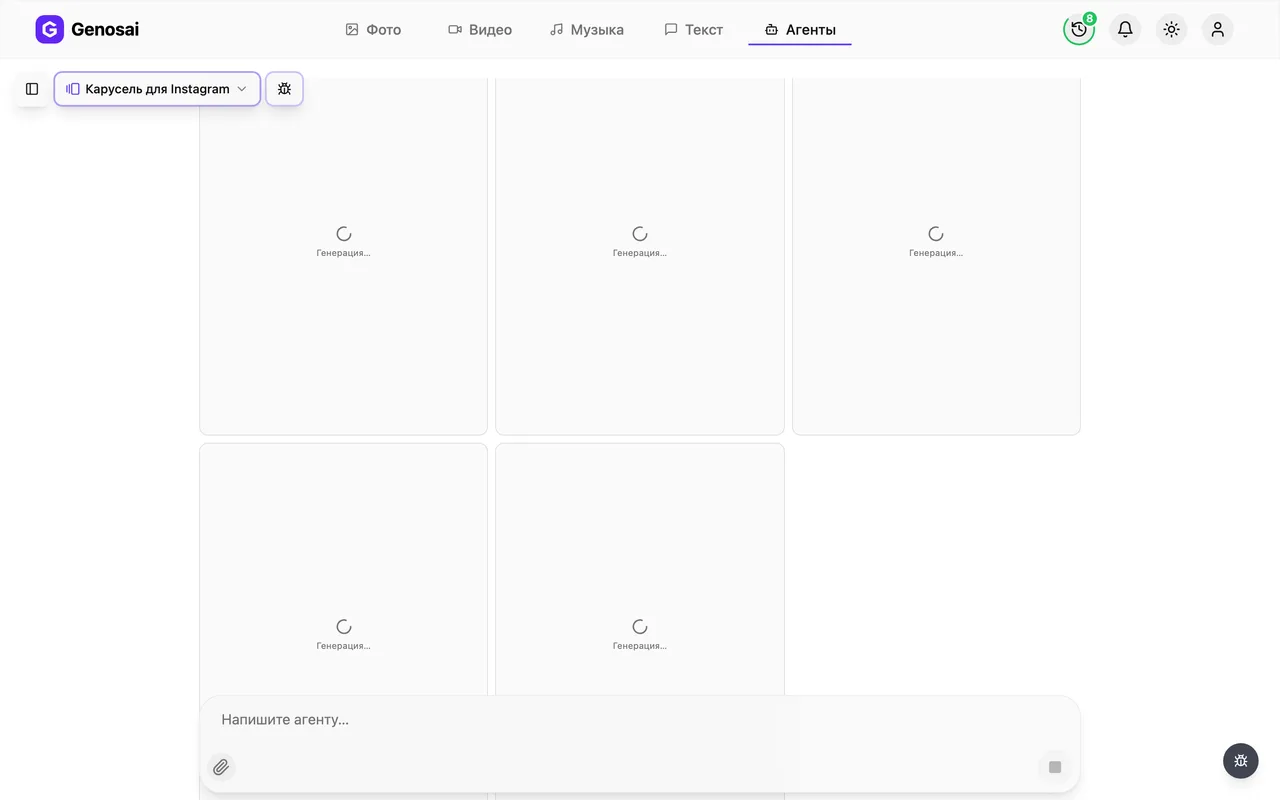
All slides are drawn in one run and tiles labelled Generating appear in the chat, each turning into a slide. Once the batch is larger than six slides a readiness counter appears above them. A seven-slide carousel usually takes a few minutes. You can close the tab and come back later, because the work continues and the result waits in the same conversation.
9. Step 9. Collect slides and caption
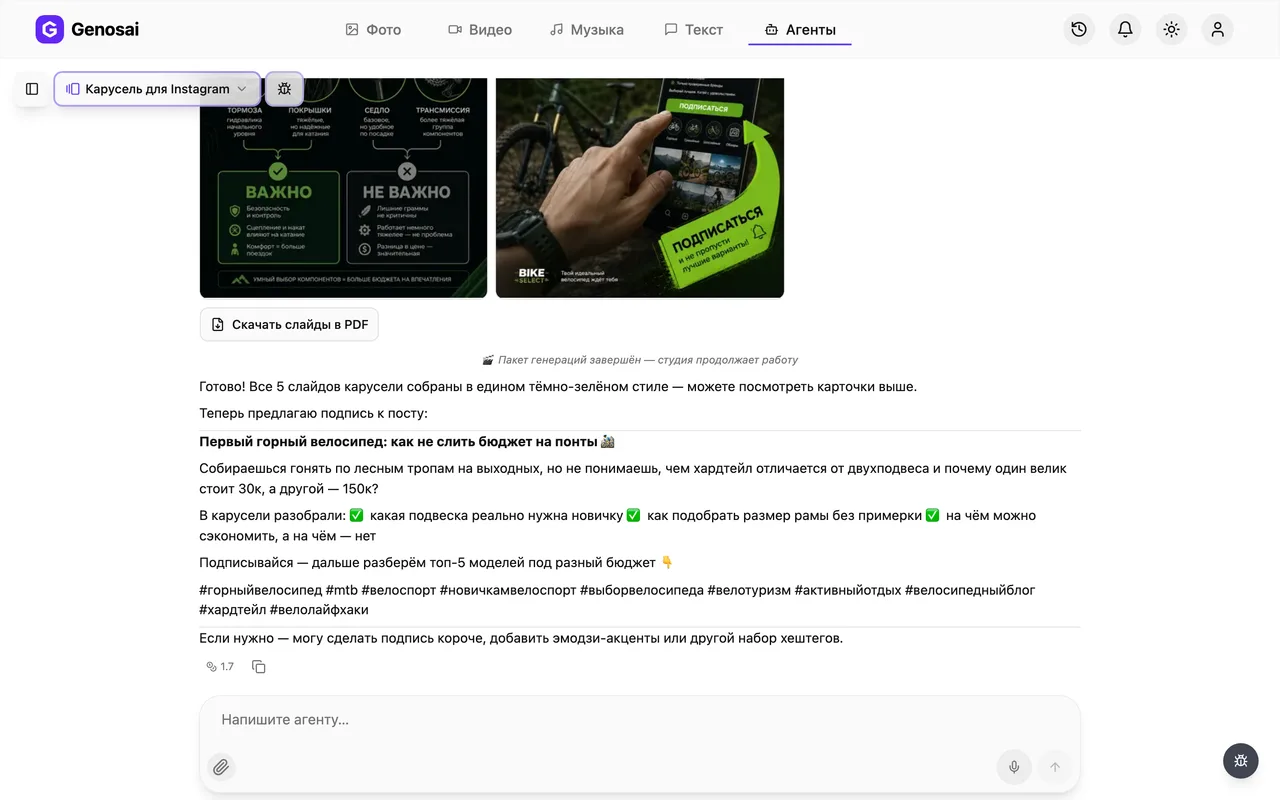
Finished slides appear as tiles inside the chat, and clicking one opens the full screen viewer with a download icon. Once the whole carousel is drawn, a Download slides as PDF button appears underneath and saves the set as a single file. After that the agent offers a caption with hashtags. All that is left is uploading the slides to Instagram in order and pasting the text.
What this agent does
A carousel is a post built from several images that readers swipe through. The format holds attention far longer than a single photo, which is why coaches, small shops and educational accounts rely on it. The problem is that building one by hand takes time. You have to decide what goes on each slide, find visuals, keep everything in one style and stop the fonts from drifting.
This agent takes that whole job off your desk. It asks about your topic, your audience and your goal, then proposes how the story should be split across slides: what hooks people on the cover, which ideas belong in the middle, and how to close so that a reader follows you or gets in touch. The plan arrives as a table and you edit it with ordinary sentences. Only once you approve it do the slides become real images with headlines already drawn on them.
One detail matters a lot. Every slide is drawn in a single run from the same style description, so the palette, the position of the headline and the overall mood match from the first slide to the last. The result reads as one piece of work rather than a pile of unrelated pictures.
Who it is for
The agent is built for someone who has never used an AI tool and has no interest in learning settings. Four groups use it most often.
Independent experts who run an account: therapists, lawyers, nutrition coaches, tutors, repair specialists. They constantly need to explain complicated things in simple terms, and a carousel is the cleanest way to do it.
Small shops and local businesses. A product round-up, answers to the questions buyers always ask, a care guide for a product. All of it fits into seven slides and needs no photo shoot.
Junior social media managers. One person can cover a week of content for several clients in an evening without booking a designer.
Companies with no in-house design team. A sales manager or a founder can put together a clear post about a service instead of waiting a week in the design queue.
If you need a plain text post rather than a stack of slides, look at the social post agent. If the task is bigger and you want a publishing schedule first, start with the monthly content plan.
What to prepare in advance
Nothing complicated, but three things are worth deciding before you open the chat.
First, one narrow topic. Not something about my business, but five mistakes people make when choosing windows, or how to get a child ready for the first day of school. A narrow topic produces sharp slides. A broad one produces filler.
Second, a sentence about your reader. A parent of a young child, a cafe owner and a student all respond to different words, and one line of description is enough for the agent to adjust the tone.
Third, your goal. Followers, enquiries or reach. This decides the last slide, where you either invite people into your inbox or simply ask them to follow.
Optionally add your brand colours and the number of slides. You do not need to upload photographs, because this agent draws images from scratch and does not work from your own pictures.
Walking through a real conversation
Here is a shortened exchange that shows how the process actually feels.
Agent. Hi. I will build an expert Instagram carousel with you. We agree on the structure and the slide copy first, then I draw the finished vertical slides in one style. To start: what is the topic, who is the audience and what is the goal, followers, sales or reach?
You. Topic is five mistakes people make when buying a kids mattress. Audience is parents of children aged one to seven. Goal is followers. Seven slides, calm colours, beige and mint.
Agent. Understood, no extra questions needed. Here is the structure. Tell me what to change.
| # | Headline | Words on slide | Visual |
|---|---|---|---|
| 1 | Five mattress mistakes | They are why your child sleeps badly | Soft-lit nursery |
| 2 | Mistake one | Buying a size to grow into | Cot with an oversized mattress |
| 3 | Mistake two | Choosing the softest option | A hand pressing into the surface |
| ... | ... | ... | ... |
| 7 | Follow for more | I break down child sleep every week | Sleeping child, warm tones |
You. Good, but on slide seven drop the word save and keep only the follow line.
Agent. Updated. Is the structure approved? Next I will check the image quality with you.
You. Yes, approved.
Agent. By default I draw in standard quality, vertical three by four. Higher settings exist, they cost more and mostly matter for print. Keep standard?
You. Keep it.
Agent. Here is the estimate for seven slides. Nothing is charged until you press confirm.
You. Confirm.
Agent. Starting all seven slides now. It takes a couple of minutes and the images appear right here.
After that the finished slides show up in the chat and the agent offers a caption with hashtags. Note one small but important rule: your agreement to the estimate has to be short. A sentence like yes exactly right lets go is deliberately not treated as confirmation, so that money is never taken because of a casual remark.
What it costs
The agent has no fixed price. The cost depends on the volume of work, meaning how many slides you ordered and at which quality. You see the exact number on the estimate card before anything starts, and nothing is charged until you press confirm.
As a rough guide, a carousel costs about the same as the same number of ordinary images, so seven slides cost like seven image generations. Standard quality is cheaper than the higher settings and is more than enough for a social feed.
Conversation with the agent is billed separately and is negligible next to the drawing itself. That is exactly why you should discuss the structure for as long as you need, because this is the stage where money is saved. If a slide fails during the run, its credits return automatically and the agent redraws that slide without a new estimate.
Common beginner mistakes
Choosing a topic that is too broad. Something about health turns into seven empty slides. Narrow it down to one question your clients ask every week.
Agreeing in a long sentence. People write yes great go ahead and then wait, while the job stands still. Press the button on the estimate card or write a single word.
Asking for edits after the drawing. Changing the words on a finished image is expensive, because it is new work and a new estimate. Settle every wording debate while the plan is still a table.
Cramming text onto a slide. Asking for a whole paragraph on one image produces tiny unreadable lettering. One idea per slide, two short lines at most.
Publishing without proofreading. Reread the lettering before uploading to Instagram. AI models still slip on letters occasionally, and a slide like that is worth redrawing.
Why this beats doing it yourself
A freelance designer needs one to three days for a carousel and charges roughly what a monthly credit top-up costs. Building it yourself in a free editor takes two or three hours and demands some taste, since you have to pick fonts, align blocks and keep the spacing steady.
The agent covers the same ground in fifteen minutes, and the hardest part, deciding what belongs on each slide, is handled too. Your role becomes editorial: read the table, sharpen the wording, approve it.
There is an honest downside. The agent does not know your company and will not place your logo, and strict brand requirements such as an exact catalogue shade are only approximated. If your brand guide is rigid, use the agent for the draft and finish the polish in an editor.
Agents that pair well with this one
A carousel rarely stands alone. It usually sits inside a wider publishing routine.
Start with the monthly content plan, which maps topics week by week so you know which carousels are needed. Text posts between carousels come from the social post agent. To turn the same topic into a short video, visit the Reels and Shorts scriptwriter. A long site article comes from the SEO article agent and short sales copy from the copywriter, and the presentation agent explains your product in a meeting.
The full list of helpers with descriptions lives on the all agents page.
FAQ
Do I need design skills to use this?
No. You answer questions in plain words, the same way you would brief a freelancer. The agent invents the layout, picks the colours and draws the slides for you.
How many slides does the agent make?
Usually five to ten, with seven as the default. The first slide is always a hook cover and the last one is a call to follow you or send a message. Say your preferred number at the start.
Can I use my own brand colours and logo?
Describe your colours and style in the first message and the agent repeats them on every slide. It does not place logos, so add yours on top of the finished image in any free editor.
What if I do not like the finished slides?
Say so in the chat and the agent will offer to redo them. Redrawing is charged again, so it is cheaper to argue about wording while the plan is still a table.
Will the text on the slides be spelled correctly?
The agent defaults to a model that draws lettering carefully. Even so, reread every slide before publishing, because occasional typos happen and such a slide is worth redrawing.
Am I charged just for talking to the agent?
Messages are billed separately and cost very little. The meaningful spend happens only when the slides are drawn, and only after you confirm the estimate.
Can I use these slides on other social networks?
Yes. Vertical images work well on LinkedIn, Facebook and Telegram. Slides always arrive in a 3 by 4 ratio, and you can crop them for a specific network in any free editor.