Restore an old family photo without Photoshop
The Genosai restorer brings archive pictures back to life. It removes scratches, creases and stains, recovers lost sharpness and gently colorizes black and white shots. You attach a scan or a phone photo of the print, answer a few questions in plain English, and get two finished versions to choose from. No software to install.
Updated: August 10, 2026
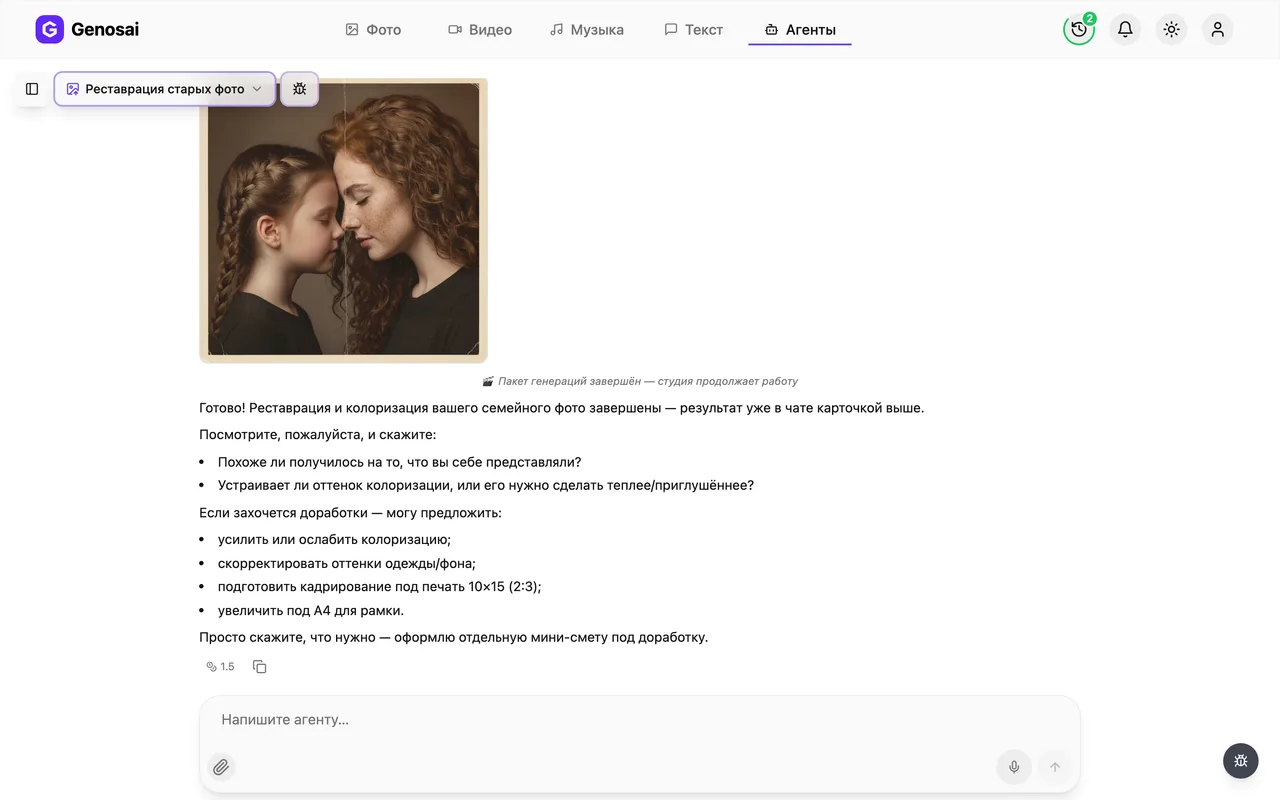
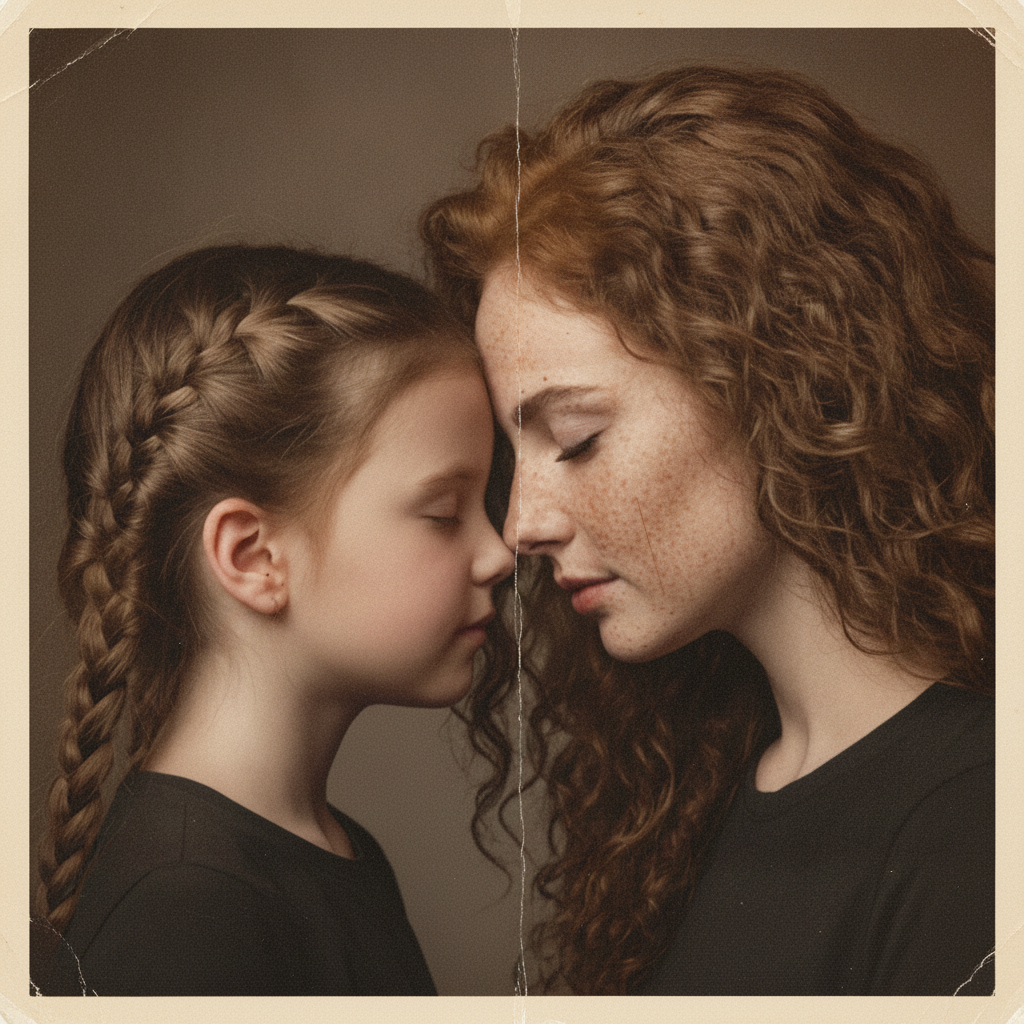
- Removes physical damage — Scratches, creases, mould spots, dust and torn corners disappear, while the faces, poses and composition stay exactly as they were.
- Period accurate colour — Black and white shots get a muted film palette that matches the decade, not loud oversaturated modern colours.
- Two versions per run — You receive a careful restoration and a stronger one, so you decide how much intervention feels right.
- A written plan first — The agent describes the damage it can see and how it will repair it before any estimate or spending happens.
- Price before you pay — The cost arrives as a separate card. Nothing leaves your balance until you press the confirm button.
- Print ready output — You can ask for a crop that fits a standard photo print or a larger version suitable for A4.
What it produced
Step-by-step guide
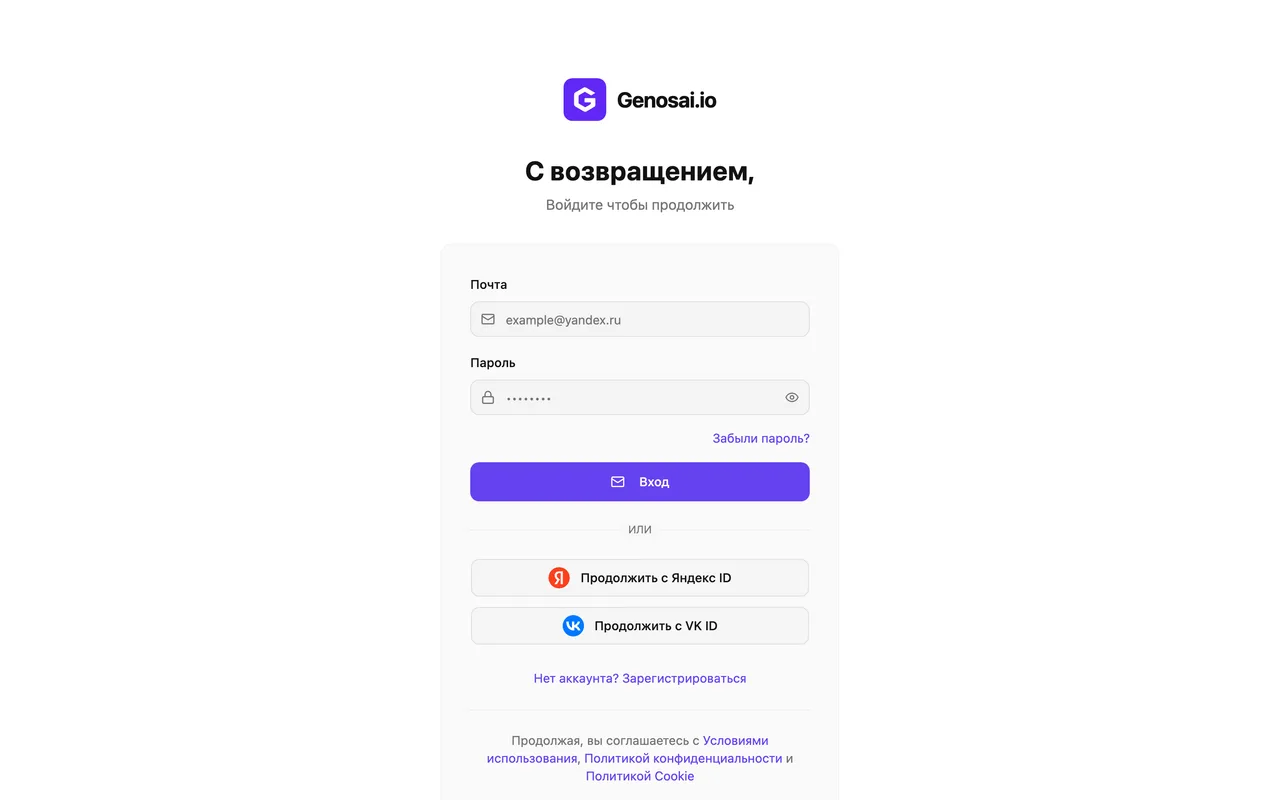
1. Step 1. Create a Genosai account
Open the site and sign up with your email or a one-click login. It takes under a minute and no card is required. New accounts receive starter credits, enough to restore a first picture and see the quality.
2. Step 2. Open the studio and the agents tab
After logging in you land in the studio workspace. There is an agents tab at the top, click it. An agent is a ready-made assistant built for one specific job that guides you through it and asks the right questions.
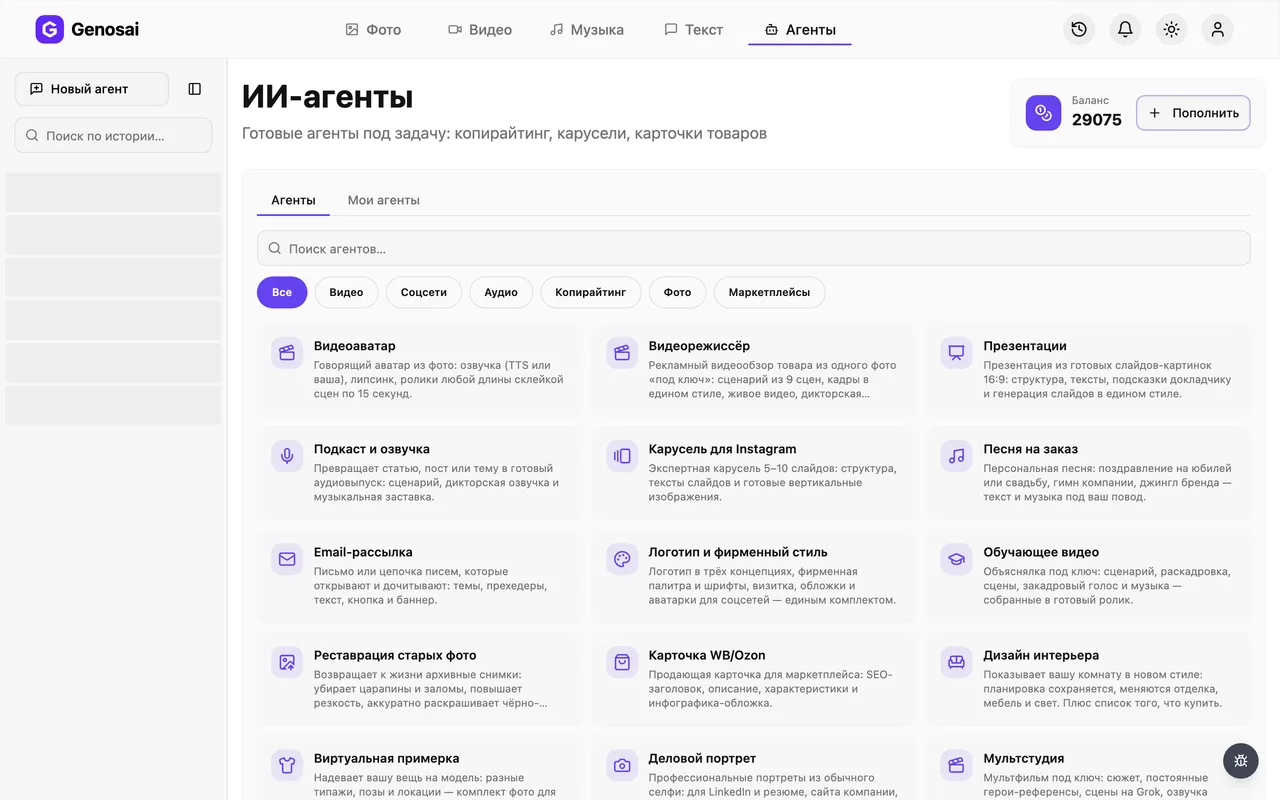
3. Step 3. Find the restoration agent
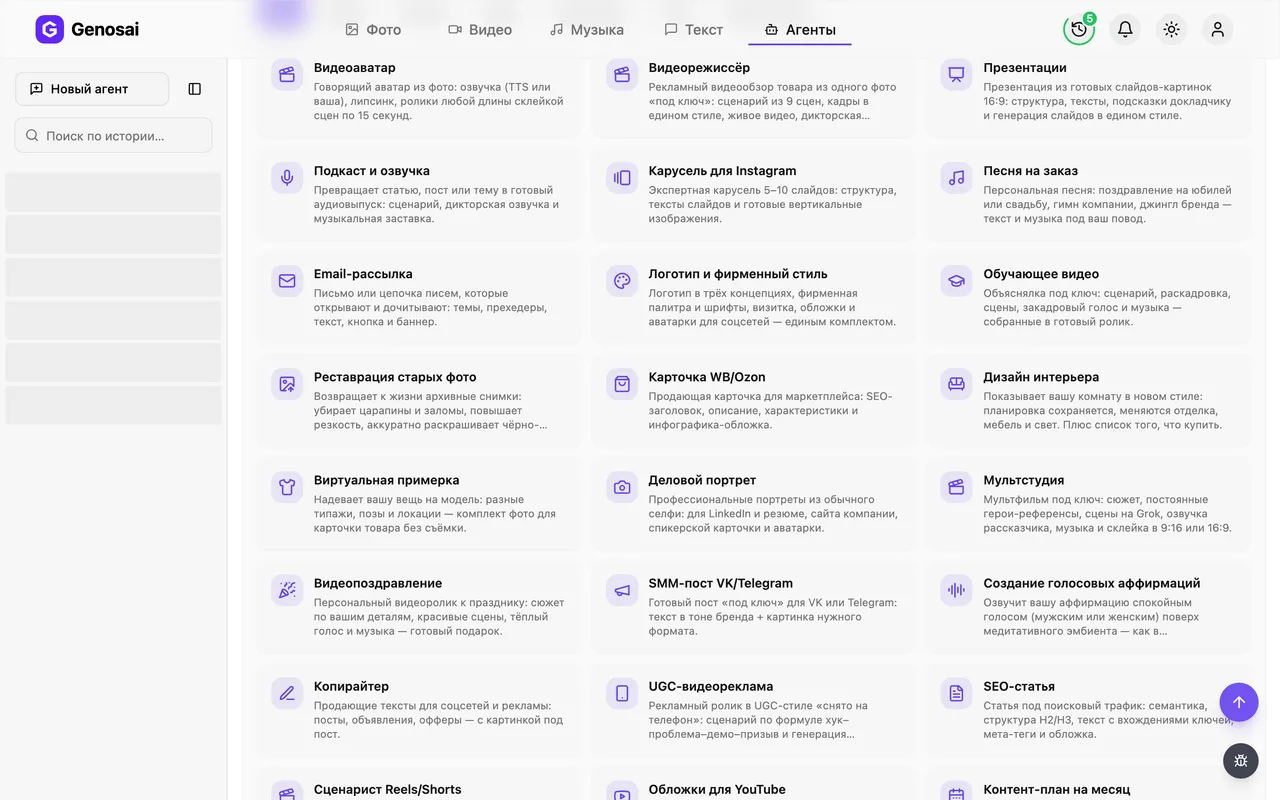
In the gallery choose the photo category or type restoration into the search box. Click the Photo Restoration card and a chat opens.
4. Step 4. Read the greeting
The restorer introduces itself and explains the order of work: your picture first, then a repair plan in words, then the estimate, and only after that the actual work. You answer in normal sentences.
5. Step 5. Attach the old photo
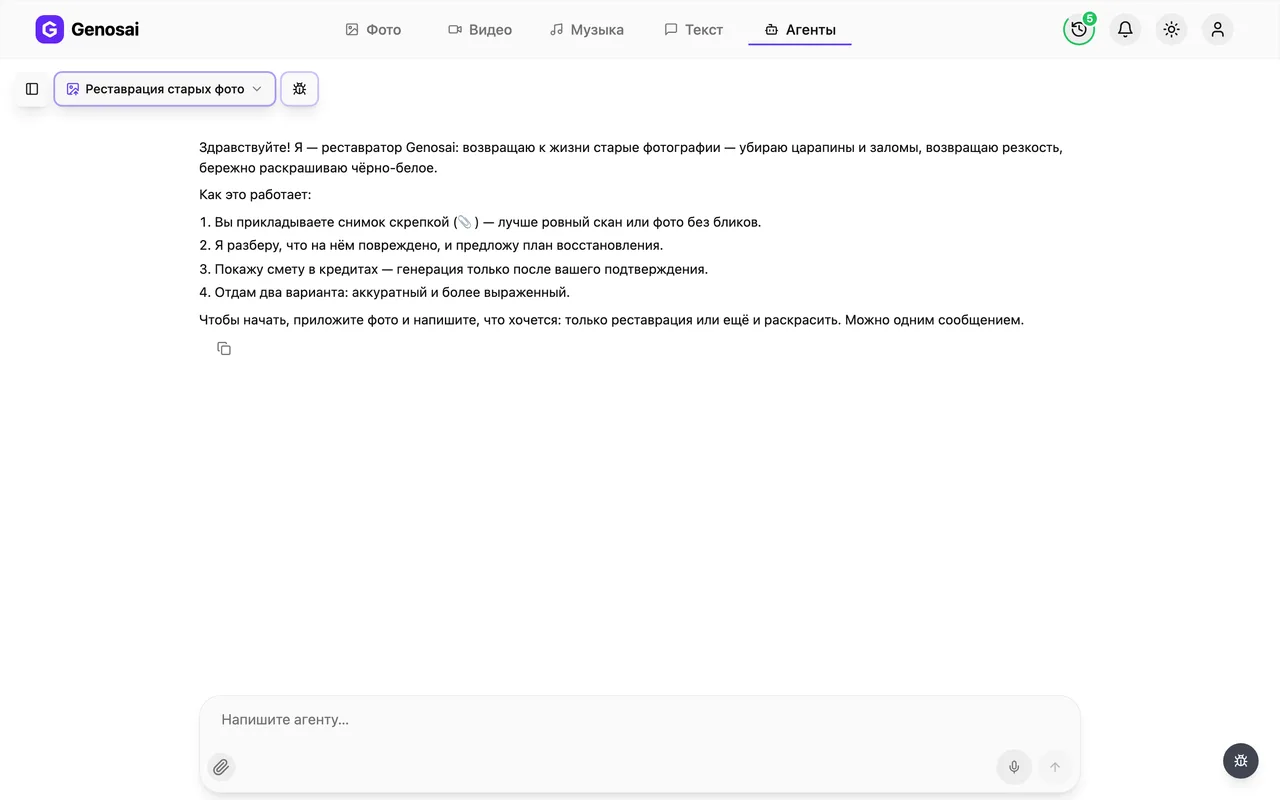
Click the paperclip under the message box and pick the file. Ideally scan the print, or photograph it in flat daylight with the whole print inside the frame and no glare. You do not need a cloud link, the agent reads the attachment itself.
Shoot straight down, parallel to the surface. A tilted picture with a lamp reflection restores noticeably worse than a flat scan.
6. Step 6. Say what you want done
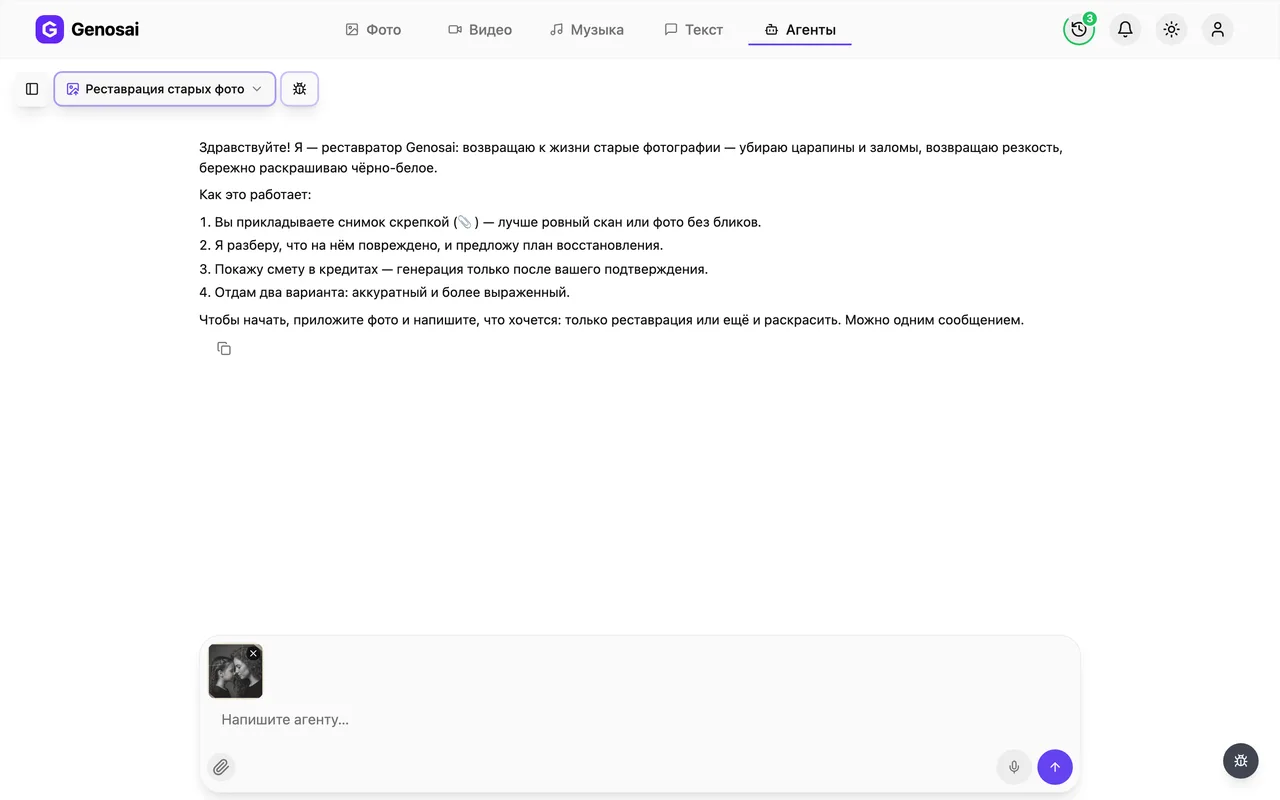
Tell the agent whether you want repair only or repair plus colour. If you know the year, the place, the eye colour or the colour of a dress or uniform, mention it, that drives an accurate palette. Also name anything that must not be touched.
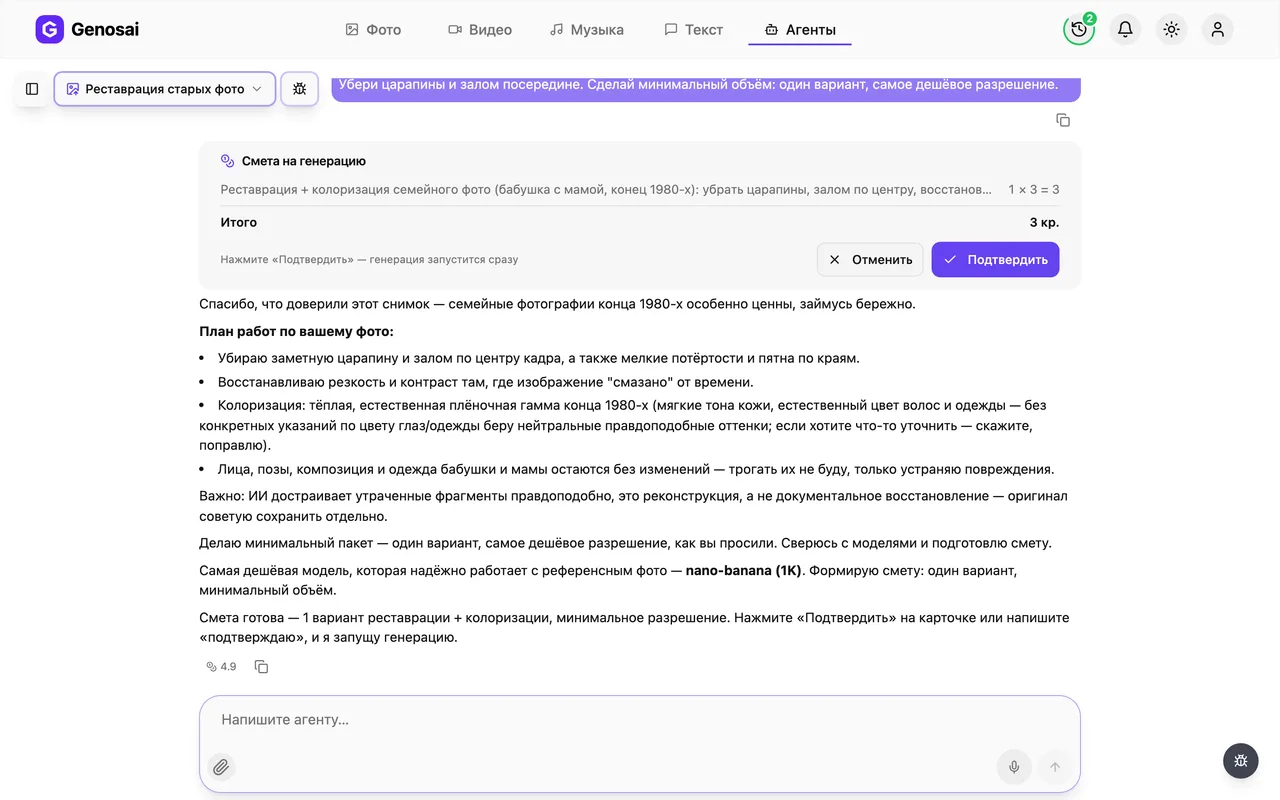
7. Step 7. Check the estimate and confirm
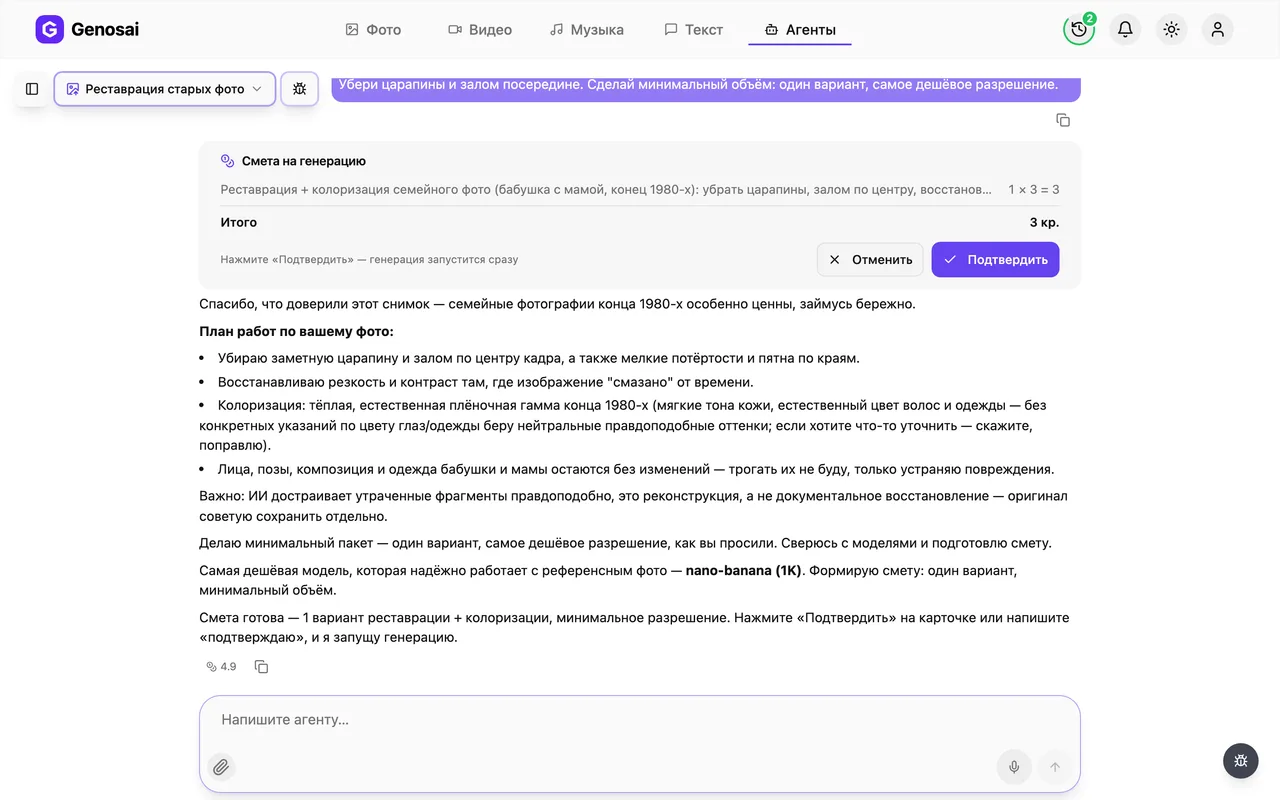
The agent writes the repair plan for your specific print, then posts a card with the cost in credits. This is the only place money is spent. Press confirm or type the single word confirm in the chat.
Nothing is charged before that button. A long reply such as yes please go ahead is deliberately not treated as consent.
8. Step 8. Wait for the result
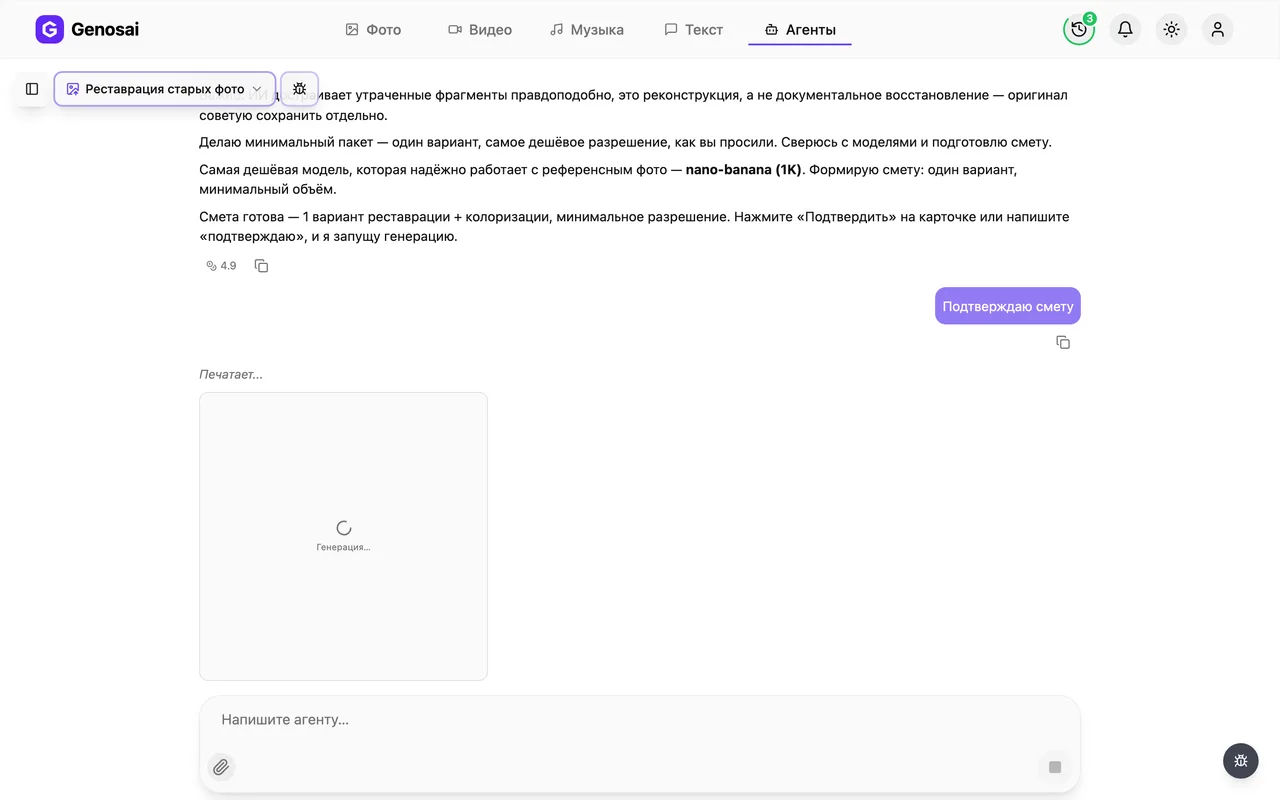
Restoration starts and two tiles labelled Generating appear in the chat, each turning into a finished version. It usually takes a few minutes. You can close the tab and come back later, the job keeps running.
9. Step 9. Download the restored photo
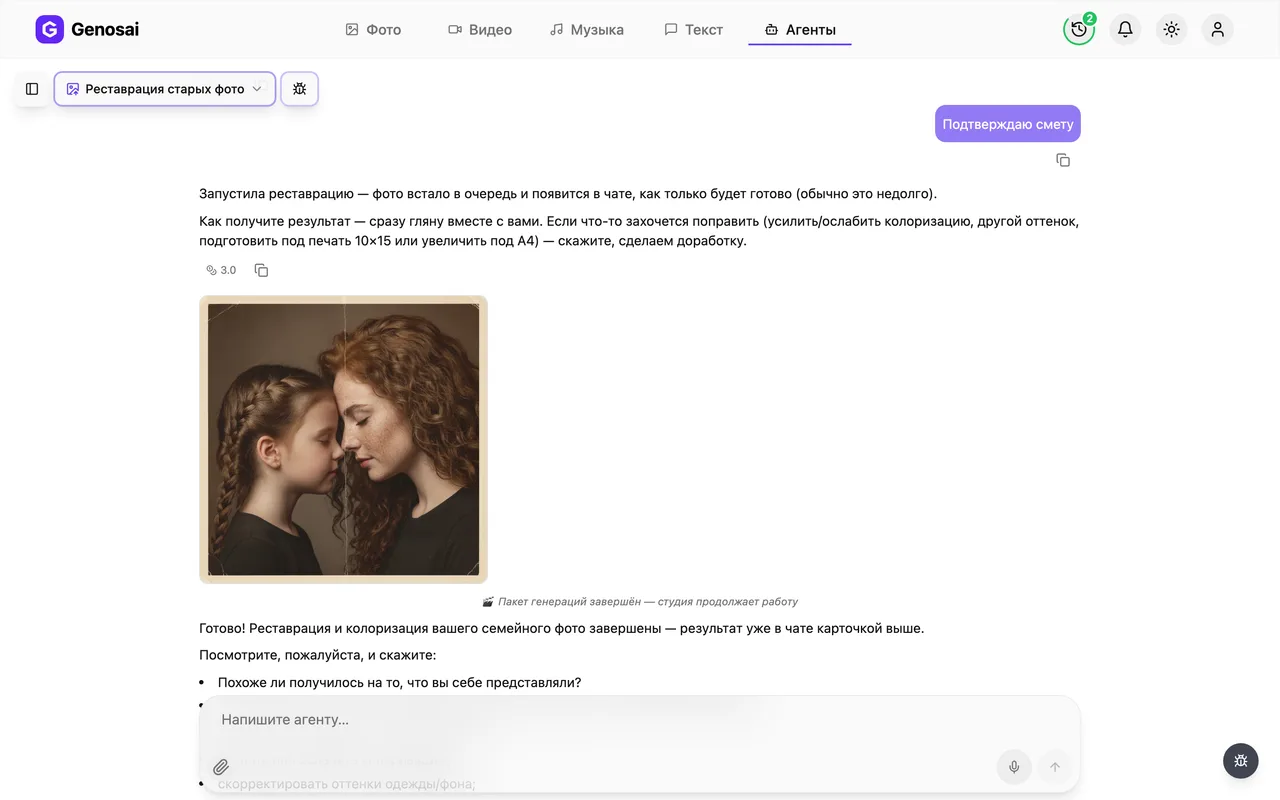
Both versions arrive as tiles in the chat. Click the one you want to open it full screen, where a download icon saves the file. Tell the agent which one is closer and it can offer a refinement: softer or stronger colour, a different background, a print crop. That is a small separate estimate.
What this agent does
The Genosai restorer has one job: take an old or damaged photograph and return it in a state worth framing, putting in an album or placing on a memorial page. Under the hood it is a conversation. You attach the picture, the agent examines it, describes in words the damage it can see, proposes a repair plan, and only after your approval produces two finished versions.
What it repairs:
- scratches, creases, emulsion cracks and fold lines;
- stains, water marks, yellowing and traces of mould;
- lost sharpness, blur and the general haze of an aged print;
- torn or trimmed edges, when the frame makes clear what used to be there;
- flat contrast and faded midtones.
Colorization is a separate job. The agent does not reach for bright modern colour but for the muted film palette typical of the period, and the 1940s and the 1980s get very different treatment.
What it will not do: add people who were never in the picture, or turn a still photograph into a video of a moving person.
Who it is for
Anyone with a box of prints inherited from parents and grandparents. A wartime portrait, a wedding photo in a card mount, a school class picture, a hospital shot on cheap paper. All of them fade and crack over time, and the negatives are long gone.
Restoration is often tied to an occasion: an anniversary, a memorial day, a family reunion, when you want the picture printed large and framed. Another frequent case is school and local history projects that need to show an archive image on screen when the original reads poorly.
It also suits photographs that are not truly old but got damaged: soaked, stuck to an album page, torn and taped back together.
What to prepare first
The best possible copy of the print. A flatbed scan at a generous resolution is ideal. Without a scanner, photograph the print with your phone: daylight from a window, camera directly above and parallel to the surface, the whole print inside the frame. The enemies are lamp glare, the shadow of your own hand and a tilted angle.
The story of the shot. The year, the place, who is in it, what they did for a living. This is not idle curiosity: the decade drives the colour palette, and the occupation drives a believable shade of a uniform or a dress.
A list of things not to touch. Say plainly what must stay as it is. Some details matter precisely because they are imperfect: a distinctive birthmark, a scar, the worn edge of the card mount, a handwritten note that ended up inside the frame.
Your credit balance. Credits are the internal currency of Genosai and they pay for the work, so check the balance in advance.
A real conversation walkthrough
Here is a shortened exchange so you know what the process feels like.
You (attaching a scan with the paperclip): This is my grandfather, around 1943. There is a crease running across the whole print and the bottom right corner is torn off. I would like it repaired and colorized.
Agent: I have the picture. I can see a vertical crease across the shoulder and part of the tunic, a torn bottom right corner covering roughly a tenth of the frame, general yellowing of the paper and softness towards the edges. The face itself is intact, which helps.
The plan: remove the crease and dust, rebuild the missing corner from the background and the line of the clothing, recover sharpness on the eyes and collar, even out the contrast. For colour I suggest a muted 1940s film palette: dark green tunic, natural skin tone without flush, restrained grey and beige background. Do you know the eye colour?
You: Grey eyes. The tunic was green, that is right. Please leave the medal exactly as it is, it matters to me.
Agent: Noted: grey eyes, and the medal keeps its shape and position untouched. I will produce two versions, a careful one with minimal intervention and a stronger one with more sharpness and saturation. The estimate is below, nothing is charged before you confirm.
*(an estimate card with a credit amount and a button appears in the chat)*
You: confirm
Agent: Working on it, both versions in a couple of minutes.
*(a progress indicator appears, then two images as cards)*
Agent: Done. Which one is closer? I can soften the colour, pull the background nearer to the original, or crop it for a standard print. Please keep the original file, it is the document, and the restored frame is a reconstruction of it.
Notice two things. The agent never quotes a price in plain chat, the amount always arrives as its own card. And work only begins after the button or the single confirmation word. A long friendly reply is deliberately not accepted as consent, so nobody is charged by accident.
What it costs
Restoration has no fixed price. The cost comes from the volume of work: how many versions you order and which model produces them. The agent shows the exact amount in credits in the estimate before starting, and until you press confirm nothing leaves your balance.
As a guide, one print in two versions costs roughly the same as a couple of ordinary images in the studio. The conversation itself is billed separately and costs very little, so discussing the repair plan, asking questions and clarifying details is essentially free. There is exactly one expensive step and you control it.
If a version fails for a technical reason, the credits for it return to the estimate and the agent reruns only that item without charging you again.
Common beginner mistakes
A careless copy of the print. A tilted shot with a ceiling light reflected in it is the single most common cause of a weak result. A flat picture in daylight saves both time and credits.
Cropping the source in advance. People often trim away the border they consider useless. Send the whole print instead: the edges carry background and composition information that the repair is built from.
Expecting documentary accuracy. Rebuilding a face that is physically missing from the print is always a plausible reconstruction, never a recovery of the truth. If that difference matters, ask for the careful version with minimal intervention.
Colour that is too bright. The temptation to ask for something livelier is strong, but saturated colour instantly gives the processing away. A muted film palette looks more believable and does not argue with the period.
Deleting the original. Never discard the source file after restoration. The restored version is a new image, the original remains the document.
Why this beats doing it yourself
In a general purpose image tool, restoration usually ends with a similar but different person in the frame. The reason is that you have to choose a model that edits an existing image gently and then spell out a long list of requirements: keep the same faces, poses, clothing and composition, remove scratches and stains, recover sharpness, add no new people or objects, avoid a glossy modern retouch look. Miss one line and a stranger appears.
The agent keeps all of that internally. It selects a model suited to careful editing, writes the technical description itself, adds the prohibition on inventing people and objects, and watches over the composition. All you provide is the story of the picture in ordinary language and a decision about which of the two versions you prefer.
Compared with manual restoration in a graphics editor the gap is even wider: a single complicated print takes hours of painstaking work and a skill that takes years to build.
Agents that pair well with this one
A restored picture usually becomes part of something bigger, an album, a gift or a memorial page.
- Business Headshot makes a modern portrait from your selfie so the family set includes the present day too.
- Custom Song writes a song for an anniversary when the restored photo is part of a present.
- Presentations places archive frames into a family or school presentation.
- Copywriter helps you write the caption or a short account of the family story.
- Logo and Brand Kit is useful if you are designing a whole memorial book or page.
The full catalogue by category lives on the all agents page, where you can also see which other studios work with photographs.
FAQ
Is this real restoration or is the AI inventing detail
Honestly, it is informed invention. The model cannot find emulsion that no longer exists, it reconstructs plausible detail from the surrounding areas. Where the damage crosses a face, features may shift slightly, so always keep the original file.
What if I do not have a scanner
Photograph the print with your phone in daylight near a window. Hold the camera directly above it, parallel to the surface, and make sure no glare or hand shadow falls across the picture.
Can it colorize a black and white photo
Yes, and it is the most common request. The agent picks a muted palette that suits the decade. If you remember the eye colour or the colour of a dress or uniform, say so, it noticeably improves accuracy.
My photo is torn and a corner is missing
The agent will rebuild the missing edge from the logic of the frame: background, the line of the clothing, part of a wall. If half a face is gone, an honest result is not possible and the agent will say so.
How much does it cost
There is no fixed price, the cost depends on the amount of work. The agent shows the exact credit amount in the estimate before starting. A single print usually costs about the same as a couple of ordinary images.
Can you animate the person in the photo
No, this agent does not do that. It works only with a still image, and it will not add people who were never in the original picture.
Will the quality be good enough to print
Yes, the output is large enough for a standard photo print, and you can ask for a version sized for A4. Mention it before you confirm the estimate so it is included in the run.