Turn any text into a finished podcast episode with AI
The Genosai podcast studio takes your article, post or simply a topic and turns it into a ready audio file read by a professional sounding narrator. You explain in plain words what the episode is about and how long it should run, the agent writes a script built for reading aloud and records it in the voice you pick. If you want one, it also records a short music intro as a separate file.
Updated: August 10, 2026
- Scripts written for the ear — The agent writes spoken language, not an article: short sentences, no bullet lists, nothing that trips up a narrator.
- Six narrator voices — Male and female voices with different delivery styles: newscaster, warm and friendly, upbeat promo or calm evening.
- Optional music intro — The agent can record a short instrumental jingle you place at the start and the end of the episode.
- Description and timecodes — Along with the audio you get three title options, a short episode summary and timecodes for every block.
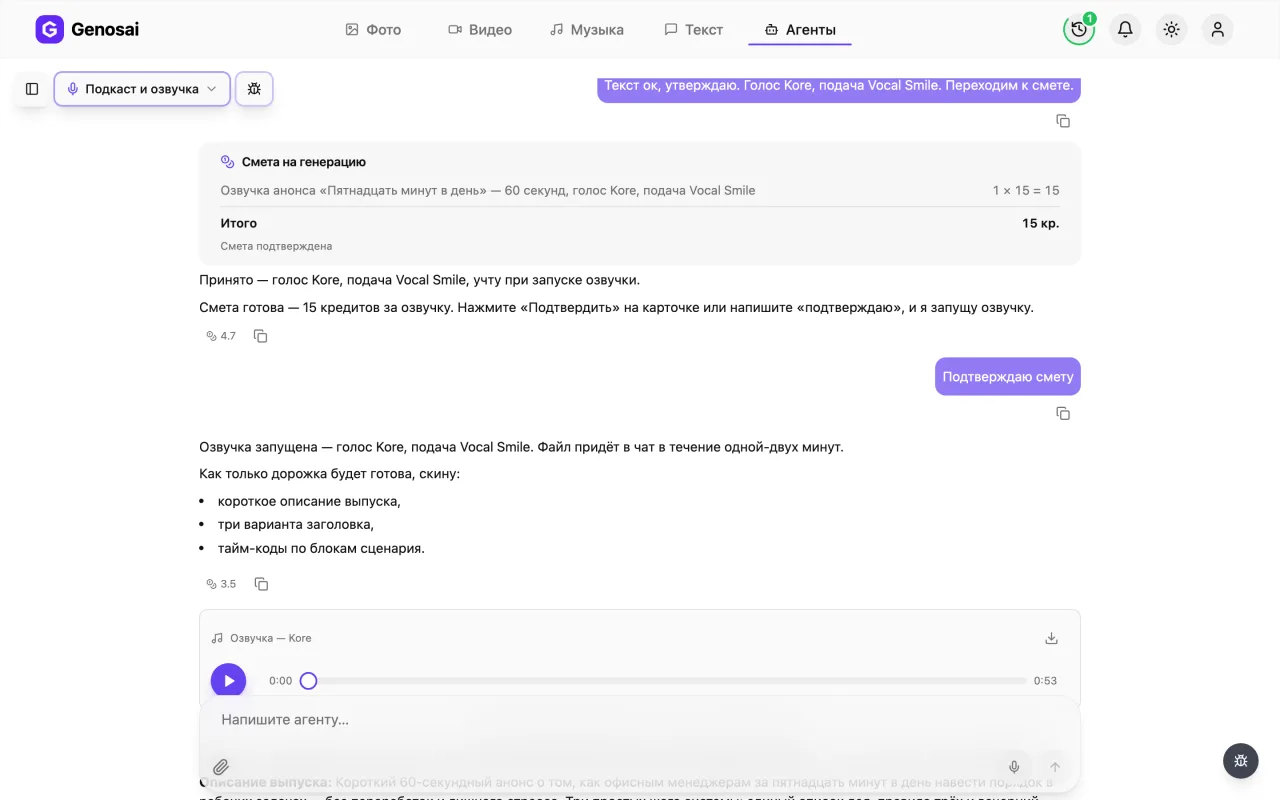
- Estimate before any charge — The price appears in a separate card first. Nothing is deducted from your balance until you press confirm.
What it produced
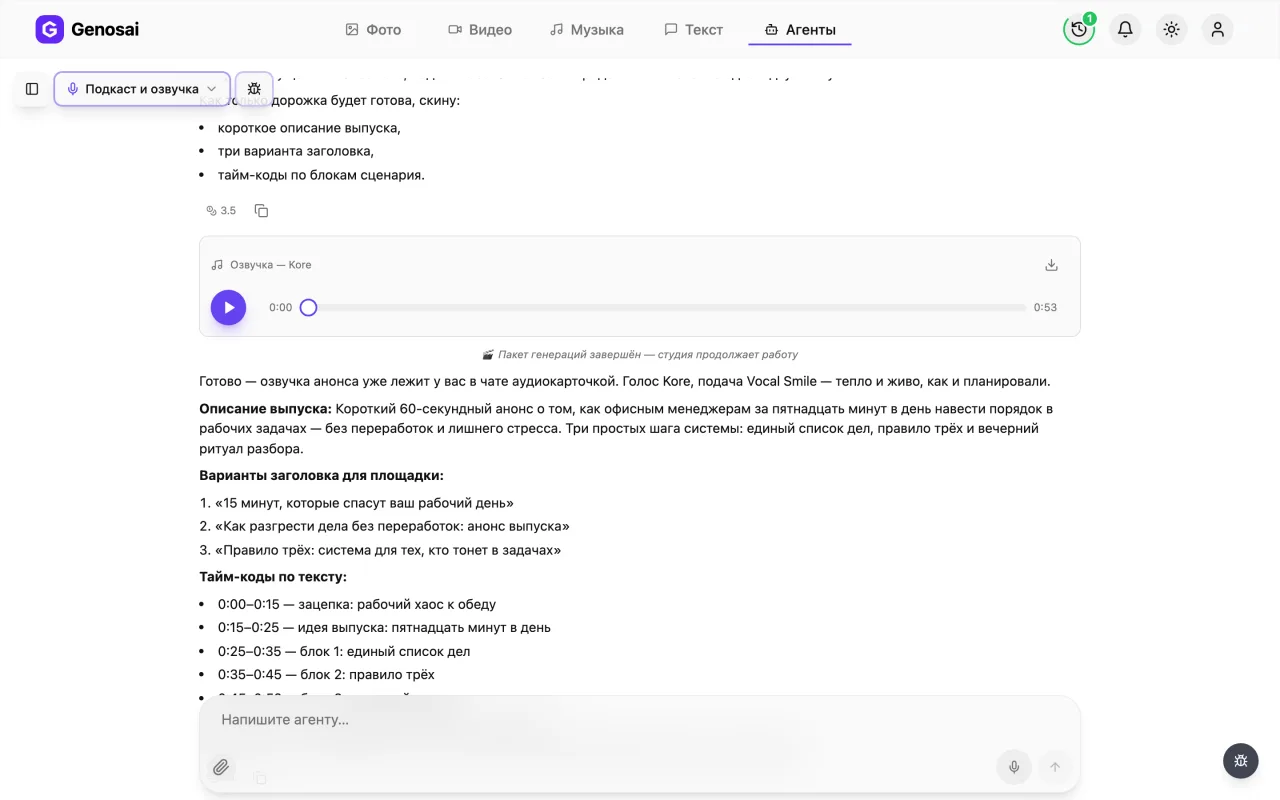
Example output of the Podcast & Voice-over agent — music 1
Step-by-step guide
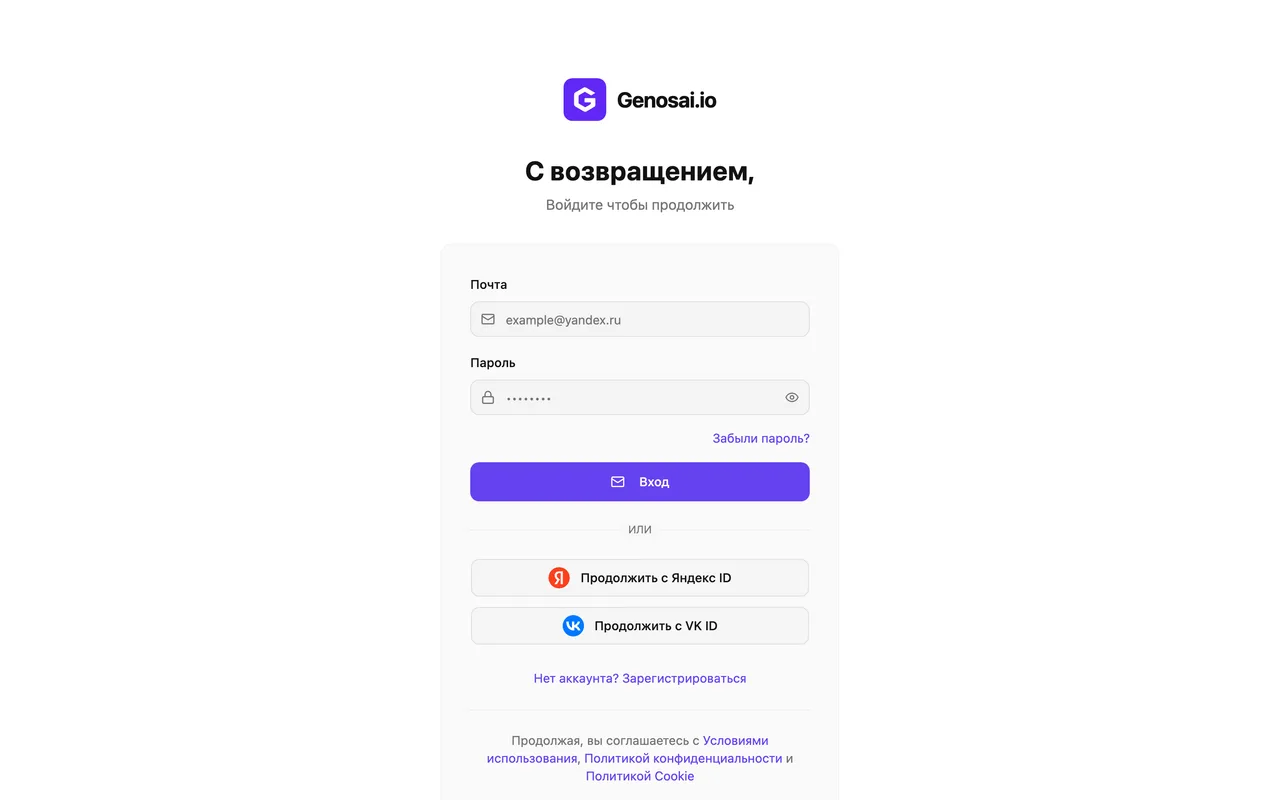
1. Step 1. Create your account
Open the Genosai website and sign up with your email or a one click login. There is nothing to install and nothing to configure, everything runs in the browser. Right after signing up you land in your personal dashboard.
2. Step 2. Open the studio
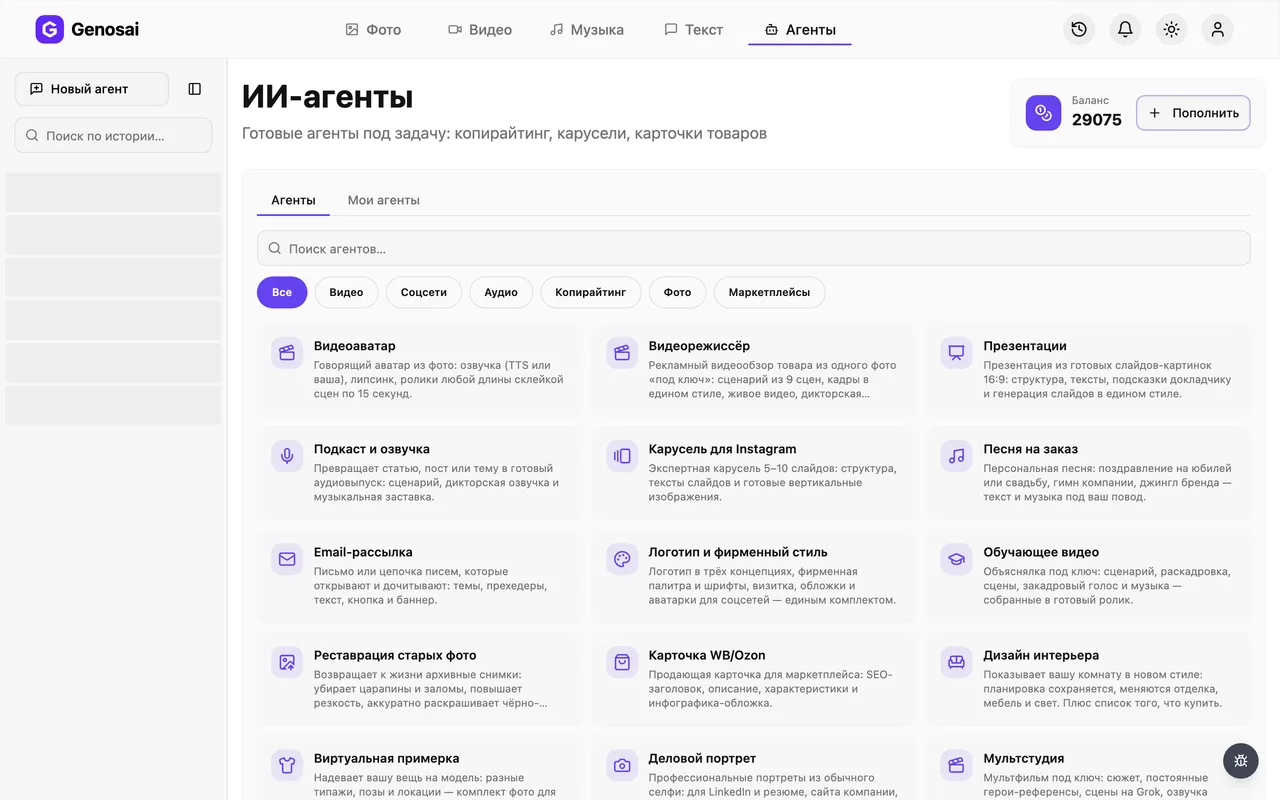
In your dashboard open the studio section and switch to the agents tab. An agent is a ready made assistant with a single profession that already knows which questions to ask you. You do not have to set anything up by hand.
3. Step 3. Find the podcast studio
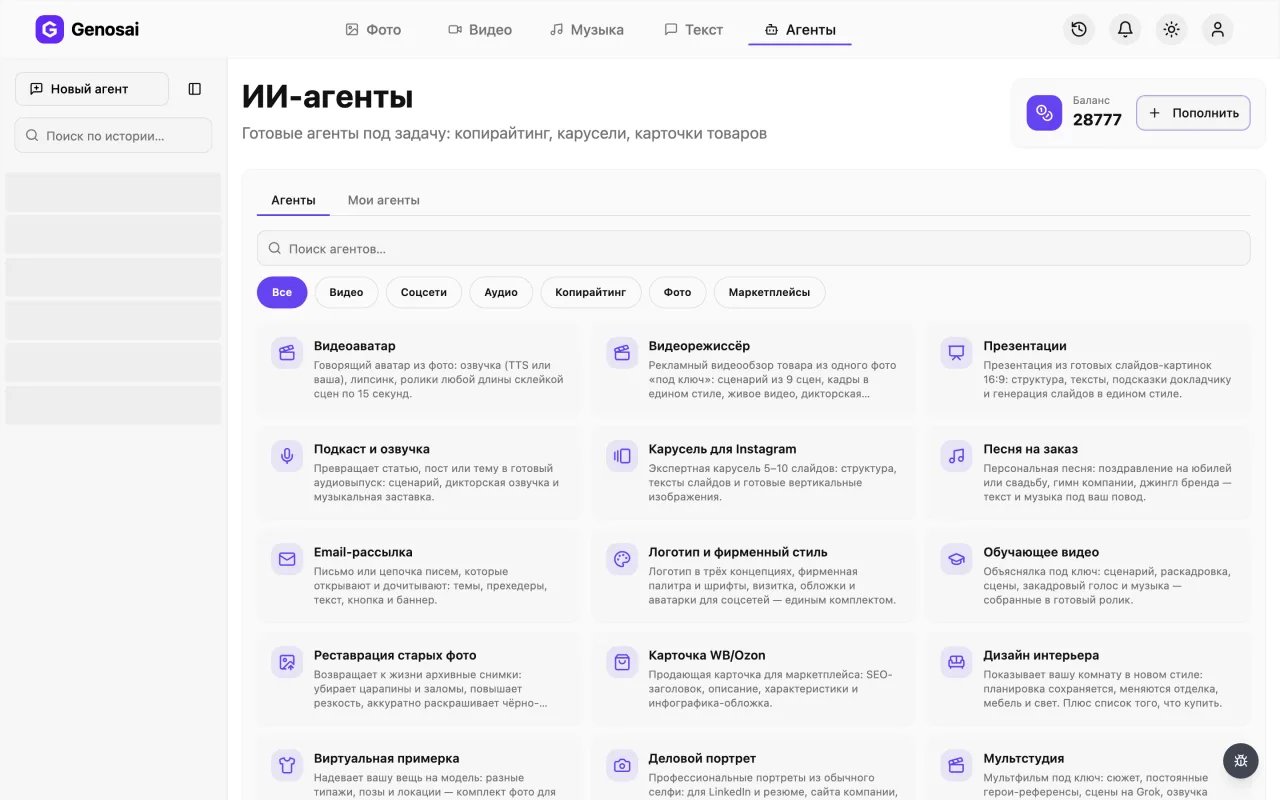
In the agent gallery pick the audio category or type the word podcast into the search box. Click the card with the microphone icon called Podcast and Voice-over. A normal chat window opens.
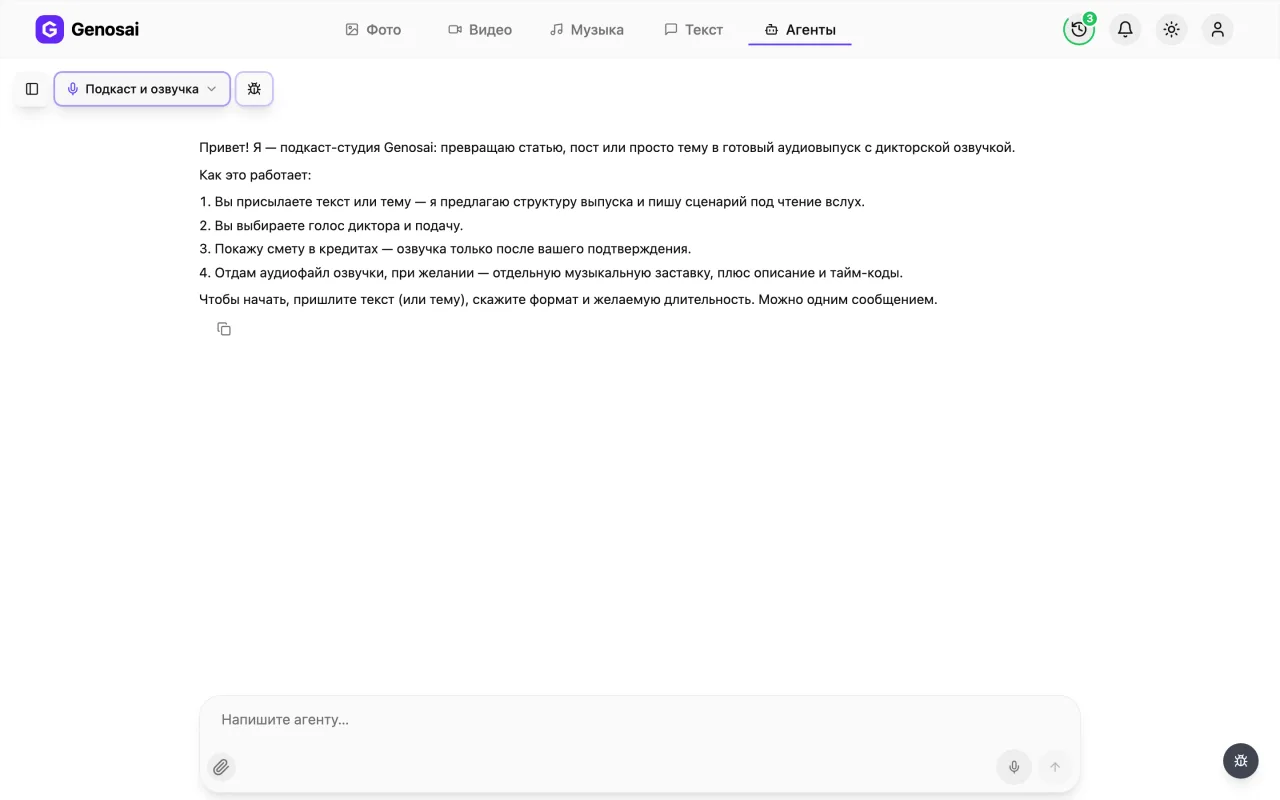
4. Step 4. Read the greeting
The agent says hello first and briefly explains how the work will go. It immediately asks for your text or topic, the episode format and the length you want. You can answer everything in one message, in ordinary words, like texting a colleague.
5. Step 5. Answer the questions
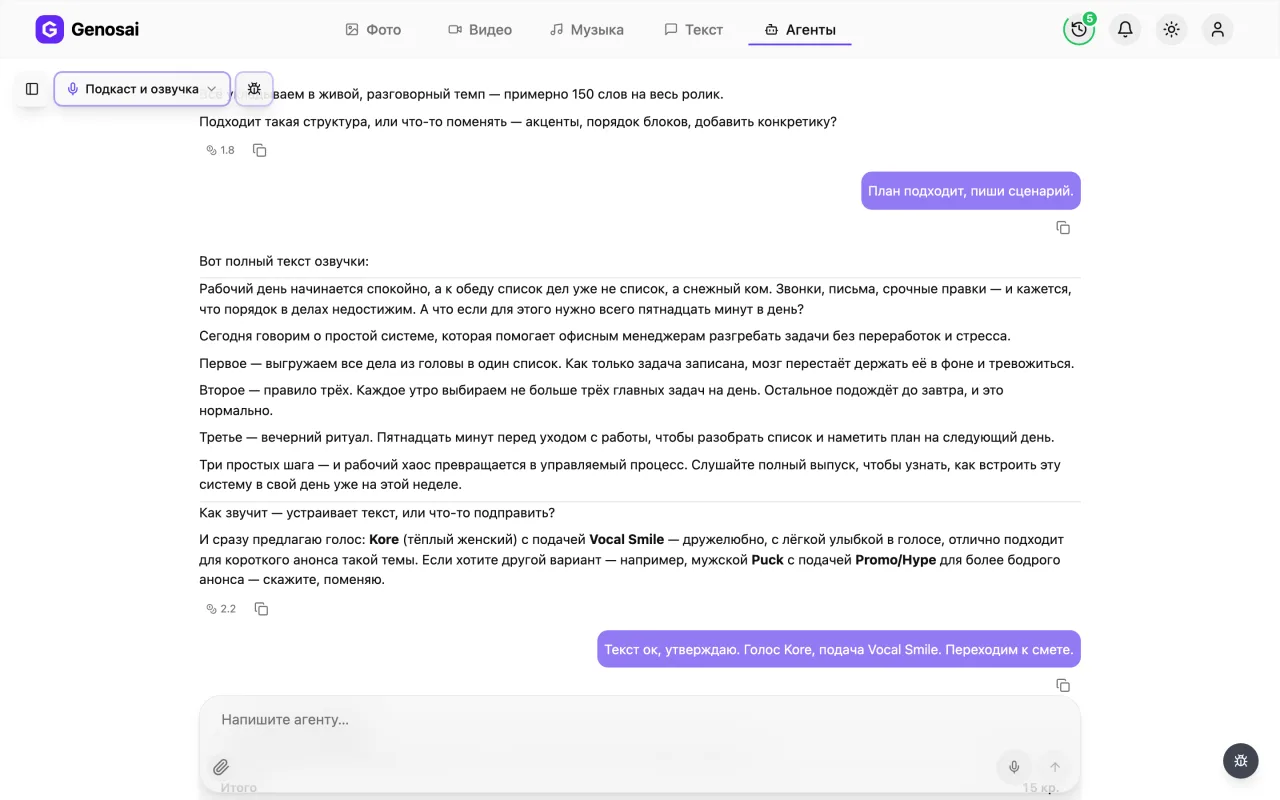
Paste your finished text into the message box or describe the topic in your own words. Say how many minutes the episode should run and who it is for: customers, staff, subscribers. If you do not know something, say so, and the agent will take a sensible assumption and show it to you in one line.
The more precisely you name the audience and the goal, the fewer rewrites you will need later.
6. Step 6. Check your credit balance
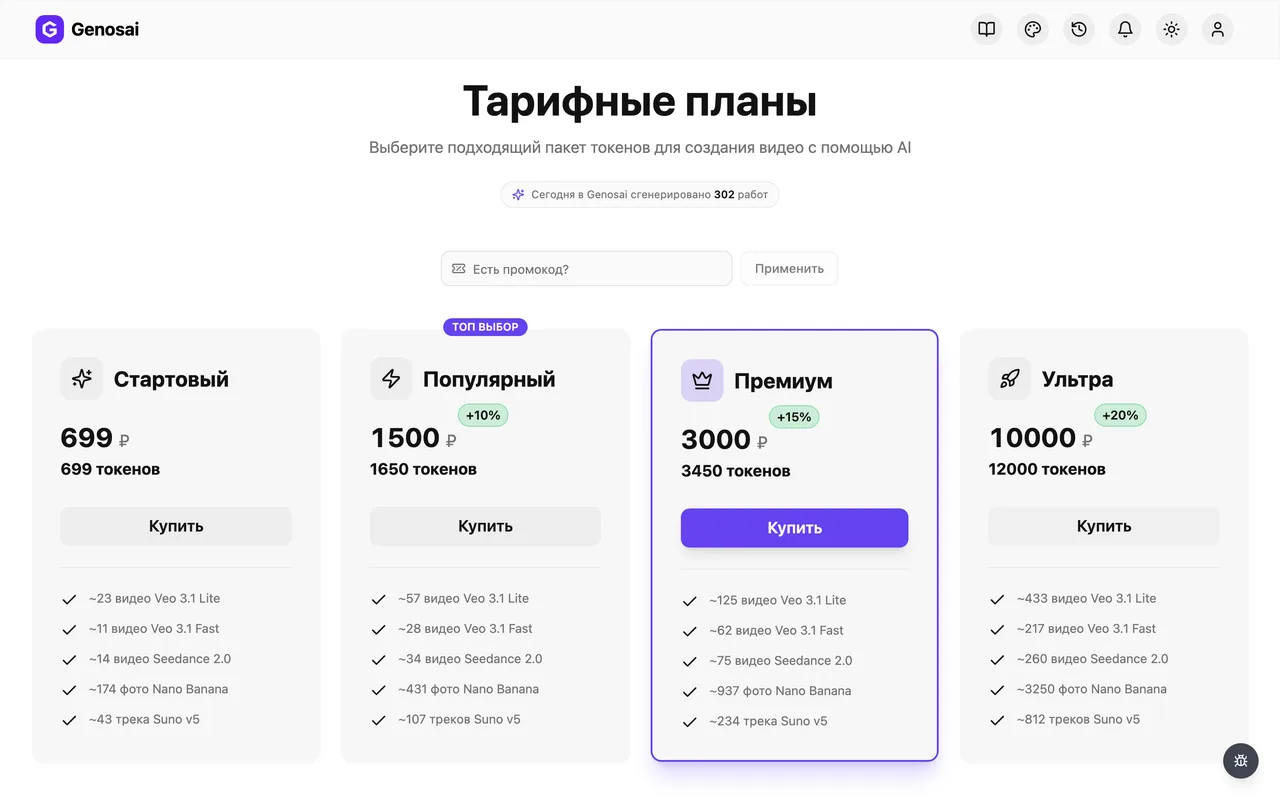
The service runs on credits kept on your account balance. Open the balance section and top it up before you reach the recording stage. Chatting and script writing cost pennies, the real credits go into the voice recording itself.
7. Step 7. Confirm the estimate
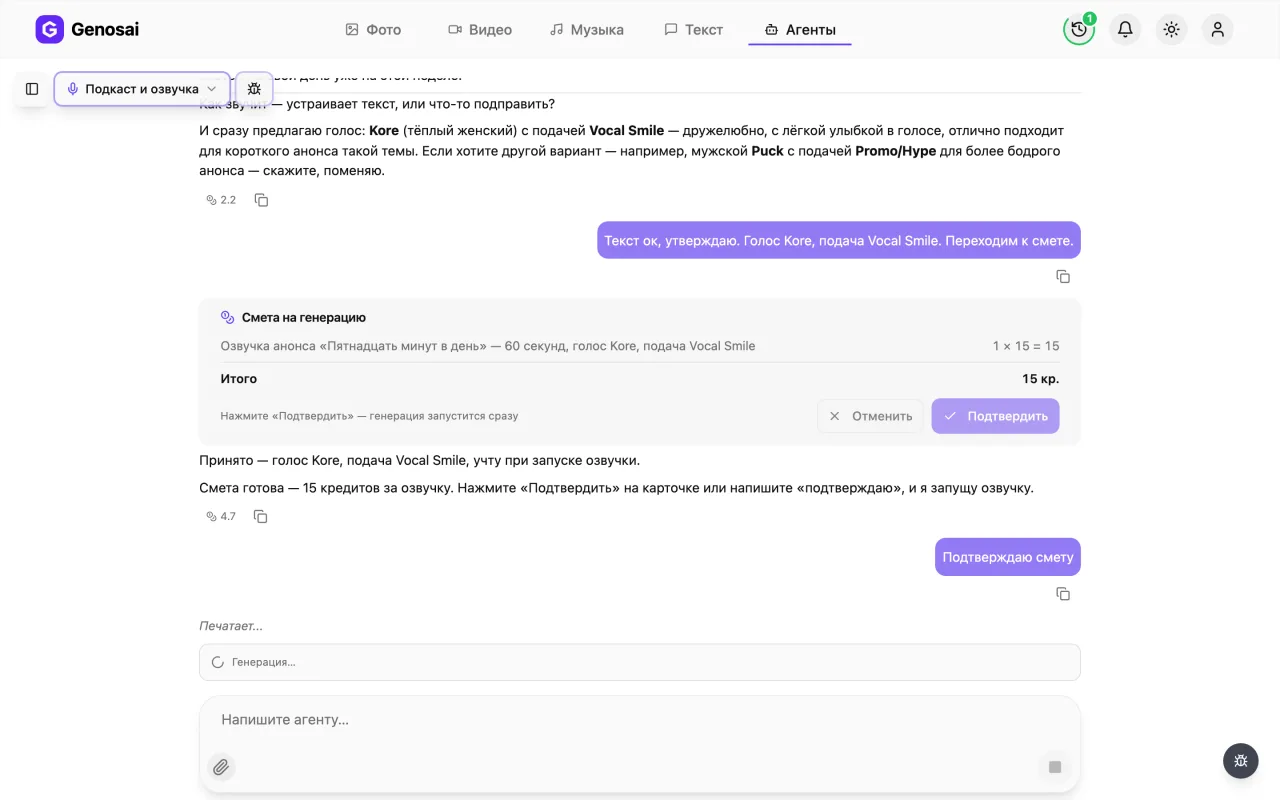
Once the script and the voice are agreed, the agent shows an estimate card with the exact number of credits for this episode. Read what it covers and press the confirm button. Until you press it, not a single credit leaves your balance.
Changing the voice or the delivery does not change the price, so the agent will not issue a second estimate.

8. Step 8. Wait for the recording
After confirmation the agent sends the script to be voiced and shows the progress right in the chat. Recording usually takes from one to a few minutes, a longer episode a little more. You can close the window, the work will not stop.
9. Step 9. Collect your files
The finished voice-over appears in the chat as a player with a Download track button, and the music intro, if you ordered one, arrives as a second file. The agent also hands over the episode summary, title options and timecodes. Download everything to your computer or phone and publish.
What this agent does
The Genosai podcast studio is an assistant that takes your text, or just a topic, and carries it all the way to finished audio. It does three things in a row. First it proposes the shape of the episode: what will hook the listener in the opening twenty seconds, which three to five blocks come next, how it ends. Then it writes the full narration script exactly as a narrator will read it out loud, with short sentences, no bullet lists, no headings, and numbers spelled out where that is easier to say. Finally it records that script in the voice you chose.
Separately, the agent can record a short instrumental intro, the ten to twenty second sting that usually opens and closes an episode. One thing to understand up front: the narration and the jingle arrive as two separate files. The agent cannot mix them into a single finished episode, and it says so honestly. Joining them takes a couple of minutes in any free audio editor, or inside the app you publish through.
This agent does not make images, cover art or video. It works only with text and sound.
Who it is for
The first group is people who already have the text but have neither a studio nor a narrator. A small business owner turns a blog article into an audio version. A teacher converts lesson notes into something students can listen to on the way to class. A solo expert runs a weekly show and does not want to hunt for a quiet room and a microphone every time.
The second common case is short utility recordings. A one minute audio announcement for an event, a phone greeting, narration for internal staff training, a voice track for a video where the original audio did not survive. Here the agent saves less money than it saves negotiation: nobody has to be booked, waited for or asked to redo a take.
The third group is people who have never touched an AI tool at all. The whole thing looks like a messenger conversation. The agent asks, you answer in ordinary language, and nothing needs configuring.
What to prepare in advance
Almost nothing is strictly required, but a few minutes of preparation speeds everything up. It helps to have ready:
- A source. A finished article or post you can paste straight into the chat. If you have no text, a one sentence topic is enough.
- A length. One, five or ten minutes. If you are unsure, say "keep it short" and the agent will propose something.
- The audience and the tone. Who is listening and how it should feel: friendly, expert, energetic, or calm and made for the evening.
- The facts. Names, dates, prices, links. If you have none, the agent leaves visible placeholders in square brackets and lists what you must fill in. It will not invent numbers.
- A yes or no on the jingle. Whether you want a short instrumental intro or the voice alone is enough.
A real conversation walked through
Below is a shortened version of an actual chat. First what the person types, then how the agent replies.
You: I have an article about choosing a swimming class for kids. I want an audio version, about seven minutes, aimed at mothers of five to eight year olds. Warm tone, no hard selling. Text is below.
Agent: Great, here is the structure. A twenty second opening about the fear every parent has, then four blocks: how to tell your child is ready, what to look at in the pool, which questions to ask the coach, and what it really costs. Then a short conclusion and an invitation to book a trial lesson. Approve the structure or change something?
You: Drop the cost block and add something about children who are scared of water.
Agent: Done. Here is the full narration script, it reads for about seven minutes. *(the entire spoken script follows)* I also suggest a voice right away: Kore, a warm female voice with the Vocal Smile delivery, which lands softly with a parent audience. The alternative is Sulafat, a little calmer. If that works, say the word and I will prepare the estimate.
You: Script is good, just change the coach name to Marina. Kore works.
Agent: Changed. Here is the estimate for recording the episode, in credits. Nothing is charged until you press confirm.
You: *(presses the confirm button)*
Agent: Recording now. *(a few minutes later)* Done. The audio file is in the chat, download it with the Download track button in the player. Here is the episode summary, three title options and the block timecodes.
Notice two things. First, you approve the structure and the script before recording, and rewriting them is free, so there is exactly one paid step: the voice-over. Second, the agent never quotes a price in chat, only in the estimate card.
What it costs
An episode has no fixed price. The cost depends on volume, meaning how many characters of text must be voiced and whether you also ordered a jingle. The agent shows the exact figure in the estimate before anything starts, and nothing leaves your balance until you press confirm.
The rough shape is this. Discussion, structure and the script itself are free text steps that carry only the token cost of the conversation. The real credits go into the voice-over, and it scales with length: a ten minute recording costs roughly twice a five minute one. A jingle is added as a small extra line in the same estimate.
Changing the voice or the delivery does not affect the price, so the agent will not reissue the estimate for that. A new estimate appears only when the actual volume changes, for example a different length or a jingle you decided to add later.
Common beginner mistakes
Sending text full of lists and headings and expecting it to sound that way. Lists do not work out loud. The agent will unpack them, but it is better to say up front that the material needs rewriting for the ear rather than reading verbatim.
Approving the script without reading it. Read it with your own eyes. Edits at this stage are free, while after recording you pay for a rerecord.
Expecting one assembled episode file. The voice and the jingle arrive separately. That is by design, not a fault, and joining them takes two minutes.
Asking for a specific artist or blogger voice. The agent will not clone a real person. Describe how the narrator should sound, deep, soft, upbeat, and pick from the offered options.
Replying to the estimate with a long sentence instead of confirming. Only the button or a short confirmation word triggers the charge. A sentence like "yes, looks perfect, go ahead" is deliberately not treated as consent, so that money is never spent by accident.
Not checking the balance in advance. If you run out of credits the work stops at the worst moment. Top up before you reach the estimate step.
Why this beats doing it yourself
The usual path to an audio episode is to rewrite the article for the ear, find a quiet room, record yourself, cut out the stumbles and the pauses, then mix the result. Someone doing this for the first time loses a full working day, and half of it goes into retakes. Here the whole production collapses into one button press, with all the preparation done in a chat.
The second win is consistency. A synthetic narrator does not get tired by minute fifteen, does not stumble over difficult words, and sounds exactly the same in episode ten as in episode one. For a regular show that matters more than one perfect take.
The third is that you never face a blank page. The agent proposes the structure, watches that the first twenty seconds actually hook, lays out the timecodes and invents titles for the platform. Your job is to agree or to correct.
Common sense still applies. Read the finished script yourself and verify every fact, date and price. AI is confidently wrong about small details, and catching that before the recording is far cheaper than after.
Which agents pair well with it
A podcast rarely lives alone. A whole set of materials usually grows around it.
- SEO Article writes an article on the episode topic for your website so search can find you.
- Reels and Shorts Scriptwriter writes the script of a short vertical clip that announces the episode on social media.
- Monthly Content Plan spreads episode topics across the weeks so you are not inventing them at the last minute.
- Custom Song records a full song with lyrics when you need a musical number rather than a plain jingle.
- Voice Affirmations is the neighbouring audio agent for calm, meditative tracks.
- Email Newsletter puts together the announcement of a new episode for your subscribers.
You can browse every other assistant profession in the catalogue of all agents.
FAQ
Do I need any experience with AI tools
No. You simply answer the agent questions in plain words inside a chat window, the same way you text a friend. There are no settings, no software and no special wording to learn.
Will I get one finished episode file
No. The agent delivers the narration as one file and the music intro as a second one. You can join them in any free audio editor or directly in the app you use to publish the podcast.
Can I send my own finished article
Yes, and that is the fastest route. Paste the text straight into the chat and the agent will rework it into spoken language: split it into blocks and strip out lists and clumsy phrasing.
How long can an episode be
Most people order anything from a one minute trailer to a ten minute episode. A simple rule of thumb: one hundred and fifty words of text sound for roughly one minute, and a single recording holds about ten thousand characters.
Can I request the voice of a specific person or celebrity
The agent will not clone a real person voice. Instead you choose from several male and female narrators and set the delivery: newscaster, warm, upbeat or calm.
What if I do not like the finished audio
You approve the script before recording and can rewrite it for free as many times as you like, so surprises are rare. If you need a rerecord in a different voice, the agent will issue a small separate estimate.
Am I charged for chatting with the agent
Messages are billed separately and cost pennies. The real credits go into the voice recording, and only after you confirm the estimate with the button.