Vertical Video Scripts for Reels and Shorts
The agent turns an idea into a finished short-form video script: the first three seconds that stop the scroll, a storyboard broken down by timecode, and the captions to put on screen. If you would rather not film anything yourself, it can generate the scenes for you.
Updated: August 10, 2026
- Three opening lines — The agent offers three different ways to start, because those seconds decide whether anyone watches on.
- A storyboard by the second — A table with timecode, what is on screen, the caption and the voice-over line. You can film straight from it.
- Tuned to the platform — Fifteen, thirty or sixty second cuts for Reels, Shorts or other vertical feeds.
- Video generated from the script — The agent can render the scenes itself when you have nothing to film or no time to film it.
- Your real product on screen — Attach a product photo and the agent uses it as the opening frame instead of inventing a lookalike.
- Free rewrites — The text can be reworked as many times as you like. Credits are only spent on video after you confirm.
What it produced
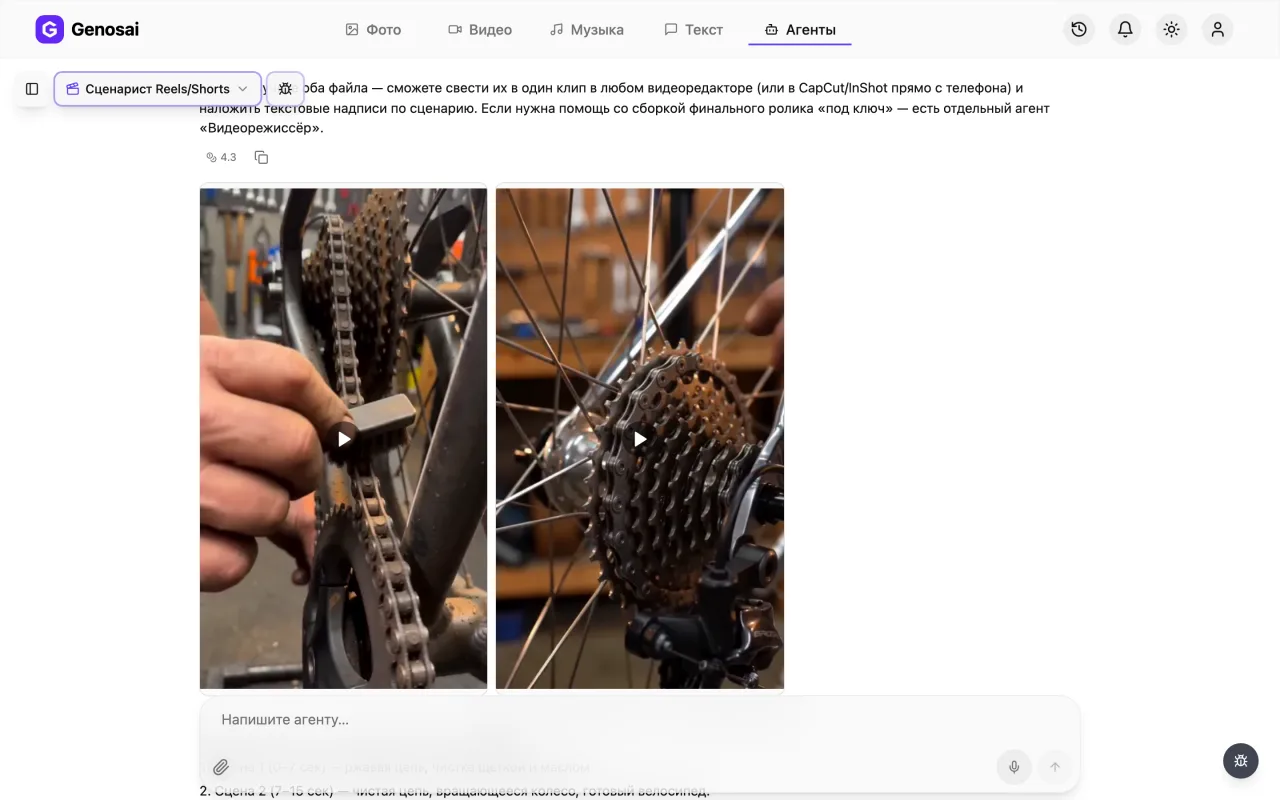
Example output of the Reels/Shorts Scriptwriter agent — video 1
Example output of the Reels/Shorts Scriptwriter agent — video 2
Step-by-step guide
1. Step 1. Create your account
Open the Genosai site and sign up with an email address or a social login. New accounts receive starter credits, the internal points that pay for the agents work. Nothing is installed on your computer, everything runs in the browser.

2. Step 2. Open the studio
After signing in you land in the studio, the shared workspace of the service. At the top sits an agents tab holding ready made assistants for specific jobs. Click it.
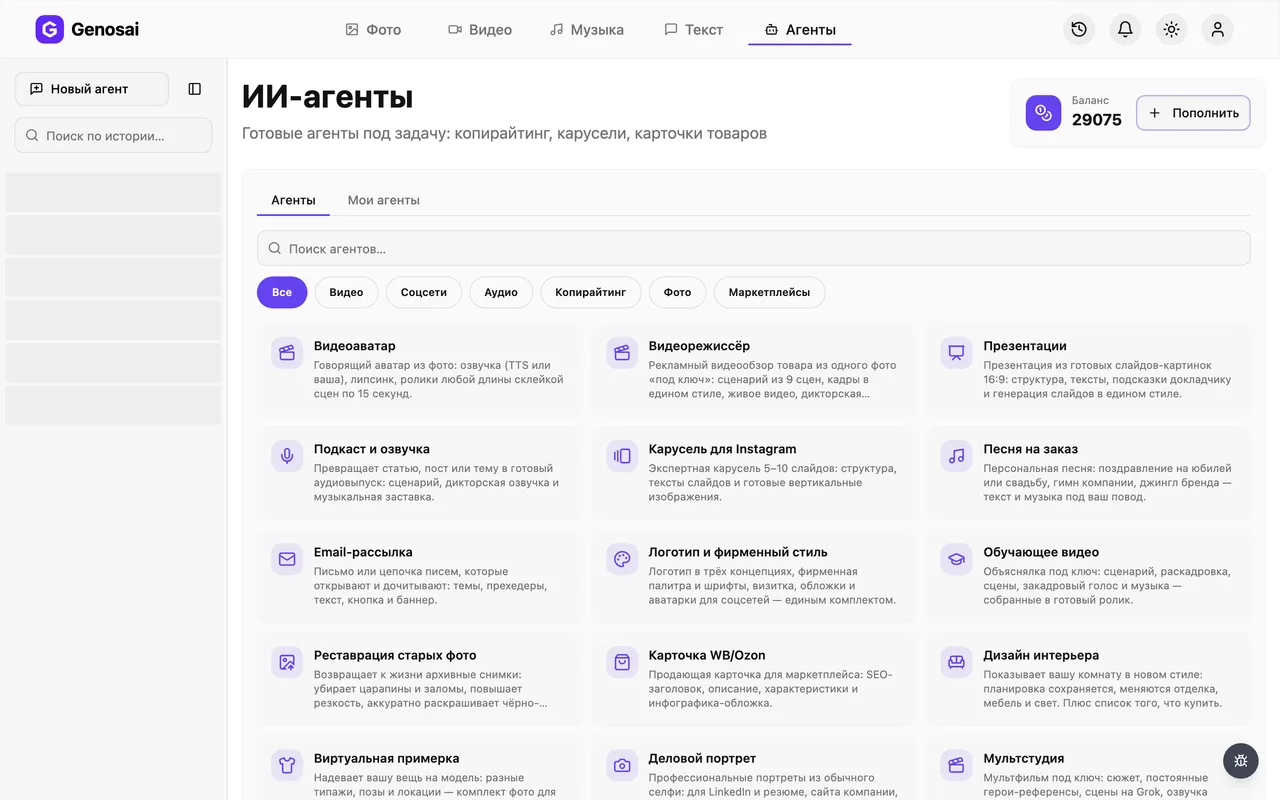
3. Step 3. Find the scriptwriter
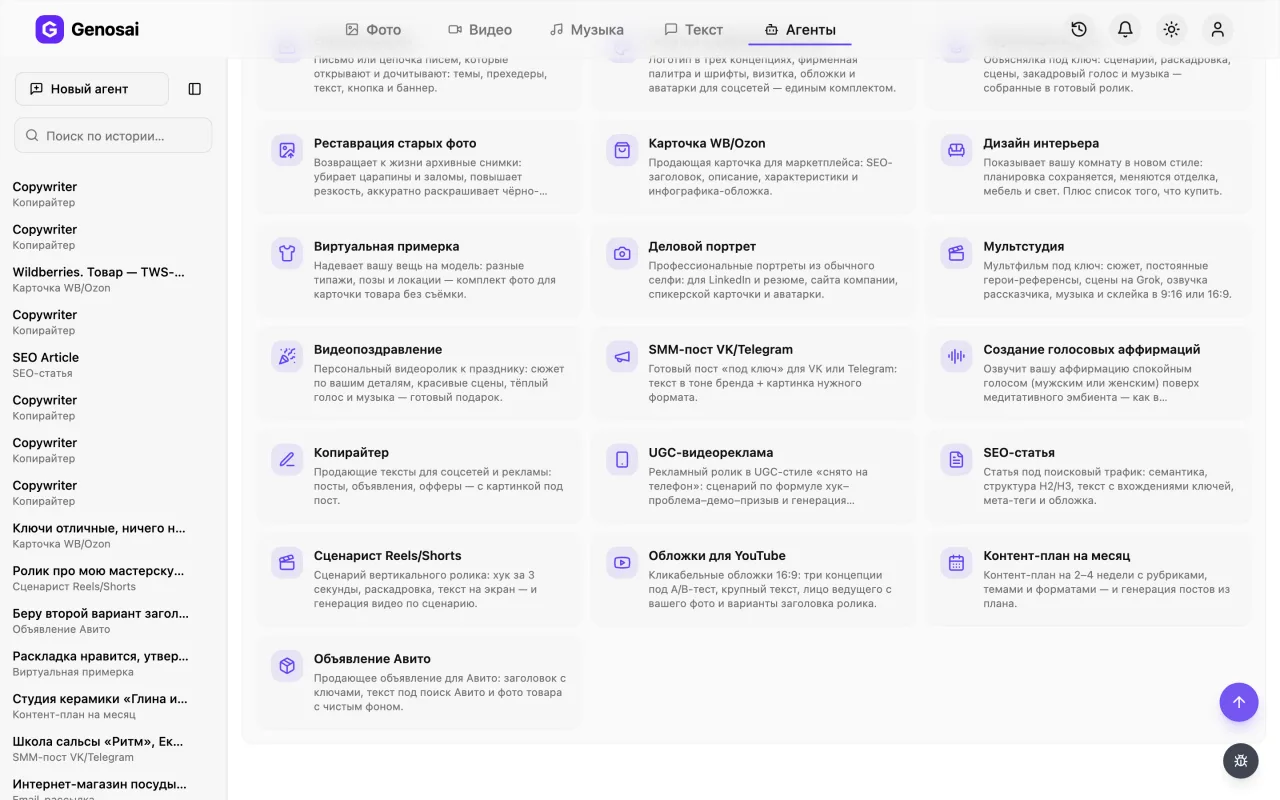
The gallery has a search box and category filters. Type the word script or open the video category. Click the card with the clapperboard icon and a chat opens.
4. Step 4. Read the greeting
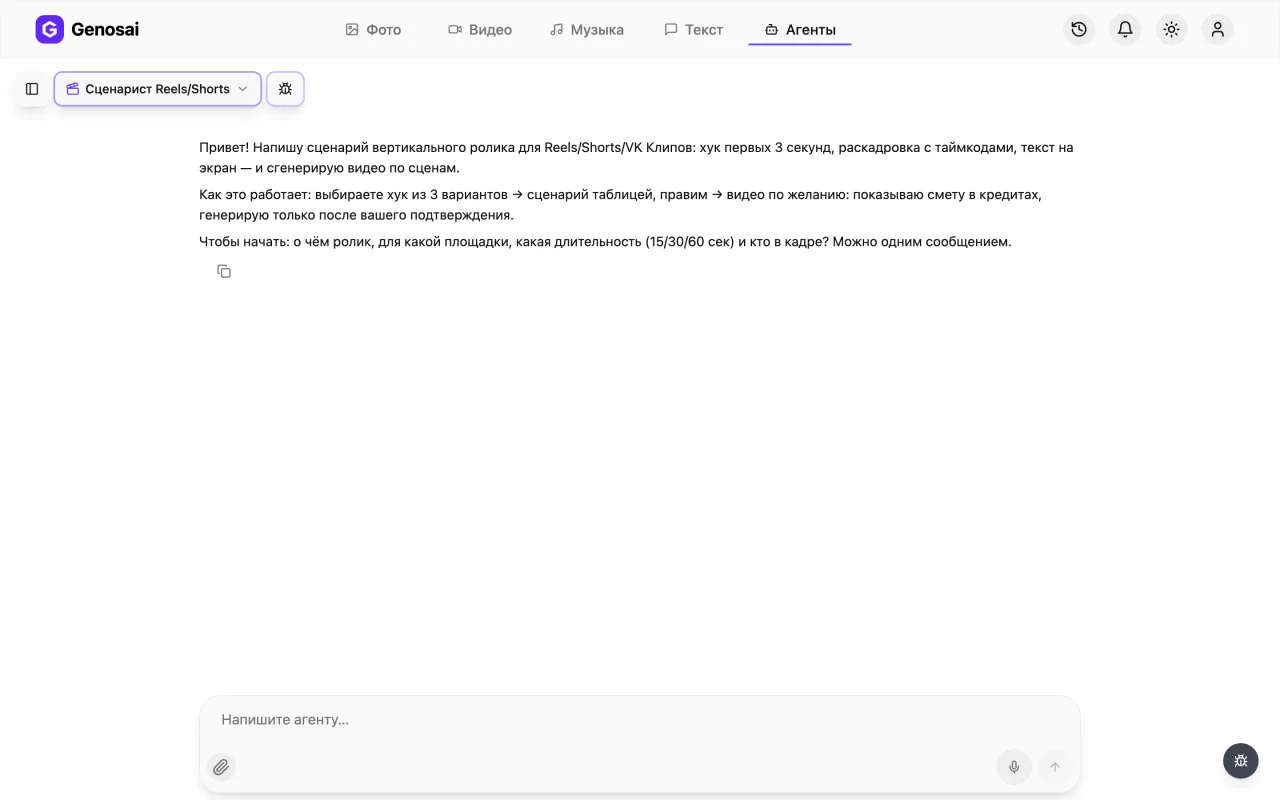
The agent explains the workflow and asks its first question. The greeting lists what it needs from you: the topic, the platform, the length and who appears on screen. Answer right in the message box.
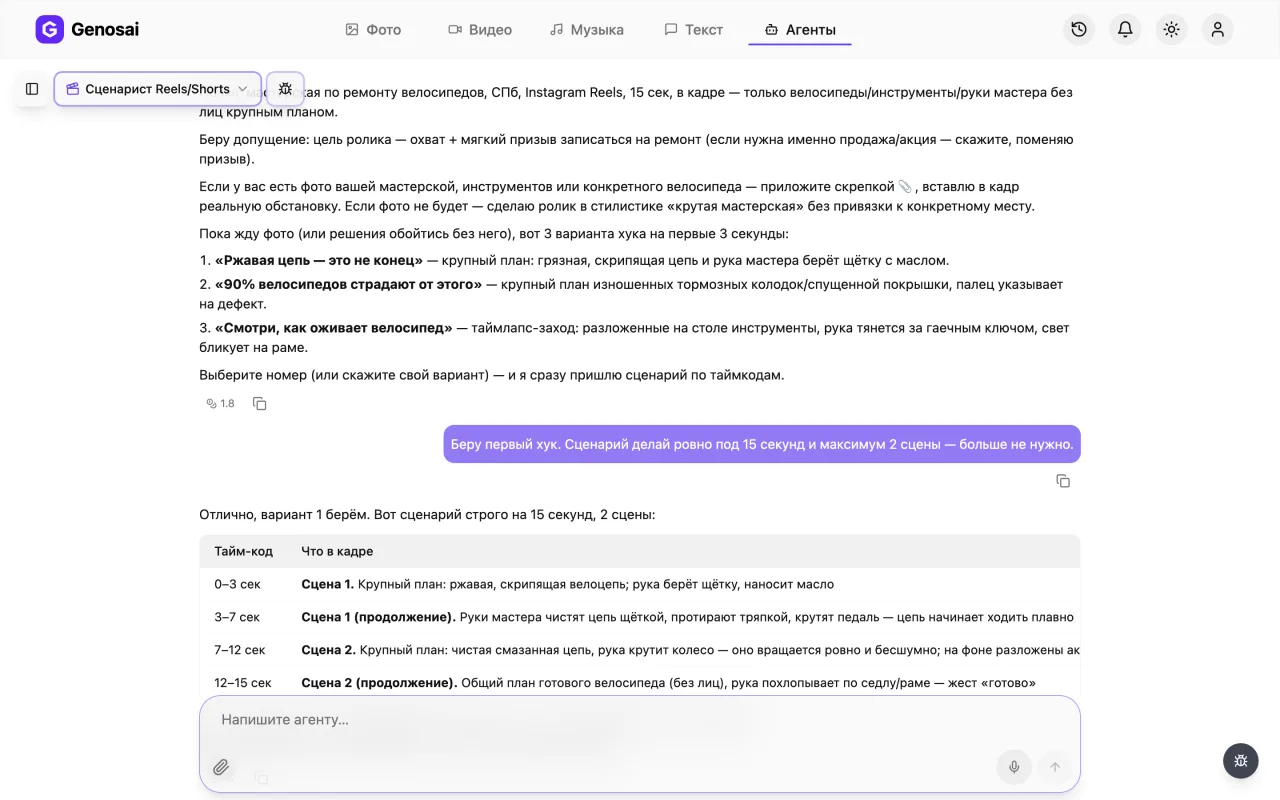
5. Step 5. Describe the video and pick a hook
In one message say what the video is about, which platform it is for, how long it should be and who is on screen. The agent replies with three versions of the opening three seconds and you pick a number. Then it produces the full storyboard as a table, which you can edit as much as you want.
If the video is about a specific product or person, attach a photo with the paperclip so it appears in the frame.
6. Step 6. Check your credit balance
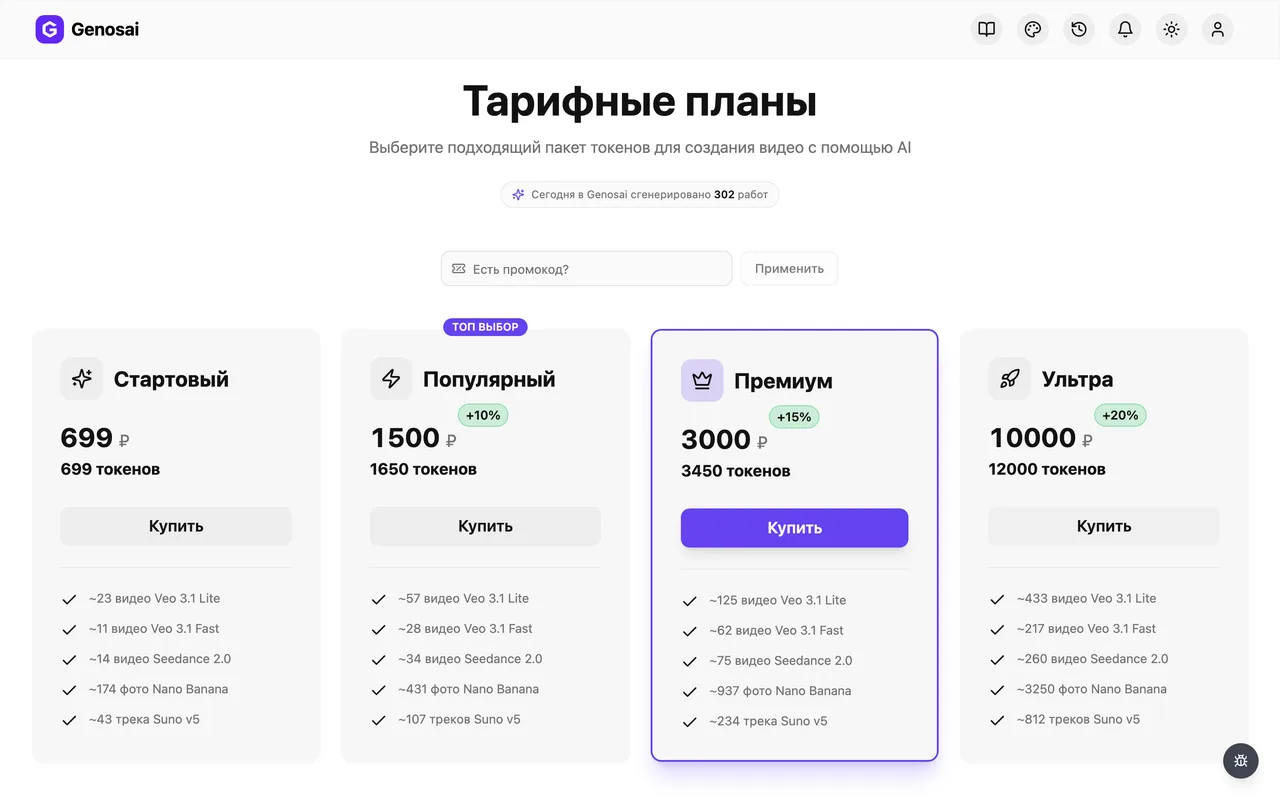
The script costs next to nothing, but generating video is the most expensive operation in the service, noticeably pricier than images. Look at the balance section before you start and top up if needed. If you only want the text, you can skip this step entirely.
7. Step 7. Review the cost and confirm
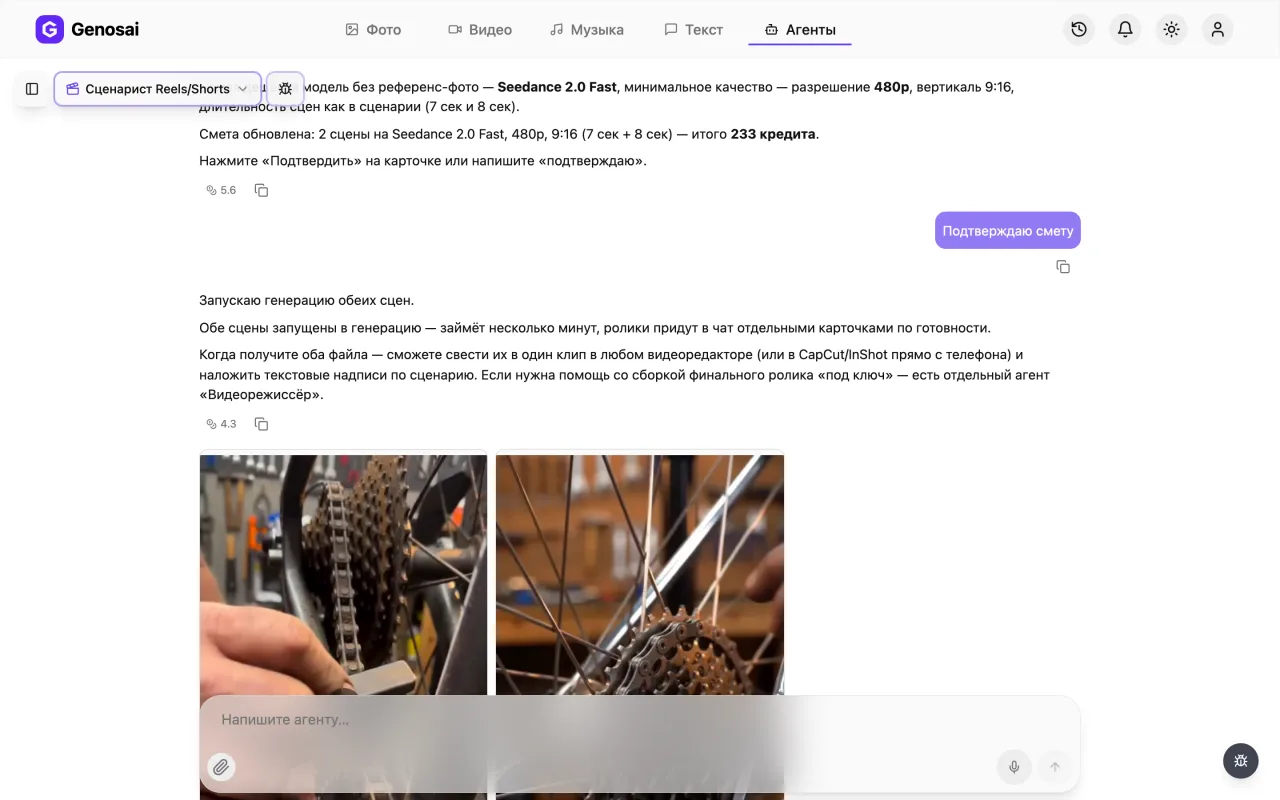
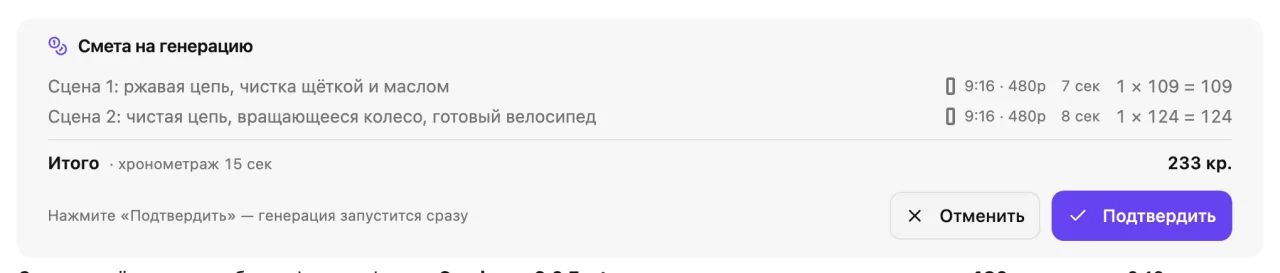
Once the script is approved and you ask for video, the agent shows a cost card in credits covering how many scenes and how long each one runs. Nothing leaves your balance until you press confirm. If the number is too high, ask for one scene instead of three.
A chatty yes, go ahead is not counted as approval. Press the button or type the single word confirm.
8. Step 8. Wait for the render
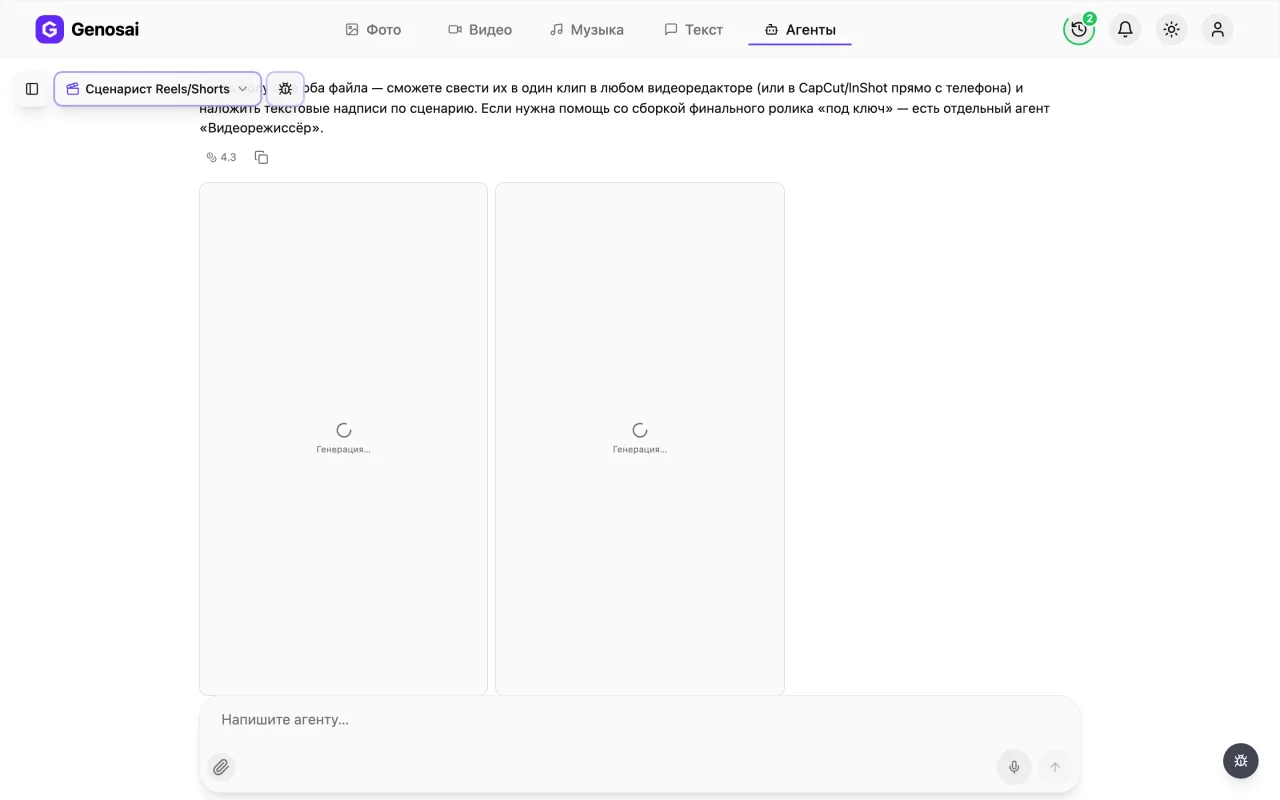
Tiles labelled Generating appear in the chat and each turns into a scene as it finishes. Video takes longer than images, so a short clip usually needs a few minutes. You can close the tab, the job keeps running and the result waits in the same conversation.
9. Step 9. Collect the script and the clips
Copy the storyboard table into your notes and save each scene by clicking it and using the download icon in the full screen player. Every scene arrives as a separate file, so you stitch them together and add the captions in any free mobile editor.
What This Agent Does
The Genosai short-form scriptwriter handles the hardest part of vertical video, which is deciding what to say and what to show so that viewers do not scroll past you in the first second.
The work splits into three clear stages. First the agent asks questions: what the video is about, which platform it targets, the goal (reach, followers or sales), the runtime and who is on screen, whether that is a person, a product or animation. Then it proposes three hook options, meaning three versions of the opening three seconds, each with a spoken line and a description of what happens on screen. You pick a number. Finally it writes the full script as a table with timecode, what is in frame, the on-screen caption and the voice-over line.
At that point the road forks. You can take the table and film everything yourself on a phone. Or you can ask the agent to generate the scenes, since it can produce vertical clips from a scene description. Two things are worth knowing upfront: the scenes arrive as separate files that you stitch together in an editor of your choice, and the agent does not burn captions into the video, keeping them in a script column so you overlay them yourself.
Who It Is For
Small businesses running their own social accounts. A coffee shop, a barbershop, a nail studio, a local delivery service. They need a steady stream of short clips and no budget for a writer.
Marketplace sellers. Video on a product page builds trust, and the agent helps build it around a concrete benefit rather than pretty b-roll. The listing itself is easy to assemble with the marketplace product card agent.
Experts and creators who know their subject but freeze on the opening line every single time. Three ready hooks remove the blank-page moment.
Anyone who needs video but has nothing to film. If the product is not at hand or you would rather stay off camera, the agent renders the scenes instead.
Complete beginners who do not yet know what a short video is made of. A storyboard with timecodes teaches that faster than any article.
What To Prepare In Advance
A topic in one sentence. Not "something about my business" but "why home-brewed coffee tastes bitter and how to fix it". The sharper the input, the sharper the script.
The platform. Reels, Shorts and other vertical feeds are similar, but the pacing and delivery differ slightly and the agent adjusts for that.
The length. Fifteen seconds carries one idea. Thirty seconds carries an idea plus an example. Sixty seconds carries a small story. When in doubt start with thirty.
The goal. Reach, followers or sales. This determines the closing line of the clip.
Who is on screen. You, a product in close-up, hands at work, or animation. This decides whether generating video makes sense at all or whether filming is simpler.
A photo of the product or person if the clip is about something specific. It has to be attached with the paperclip in the chat, not pasted as a cloud link.
A Walkthrough Of The Conversation
Below is a shortened exchange exactly as it appears in the chat.
You write: "A clip about my coffee shop, for Reels, thirty seconds. I want to show that we brew on freshly roasted beans. On screen a barista and a cup. The goal is to bring in new customers."
The agent replies: "Got it. Reels, thirty seconds, barista on screen, goal is new customers. Here are three versions of the opening three seconds.
One. Line: 'Your coffee is not bitter because of the machine.' On screen a tight shot of a cup with steam rising.
Two. Line: 'These beans are nine days old.' On screen hands pouring beans into the grinder as they cascade down.
Three. Line: 'The difference between cheap coffee and good coffee is right here.' On screen two cups side by side, one being pushed away.
Which one shall we build on?"
You: "Number two."
The agent produces the table:
Zero to three seconds, hands pour beans into the grinder, caption reads nine days old, the voice-over says the same line. Three to twelve seconds, the barista pulls a shot, caption reads roasted every week, the voice-over explains why freshness matters more than bean price. Twelve to twenty-two seconds, close-up of the pour, caption reads no bitterness, the voice-over adds a short thought about taste. Twenty-two to thirty seconds, the barista sets the cup on the counter and looks at the camera, caption carries the address, the voice-over invites people in.
"Anything to change, or shall we keep it? If you want, I can generate the video scenes and will show the cost before starting."
You: "Looks good, make the video."
The agent: "Three vertical scenes then. The cost card is below and nothing is charged until you confirm."
A cost card appears. You press the button and a few minutes later three vertical video files are sitting in the chat. All that is left is to stitch them in a mobile editor and overlay the captions from the script column.
What It Costs
Two things need to be separated honestly here.
The script costs almost nothing. The conversation is metered, but so cheaply that you can run through a dozen hook variations and rewrite the storyboard three times without noticing anything on your balance. If you plan to film yourself, this is effectively a free scriptwriter.
Video costs considerably more. Generating moving footage is the heaviest operation in the service, meaningfully more expensive than producing still images, and the price grows with the number of scenes and their length. There is no fixed rate: the cost depends on the volume of work, and the agent shows the exact figure in a cost card before anything starts.
A practical tip for your first attempt: order one scene instead of three, look at the result, and only then decide about the rest. And remember the core rule, nothing leaves your balance until you press confirm. The cost card is a proposal, not an invoice.
Common Beginner Mistakes
Framing the topic too broadly. "Tell people about my shop" produces watery copy. "Why a merino wool sweater does not itch" produces a sharp one.
Skipping the hook choice. People rush and write "just give me the script". But those first three seconds decide whether anyone watches, and three options are worth the extra minute.
Expecting one edited clip. The agent delivers separate scene files. That is a deliberate design, not an oversight: stitching and captioning take five minutes in a mobile editor and stay fully under your control.
Asking for text inside the video. Generated lettering often comes out malformed, which is exactly why the agent renders scenes without captions.
Ordering six scenes at once. Expensive and risky. Start with one, judge the style, then scale up.
Pasting a link to the product photo instead of the file. The agent only sees what is attached with the paperclip directly in the chat.
Confirming the cost with a long sentence. Only the button press or the short word confirm counts, which is deliberate so that credits are never spent by accident.
Why This Beats Writing It Yourself
The real problem with a homemade script is rarely a lack of ideas. It is a lack of structure. Someone switches on the camera, starts from far away, and the viewer leaves on the fourth second. The agent works to a proven formula: hook, then value or story, then a request to act. That shape sits underneath almost every clip you have ever watched to the end.
The second advantage is speed. What takes an evening with a notepad takes a few minutes here, including three opening options and a complete storyboard with timecodes.
The third is that you never face a blank page. Even when you disagree with the proposed script, arguing with existing text is far easier than inventing from nothing.
The fourth is that the script arrives in production-ready form. Not a paragraph of prose, but a table telling you what to shoot in each second and what to put on screen.
Agents That Work Well With This One
Monthly content plan is worth running before the scriptwriter, because it tells you which topics to cover and in what order, so you are not inventing an idea every morning.
UGC video ad is the neighbouring tool for anyone who needs an ad in the voice of a real customer rather than an editorial piece.
Marketplace product card suits sellers, since a video script and a selling product description naturally belong together.
Social post for VK and Telegram writes the caption that goes under the published clip, so the video never ships without decent copy.
Podcast and voice-over helps when you want a narration track but do not want to record yourself.
You can browse the other specialities and sample outputs in the catalogue, where all agents are grouped by category.
FAQ
Do I need scriptwriting experience?
No. Explain in everyday words what the video is about and who it is for. The agent builds the structure of opening, middle and call to action itself and tells you why it chose that shape.
Do I have to order the video?
No. Plenty of people take only the script and film it on a phone. The text part is extremely cheap, and video generation is a separate step that runs only when you ask for it.
Will the agent deliver one finished clip?
No. Each scene arrives as its own video file. Joining them and adding captions takes about five minutes in any mobile editor, and if you need full edit-and-deliver service, other agents in the studio cover that.
Will captions be burned into the video?
No, the scenes are generated without any text. On-screen wording lives in its own column of the script and you overlay it in an editor, which keeps it readable and easy to fix.
Can my real product appear on screen?
Yes. Attach a product photo with the paperclip in the chat and the agent uses it as the opening frame of a scene, so the viewer sees your item rather than a generic stand-in.
What does it cost?
There is no fixed price. The conversation and the script cost a tiny amount, while video is priced by the number and length of scenes. The agent shows the exact figure in a cost card before anything starts.
What if I dislike the script?
Just say what is wrong: too long, wrong tone, wrong audience. Rewriting text costs almost nothing, so you can iterate as many times as you need.