The SEO Article agent writes texts that people find through search
SEO Article is a Genosai assistant that writes blog and website material designed to be found in search engines. It researches the phrases people actually type, agrees an outline with you before writing, delivers the text in sections and finishes with the title and description that appear in search results. It can also draw a cover image, but only once you approve the cost.
Updated: August 10, 2026
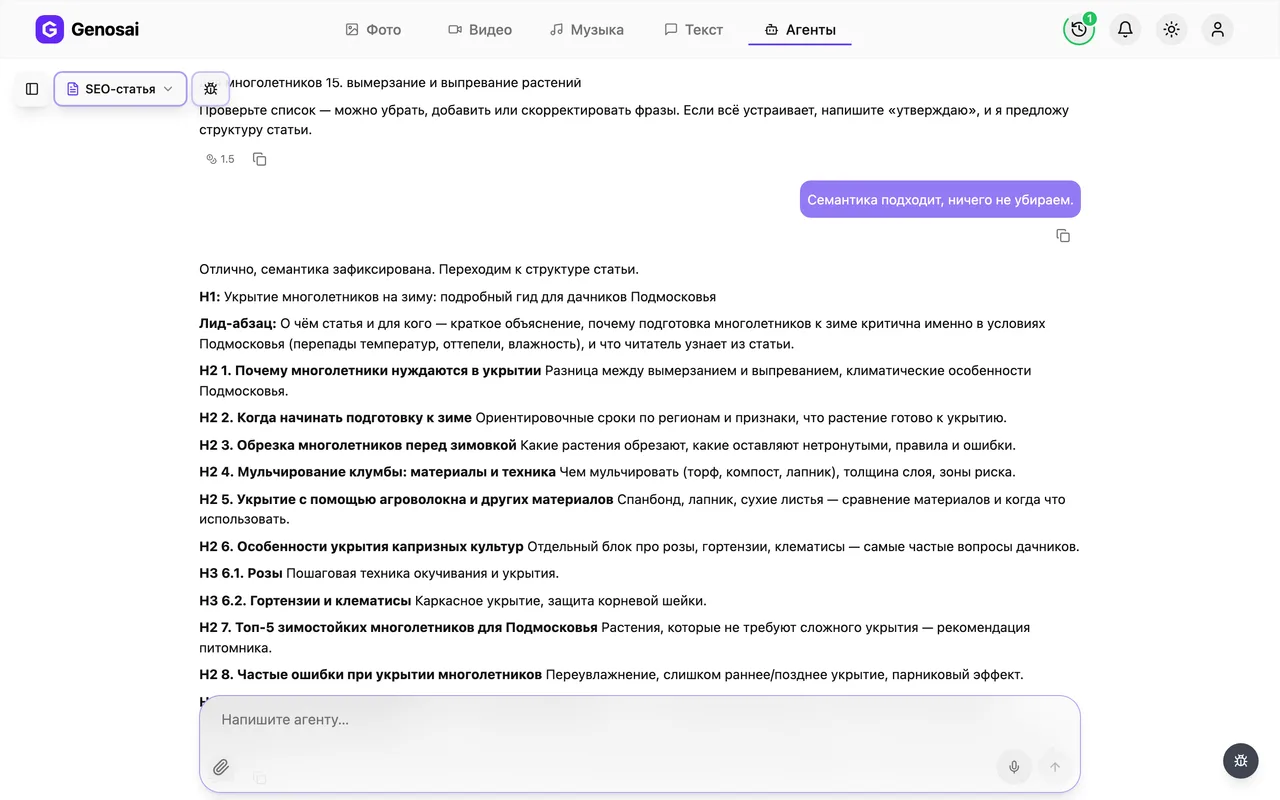
- Researches search phrases — Suggests 10 to 15 queries people really use around your topic, including the longer and less competitive ones.
- Outline first, text second — It agrees the section plan with you before writing, so you never have to rewrite a finished article.
- Delivered in sections — Two or three sections at a time, so you can correct the direction as it goes instead of at the end.
- Meta tags included — It ends with a search result title and description, plus three headline options for social announcements.
- Optional cover image — It can draw a header picture for the article once you have approved the estimate for it.
- No keyword stuffing — Phrases are placed naturally so the article reads like writing for people, not a list of search queries.
What it produced

Step-by-step guide
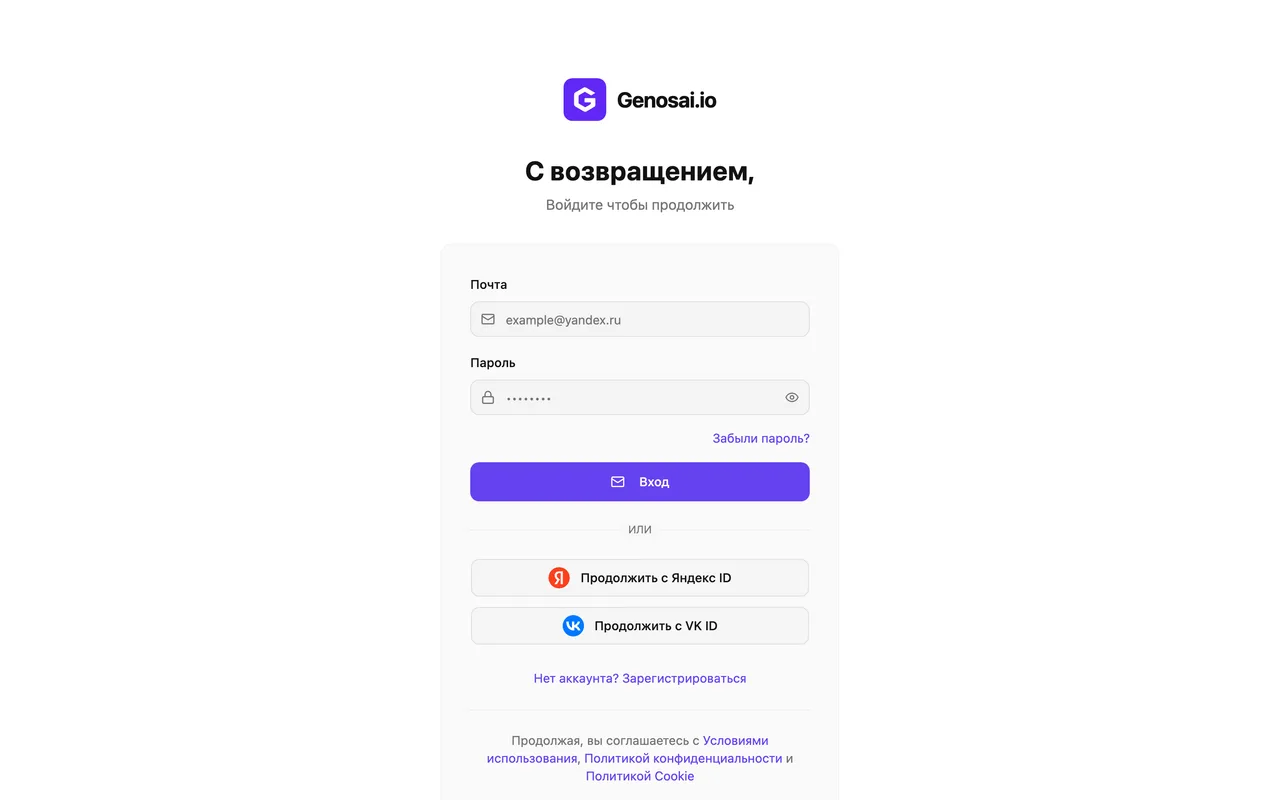
1. Step 1. Create your Genosai account
Open the site and press the sign in button. Registration takes a minute with an email address or an account you already have. New users receive starter credits, so the first article is usually free.
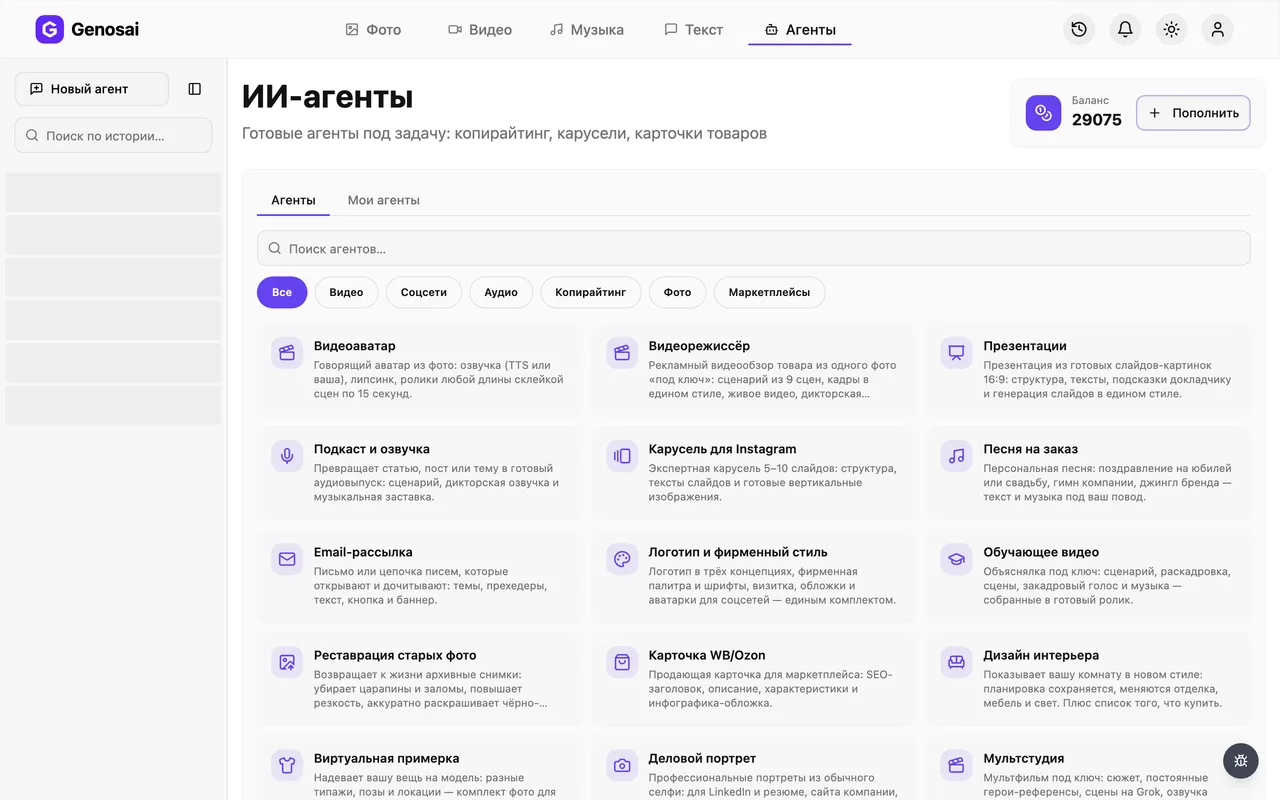
2. Step 2. Open the studio and the agents tab
Signing in takes you to the studio, the main workspace of the service. At the top there is an Agents tab, press it. Nothing needs configuring, every assistant is ready to work.
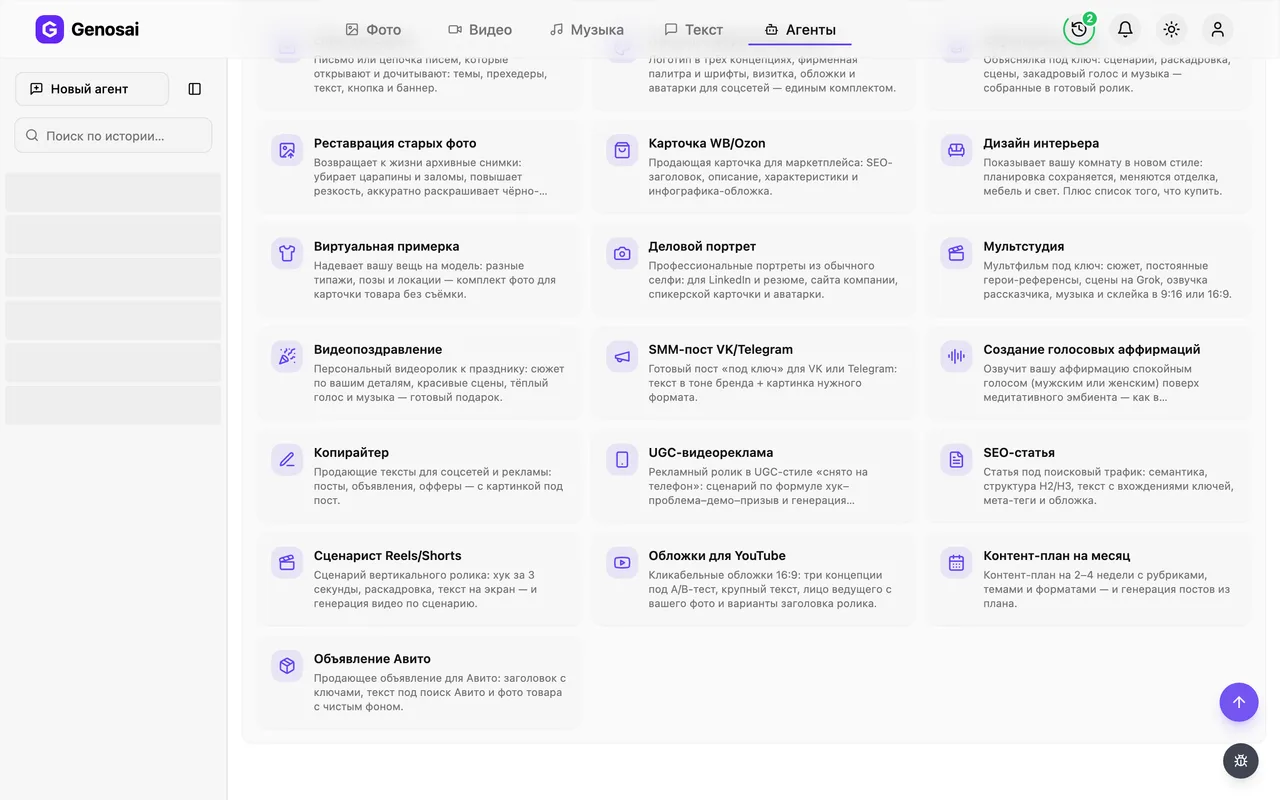
3. Step 3. Find the SEO Article agent
The gallery shows every assistant available. Type article into the search field or open the category for text work, then press the card with the notepad icon. The conversation opens straight away.
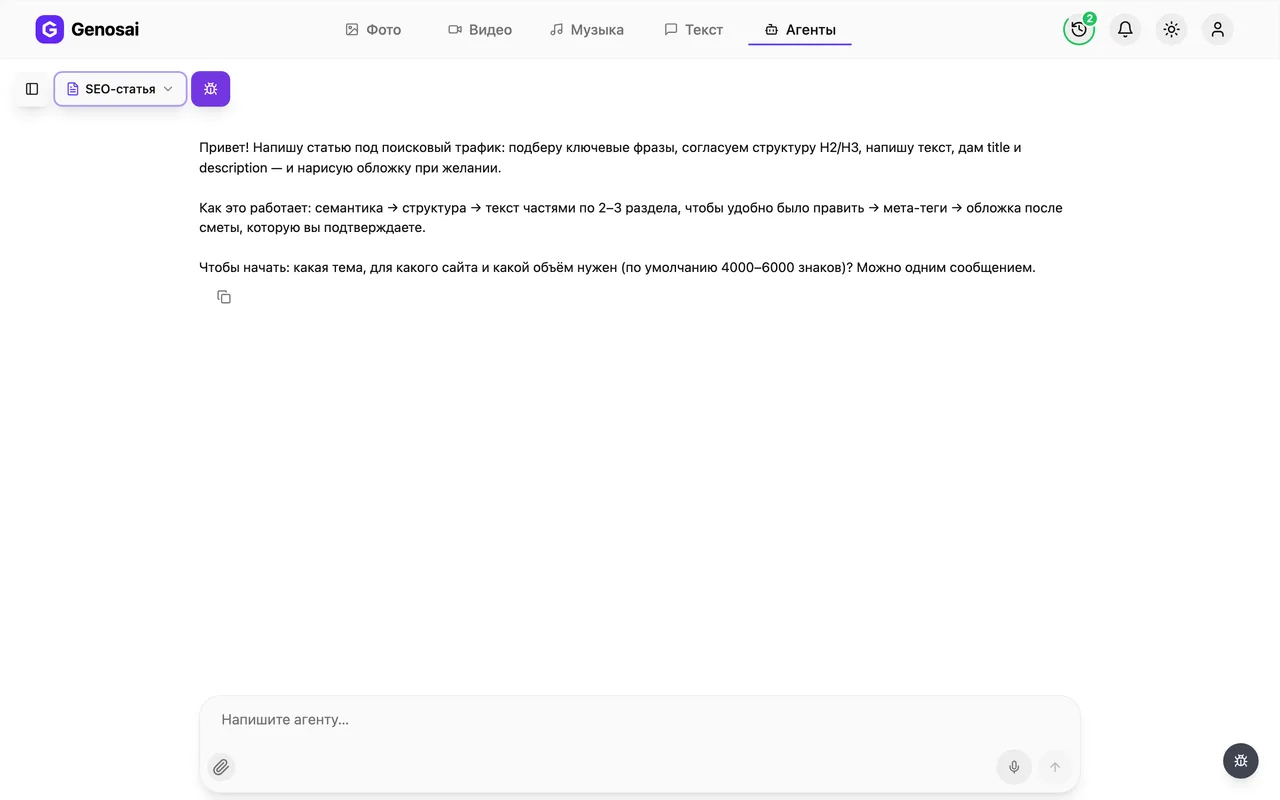
4. Step 4. See what the agent asks first
The assistant writes first and explains the order of work. It asks for the topic, the site or business it is for, and the length you want. By default it aims at roughly 4000 to 6000 characters, about two dense pages.
5. Step 5. Describe the topic and the reader
Answer in one message: the topic, whose site it is, who will read it and which search query you want to win if you know one. You do not have to know the query, the assistant will find it. Everyday language is enough, no technical terms required.
If a competitor already ranks well for this topic, name them. The assistant will take into account what deserves more depth.
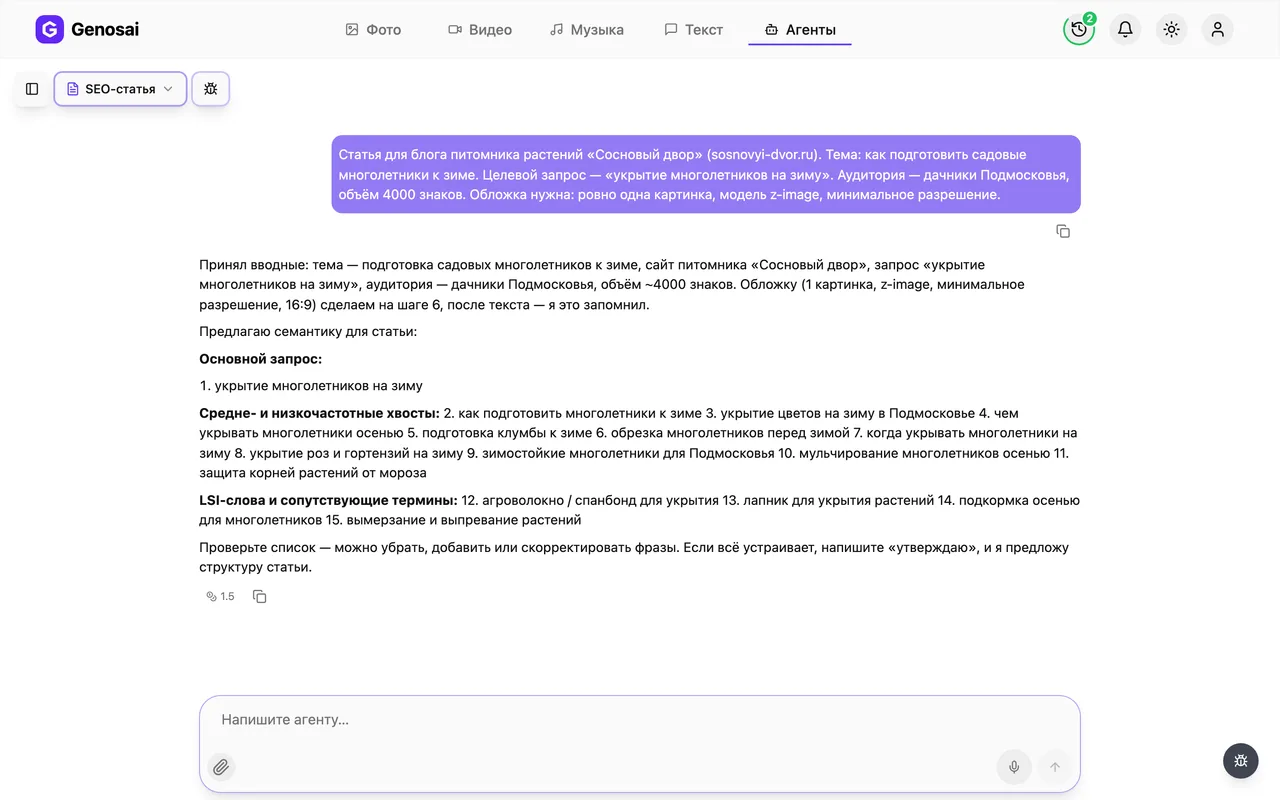
6. Step 6. Approve the list of search phrases
The assistant shows 10 to 15 phrases people use to look for your topic. Read them as a customer would, and say so if any of them do not match your business. When the list looks right, tell it you agree.
7. Step 7. Agree the outline
Next comes the plan: the main heading, an opening paragraph and a list of sections with one line describing each. This is the most important moment. Moving or rewriting a section now costs one message, whereas doing it after the full text means redoing everything.
Saying you approve only counts once the outline has been shown in full. Before that the assistant will not treat it as agreed.
8. Step 8. Receive the text in parts
The assistant writes two or three sections and asks whether to continue. Read as you go and say immediately what to fix, where it is too general or where an example is missing. That way you reach the end with a finished article rather than a draft.
9. Step 9. Confirm the estimate for the cover
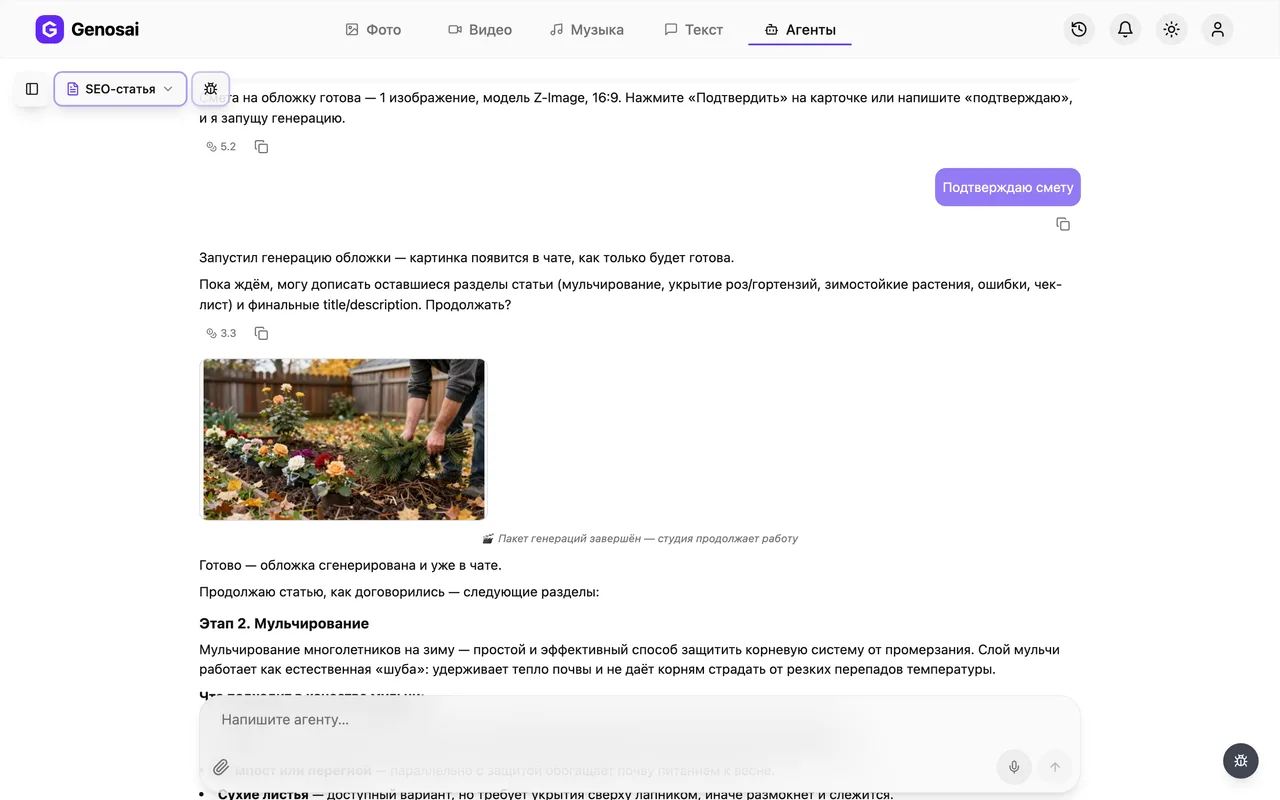
If you want a header image, say so. The assistant picks a model and shows an estimate card with the exact cost in credits. This is the only paid step, and nothing is charged before you press the confirm button.
Approval counts only as a button press or one short word. A long sentence of agreement deliberately does not trigger spending.

10. Step 10. Collect the article, meta tags and image
After confirmation the cover is drawn within a minute and appears in the chat as a tile. Click it to open the full screen viewer, where a download icon saves the file. The article text and meta tags you simply copy from the conversation, which stays saved in the sidebar for later.
What this agent does
The SEO Article agent writes material whose job is to bring people in from search. The difference between ordinary writing and writing for search is that the second is built around the exact phrasing people type into a search box. You can produce a beautiful article about lawn care, but if people are searching for why does grass turn yellow in summer, they will find somebody else.
The assistant covers that whole process. It establishes what the article is about and who reads it. It researches a list of search phrases, including the longer tail variants where competition is lower and the reader is closer to a decision. It builds an outline of sections and agrees it with you. It writes in portions so you can steer as it goes. And it finishes with the two service lines a person actually sees in the results page: the title and the short description.
The order matters, and it is deliberate. The assistant does not start writing immediately. Phrases first, outline second, text third. That sequence feels slow but saves hours, because rewriting one line of an outline is far easier than reworking five thousand characters of finished prose.
Who it is for
Owners of small business websites. A salon, a clinic, a renovation studio, an online shop: they all have a blog section that has sat empty for years because nobody has the time.
People who run a blog themselves and have hit a ceiling. You write sincerely but traffic never comes, because topics are chosen on instinct. The assistant shows which phrasings people genuinely search for, and that alone often changes the picture.
Newcomers to marketing work. If you have just taken on a client and the site needs filling with articles, the assistant gives you the structure and a draft you can finish in the client's voice.
Experts who dislike writing. A doctor, a lawyer or a coach knows the subject better than any writer, but the prose comes hard. Here it is enough to dictate your thinking into the chat and let the assistant assemble the article.
If what you need is a short social post rather than a website article, go straight to the Copywriter, which is built for those formats.
What to prepare in advance
Nothing to install, everything runs in the browser. But three things are worth thinking through before you open the conversation.
The topic and its narrow edge. About renovation is a poor topic; how much a one bedroom full renovation costs is a good one. The narrower it is, the better the chance the article actually appears in results.
Your own experience. General reasoning is available from every competitor. A case from your own practice, a figure from a real order, the mistake your customers keep making, none of that exists elsewhere. Gather two or three such facts in advance and the article stops resembling the other ten.
A clear idea of the reader. Somebody who knows nothing about the subject and a professional choosing between two solutions need different texts. Tell the assistant which one you mean in the first message.
A real conversation walked through
This is how an actual exchange looks, from the first message to a finished text.
You. Topic is how to choose a mattress. It is for my furniture shop website, and the readers are ordinary people who know nothing about mattresses.
Agent. Noted: choosing a mattress, a furniture shop site, non expert audience, and I will take the standard length of about 5000 characters. Here are the search phrases, take a look. Main query: how to choose a mattress. Also: which mattress is best for your back, firm or soft mattress, sprung or foam, a mattress for two people of different weights, mattress thickness explained, mattress fillings compared, choosing a mattress by body weight. Anything to remove or add?
You. Drop the one about couples with different weights, we rarely get asked that. The rest is fine.
Agent. Removed. Here is the outline, please read it in full before approving. A heading and opening paragraph on the fact that a mattress is a ten year decision. Then sections on where to start, firmness and how to judge it by your own weight, sprung versus foam, fillings in plain words, size and thickness, the mistakes buyers make, and a short checklist before purchase. Agreed, or shall I move anything?
You. Approved, but move the checklist higher, right after firmness.
Agent. Moved. Writing the first two sections now. [opening and the section on where to start] Shall I continue?
You. Yes, but add an example with a specific body weight in the second section.
Agent. Added an example for ninety kilograms. Here are the next two sections. [text]
You. Good, run to the end and give me the meta tags.
Agent. Done. Search result title: How to choose a mattress so your back stops aching. Description under 160 characters: [text]. Three social announcement headlines: [options]. Would you like a cover image?
You. Yes.
Agent. Here is the estimate for one landscape image: a bedroom in soft morning light, a neatly made bed, no lettering. Press confirm on the card, nothing is charged before that.
Notice two things. The assistant refuses to treat approval as given until it has shown the outline in full, and it draws nothing until the button is pressed.
What it costs
There is no flat price per article, and that is a matter of principle. The cost splits into two parts of very different size.
Writing happens inside the conversation. Each message is billed separately and costs a few credits at most. Even a long dialogue with edits to every section barely moves your balance, so never hesitate to ask for a rewrite.
The cover image is the only noticeable expense. Before creating one, the assistant shows an estimate card with the exact figure for the specific job: how many images and at what quality. As a rough guide, an article cover costs about the same as any single image generation.
Nothing is charged until you press confirm. You are free to ignore the estimate, decline the cover and take only the text.
Your balance and top up options live in your account page. New accounts receive credits immediately after registration.
Common beginner mistakes
Choosing a topic that is too broad. Write about property produces a shallow text that will rank for nothing. Narrow it to the specific question a customer asks.
Skipping the outline stage. People are impatient to see prose, so they approve without reading. Then half the sections turn out to be about the wrong thing and the whole article has to be redone.
Refusing to supply your own facts. Without your experience the assistant produces something correct but generic. Your specifics are the one thing competitors cannot copy.
Expecting instant rankings. An article does not reach the top the next day. Search engines need time to find and assess it, usually weeks.
Approving an estimate with a long sentence. The system counts only a button press or one short word. Something like yes great go ahead is deliberately ignored so credits are never spent on a passing remark.
Why this beats writing it yourself
Coverage. A person writes about whatever comes to mind first. The assistant looks at the questions people ask around the topic and builds them into the plan, and most of the traffic difference comes from exactly that.
Structural discipline. An article with clear subheadings reads and performs better than a wall of prose, and the assistant builds it that way by default.
Speed. Material that takes a writer a full day is ready here within an hour, approvals included.
Ready meta tags. The result page title and description are frequently left empty, yet they decide whether the reader clicks your link or the one beneath it.
None of this replaces your expertise. The best outcome comes from adding real details from your own practice to a well built frame.
Which agents pair well with this one
An article rarely stands alone; people still have to be shown it exists.
A social announcement is faster from the Copywriter, and planning a month of publications is the job of the monthly content plan.
Sending the material to your subscriber list belongs with Email Newsletter, which builds the whole message including subject line and button.
If the article deserves a visual format, use Presentations, and a short video announcement comes from the Reels scriptwriter.
The complete list of assistants with descriptions sits on the page listing all agents in the service.
FAQ
Do I need to understand SEO to use this
No. Naming the topic and explaining what you do is enough. The assistant researches the search phrases itself and shows them to you as a plain list before any writing starts.
How long is the finished article
By default around 4000 to 6000 characters, roughly two pages. If you need a different length, say so in your first message and both the outline and the text will adjust.
What does an article cost
The writing happens in conversation, and conversation is billed per message for a few credits. Meaningful spending only occurs for the cover image, whose price appears in an estimate beforehand.
Can I skip the image entirely
Yes. The cover is a separate optional offer at the very end. Simply decline and the job finishes with the meta tags.
Does this guarantee first place in search results
No, and nobody honestly can. The assistant produces text that matches the query and reads well, but ranking also depends on your site age and the competition.
Can I have one section rewritten
Yes, at any point. Say which section does not work and why, and only that part is rewritten while the rest stays untouched.
Is my work saved if I close the tab
Yes, the whole conversation lives in the history sidebar. Open it from any device and carry on where you stopped.