How to Make a UGC Style Video Ad Without a Camera or Actors
A UGC ad is a short clip that looks like a happy customer filmed it on a phone. The Genosai agent writes the concept and the script for you, shows the exact price before anything is charged, and generates vertical video scenes. No camera, no studio, no actors required.
Updated: August 10, 2026
- Proven ad script formula — The agent writes your ad as hook, problem, product demo, result and call to action, in that order.
- Your real product on screen — Attach a product photo with the paper clip and the agent builds the scenes around your actual item.
- Vertical format by default — Clips come out in 9 by 16, ready for Reels, Shorts and feed placements with no cropping needed.
- Three concepts to choose from — Before writing anything long, the agent offers three different angles and you pick the one you like.
- Price shown before you pay — A cost card appears before generation starts. Nothing is charged until you press the confirm button.
- Free rewrites of the text — Talking, brainstorming and rewriting the script cost almost nothing. Credits go only to the video itself.
What it produced
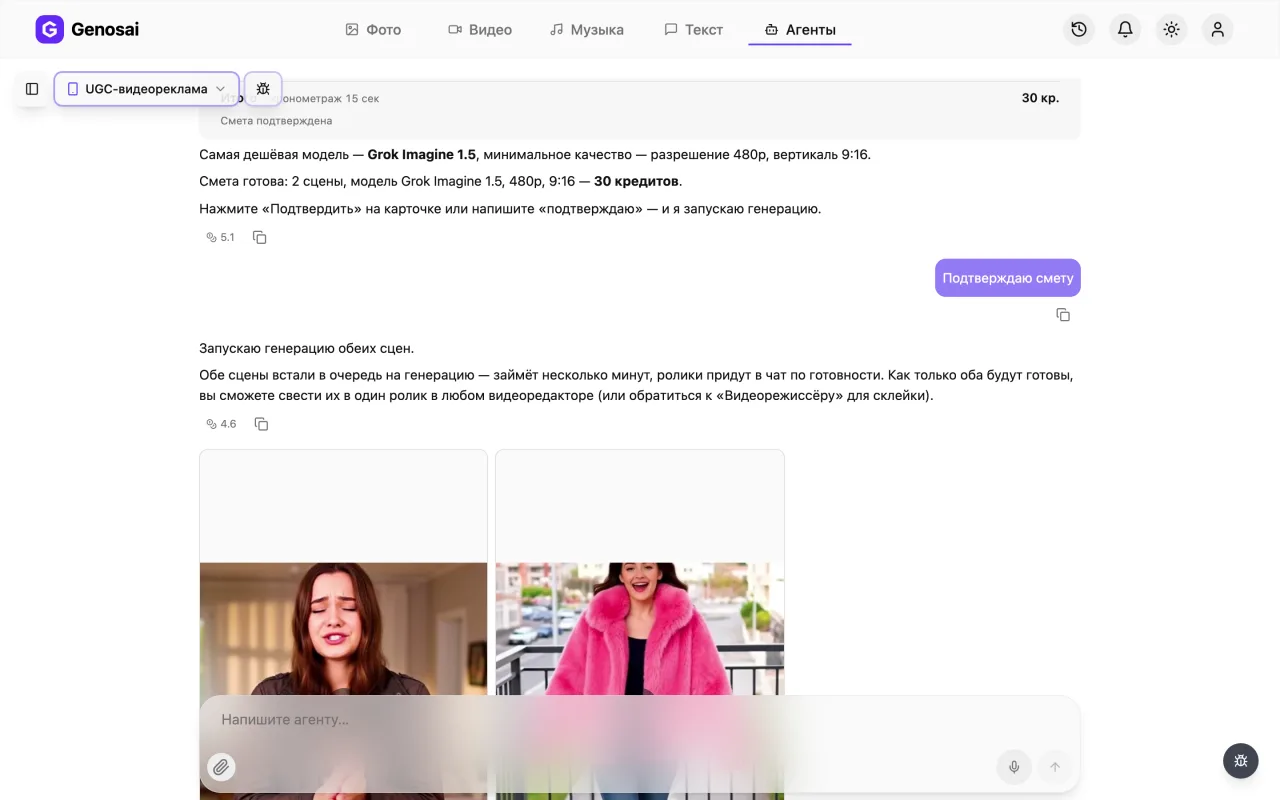
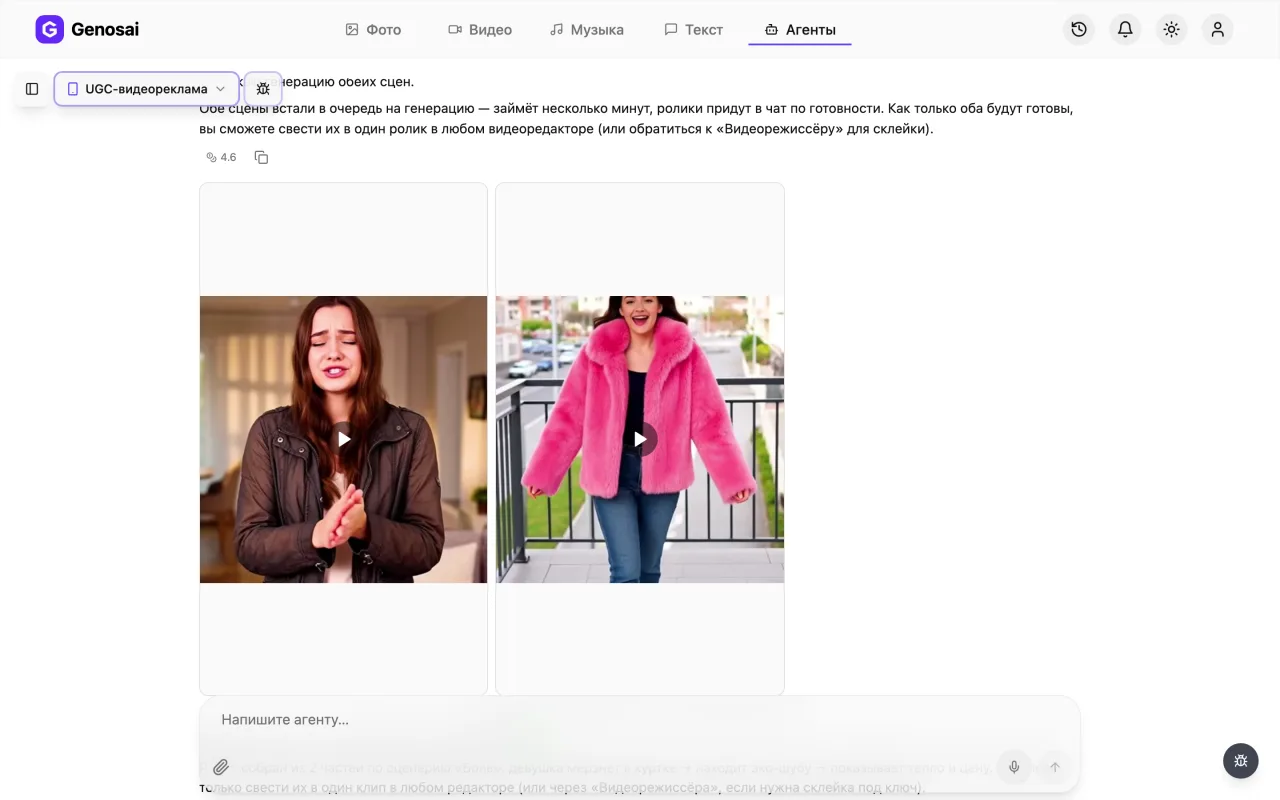
Example output of the UGC Video Ad agent — video 1
Example output of the UGC Video Ad agent — video 2
Step-by-step guide
1. Step 1. Create your account
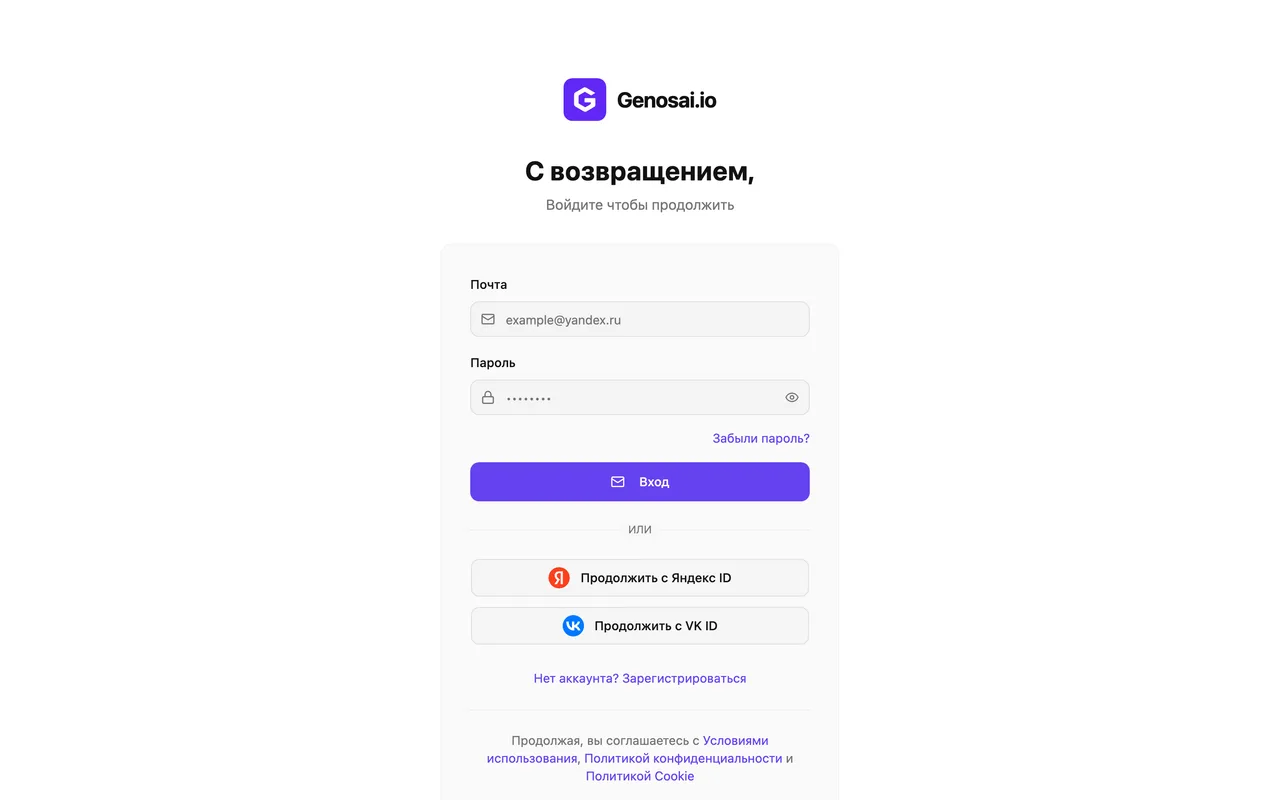
Open the Genosai site and sign up with an email address or a one click login. Registration is free and no bank card is needed. New users get a small starter balance of credits so you can try the service first.
2. Step 2. Open the studio
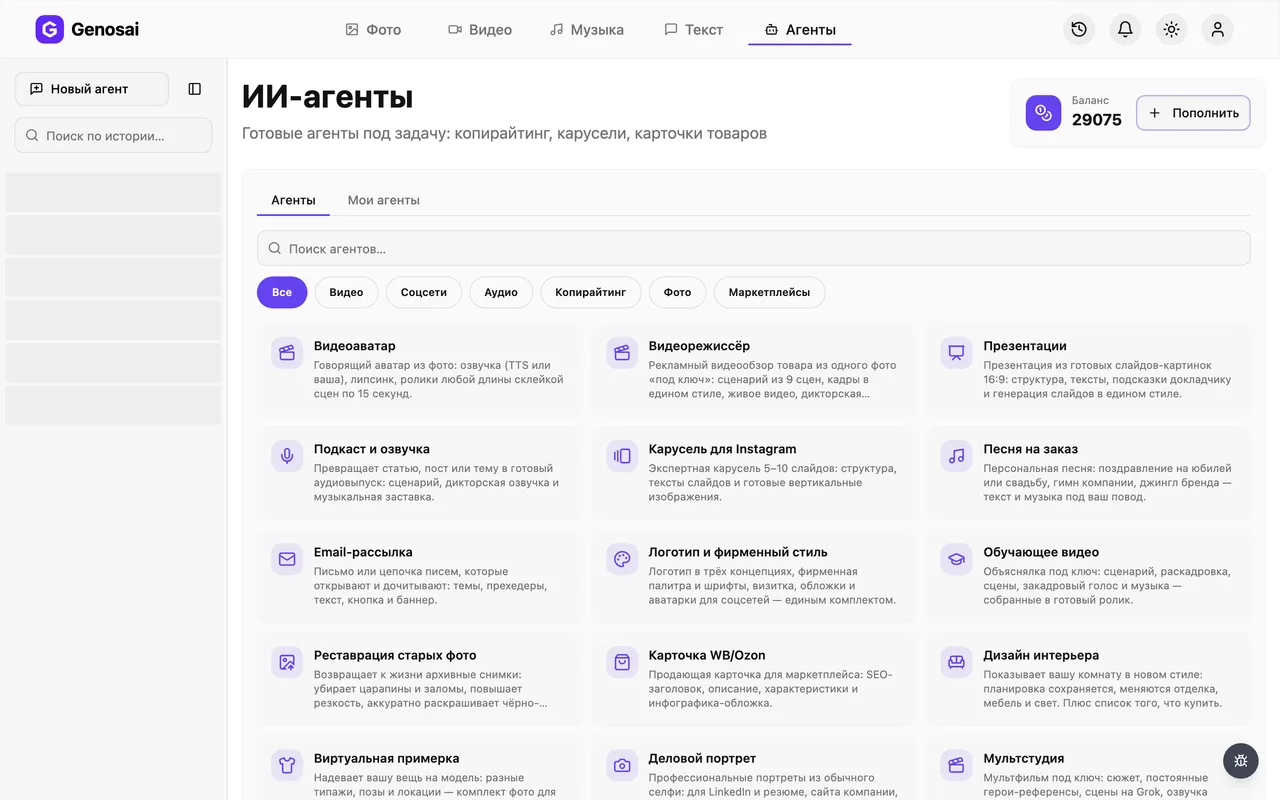
After logging in you land in the studio, which is your workspace. In the top menu find the Agents tab and click it. This opens a gallery of ready made assistants, each trained for one job.
3. Step 3. Find the UGC producer
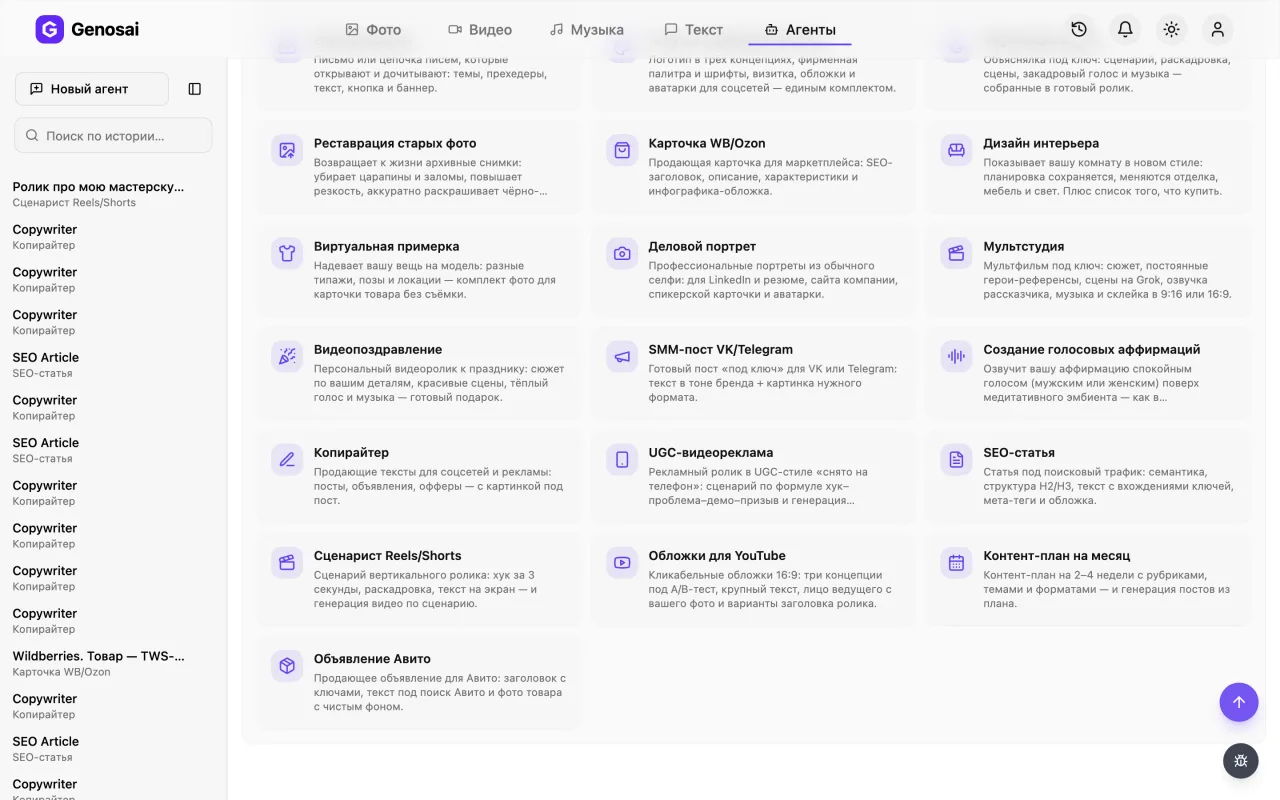
Pick the Video category or type UGC into the search field. Click the card with the phone icon and a chat window opens. Every agent lives in its own conversation and remembers only its own task.
4. Step 4. Answer the opening questions
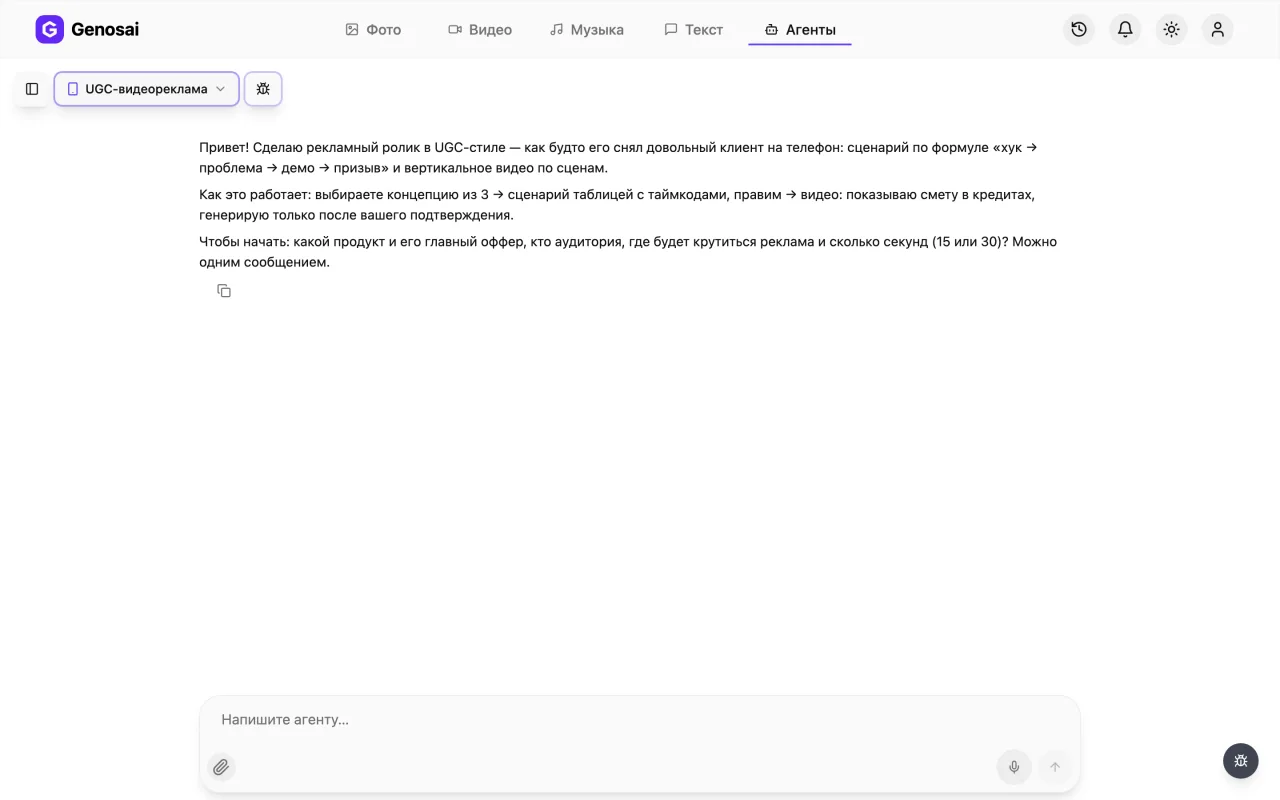
The agent says hello and asks what you sell, what the main benefit is, who the buyer is, where the ad will run and whether you need 15 or 30 seconds. Reply in plain language, one message is enough, with no lists or tables required.
5. Step 5. Attach a product photo
If you are advertising a specific item, click the paper clip icon under the message box and pick a photo from your phone or computer. The agent uses that shot as the opening frame, so your real product appears on screen instead of a lookalike. For a service you can skip this step.
Attach the photo directly in the chat with the paper clip. The agent cannot open a link to your shop or marketplace.
6. Step 6. Pick a concept and edit the script
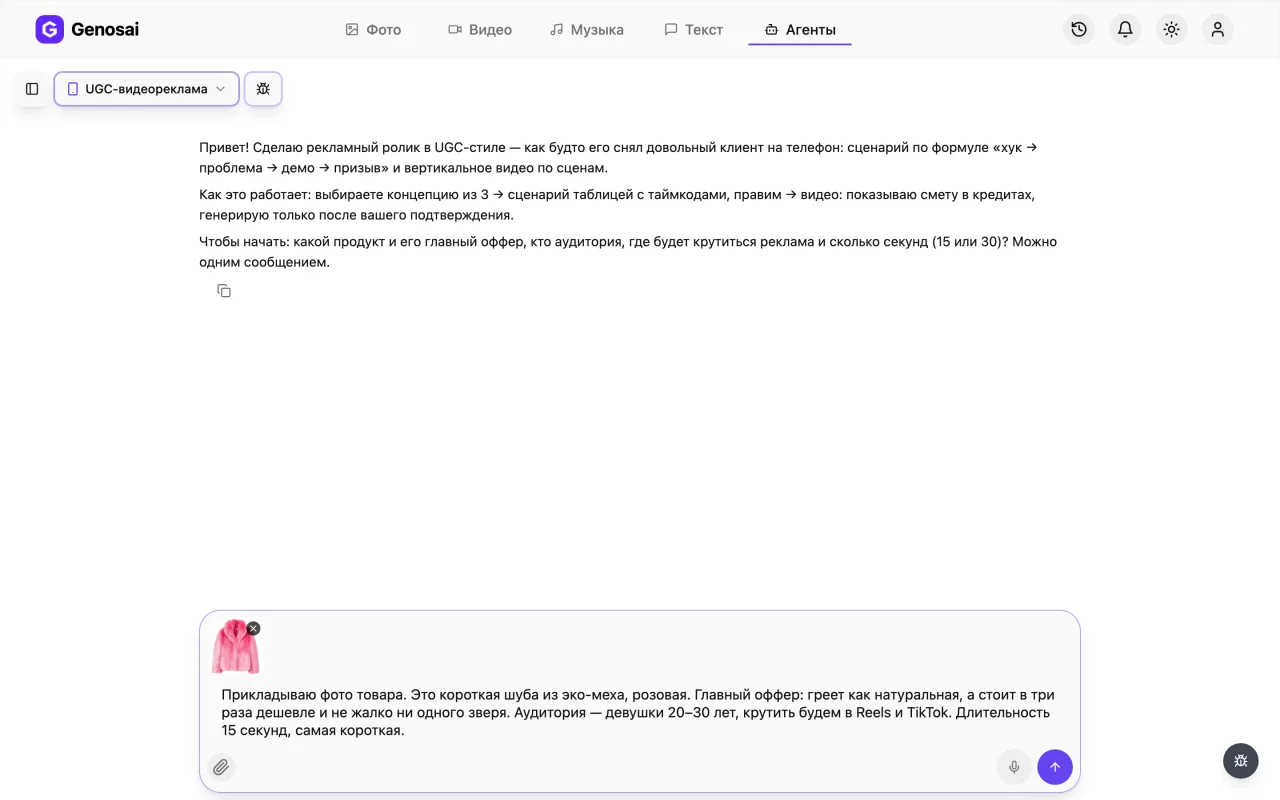
The agent offers three different ideas, one sentence each. You name the one you like. It then writes a script as a table with timings, what happens on screen and what is said. Rewrite it as many times as you want, this part is free.
7. Step 7. Check your credit balance
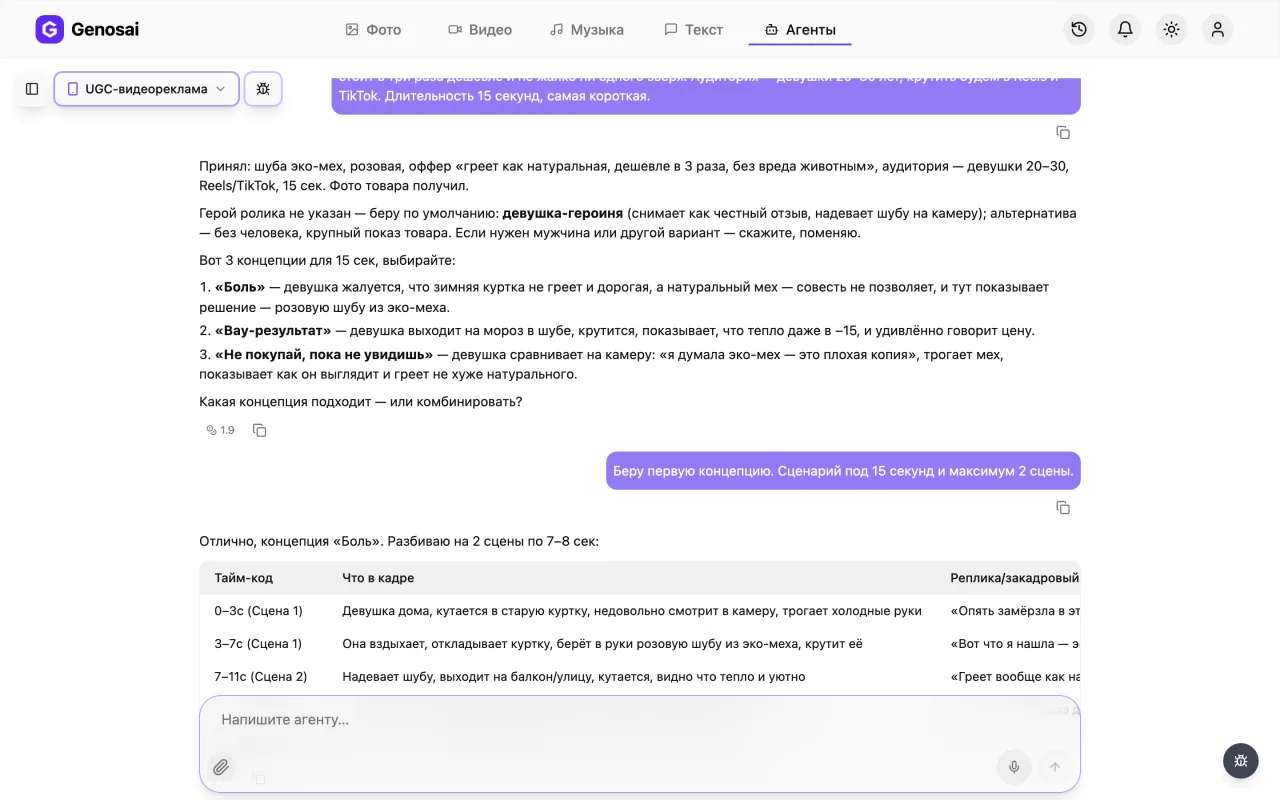
Credits are the internal currency that pays for generation. Your balance and the top up button sit in the studio header. Look here before you start, because video burns noticeably more credits than still images do.
8. Step 8. Review the estimate and confirm
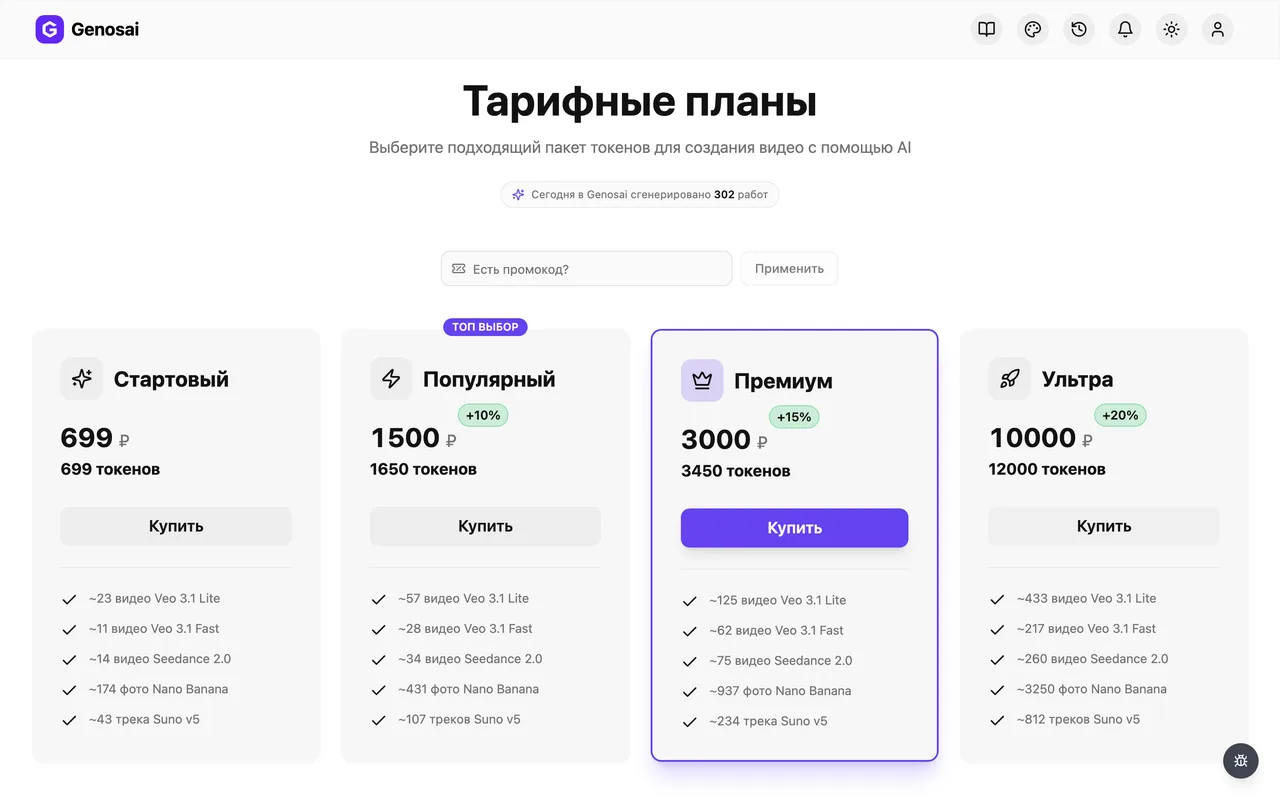
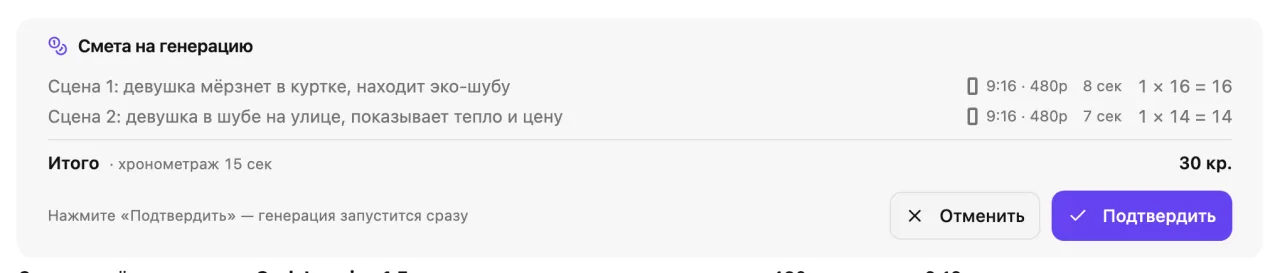
Once the script is approved the agent shows a cost card: how many scenes, how long each one is and how many credits it will take. Nothing is charged until you press confirm. If the number feels high, ask for fewer or shorter scenes and it will recalculate.
The system registers the confirmation, not the agent. Press the button on the card or type the single word confirm.
9. Step 9. Wait for generation
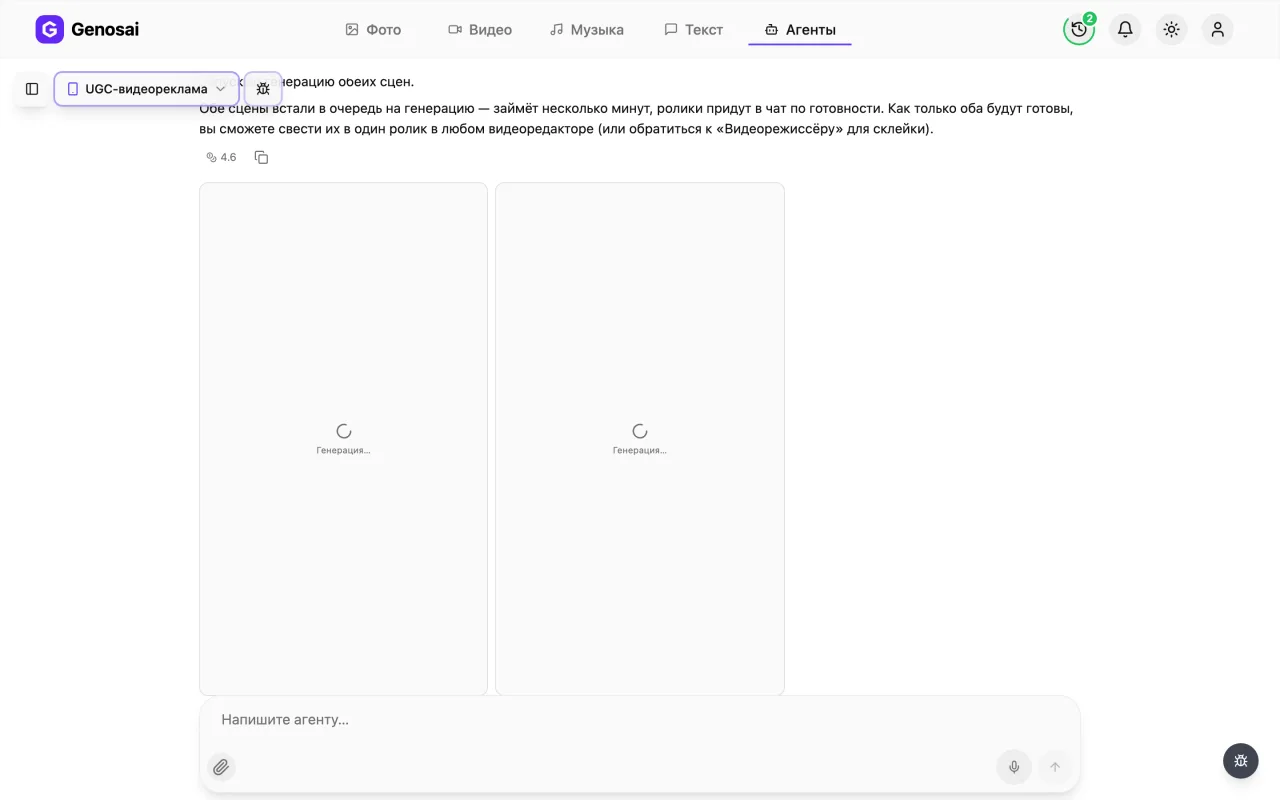
After confirmation the agent starts the scenes and tiles labelled Generating appear in the chat, each turning into a scene as it finishes. Video takes far longer than pictures, roughly a few minutes per scene. You can close the tab and come back later, the work continues.
10. Step 10. Download your scenes
Finished clips arrive in the chat as tiles. Click a scene to open it full screen, where a download icon saves the file. Each scene is a separate file. If one scene misses the mark, just say so in words and the agent regenerates that scene alone under its own estimate, not the whole ad.
What This Agent Does
The Genosai UGC producer turns a plain description of your product into a short ad that looks like it was filmed on a phone. You explain in ordinary words what you sell and to whom, and the agent does three things in order: it invents the concept, writes a timed script, and generates vertical video scenes.
UGC stands for user generated content. These clips look deliberately unpolished, and that is exactly why they work. The viewer does not see an ad, they see a person sharing something they liked. The agent reproduces that texture on purpose, with natural light, a slight handheld wobble and conversational delivery.
One thing to understand from the start: the agent delivers separate scenes, not one finished cut. Joining them, adding captions and dropping in music takes a couple of minutes in any free phone editor. If you need a fully assembled file with narration and music baked in, look at the explainer video agent instead, which does its own final assembly.
Who It Is For
Marketplace sellers who have a product but no budget for a film crew. Owners of small shops and workshops. Anyone promoting a service, from courses to repairs to massage. Performance marketers who need to test ten different hooks quickly and find out which one actually stops the scroll.
There is also a large group of people who simply hate being on camera. That is a very common reason a business goes years without video: filming yourself feels awkward and hiring a creator is expensive. Here nobody you know appears on screen, and the ad still feels human.
What to Prepare Before You Start
Nothing complicated, but five minutes of preparation will save you half an hour of back and forth.
First, write down the main benefit of your product in one sentence. Not a spec list, but the reason people buy it: folds to the size of a palm, never leaks in a bag, lasts three months. Second, decide who you are talking to, because a message for new parents and one for truck drivers look nothing alike. Third, get one clean photo of the product on a plain background, ideally without collages or text overlays. Fourth, choose the length: fifteen seconds for cold audiences in the feed, thirty when the product needs explaining.
If you do not have any product copy yet, draft it quickly with the copywriter and bring the finished benefit statement here.
A Real Conversation Walkthrough
Here is how an actual exchange looks, from the first line to the finished files.
Agent: Hi! I make ads in UGC style, as if a happy customer filmed them on a phone. To get started, tell me the product and its main offer, who the audience is, where the ad will run and whether you want 15 or 30 seconds.
You: I sell a 500 ml travel mug that keeps drinks hot for 12 hours. Buyers are office workers and drivers. It is for Reels, 15 seconds. Photo attached.
Agent: Got the photo, I can see the product. Three concepts to choose from. One: the morning coffee has gone cold by ten, she pushes the cup away, then reaches for the travel mug. Two: the wow angle, she opens the mug after 12 hours and steam rises. Three: do not buy a travel mug until you check one thing, about the lid that never leaks in a bag. Which one feels right?
You: The second one.
Agent: Here is the 15 second script, three scenes.
| Time | On screen | Line |
|---|---|---|
| 0 to 3 s | Hands opening the mug, steam rising | I poured this tea at seven this morning. It is now seven in the evening |
| 3 to 10 s | The mug in the car, close up | Twelve hours. Still hot |
| 10 to 15 s | The mug tipped over inside a bag | And it does not leak. Link below |
Shall we edit or approve?
You: Replace the first line, too long. And put her in an office instead of a car.
Agent: Updated: I poured it at seven, look at it now. Scene two moved to an office. Here is the estimate for three scenes, nothing is charged until you confirm.
You: confirm
Agent: Starting. The scene tiles are already in the chat and each turns into video as it finishes. All three scenes are ready now, click any of them to open it full screen and download it.
Notice two details. The agent never asks the same question twice, so if you answer everything up front it simply moves on. And it never starts generating until the estimate is confirmed, either with the button on the card or with the single word confirm. A long friendly reply like yes great let us go is deliberately not accepted as consent, so that money is never spent by accident.
What It Costs
There is no flat price for an ad. The total is built from the scope of work: how many scenes, how long each one runs and which video model is used. The agent works that out itself and shows it in an estimate card before anything starts.
Two things matter about money here. Conversation with the agent is billed separately and costs very little, so you can argue about hooks and rewrite the script as often as you like. Credits are spent only on generation. Video is meaningfully more expensive than images, because the model draws dozens of frames for every second on screen. A four scene ad costs noticeably more than a whole set of still images.
And the rule worth memorising: until you press confirm on the estimate card, your balance is untouched. If the number looks too high, ask for a two scene version or a lighter model and the agent will recalculate.
Common Beginner Mistakes
Sending a link to a product listing instead of a photo. The agent does not follow external links and only sees files attached in the chat itself.
Asking for text on the video. Video models still render letters as unreadable mush, so captions belong on top of the finished clip, not inside it.
Expecting one edited film. It bears repeating: you get separate scenes. That is how this agent is built, not a malfunction.
Ordering thirty seconds when fifteen would do. Length drives both the cost and the drop off rate. Start short and extend only if the short version tests well.
Approving the script without reading it and then asking for changes after generation. Text edits are free, changes after generation are not.
Getting impatient and restarting everything. Each scene genuinely takes minutes to render. Close the tab, come back in ten minutes, and the result will be waiting in the same conversation.
Why This Beats Doing It Yourself
You could open any video model and ask it for an ad directly. But then you have to know which model holds a vertical frame best, how to describe a scene so it comes out as handheld footage rather than a cartoon, and how to feed in a product photo so your actual item appears on screen.
The agent carries that knowledge for you. It picks the model, expands your everyday sentence into a detailed shot description, and passes your photo in as the opening frame. You stay in the role of the client, speaking normally.
The second advantage is structure. The hook, problem, demo, result, call to action formula is not something the agent invented, it is the standard shape of short form advertising. First time writers almost always open with an introduction to the company, and the viewer is gone by second two.
Which Agents Pair Well With It
A single clip rarely finishes the job, so other assistants usually work alongside this one.
If you are selling on a marketplace, build the matching still visuals with the marketplace product card agent so the infographic and the ad share a look. For clothing, the virtual try on agent shows the item on a model while the UGC clip adds the emotion.
When you need a teaching format with narration, music and a finished cut, that is the explainer video agent. The script for your next clip is quickest through the Reels and Shorts scriptwriter, and the caption itself through the social post agent, and classified listings through the Avito listing agent.
The full catalogue with descriptions lives on the all agents page, where you can see at a glance which assistants work with video and which handle text and images.
FAQ
What does UGC actually mean
It stands for user generated content, meaning a clip that looks like a real customer filmed it on a phone. Handheld camera, everyday lighting, natural speech. Viewers read it as an honest review rather than an ad, so watch time is usually higher.
Do I need editing skills
Not to get the scenes, the agent handles those. But joining them into one clip is on you, because this agent has no final assembly tool and delivers each scene as its own file. Any free phone editor will do the job in a couple of minutes.
How long does the whole process take
The conversation and script usually take about ten minutes. Generation runs from a few minutes to half an hour depending on how many scenes you ordered. Video is much slower than image generation, so some waiting is normal.
What happens if I do not attach a product photo
The agent will not block you, but the item on screen will be a generic lookalike rather than your product. For a specific physical item that matters a lot, so attach a photo. For a service no photo is needed at all.
Can text be added on top of the video
Video models still render letters badly, so the agent never asks for on screen text. Add captions and price tags yourself in an editor over the finished scene. As a bonus, captions usually lift watch time on muted feeds.
How much does it cost in money
There is no fixed price. The cost depends on how many scenes you order, how long they are and which model is used. The agent shows the exact figure in the estimate before starting, and nothing is charged until you confirm.
Can I make several versions of the same ad
Yes, and for paid traffic that is the right approach. Ask the agent for a second script with a different hook, since discussion is free. Each new set of scenes gets its own estimate before anything is generated.