How to Make a Product Video Ad From a Single Photo
The Genosai Video Director is a personal film studio that turns one product photo into a finished ad. Script, storyboard, live video, voice over and music. Unlike other video agents it also does the final edit, so you get a ready file as a single link. All you supply is one product photo on a white background and a yes or no at each step.
Updated: August 10, 2026
- A finished cut, not loose scenes — The agent assembles the final file with sound and music itself. Nothing to edit, you simply download the finished video.
- A nine scene script — Real ad structure: hook, problem, product reveal, three selling points, product in use, main benefit and call to action.
- Your product in every frame — Every scene is built around your photo rather than a lookalike item. One good picture is enough.
- Two formats to choose from — Landscape 16:9 for a website, YouTube and marketplace listings, or vertical 9:16 for Reels, Shorts and stories.
- Voice over and music included — Narration and an original music theme are part of the studio work, you do not order them separately.
- An estimate at every stage — Storyboard, filming with sound and the final edit are quoted separately. Nothing is deducted until you press the confirm button.
What it produced

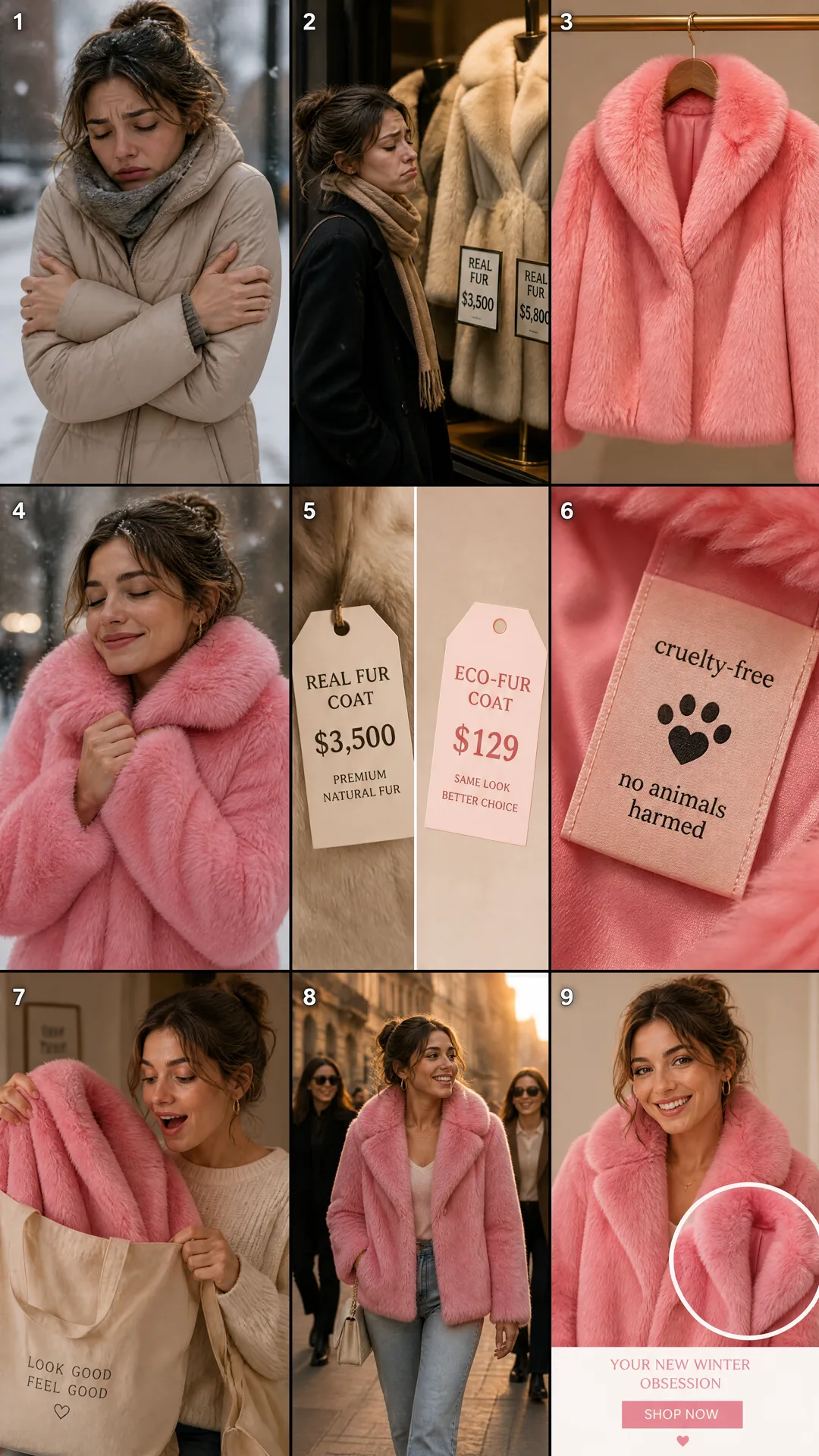
Example output of the Video Director agent — video 3
Step-by-step guide
1. Step 1. Create your account
Open the Genosai site and sign up with an email address or a one click login. Registration is free and no bank card is needed. New users get a small starter balance of credits so you can try the service first.
2. Step 2. Open the studio
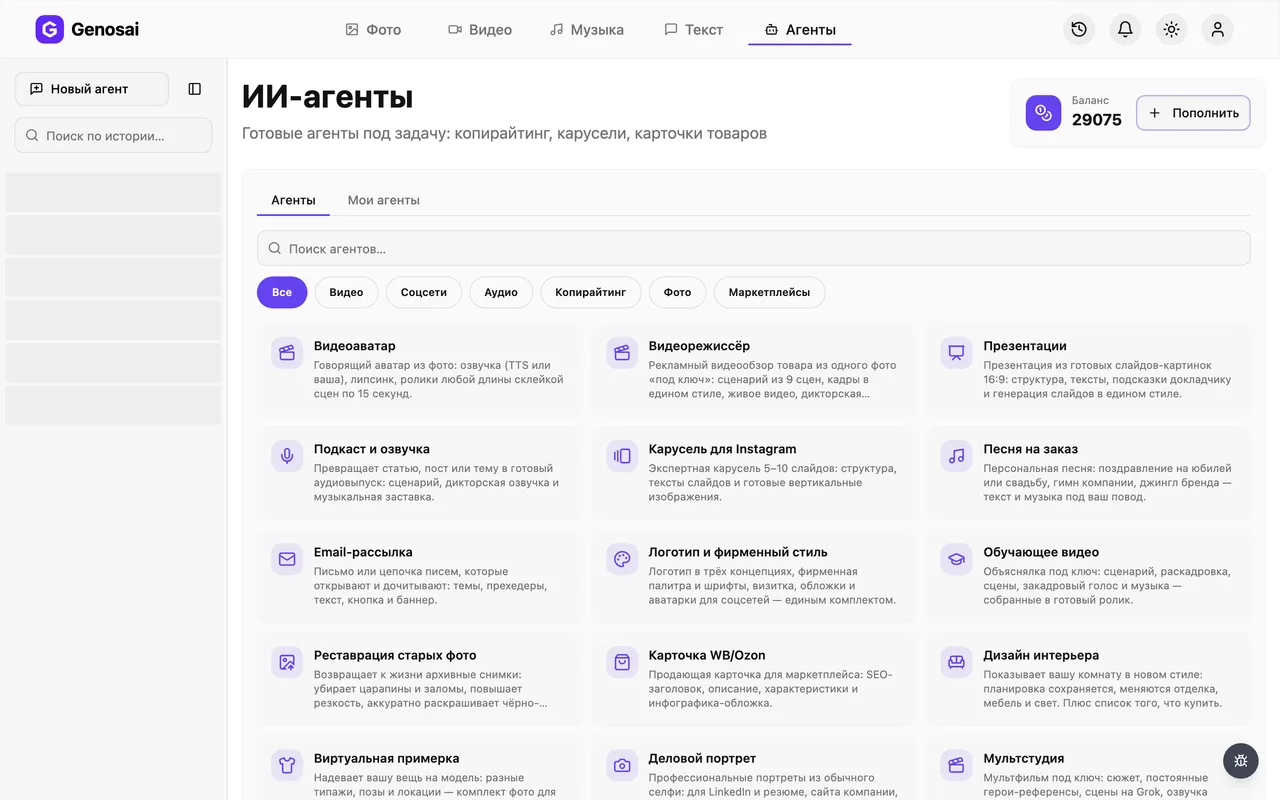
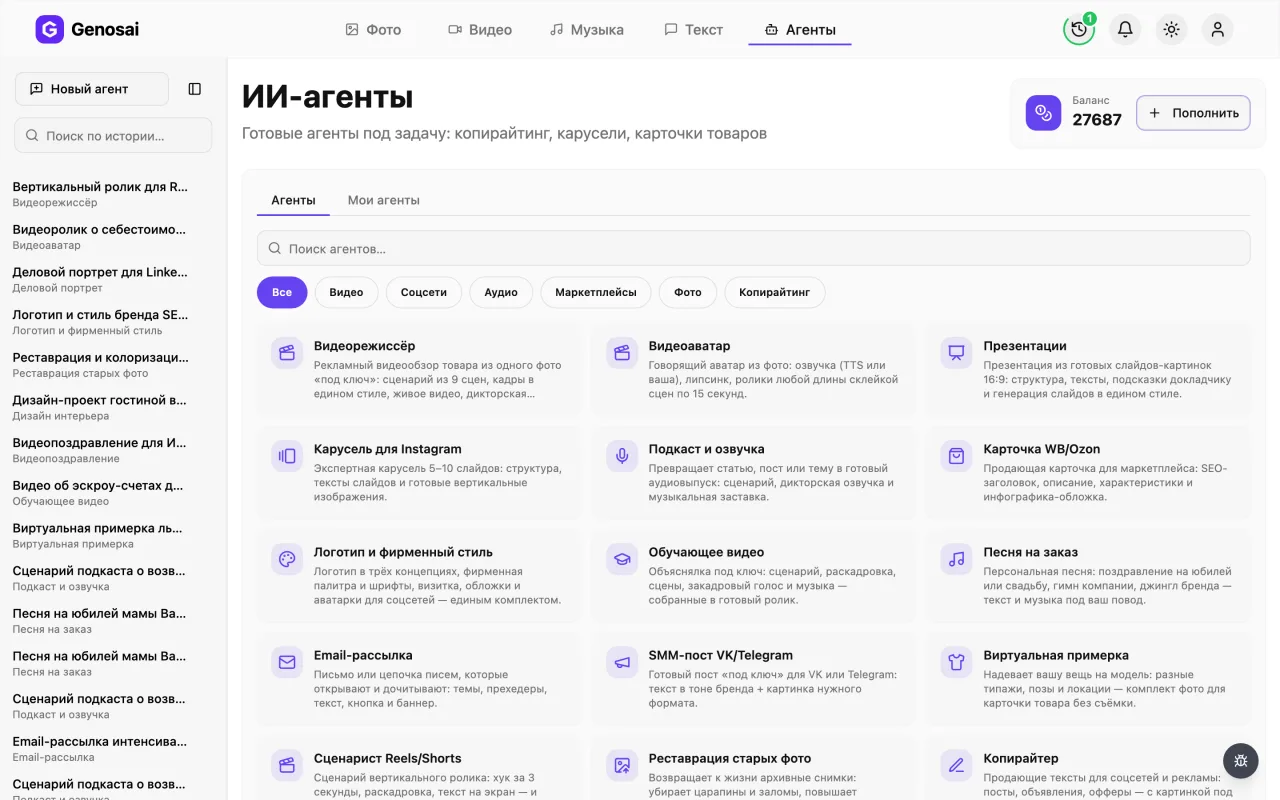
After logging in you land in the studio, which is your workspace. In the top menu find the Agents tab and click it. This opens a gallery of ready made assistants, each trained for one job.
3. Step 3. Find the Video Director
In the gallery pick the Video category or type director into the search box. Click the card with the clapperboard to open the chat. Each agent works in its own conversation and remembers only its own task.
4. Step 4. Answer the studio questions
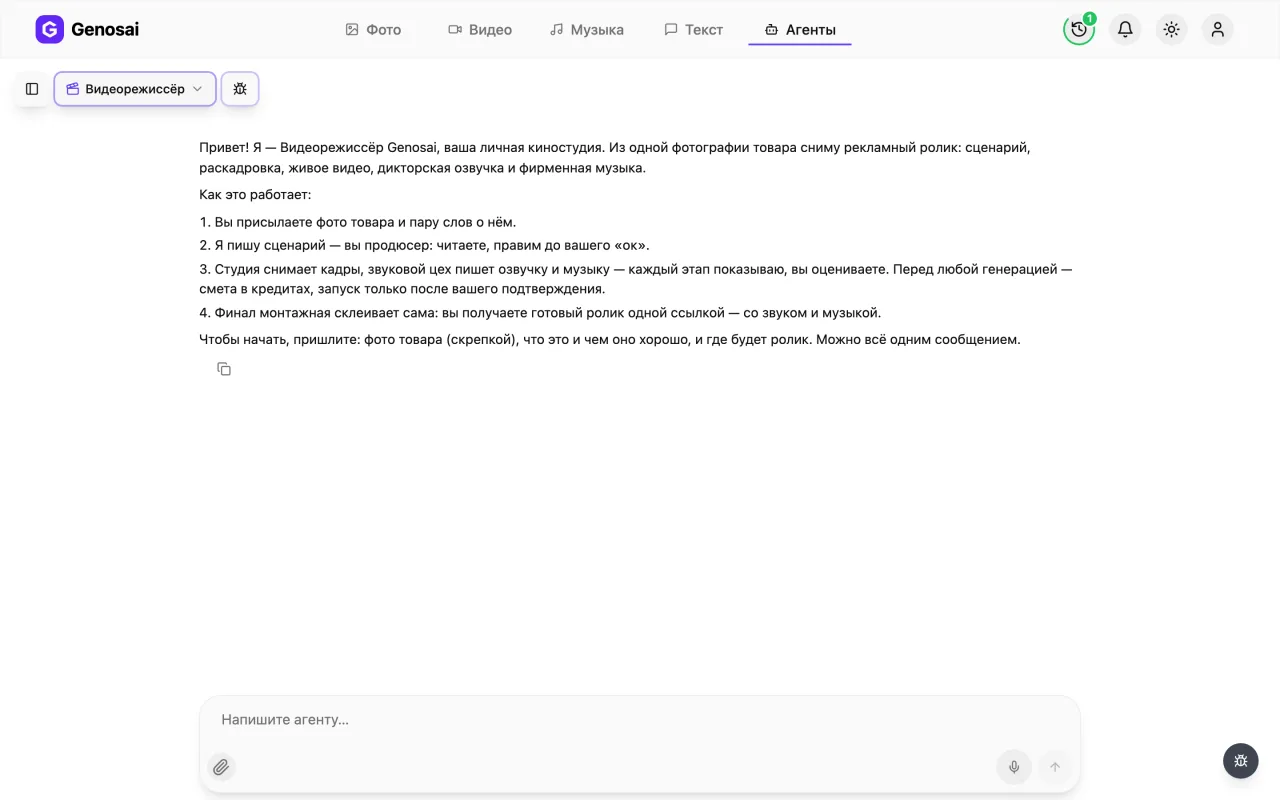
The agent greets you and asks what the product is, three or four of its strengths, who it is for, and which format you need, landscape 16:9 or vertical 9:16. You can answer everything in one message, in plain words.
5. Step 5. Attach the product photo
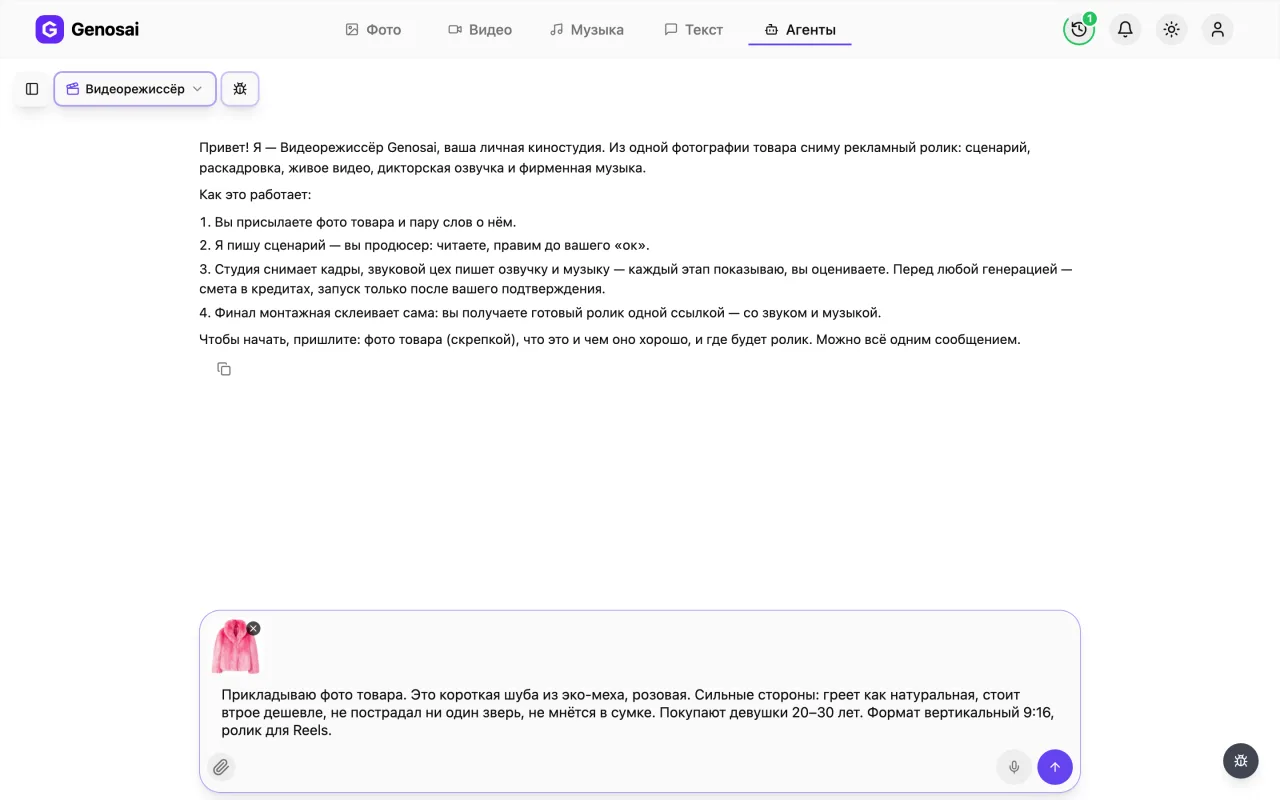
Click the paper clip under the input box and pick a photo of your product. One good picture is enough: the whole item, in focus, on a calm background, with no collages or text on top. This shot becomes the basis of all nine scenes.
Attach the photo directly in the chat. The agent will not open a link to a marketplace listing.
6. Step 6. Read and edit the script
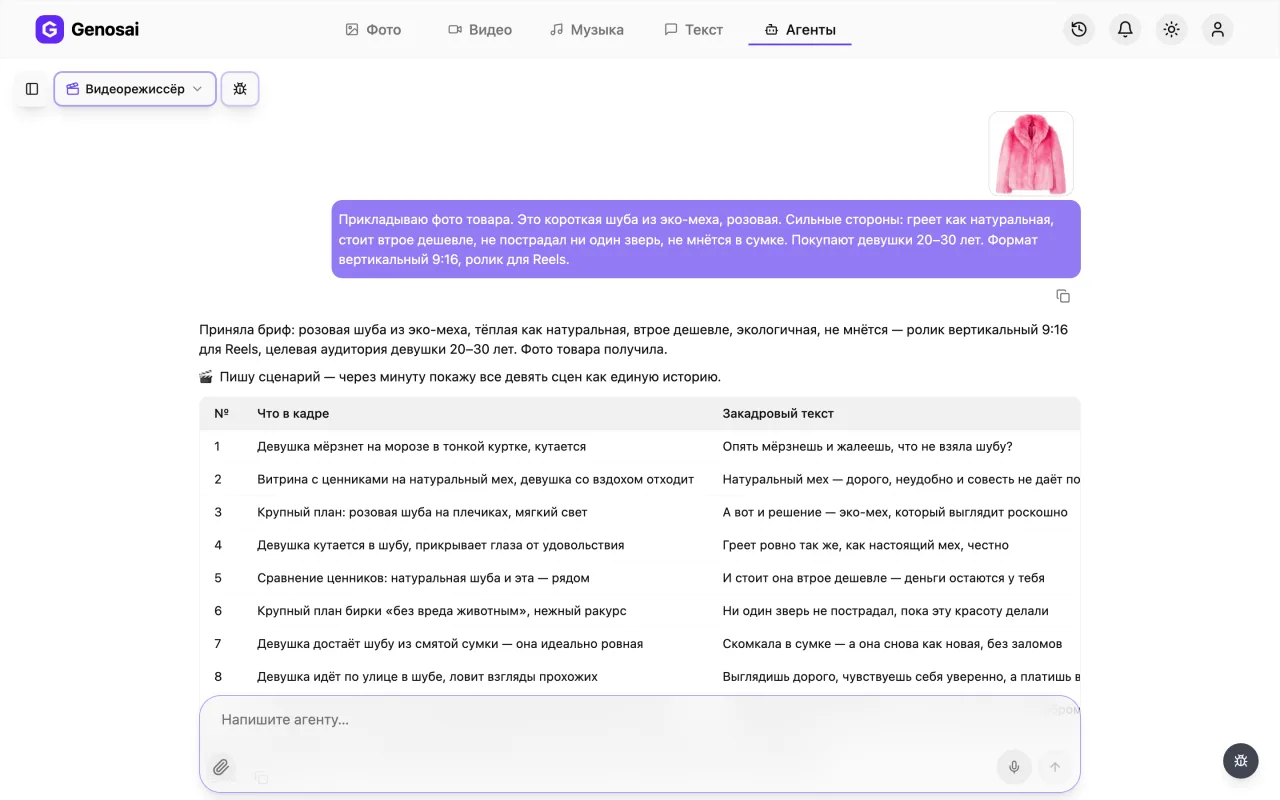
The agent writes the ad as a nine scene table: number, what happens on screen, voice over line. Read it and ask for changes as often as you like, this is free. This is also where you set the tone, calm or upbeat.
7. Step 7. Approve the storyboard
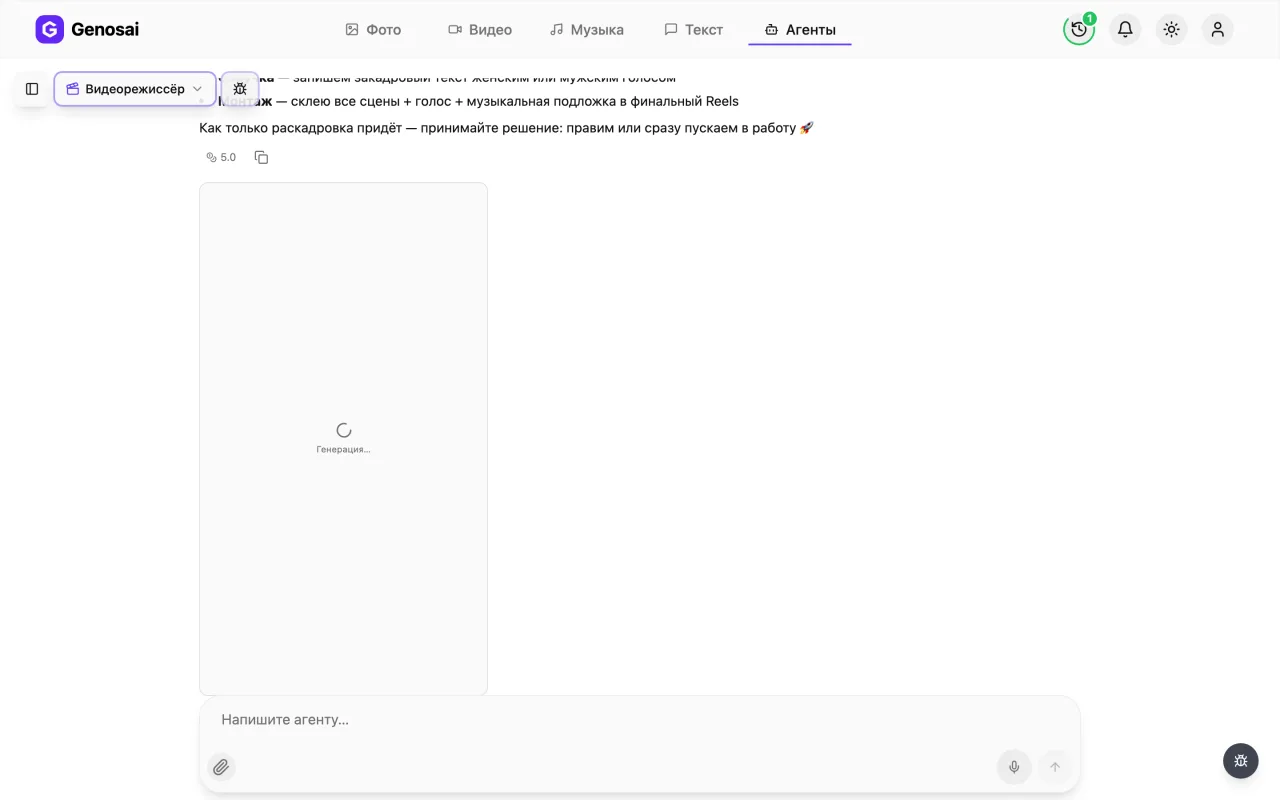
After the script comes the first estimate, for a single image: the storyboard, a grid of nine frames in one style with your product. Confirm it and the studio draws the grid, slices it into nine opening frames and shows them by number. Say which frame to redo before the scenes are animated.
This is the cheapest moment to change anything: a frame before filming costs very little, a finished scene costs a full generation.
8. Step 8. Check your credit balance
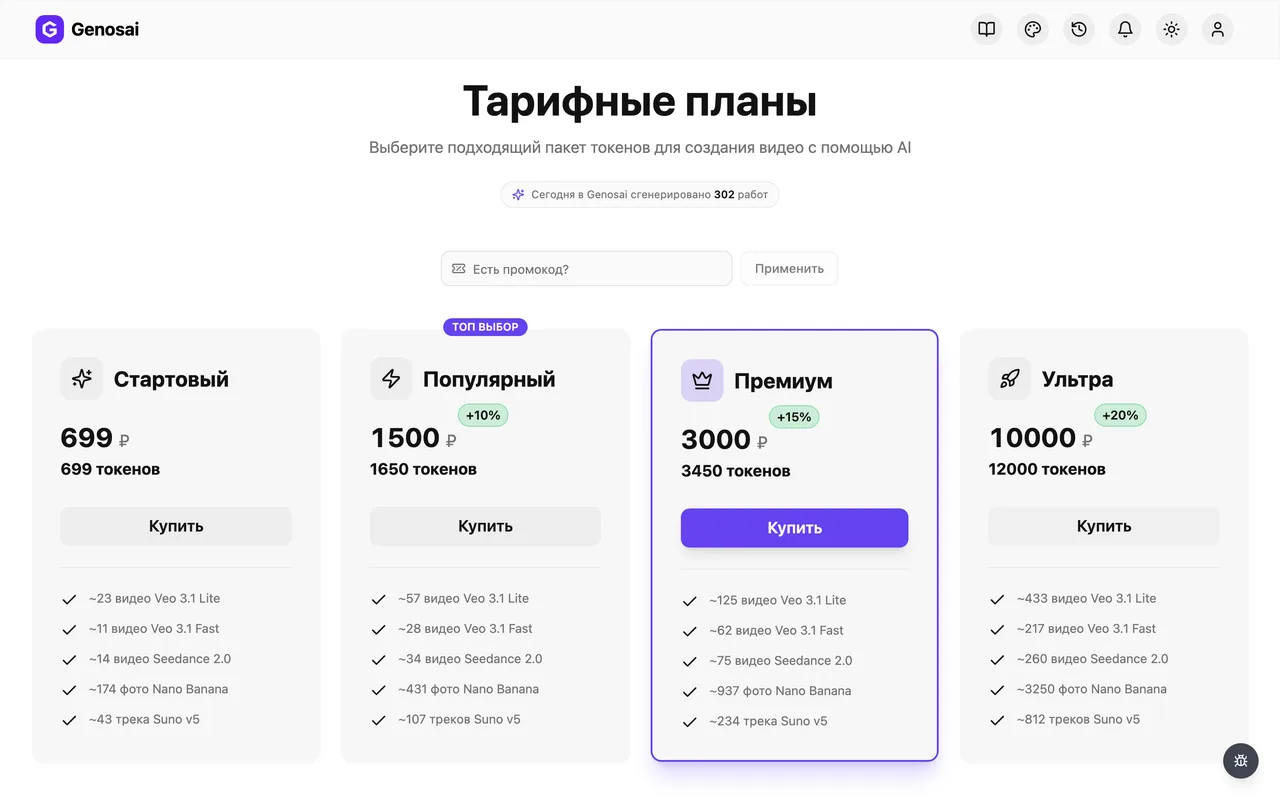
Credits are the internal currency that pays for generation. The balance sits in the studio header next to the top up button. A full video with sound uses noticeably more credits than images, so check before filming starts.
9. Step 9. Confirm the production and edit estimates
The main estimate covers everything at once: nine scenes with their individual durations, the narration and the music, so you see the seconds per scene and the total runtime before anything runs. The final edit is billed separately at a fixed ten credits. Nothing is charged until you press Confirm.
The confirmation is registered by the system, not the agent. Press the button on the card or write the single word confirm.

10. Step 10. Review the material and collect the video
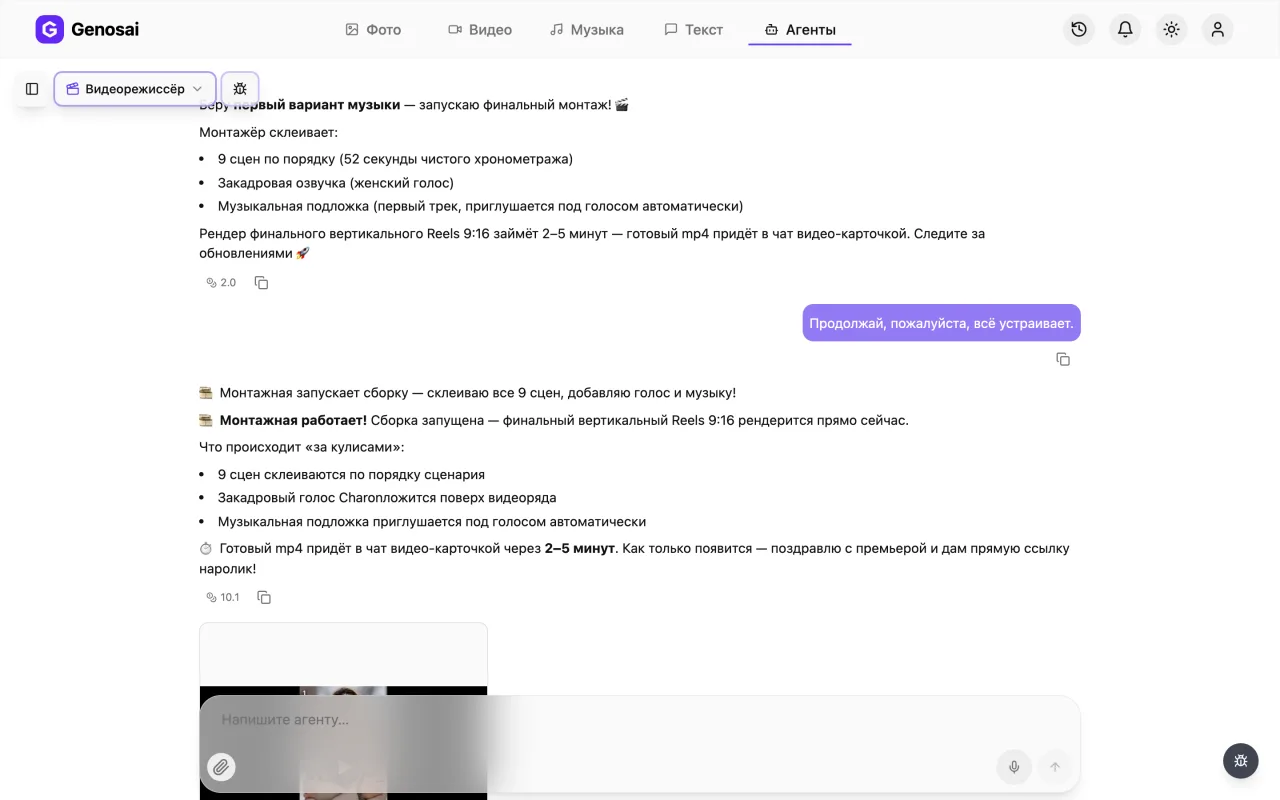
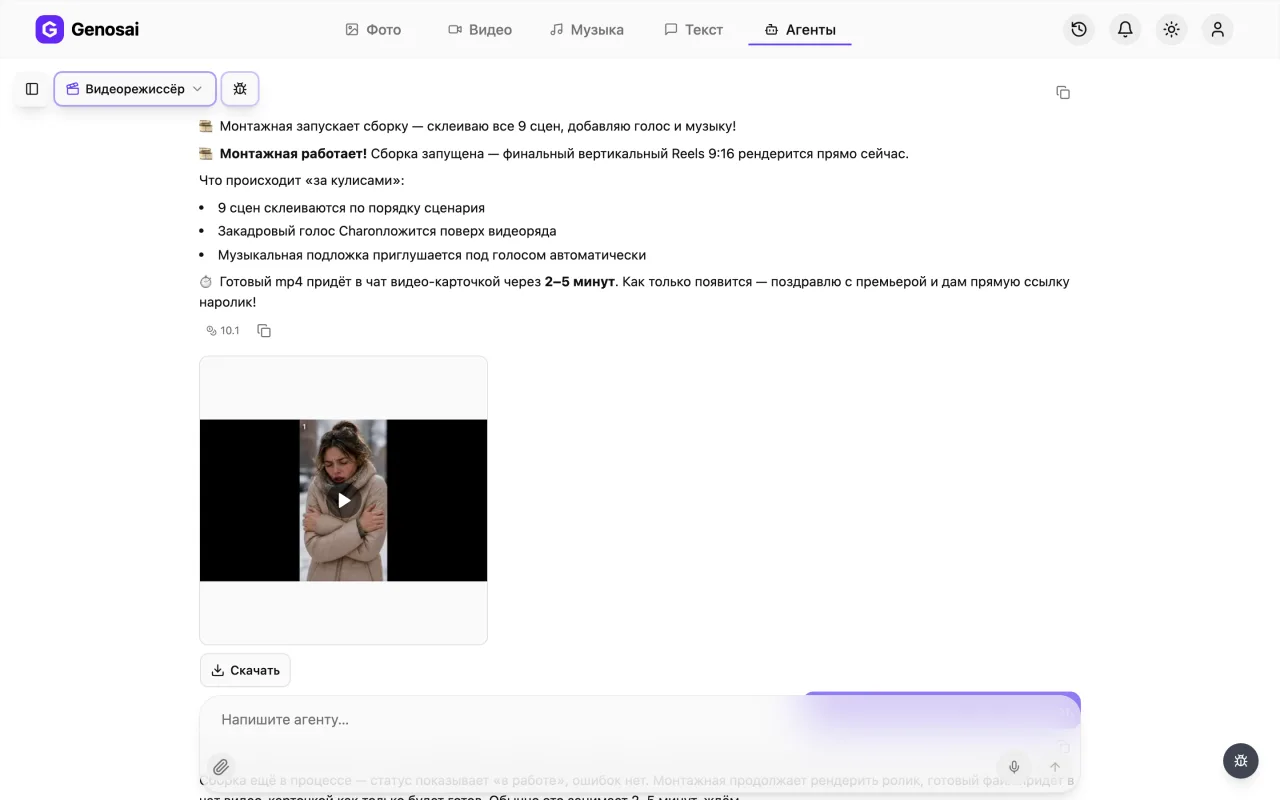
The narration and two music variants arrive first, pick one with the button under the track, then the nine filmed scenes. Say the word and the studio joins everything into one file with sound. The finished video appears in the chat with a Download button under the card and a direct mp4 link in the message. You can close the tab and come back later.
What This Agent Does
The Genosai Video Director is a personal film studio that turns a single product photo into a finished ad. You send a picture and a couple of sentences about the product, and the studio takes over: it writes a nine scene script, draws a storyboard in one consistent style, brings each frame to life, records the narration, picks the music and joins everything into a finished file.
Very little is asked of you: a product photo on a white background and a decision at each fork. Script, storyboard, music and edit are the agent's work.
The main difference from other video agents is the final assembly. You do not get a pile of separate scenes to edit yourself. You get one finished video with sound and music, delivered as a single link. Download it and put it straight into your campaign.
The roles are clear: you are the producer, the agent films. After every stage it shows you the result and asks what to strengthen. Do not like the script, it rewrites it for free. Do not like a storyboard frame, it regenerates it before filming. Until you confirm the estimate, not a single credit is spent.
The work is split into three billed chunks, and it helps to know that up front. First a small estimate for the storyboard, a single grid image. Then the main one: nine scenes, narration and music in one package. And finally a fixed ten credits for the edit. Between the second and the third there is a hand over: the agent brings the narration, two music variants and every filmed scene, then waits for your call on what to reshoot and which track to use. Reshooting a scene at that point is billed, whereas storyboard frames were far cheaper to change.
The video comes out either landscape 16:9, for a website, YouTube and marketplace listings, or vertical 9:16, for Reels, Shorts, TikTok and stories. The format is chosen once at the start and then held across every scene.
Who It Is For
Marketplace sellers who have a listing full of photos and no video. Owners of small shops, workshops and small scale production. Anyone selling a product that needs to be shown in use: appliances, kitchenware, cosmetics, tools, clothing.
It is especially useful when you have one product and many places to promote it. The same video goes to your site, your marketplace listing, your ads and your social feeds, and you do not have to film it separately for each one. You just choose the format at the start.
It also works when the product does not physically exist yet. A good image is enough. The agent builds all nine scenes around your picture rather than inventing a similar looking product.
What to Prepare First
Five minutes of preparation saves half an hour of back and forth.
First, the product photo. One picture, but a good one: the whole item, in focus, on a calm background, with no collages, watermarks or text over it. This shot becomes the basis of every frame, so its quality directly drives the quality of the video.
Second, three or four strengths of the product. Not a list of specifications from the listing, but the reasons people actually buy it: keeps drinks hot for twelve hours, fits in a pocket, does not stain your hands, runs a year on one battery. The agent builds the middle of the ad out of these phrases.
Third, who your buyer is. Parents with small children, drivers, gardeners, office workers. This sets the tone of the narration.
Fourth, where the video will live. That decides the format: landscape for a website and YouTube, vertical for feeds and stories. You cannot change the format halfway through, you would have to start over.
If the product description is not written yet, put it together quickly with the copywriter and bring the finished benefits here.
A Walk Through the Conversation
Here is the real sequence of messages so you know what to expect.
Agent: Hello! I am the Genosai Video Director, your personal film studio. From one product photo I will make an ad: script, storyboard, live video, narration and original music. To start, attach a photo of the product, tell me what it is and what makes it good, and which format you need, landscape 16:9 or vertical 9:16.
You: Photo attached. It is a three litre air humidifier, runs silently, lasts all night, has a soft light. Parents of small children buy it. Landscape please, for an Ozon listing.
Agent: 🎬 Photo received, I can see the product. Sending the brief to the storyboard artist, frames in a minute.
Nine scene script, 16:9.
| # | On screen | Voice over |
|---|---|---|
| 1 | Dark nursery, child turning over | "Sound familiar? Late again, and still awake" |
| 2 | Dry air, dust in a beam of light | "Often it is not the routine, it is dry air" |
| 3 | The humidifier fades into frame | "A three litre humidifier" |
| … | … | … |
| 9 | Product close up, calm light | "Find it in our Ozon listing" |
Read it through, we edit until you are happy.
You: Good, but make scene three softer, no sudden appearance.
Agent: Adjusted. Next comes the storyboard, one image with nine frames. Here is the estimate, nothing is charged until you confirm.
You: confirm
Agent: 💡 The production designer is setting the light, the operator is choosing angles… Frames are ready, sliced and numbered. How does it feel? Anything to redo before we film?
You: All good, carry on.
Agent: Then here is the production estimate: nine scenes with their own durations, narration and music. Total runtime forty eight seconds.
You: confirm
Agent: 🎙 The sound department is recording the narration… 🎼 The composer is mixing your theme and sent two variants, have a listen… 🎥 Cameras rolling. Action! Filming all nine scenes…
You: The second track is better, the scenes are all fine. Let us edit.
Agent: 🎞 The edit costs ten credits, here is the estimate. Once confirmed the suite needs two to five minutes.
You: confirm
Agent: Done, congratulations on the premiere. Here is your file with sound and music, a Download button under the card and a direct mp4 link beside it.
Notice two things. The agent shows the result after each stage and waits for your reaction — these are the points where changing something is cheapest. And it never starts generating until the estimate is confirmed, with the button on the card or the single word confirm, so money is never spent by accident.
What It Costs
There is no fixed price. The cost is built from the work involved: the storyboard, nine video scenes with their own durations, narration, music and the final assembly. The agent calculates all of it and shows it on estimate cards before starting, three of them in total: storyboard, production, and the edit at a fixed ten credits.
Three things matter about money. The conversation is billed separately and costs pennies, so you can discuss the idea and rewrite the script as much as you like. Credits go on generation only. And video is the expensive part by a wide margin: one second costs considerably more than a whole image, because the model draws dozens of frames per second.
A full nine scene video with sound is a noticeable amount, clearly more than a set of images for a listing. If your budget is tight, say so directly: the agent will suggest fewer scenes or a cheaper video model and recalculate.
The rule to remember: until you press Confirm, nothing leaves your balance.
Common Beginner Mistakes
Sending a link to the product listing instead of a file. The agent does not follow external links and does not open marketplace pages. The photo has to be attached directly in the chat.
Attaching a collage of several shots, or an image with text on it. The agent reads such a picture badly and the product drifts in frame. One clean shot of the item is what you need.
Choosing the format at random and remembering the platform at the end. The format is set at the very beginning and runs through the storyboard and all nine scenes. It cannot be switched midway.
Skipping the storyboard without looking. This is the cheapest point for changes: reworking a frame before filming costs very little, regenerating a finished scene costs a full generation.
Agreeing to everything and then asking to reshoot half the scenes. Once filmed, every take is already paid for and a new one needs its own estimate. Raise anything that bothers you at the storyboard stage.
Asking for text inside the frame. AI models still render letters poorly, words dissolve into unreadable mush. Add the name and the price yourself on top of the finished video.
Getting nervous about the wait and starting again. Nine scenes with sound take a while, that is normal. Close the tab and come back later, the work continues and the result waits in the same conversation.
Why This Beats Doing It Yourself
You could open a video model directly and describe what you want. But then you have to know which model holds the aspect ratio, how to describe a scene in English so it comes out as an ad rather than a cartoon, how to feed your product photo in as the opening frame, and how to join nine files with sound into one.
The agent holds that knowledge internally. It picks the models, turns your plain sentence into a detailed frame description, feeds in your photo, keeps all nine scenes in one style and does the edit itself.
The second advantage is structure. Hook, problem, product reveal, three selling points, product in use, main benefit, call to action is not something the agent invented, it is the standard shape of an ad. Someone writing their first script usually opens by introducing the company, and the viewer leaves in the second second.
Works Well With
One video rarely covers the whole job, so other assistants usually work alongside it.
If you are promoting on a marketplace, build the visuals with the WB and Ozon listing agent so the infographics and the video look like one set. For a short version in the feed, the UGC video ad gives you a raw customer style clip that works well next to a clean studio one.
If you need a teaching format rather than an ad, look at the explainer video. The caption for your post is easy to write with social media post.
The full list of assistants with descriptions lives on the all agents page, where you can also see which ones work with video and which with text and images.
FAQ
How is this different from the UGC video ad agent
The UGC agent returns separate scenes that you edit yourself and shoots in a deliberately amateur phone style. The Video Director makes a studio grade ad and assembles the final file with sound itself. If you want a finished video with no editing, use this one.
Do I need to know how to edit video
No. The final cut, the voice over and the music are handled by the agent. You receive one ready file that can go straight into an ad campaign or a product listing.
How many photos do I need
One is enough, but it has to be good: the whole product, in focus, on a calm background, with no collages or text over it. That single shot becomes the basis of all nine scenes, so its quality drives the quality of the video.
Can I change the format halfway through
No. The format is chosen at the start and carries through the storyboard and every scene. To get both a landscape and a vertical version you have to run the video twice.
How long does the whole thing take
The conversation and the script take ten to fifteen minutes. Generating nine scenes plus voice over, music and assembly takes considerably longer, usually half an hour or more. You can close the tab, the work continues.
Can I put text and a price on the video
AI models still render letters poorly inside a frame, so the agent does not order them. Add the name, the price and your logo yourself on top of the finished video in any editor.
What does it cost in money
There is no fixed price: it depends on the number of scenes, their length and the models chosen. The agent shows the exact amount in the estimate before starting, and nothing is charged until you press confirm.