How to Build a Wildberries or Ozon Product Card With an AI Agent
Wildberries and Ozon are the two largest online marketplaces in Russia, and on both of them the product card does the selling. This Genosai agent finds the search phrases buyers actually type, writes a title and description that fit each marketplace rules, and draws infographic slides featuring your real product. The whole conversation takes about fifteen minutes and needs no technical skill.
Updated: August 10, 2026
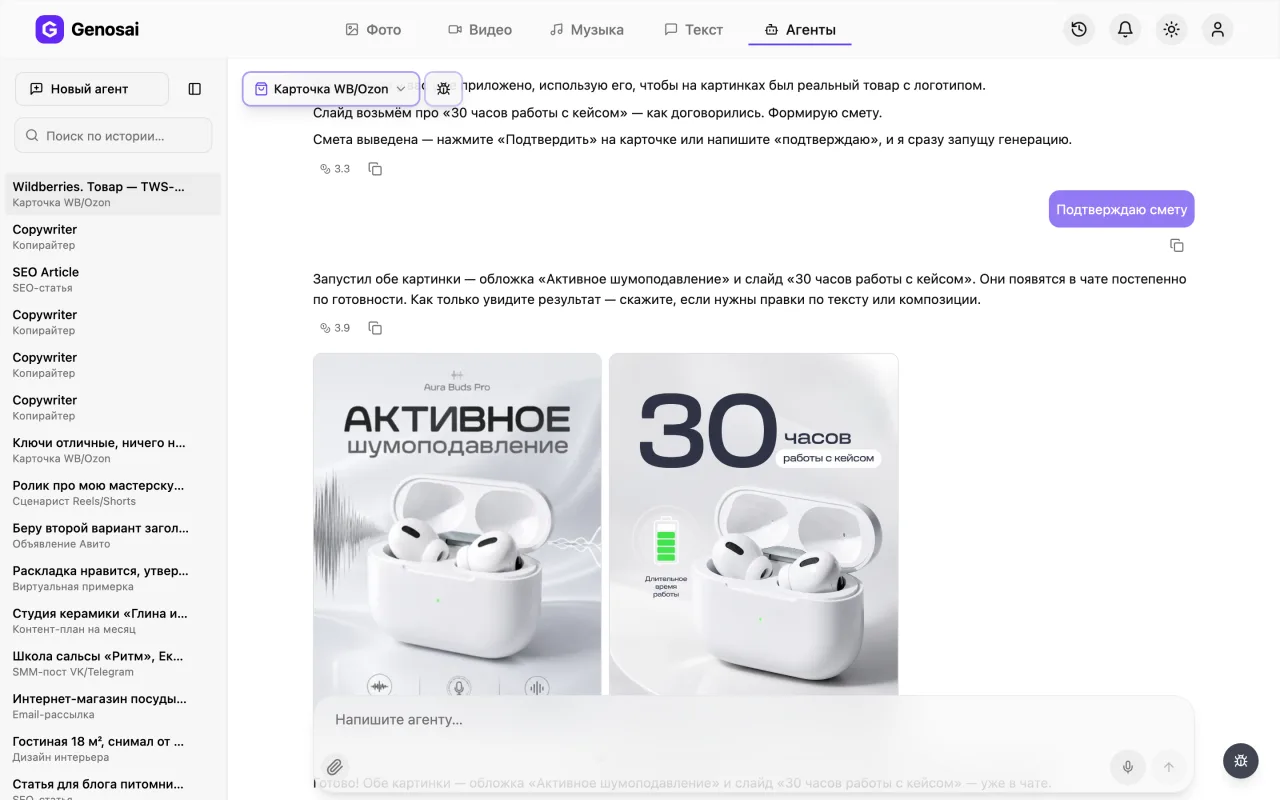
- Real search phrases — The agent proposes 10-15 keywords buyers actually use, from high volume terms to long tails.
- Title within the limits — Up to 60 characters for Wildberries and up to 200 for Ozon, with product type, brand and key traits.
- Description without stuffing — An 800-1200 character text where keywords sit inside real sentences instead of a comma list.
- Slides with your product — Attach a photo and the slides show your actual packaging and logo, not a generic stock lookalike.
- Unlimited text edits — Chatting costs almost nothing, so you can rewrite the copy as many times as you need.
- Estimate before any charge — The agent shows the credit cost of the images first and charges only after you press confirm.
What it produced


Step-by-step guide
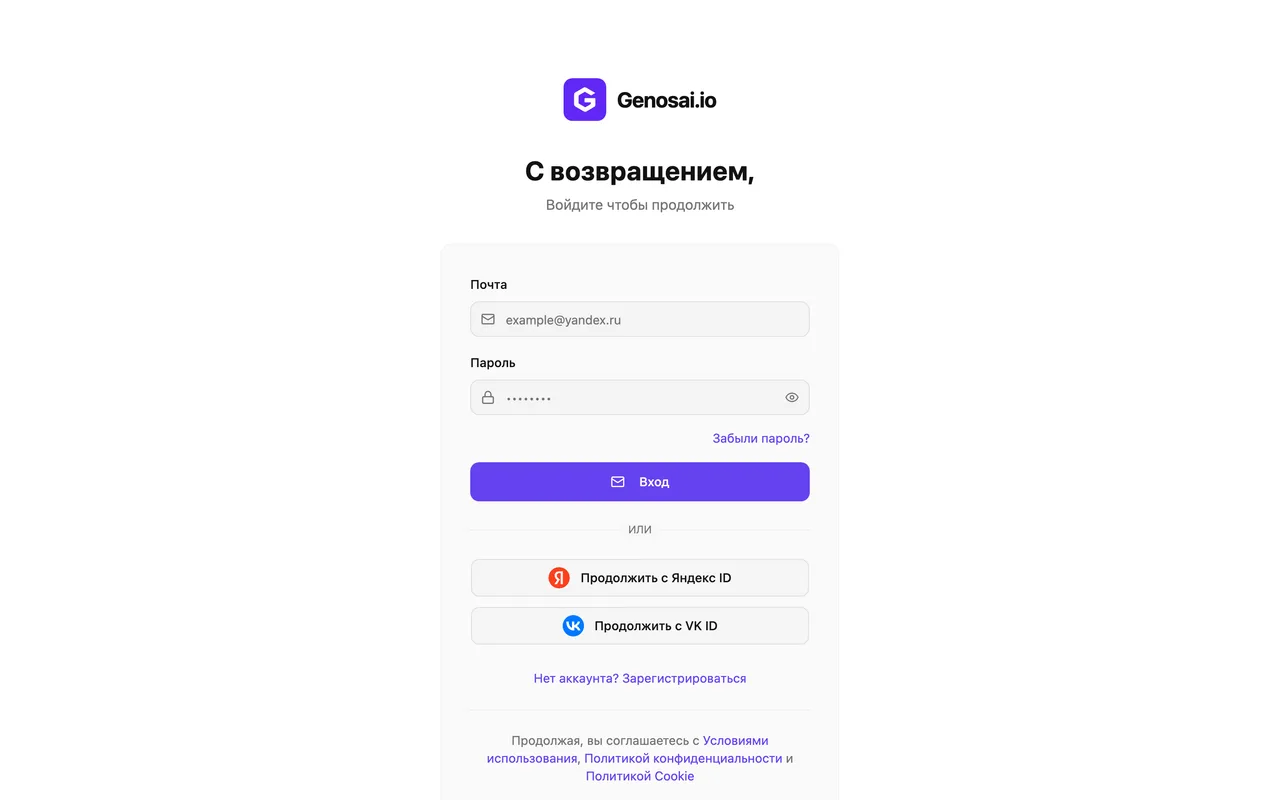
1. Step 1. Create your account
Open the Genosai site and press the sign in button. Registration takes about a minute with an email and a password. New accounts receive trial credits, so you can build your first product card without paying anything.
2. Step 2. Check your credit balance
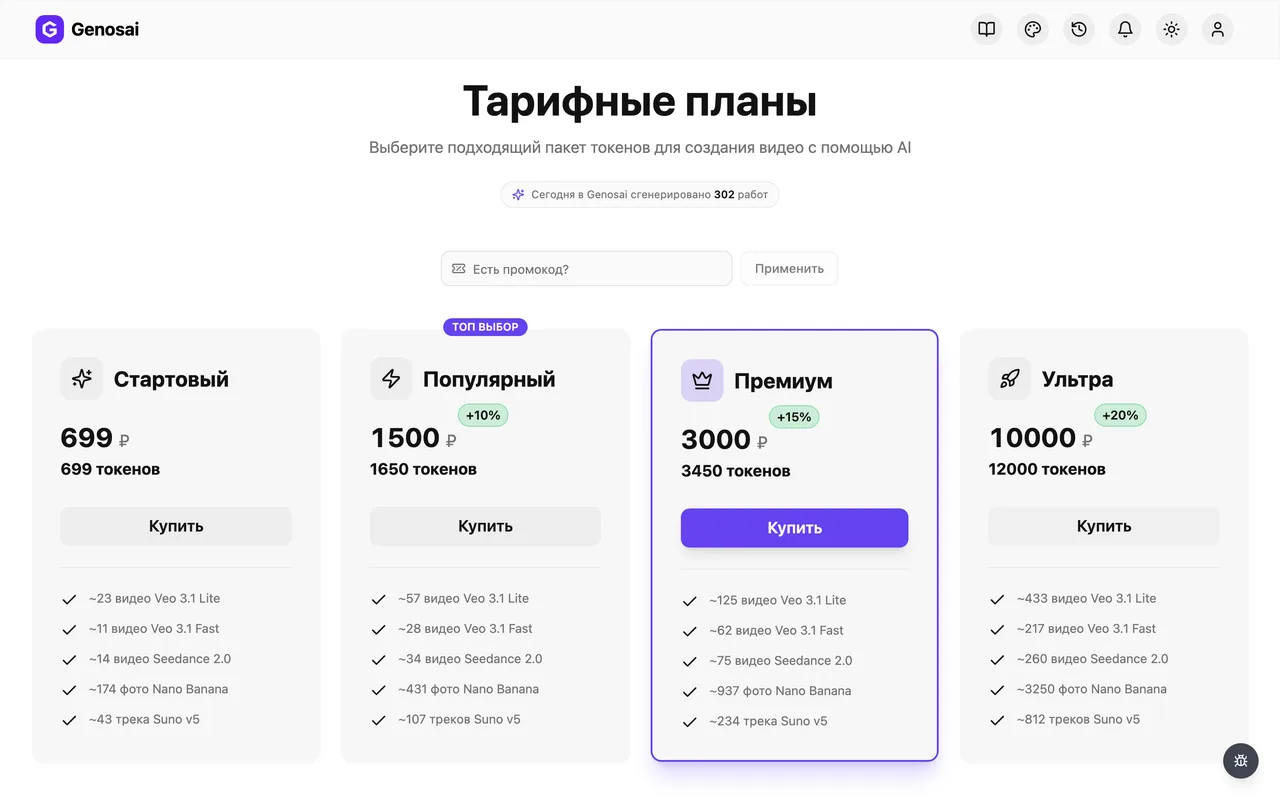
Credits are the internal currency of the service. Your balance sits at the top of the screen next to the top up button. Look at it before you start so nothing interrupts you later. Chatting spends very little, images are the real cost.
If trial credits are not enough for every slide, the estimate will say so plainly.
3. Step 3. Open the studio
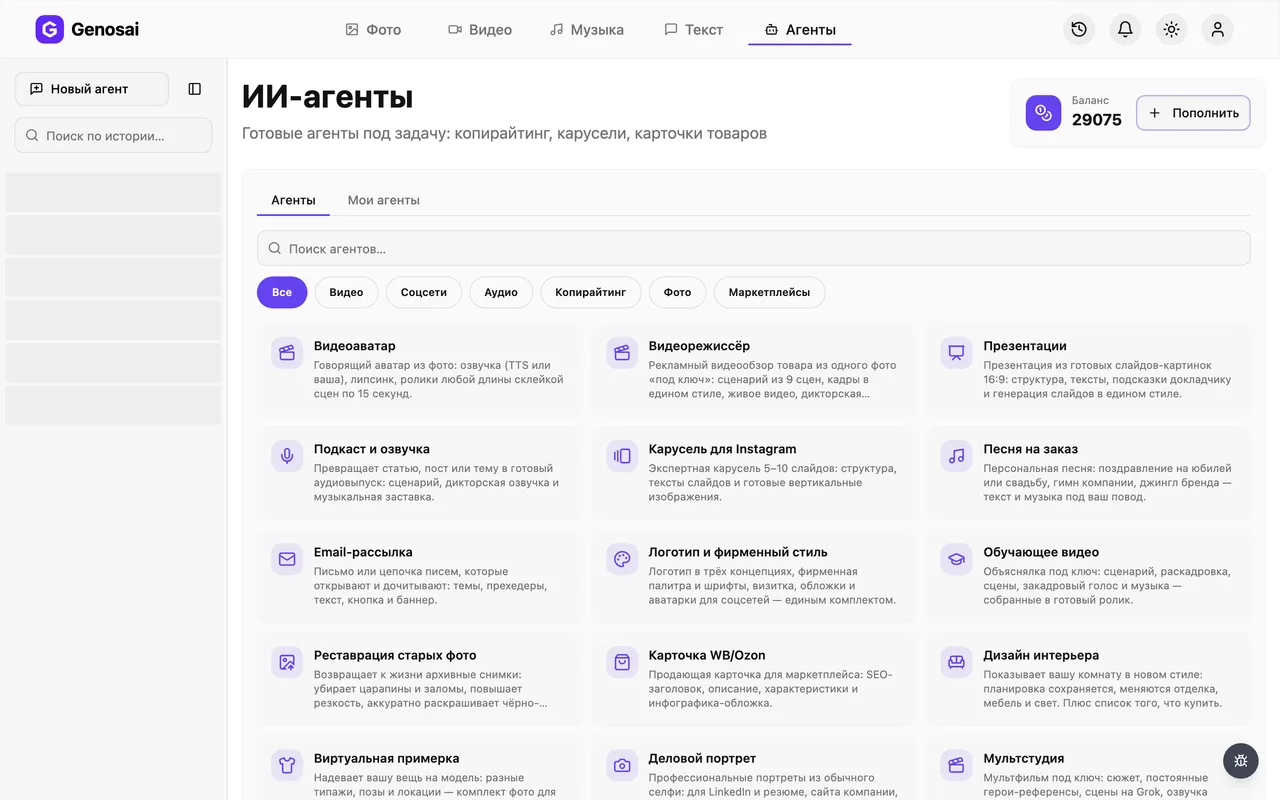
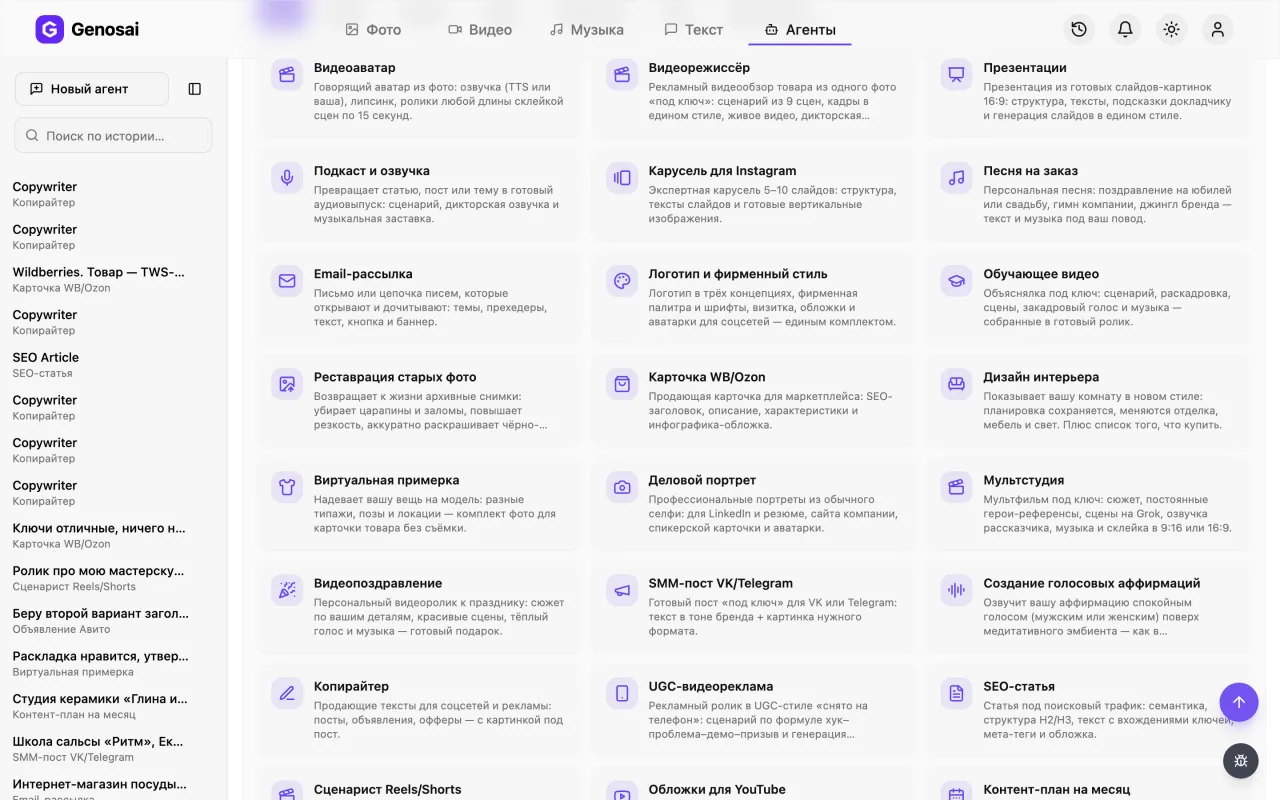
The studio is the main workspace. At the top you will find an Agents tab that holds ready made assistants, each built for one specific job. Click it to see the agents you have already used and a button to pick a new one.
4. Step 4. Find the right assistant
The gallery has a search box and category filters. Type the word card or open the E-commerce category. Click the card with the shopping basket icon and a chat window opens.
5. Step 5. Read the greeting
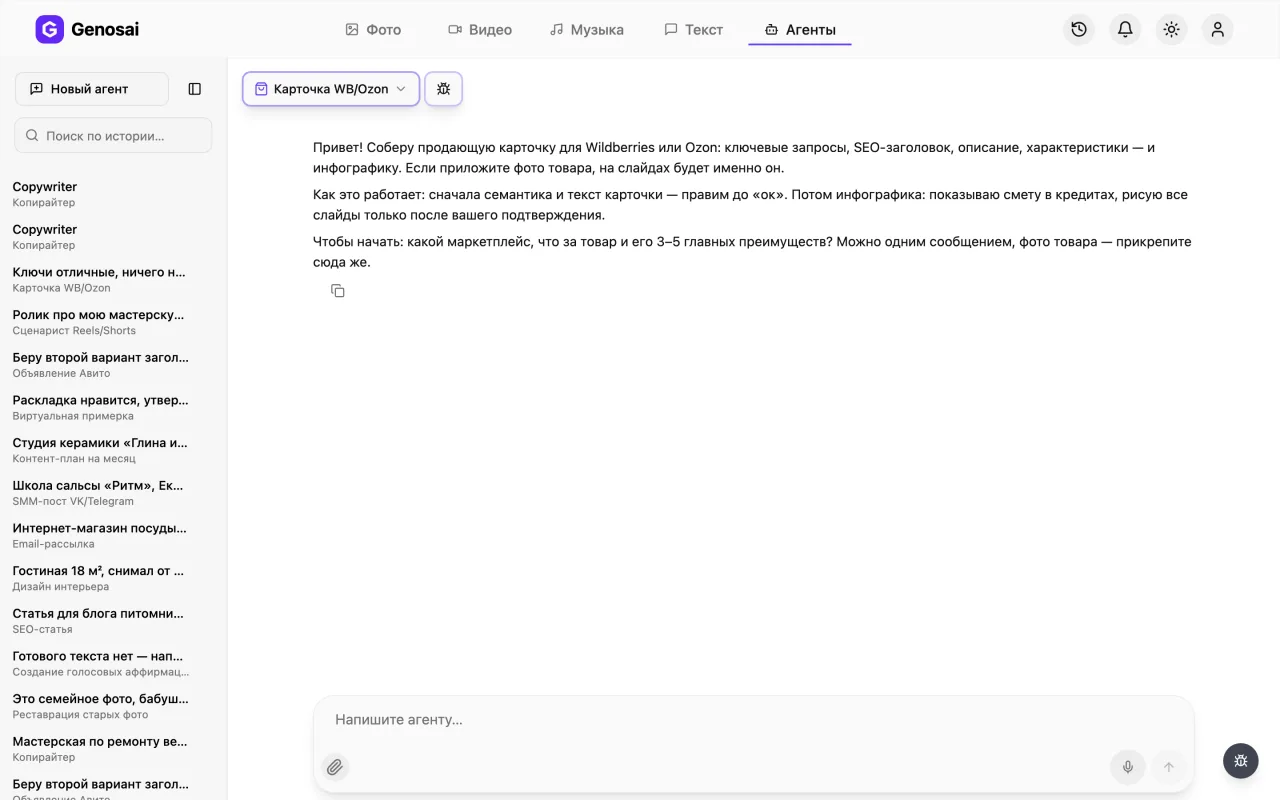
The agent speaks first and explains how the work will go. It asks which marketplace you sell on, what the product is and what its main strengths are. You answer in plain words, exactly as you would message a colleague.
6. Step 6. Describe the product
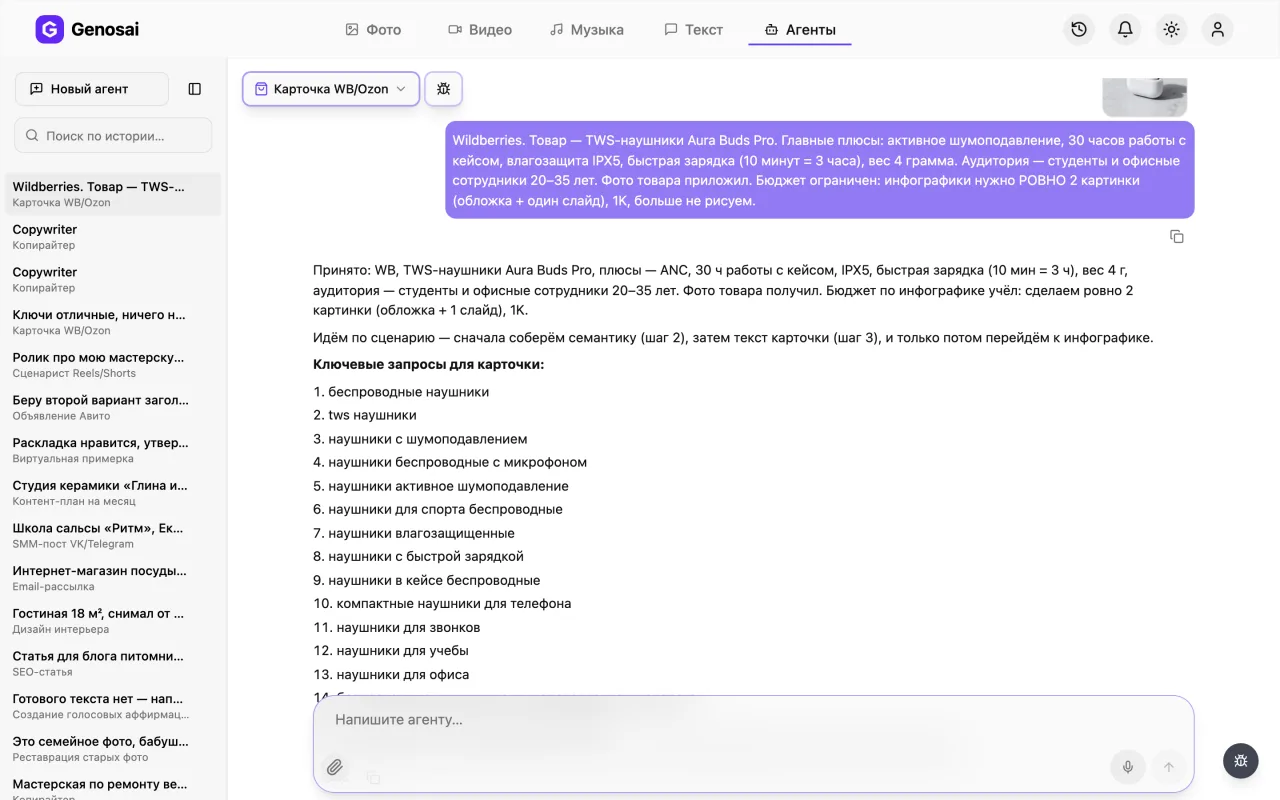
In one message give the marketplace, the product name, what it is for, three to five strong points and who buys it. The more specific you are, the better the keywords. The agent then shows a keyword list and, once you approve it, the full card text.
Do not write face cream. Write moisturising cream for dry skin, 50 ml, fragrance free.
7. Step 7. Attach a product photo
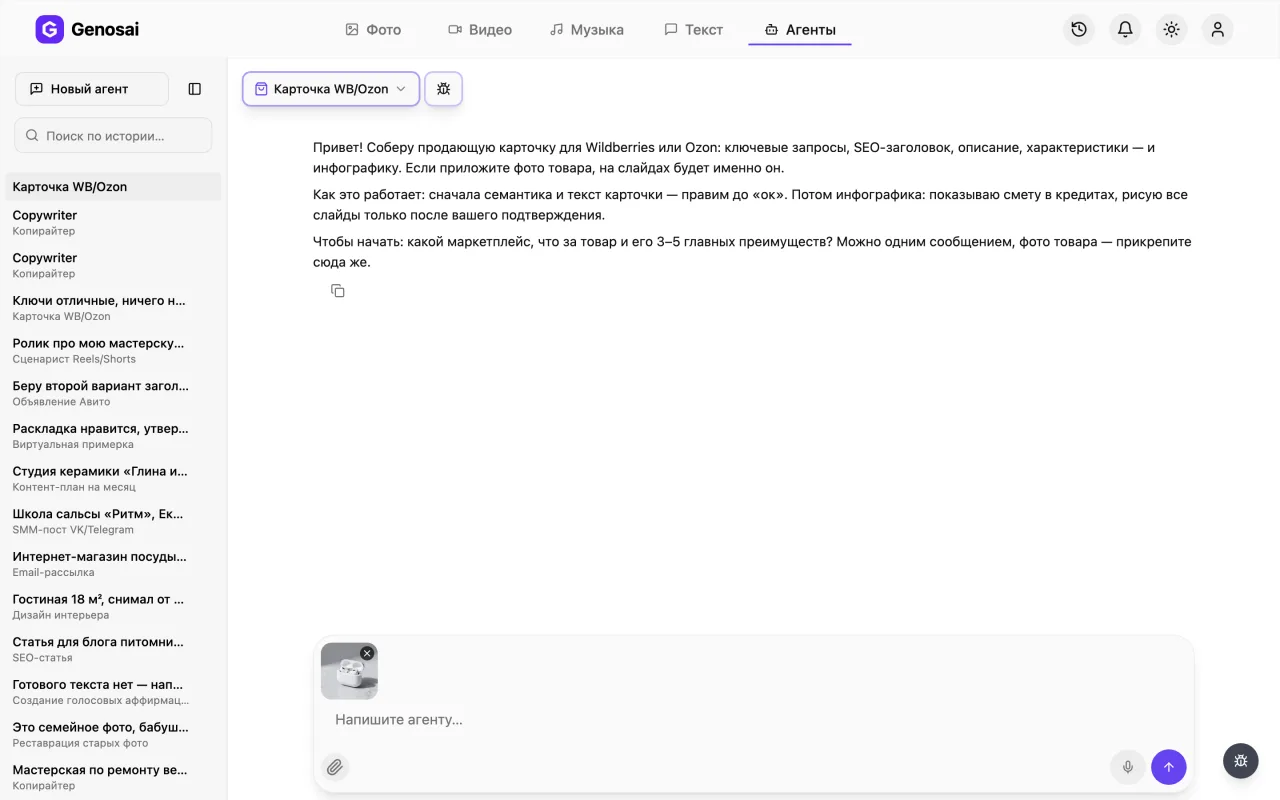
Press the paperclip next to the message box and pick a photo from your phone or computer. An ordinary shot on a light background works fine. The agent uses it as the base for the slides so your real packaging and logo appear on them.
Without a photo the images still work, but the product on them will be generic.
8. Step 8. Confirm the estimate
Once the text is approved the agent offers to draw the cover and the slides. Before starting it shows an estimate card with the number of images, the quality and the cost in credits. Nothing is charged until you press the confirm button.
If the total feels high, ask for fewer slides and the agent will rebuild the estimate.
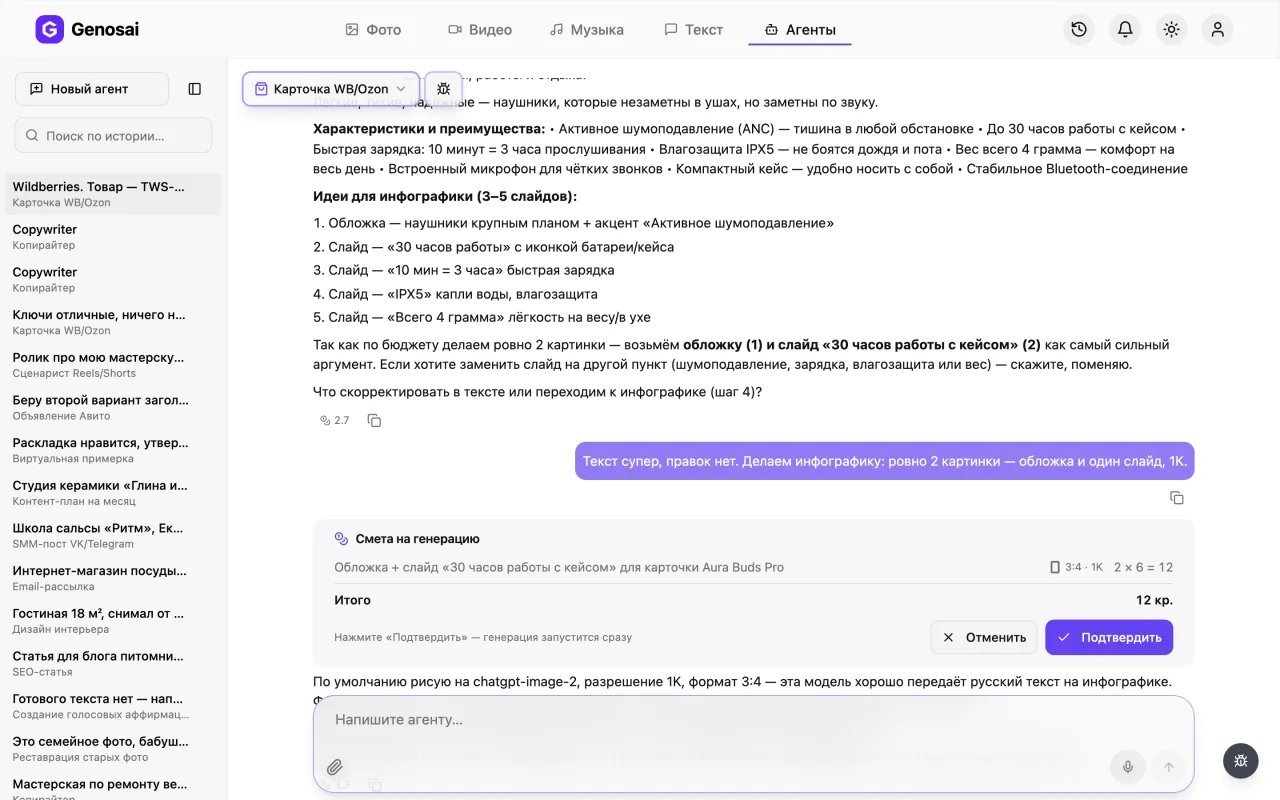
9. Step 9. Wait for the render
After confirmation the generation starts and tiles labelled Generating appear in the chat, each turning into a slide as it finishes. It usually takes a few minutes. You can close the tab and come back later, the job keeps running.
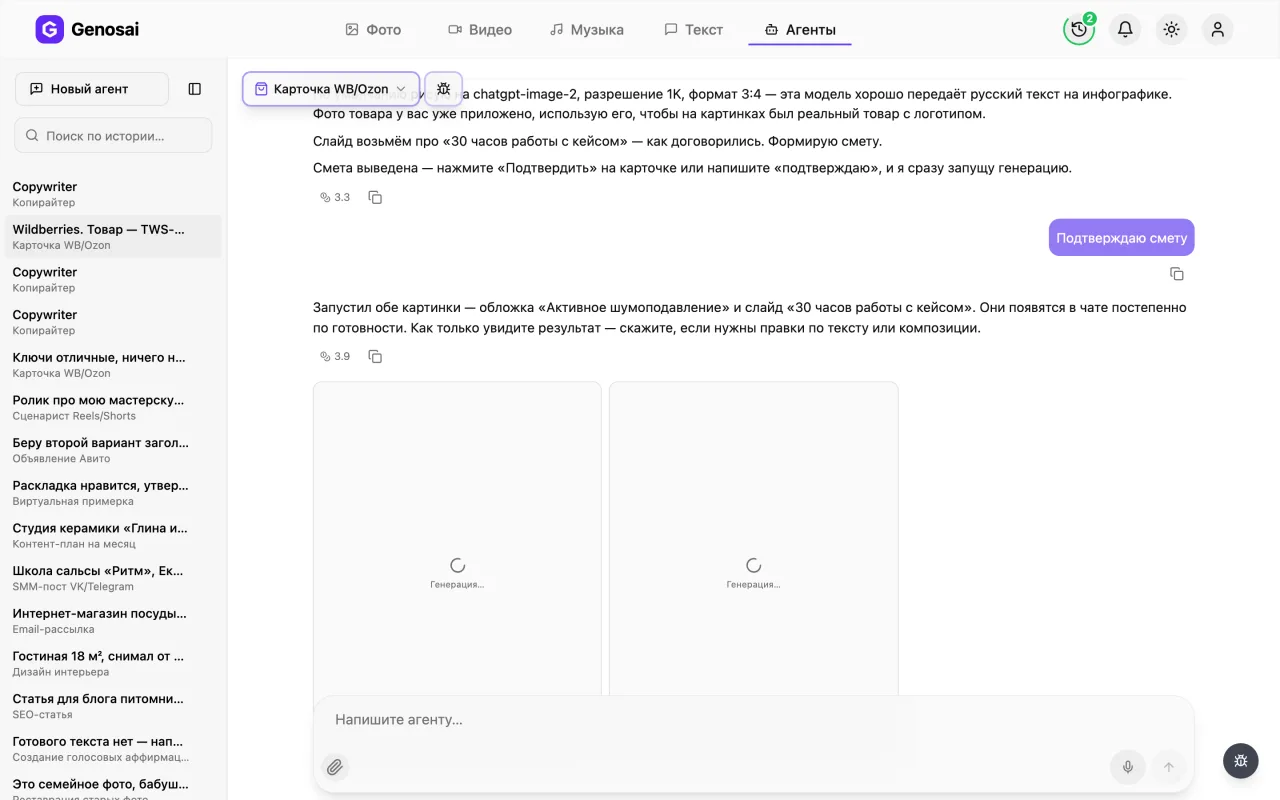
10. Step 10. Collect the result
Finished images arrive in the chat as separate tiles. Click the one you need to open it full screen, where a download icon saves the file. Copy the card text from the messages above. All that is left is uploading everything to your Wildberries or Ozon seller account.
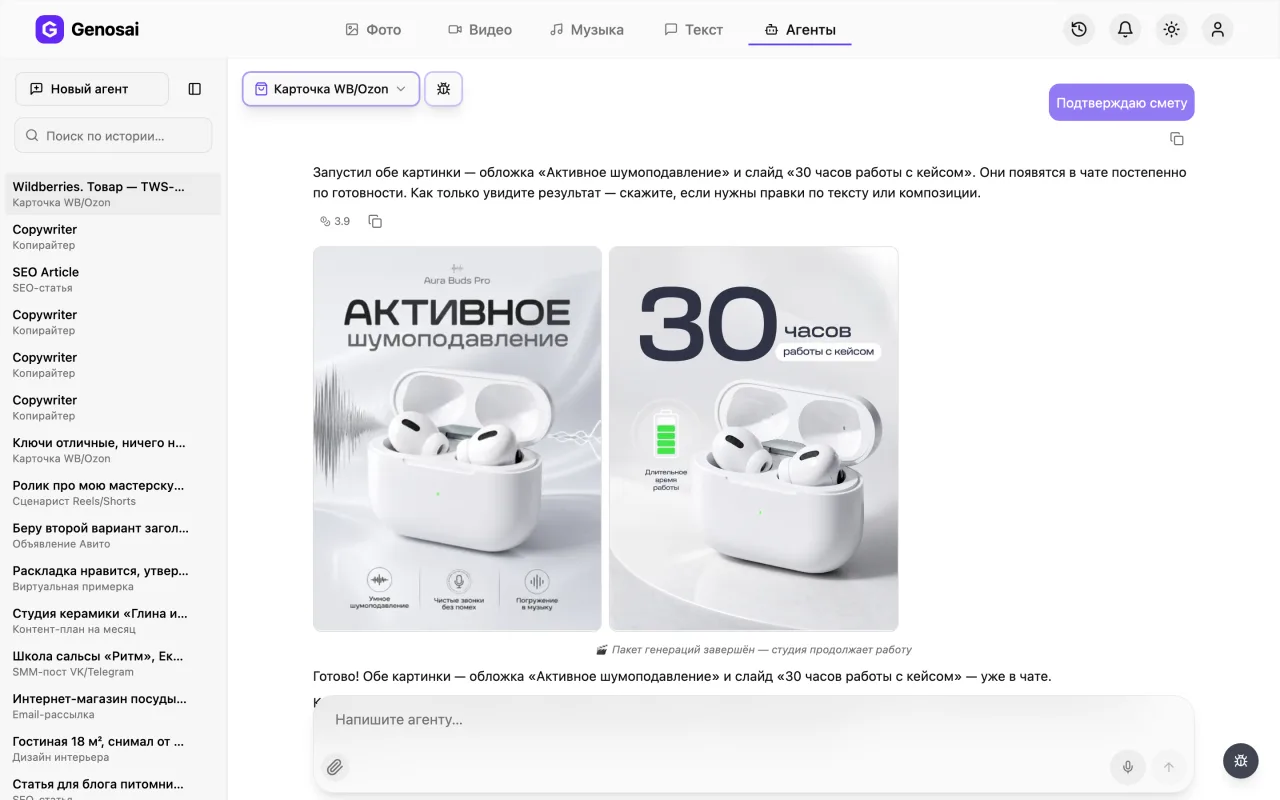
What this agent does
The agent assembles a complete marketplace listing and follows a strict order, never skipping ahead. First it collects the search phrases buyers use to look for a product like yours. Then it writes a title that fits the character limit of your platform and a description of roughly a thousand characters. After that come the bullet points and a set of ideas for the infographic slides. Only at the very end, once the copy satisfies you, does it move on to drawing the cover and the funnel slides.
That order is deliberate. Infographics built before the copy exists tend to look pretty and sell nothing, because nobody decided yet which benefits deserve to be on the picture. So the agent will not let you order image generation until the description is written and approved.
One detail matters more than anything else here. You attach a product photo directly in the chat with the paperclip, and the agent uses it as the reference for the images. That is why the slides show your actual jar, box or shirt with its real logo instead of an abstract object of a similar shape. On Russian marketplaces this is usually what separates a card that converts from a card buyers scroll past.
Who it is for
Sellers who run their store alone and cannot pay a copywriter and a designer for every new item, especially when the catalogue keeps growing.
Newcomers who have never published on a marketplace and do not know what a product card consists of. The agent walks through each block and explains why it exists.
Small workshops and producers who make an excellent product, have decent phone photos and nobody on the team who can write sales copy.
Managers who refresh listings in batches. A single conversation takes fifteen minutes, so an evening is enough to rebuild a dozen positions.
What to prepare in advance
The list is short and you probably have all of it already.
The marketplace name. Wildberries and Ozon limit title length differently, so the agent needs to know who it is writing for.
A clear product name and purpose. Not a bag, but a womens faux leather shopper tote worn on the shoulder. Precision here drives the quality of the keywords.
Three to five advantages. Whatever separates you from the neighbours in the search results: material, volume, warranty, country of origin, absence of harmful ingredients.
A one sentence portrait of the buyer. Who purchases this and in what situation they use it.
At least one product photo. A phone shot on a light background is perfectly enough, studio photography is not required.
A walkthrough of the conversation
Below is a shortened but realistic exchange. The human lines come first, the agent replies follow.
You. Wildberries. I sell a moisturising face cream, 50 ml, for dry skin. Fragrance free, with hyaluronic acid, made in Russia. Buyers are women over thirty. Photo attached.
Agent. Got it, photo received. Here are fifteen search phrases for this kind of cream. High volume ones cover face cream, moisturising cream and cream with hyaluronic acid. Mid range ones cover cream for dry facial skin, fragrance free moisturiser and 50 ml face cream. Long tails cover cream for very dry skin in winter and moisturiser for skin after thirty. What should I remove or add?
You. All good, add something about sensitive skin.
Agent. Added three sensitive skin phrases. Now the card text. Title, fifty eight characters, built around the moisturising cream with hyaluronic acid phrase. The description below runs about a thousand characters with keywords woven into full sentences rather than listed. After it come the bullet points and five slide ideas. What should I change?
You. The description sounds too formal. Make it simpler, more like speech.
Agent. Rewritten in a lighter tone, meaning and keywords preserved. Please check.
You. Great. Let us draw the infographic.
Agent. By default I render at 1K quality in a vertical three by four format, which looks best in the marketplace feed. We need a cover plus four slides. Here is the estimate.
You. Confirmed.
Agent. Starting the render. It will take a couple of minutes and the slide tiles are already visible in the chat.
Notice two things. The agent never named a price in its own words, it showed an estimate card, and credits left the balance only after the button was pressed. And it refused to draw anything until you said the copy was fine.
What it costs
The agent has no fixed price. The cost depends on the amount of work, and the exact figure appears in the estimate before anything starts. It is driven by the number of slides and the image quality you choose.
As a rough guide, a full card usually costs about the same as four or five images: the cover plus three or four funnel slides. Higher quality raises the total, and ordering only the cover lowers it noticeably.
Chatting with the agent is billed separately and costs pennies. That is exactly why you should not hold back on edits. Discussion is nearly free, only image generation is paid work covered by the estimate.
The rule worth remembering is simple. Nothing is charged until you press the confirm button. An estimate is a proposal, not an invoice. You can ask for fewer slides, change the quality or skip the images entirely and walk away with just the text.
Common beginner mistakes
Describing the product too vaguely. Nobody can build decent keywords out of I sell a mug. Give the volume, the material and the occasion.
Demanding images immediately. The agent deliberately refuses until the copy exists, and it is right to do so, because slide ideas grow out of the described benefits.
A poor source photo. A dark shot on a carpet becomes a dark shot on a slide. Put the item near a window on a sheet of white paper and that is enough.
Silence instead of feedback. If the text feels wrong, say what exactly is wrong. Just make it better gives the agent almost nothing to work with.
A long winded approval. The estimate is confirmed by the button on the card or the single word confirm. A chatty sentence is intentionally not treated as consent so that credits are never spent by accident.
Why this beats writing it yourself
Speed. A copywriter needs a day for keywords and copy, a designer needs another day for the slides. The agent covers the same ground in fifteen minutes with you in the loop the whole time.
Completeness. It is easy to forget long tail phrases or the fact that Ozon allows a title three times longer. The agent knows the platform limits and refuses to break them.
Visual consistency. All slides are rendered in one batch with a shared style, so the funnel looks like a series instead of a random pile of pictures.
Cost. A freelance package of copy plus five images runs into real money for every single item. Here it costs the price of five images.
The final decision still belongs to you. Read the description before publishing, verify the specifications and make sure no numbers on the slides are wrong.
Which other agents pair well
A product rarely lives on marketplaces alone, so several neighbours are worth knowing.
If you also sell the same item on classified boards, use Avito Listing. Avito is the largest classifieds platform in Russia and needs a shorter, more conversational text than a marketplace card.
For clothing and accessories, Virtual Try-On shows the item on a person, and such frames work very well as the second or third slide.
To push the product beyond the marketplace, build an Instagram Carousel or a short clip scripted by the Reels Scriptwriter.
If you need longer copy for a store website or blog, the Copywriter will write it.
The rest of the line up lives in the catalogue, where all agents are grouped by category, from text to video.
FAQ
Do I need any AI experience
No. You answer the questions in plain language, like a normal chat. The agent handles every technical setting and always suggests a sensible default you can accept.
What if I have no product photo
The keywords and the card text are written without a photo. Slides are still drawn, but the product on them will be generic. One phone shot makes a large difference to sales.
How many slides should I order
A cover plus three or four funnel slides is the usual set. That is enough to show the main benefit, the composition or contents, the size and a real use case.
Can the text be rewritten if I dislike it
Yes, as many times as you want. Say what exactly feels wrong and the agent rewrites it. Messaging costs very little, only image generation is billed through the estimate.
Does one card fit both Wildberries and Ozon
Title limits differ, so the agent writes for the marketplace you named. Ask for a second version in the same chat and it will adapt the text for the other platform.
Am I charged if an image fails
No. Credits for failed items return to the confirmed estimate and the agent reruns only those images, without asking you to pay a second time.
Where do I find this conversation later
Every chat is stored in the history sidebar. Open it and you see the text and all generated images. You can continue from the same point weeks later.