ChatGPT Image 2 on Genosai — readable text and detail up to 4K
ChatGPT Image 2 is OpenAI's new image generation model, available in Genosai at resolution up to 4K. It renders readable text right on the picture with around 99% character accuracy and keeps a consistent look across references. In Genosai it runs online, with no OpenAI subscription or API setup.
Updated: August 10, 2026
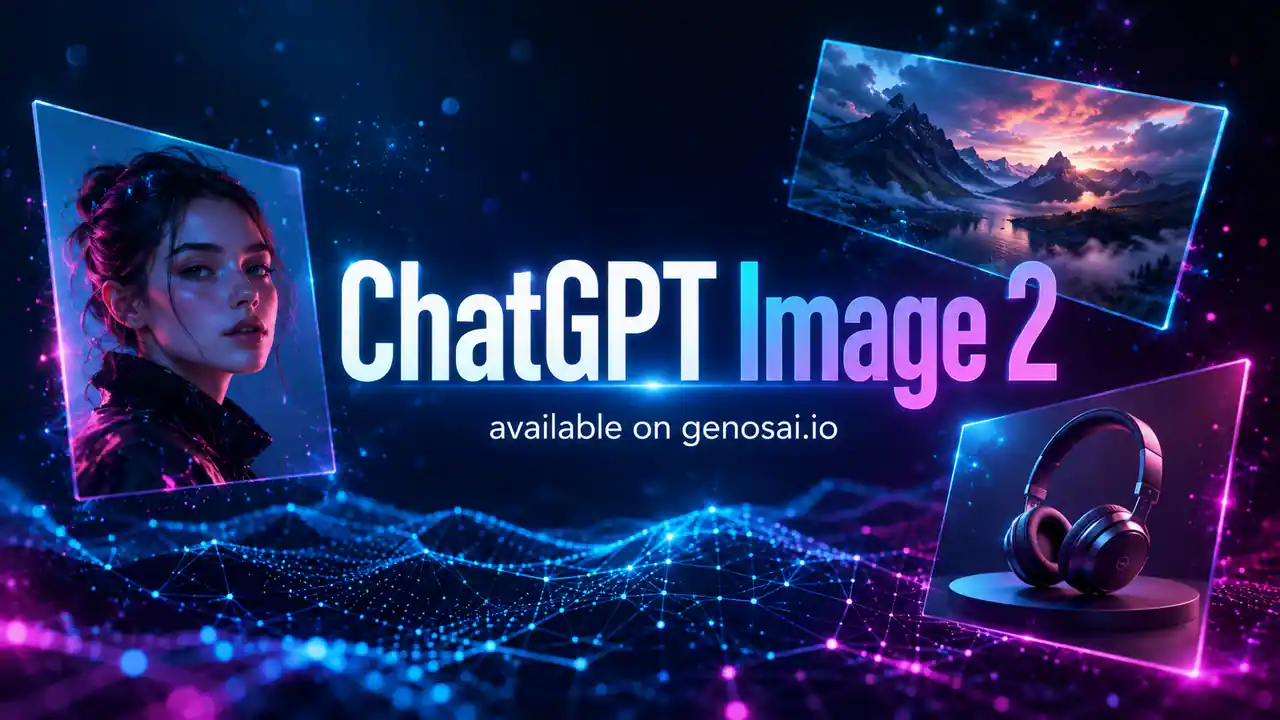
- On-image text at 99% — Posters, covers, packaging and menus come out with readable captions, no manual cleanup in an editor.
- Resolution up to 4K — Pick 1K, 2K or 4K for the job, from a tiny icon to a print layout with fine detail.
- References and consistency — Attach a few images and the model keeps the same face, style or object across shots.
- Multilingual text — Captions are not limited to Latin script: the model renders text in several writing systems.
- Flexible frame ratios — Square, vertical and wide ratios from 21:9 to 9:16 for social, banners and print.
Contents
- What is ChatGPT Image 2
- Capabilities
- Examples
- How to use on Genosai
- Prompts
- Generation cost
- How it compares
- Limitations and tips
- FAQ
What is ChatGPT Image 2
ChatGPT Image 2 is an image generation model from OpenAI, released in April 2026. It continues OpenAI's line of image models and replaces GPT Image 1.5, taking over as the main model for pictures with text and high resolution. In Genosai the model runs online, so you do not need an OpenAI account, API keys or your own infrastructure — generation happens right in the browser.
The key difference from earlier versions is accurate text placed directly on the image. According to the developer, captions come out at around 99% character-level accuracy, while previous models sat closer to 90–95%. In practice that means a poster, cover, package label or menu can often be produced in a single generation, without fixing letters by hand in a graphics editor.
The second important trait is an architecture with built-in reasoning: the model thinks through composition and content, and the image is assembled step by step, the way language builds text from tokens. This helps it follow a long description more precisely: if you list several objects, their placement and a caption style, the model lays it all out across the frame more reliably.
Who is ChatGPT Image 2 for first of all. It is marketers and social media managers who need banners and covers with text. It is designers and shop owners who care about product shots and package mockups. It is authors who need illustrations for articles and slides. With resolution up to 4K and reference support, the model is equally handy for quick feed pictures and for assets that go to print.
Capabilities
ChatGPT Image 2 covers most tasks a marketer, designer or content author runs into. Below is what the model does reliably in practice.
Text on the image
This is the model's headline capability. It renders readable captions, headlines and labels right in the frame, so it fits posters, covers, ad banners, packaging and menu mockups. Character-level accuracy of around 99% means words do not fall apart into random letters, as often happened with early generators. The model also handles text in writing systems beyond Latin script.
Photorealism and product shots
The model produces believable portraits, interiors and product frames: soft studio light, clean shadows, natural depth of field. For e-commerce this is convenient because a product can be shown on a clean background or in context without a real photo shoot.
Resolution and formats
You get 1K, 2K and 4K, plus a range of aspect ratios — from a 1:1 square to wide 21:9 and vertical 9:16. You match the format to the placement: a social preview, a wide site banner or a vertical for stories. High resolution matters most where the picture goes to print or onto a large screen.
Working with references
The model accepts reference images and follows them by style, object or character. This helps keep one look across a series of frames: for example, showing the same product in different scenes or reproducing a recognizable hero. Consistency across variations is noticeably higher than with early models, so a set of pictures is easier to assemble in a single key.
Following complex prompts
Thanks to the reasoning architecture, the model parses long descriptions with several requirements more carefully: how many objects, where they stand, what text and in which style it is captioned. That cuts the number of tries: instead of a dozen regenerations you more often get the right composition on the first or second attempt.
Examples
Below are real images generated by ChatGPT Image 2 in Genosai. Under each picture is the prompt it was made from.
!ChatGPT Image 2 — studio portrait, generated in Genosai
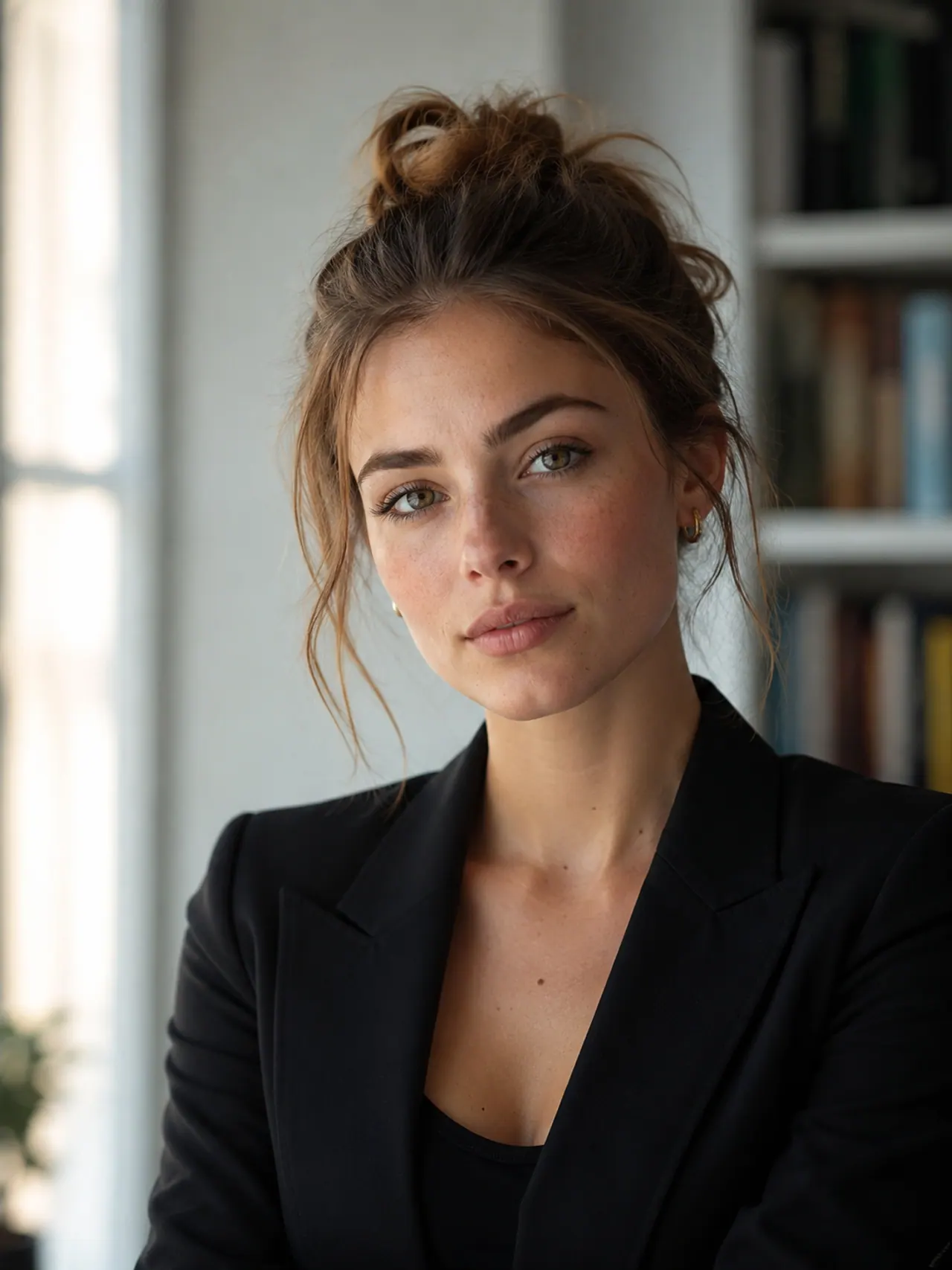
_Generated in Genosai.io with ChatGPT Image 2. Prompt: Professional studio portrait of a confident young woman, soft natural window light, shallow depth of field, photorealistic, detailed skin texture, editorial photography._
!ChatGPT Image 2 — product shot of earbuds, generated in Genosai
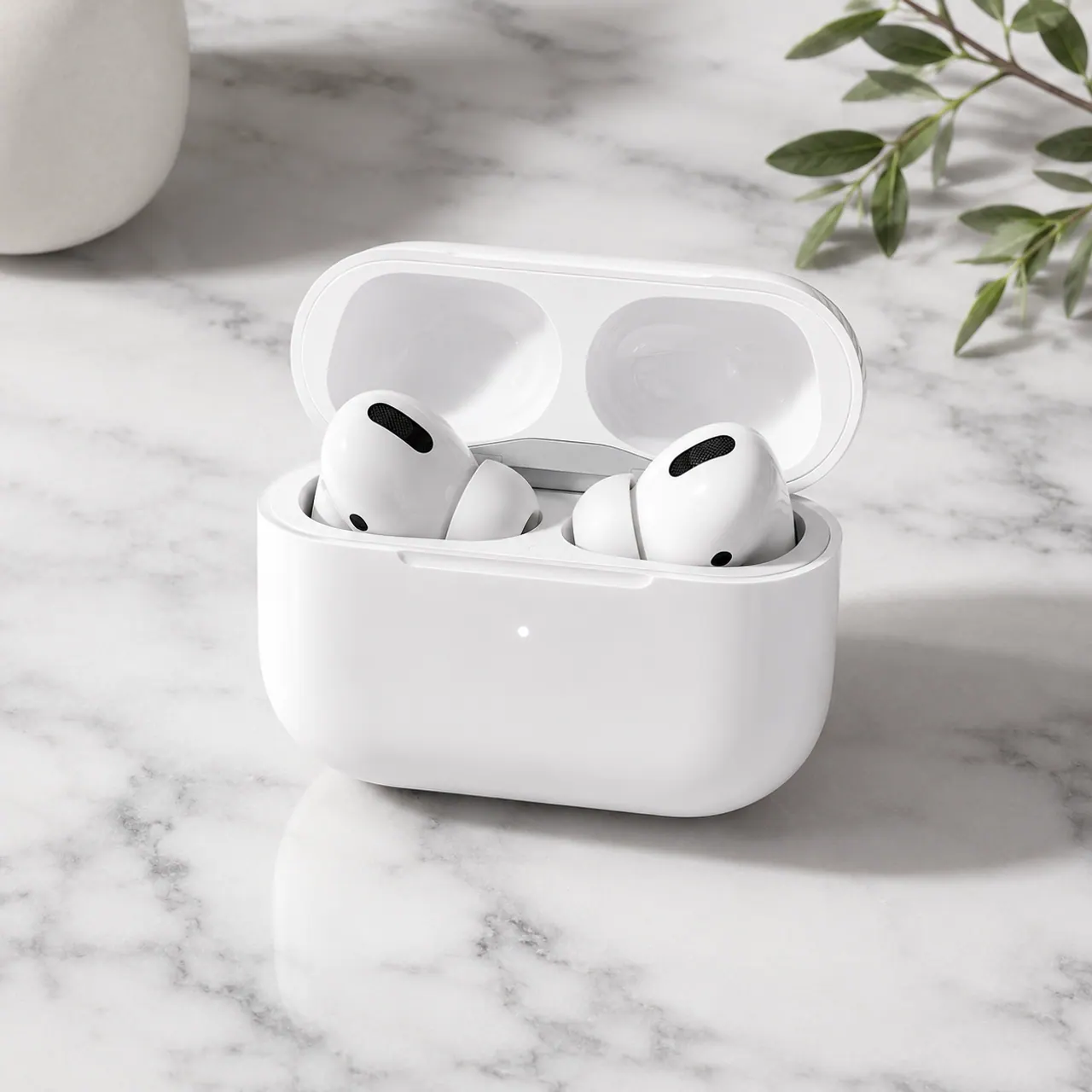
_Generated in Genosai.io with ChatGPT Image 2. Prompt: E-commerce product shot of premium white wireless earbuds in an open charging case on a light marble surface, soft studio lighting, crisp shadows, clean minimal background._
!ChatGPT Image 2 — coffee shop storefront with a sign, generated in Genosai
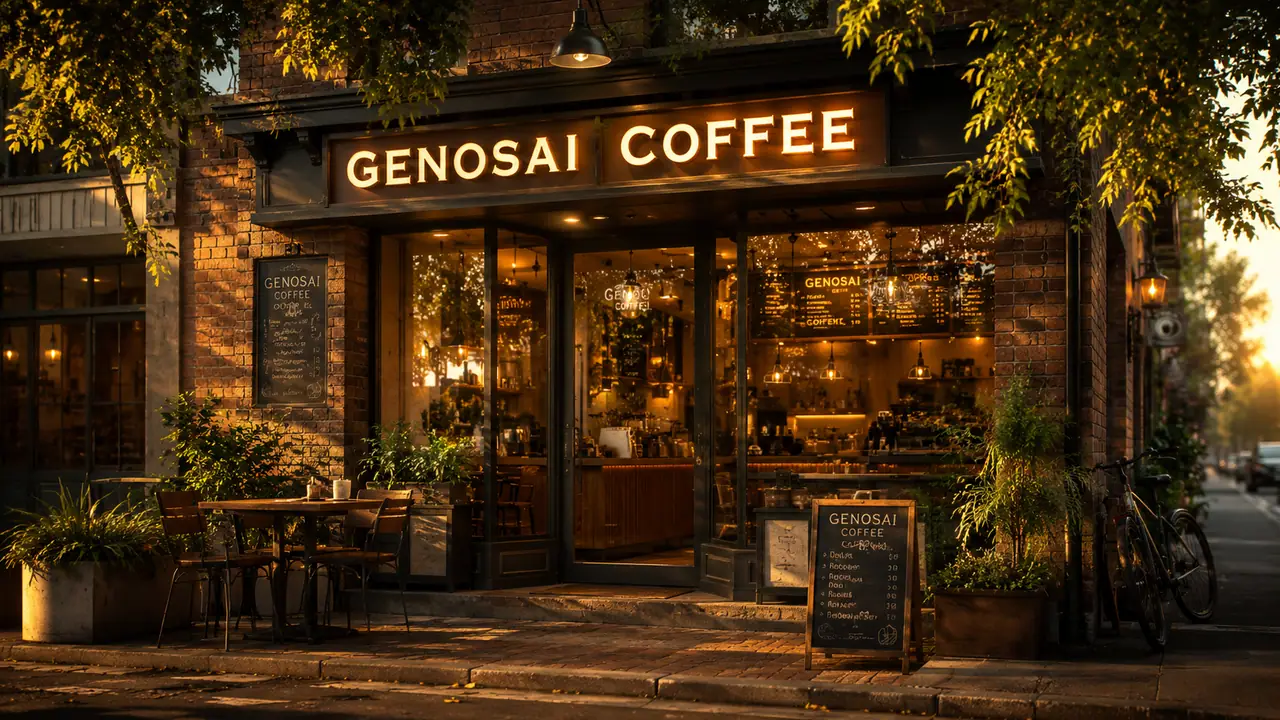
_Generated in Genosai.io with ChatGPT Image 2. Prompt: A cozy coffee shop storefront at golden hour with a glowing sign that reads GENOSAI COFFEE, warm cinematic light, photorealistic, ultra detailed._
The third example shows the model's key strength clearly: the sign text reads without distortion — exactly why ChatGPT Image 2 is chosen for layouts with text.
How to use on Genosai
Running ChatGPT Image 2 in Genosai needs no technical setup: everything happens in the browser, and the model is already connected. Below is the basic path from sign-in to a finished picture.
- Sign in to your Genosai account and open the photo studio.
- Pick ChatGPT Image 2 from the model list.
- Set the resolution (1K, 2K or 4K) and aspect ratio for your placement.
- If needed, attach references — a style, object or character to reproduce.
- Describe the frame in a prompt: subject, light, style and text if it belongs on the image.
- Send the request, then refine if you like — change the light, angle or caption.
Prompts
These templates show how to phrase tasks for ChatGPT Image 2. Replace the text in brackets with your own details and add notes on light, style and format — the more specific the prompt, the closer the result to what you had in mind.
Studio portrait of [subject], soft window light, shallow depth of field, photorealistic, detailed skin texture, editorial styleE-commerce product shot of [product] on a [surface], soft studio lighting, crisp shadows, clean minimal background, high detailPromo poster for [event] with a large readable headline "[text]", modern typography, high-contrast color scheme, 4:5 formatArticle cover about [topic], minimal illustration, lots of negative space, room for a headline on top, calm paletteInterior of a [room type] in [style], natural daylight, wide 16:9 frame, photorealistic renderPackage mockup for [product] with the name "[brand]" on the label, studio light, clean background, realistic materialsIllustration in the style of [reference], keep the character from the attached image, new scene: [subject]Generation cost
In Genosai ChatGPT Image 2 is priced by resolution — you pay per actual generation, so a light preview costs less than a 4K layout. The reference points are: 1K is 6 credits, 2K is 10 credits, 4K is 16 credits. You pick the resolution before launch, so spend is always predictable.
A practical approach is to run drafts and composition tests at 1K, then regenerate the final frame at 2K or 4K with the chosen prompt. Starter credits after sign-up let you try the model for free, and top-ups are available with local cards. Current rates and balance are in Pricing.
How it compares
ChatGPT Image 2 is a strong all-rounder with a focus on on-image text. If you need maximum photorealism and material detail, look at Flux 2 Pro. For quick pictures and conversational edits, Nano Banana Pro is handy, and for generation with sound and video context there is Grok Imagine. Another affordable option for stylized frames is Seedream 5 Lite.
| Model | Resolution | Price per frame | Strength |
|---|---|---|---|
| ChatGPT Image 2 | up to 4K | 6–16 credits | Accurate on-image text |
| Flux 2 Pro | up to 4MP | 5–7 credits | Photorealism and materials |
| Nano Banana Pro | up to 4K | 18–24 credits | Conversational edits |
| Grok Imagine | fixed | 4 credits | Speed and price |
All models are available in one Genosai interface, so you can compare them on your own task and pick the best fit for price and quality. A sensible tactic is to keep several models at hand: a cheaper one for a stream of drafts and a pricier one for final layouts. ChatGPT Image 2 wins most where the image must carry readable text: posters, covers, packaging and ad banners.
Limitations and tips
ChatGPT Image 2 is powerful but not all-knowing. Even with high text accuracy, long paragraphs or tiny fonts can still come out with typos — short, punchy captions are more reliable. So for a layout it is better to set exact text in quotes and not overload the frame with a dozen labels at once.
Another common trap is a prompt that is too vague. If you just write "a nice product photo", the model fills in the details for you and returns an average result. The more inputs you give — light, background, angle, style, format — the less randomness in the frame. A small time investment in the description almost always pays off in the quality of the very first generation.
For the best result, work iteratively: get a draft at 1K, pick the winning composition, and only then regenerate it at 2K or 4K. For a series of frames use references — that makes it easier to keep one style and reproduce a subject. And if you need maximum photorealism without text, compare the result with Flux 2 Pro on the same task and pick the model for each specific frame.
FAQ
What is ChatGPT Image 2 and who built it?
ChatGPT Image 2 is an image generation model from OpenAI, released in April 2026. It succeeds GPT Image 1.5 with a focus on accurate on-image text and high resolution. In Genosai it is available online without a separate OpenAI subscription.
What resolution does ChatGPT Image 2 support?
The model generates images in 1K, 2K and 4K. For social and previews 1K is enough, while print and large layouts use 4K. In Genosai you pick the resolution before generating, and it sets the price.
How much does one ChatGPT Image 2 generation cost?
In Genosai the price depends on resolution: 1K costs 6 credits, 2K costs 10, 4K costs 16. You pay per actual generation, with no monthly subscription. Credits top up whenever you need them.
Can ChatGPT Image 2 write text on the image?
Yes, it is one of the model's strengths: character-level text accuracy is around 99%. That lets you make posters, covers, packaging and layouts with readable text without fixing letters in a graphics editor.
Do I need an OpenAI subscription to use ChatGPT Image 2?
No. Genosai gives access to ChatGPT Image 2 right in the browser, with no OpenAI account, API keys or setup. Just sign in to Genosai and pick the model in the photo studio.
Can I use my own reference images?
Yes. You upload reference images and the model follows them by style, object or character. This helps keep one look across a series of shots and reproduce a recognizable subject.