Seedream 5 Lite on Genosai — 2K images with prompt reasoning
Seedream 5 Lite is ByteDance's lightweight image generation model, available on Genosai. It renders pictures at 2K resolution, reasons over the prompt before generating, and accepts up to 14 references at once. On Genosai the model runs online, with no subscription and no API setup — one image costs about 5.5 credits.
Updated: August 10, 2026

- 2K resolution — Seedream 5 Lite generates images at native 2K — enough for posters, product cards and small-format printing.
- Prompt reasoning — The model analyzes materials, light and space before generating, so it follows complex descriptions more closely.
- Text rendering — Clean captions, including multi-line ones, in English and other languages — handy for posters and typography.
- Up to 14 references — A single generation can take up to 14 source images — for compositing, character fusion and style transfer.
- About 5.5 credits per frame — The lightweight tier of the Seedream 5 line — cheaper and faster than the full model while keeping quality.
Contents
- What is Seedream 5 Lite
- Capabilities
- Examples
- How to use on Genosai
- Prompts
- Generation cost
- Comparison
- Limitations and tips
- FAQ
What is Seedream 5 Lite
Seedream 5 Lite is ByteDance's lightweight image generation model, released in February 2026. It belongs to the Seedream 5.0 generation and takes the place of the light tier within it: cheaper and faster than the full model, but with the same key capabilities. Along the development line it is the successor to Seedream 4.0 and the interim 4.5 version.
On Genosai the model is available online: you do not need a developer account, API keys or your own infrastructure. You open the photo studio in the browser, describe the frame, and get an image at 2K resolution. The word Lite here means not a cut-down feature set but a compute-light variant: it is meant for a stream of tasks where price and speed matter.
The main thing that sets Seedream 5 Lite apart from earlier versions is prompt reasoning. Before generating, the model breaks down the description: which materials are involved, how the light falls, how objects are placed in space. This deep thinking step helps it follow complex, multi-part requests more accurately, where earlier models used to confuse details. It is the first feature of this kind in the Seedream line.
Who is Seedream 5 Lite best for first. Online store owners who need product and food shots without a photo session. Designers and marketers who assemble posters and layouts with text. Social media specialists who need a stream of visuals at a reasonable price. And anyone working with complex scenes of several objects: up to 14 references let you compose a consistent frame in a single generation.
Capabilities
Seedream 5 Lite covers a wide range of tasks — from product photography to posters with typography. Here is what the model does in practice.
Resolution and detail
The model generates natively at 2K. That resolution is enough for product cards, posters, covers and small-format printing. Detail holds across the whole frame, not only in the center, which matters for complex scenes with a background and several objects.
Prompt reasoning
Before generating, the model decomposes the description into parts: materials, lighting, spatial relations. Because of that Seedream 5 Lite follows long, multi-part prompts better — where objects must be placed correctly and the scene logic kept. It shows on requests like "product on a table by the window in morning light with a reflection on the surface".
Text and typography
Text rendering is traditionally a strength of the Seedream line. The model places captions neatly, including multi-line ones. That makes it handy for posters, ad layouts and covers where text is part of the composition rather than a caption on top of the picture.
Compositing from references
In a single generation Seedream 5 Lite accepts up to 14 source images. From them you can assemble a complex scene, merge characters, transfer style and keep a consistent look across a series. Separately there is example-based editing: you show a before-and-after pair, and the model applies the same transformation to a new image.
Examples
Below are real examples generated on Genosai with Seedream 5 Lite.
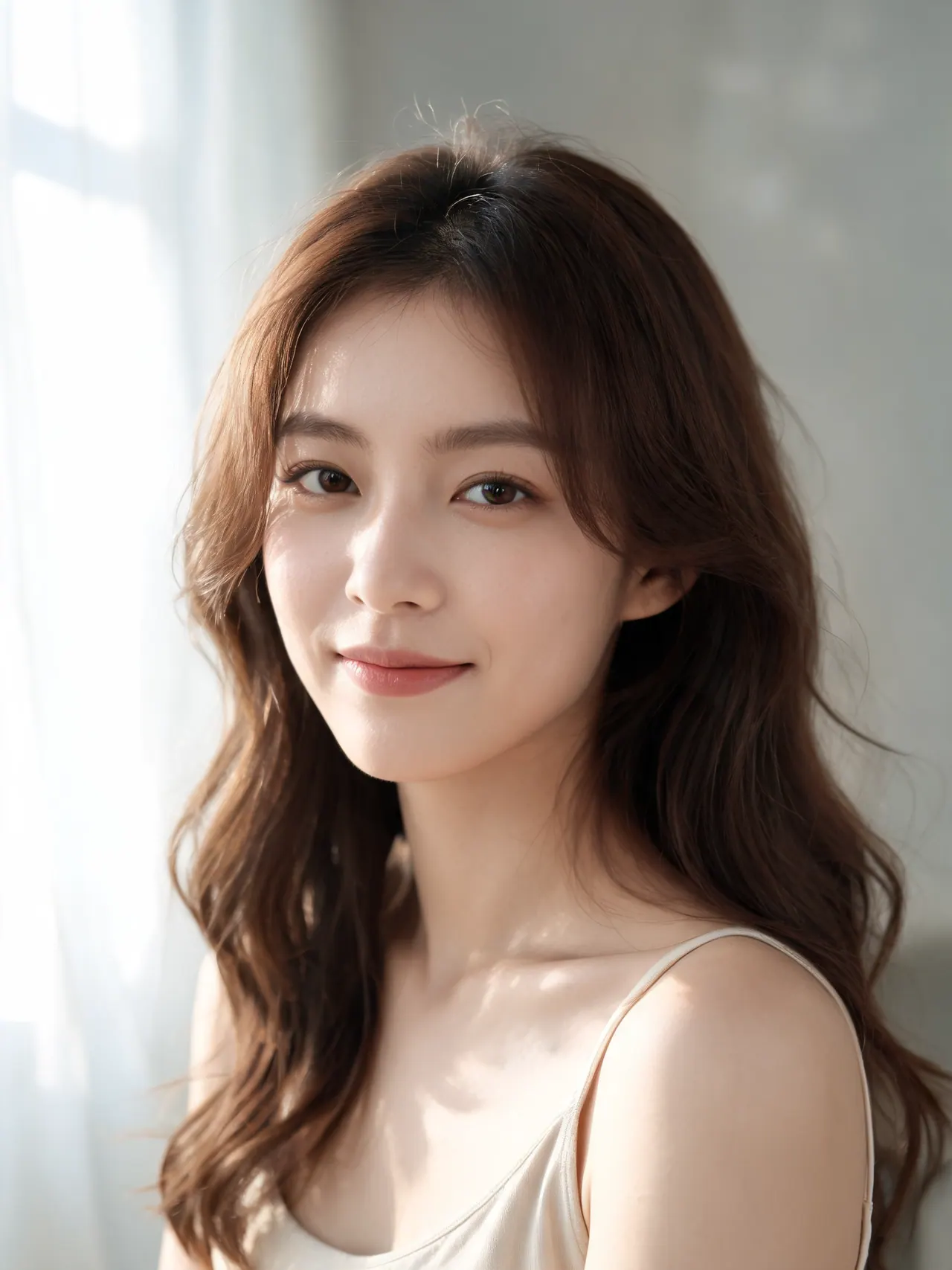
!Seedream 5 Lite — portrait _Generated on Genosai.io with Seedream 5 Lite. Prompt: Professional studio portrait of a confident young woman, soft natural window light, shallow depth of field, photorealistic, detailed skin texture, editorial photography._
!Seedream 5 Lite — product shot _Generated on Genosai.io with Seedream 5 Lite. Prompt: E-commerce product shot of premium white wireless earbuds in an open charging case on a light marble surface, soft studio lighting, crisp shadows, clean minimal background._

!Seedream 5 Lite — scene _Generated on Genosai.io with Seedream 5 Lite. Prompt: A cozy coffee shop storefront at golden hour with a glowing sign that reads GENOSAI COFFEE, warm cinematic light, photorealistic, ultra detailed._

How to use on Genosai
Launching Seedream 5 Lite on Genosai requires no setup: everything happens in the browser and the model is already connected. The basic path from an idea to a finished frame looks like this.
- Sign in to your Genosai account and open the photo studio.
- Pick Seedream 5 Lite in the model list.
- Describe the frame: object, materials, light, setting and text if you need it.
- If needed, upload references — up to 14 images for compositing.
- Set the aspect ratio and run the generation at 2K.
- Download the result or refine the prompt and regenerate.
Prompts
These templates show how to phrase tasks for Seedream 5 Lite. Replace the text in square brackets with your own data and add details on materials, light and composition — the model analyzes them before generating, so specificity pays off especially well.
Product shot: [product] on [background], studio light, soft reflections, detailed materials, 2K resolution.Food photography: [dish] close-up, natural window light, fresh textures, shallow depth of field.Poster for [event] with a multi-line headline [text], neat typography, contrasting composition.Scene: [object 1] and [object 2] on [surface] in [lighting], logical placement of items and shadows.Marketplace product card: [product] on a white background, even light, clean shadows, 1:1 format.Assemble a series from references: keep the character and style, change the setting to [new scene].Ad layout for [brand] with a logo and the slogan [text], premium light, balanced composition.Generation cost
On Genosai one Seedream 5 Lite image costs about 5.5 credits. As the lightweight tier of the Seedream 5 line, the model is cheaper and faster than the full version but keeps the key capabilities — prompt reasoning, 2K and compositing from references. You pay for actual generations, with no monthly subscription, so the spend is easy to plan for a stream of tasks.
Starter credits after sign-up let you try Seedream 5 Lite for free. Current packages and balance are in the Pricing section.
Comparison
Seedream 5 Lite is a strong choice for product photography, posters and complex scenes with text. If you need maximum photorealistic detail, look at Flux 2 Pro; for precise editing and multi-object edits, Nano Banana 2; versatile generation with editing is ChatGPT Image 2; and the most budget option in the catalog is the open Z-Image.
| Model | Strength | Price on Genosai |
|---|---|---|
| Seedream 5 Lite | 2K resolution, text, up to 14 references | ~5.5 credits |
| Flux 2 Pro | Photorealistic detail | from 5 credits |
| Nano Banana 2 | Editing and multi-object edits | from 8 credits |
| Z-Image | Minimal price, open model | 1 credit |
All models are available in one Genosai interface, so you can compare them on your own task and pick the best by price and quality. A practical approach is to keep a couple of models handy: a budget one for drafts and volume, and a more detailed one for final frames. Seedream 5 Lite works well as a main model for e-commerce and posters, where text and logical composition matter.
Limitations and tips
Seedream 5 Lite is a lightweight tier, so on raw realism and fine aesthetics the full model of the line can give a slightly cleaner result. The exact maximum resolution and speed differ across sources, and there are few official specs, so here we quote only what is confirmed: native 2K and up to 14 references. Rely on the actual result in the studio.
Another common trap is an under-described scene. The model reasons over the prompt, but it needs inputs: materials, light, object placement. If you just write "product on a background", you get an average frame. The more detailed the description, the stronger the deep thinking works and the more accurate the outcome. For text, put the caption itself in quotes and keep it sensibly short.
Work iteratively: get a frame, pick a close one and refine the prompt with short edits. For a series of frames, prepare clean references without extra clutter in advance — the model will hold the style and character more precisely. And for bulk drafts where maximum detail is not needed, switch to the cheaper Z-Image or Nano Banana 2 to save credits.
FAQ
What is Seedream 5 Lite and who built it?
Seedream 5 Lite is ByteDance's lightweight image generation model, released in February 2026. It is the Lite version of the Seedream 5.0 generation and the successor to Seedream 4.0. On Genosai it is available online with no separate subscription.
How much does a Seedream 5 Lite image cost on Genosai?
One image costs about 5.5 credits. You pay for actual generations, with no monthly subscription. Credits are topped up as needed, and current packages are in the Pricing section.
What does prompt reasoning in Seedream 5 Lite mean?
Before generating, the model breaks down the description: materials, lighting and spatial relations between objects. It is the first feature of this kind in the Seedream line. Thanks to it, the model follows complex, multi-part prompts more accurately.
At what resolution does Seedream 5 Lite generate?
The model works natively at 2K. That is enough for posters, product cards, covers and small-format printing. Exact pixels depend on the chosen aspect ratio.
Can Seedream 5 Lite render text on an image?
Yes. Text rendering is a strength of the Seedream line: the model places captions neatly, including multi-line ones. That is handy for posters, layouts and typography where text is part of the composition.
How many references can I pass in one generation?
Up to 14 source images per request. This lets you assemble a complex scene, merge characters, transfer style and keep a consistent look across a series. Few catalog models accept that many references.