Nano Banana 2: a new generation of image generation by Google
Nano Banana 2 is Google's image model powered by the Gemini 3.1 Flash Image engine, released on February 26, 2026. It generates at 2K by default, scales up to 4K, renders text on images more accurately and holds up to five characters in a frame. On Genosai.io pricing starts at 8 credits for 1K.
Updated: August 10, 2026
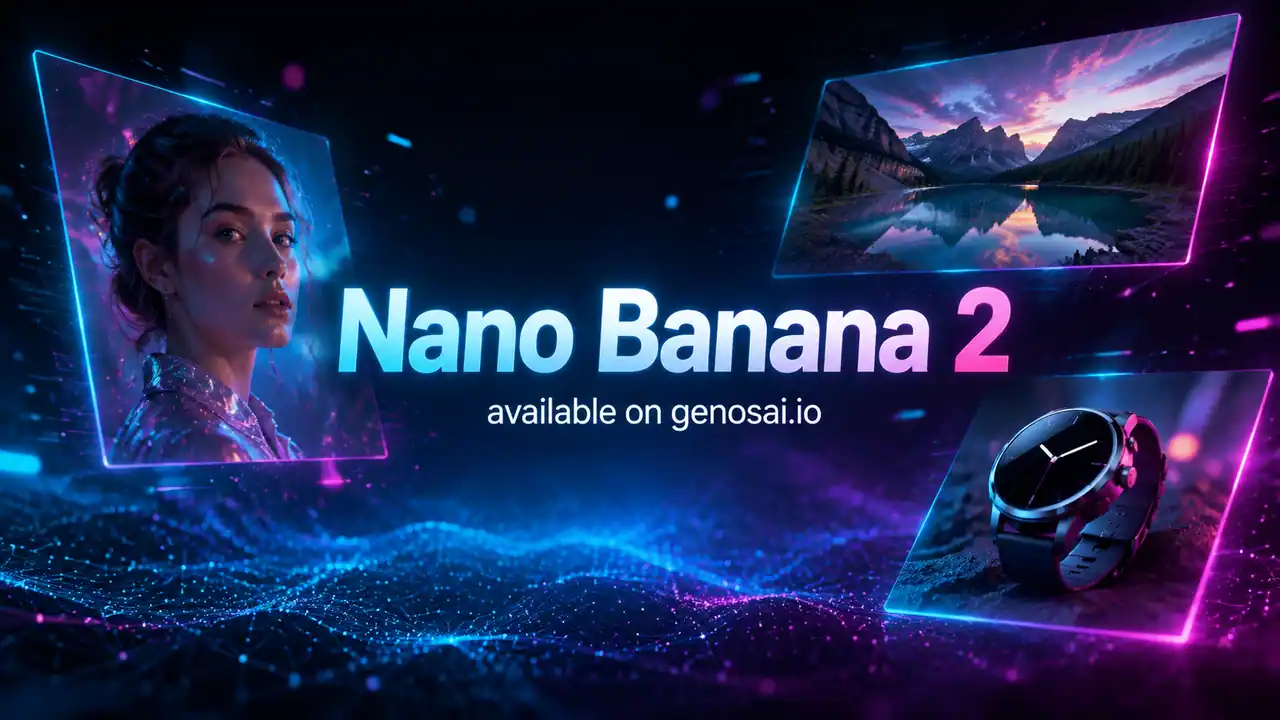
- Up to 4K resolution — Generates at 2K by default and scales to 4K, so frames work for both the web and large-format print.
- Accurate on-image text — Renders legible captions for mockups and cards, including multilingual and mixed-script layouts without distortion or typos.
- Up to five characters — Holds up to five characters and many objects in one scene while preserving their looks and details.
- Flash speed — Delivers near-flagship quality at Flash-line speed, so it suits high-volume content production.
- World knowledge — Relies on Gemini's expanded knowledge and understands the meaning of a scene, following complex prompt instructions more closely.
- Edit with words — Changes background, objects, light and composition from a text request while keeping the style and consistency of the frame.
Contents
- What is Nano Banana 2
- Capabilities
- Generation examples
- How to use on Genosai
- Prompts
- Generation cost
- How it compares
- Limitations and tips
- FAQ
What is Nano Banana 2
Nano Banana 2 is Google's next-generation image model. Under the hood it runs the Gemini 3.1 Flash Image engine, and it launched publicly on February 26, 2026. It builds on the idea of the base Nano Banana: fast, affordable photorealistic generation with editing by words, but at a noticeably higher quality level.
The big changes are resolution and text. Where the first generation worked at 1K, Nano Banana 2 generates at 2K by default and scales to 4K, and it renders on-image text precisely and legibly, including multilingual and mixed-script layouts. Google positions it as the "generalist workhorse" — a model that covers most tasks with no trade-off between speed and quality, and it became the default image model in the Gemini app.
In a single frame, Nano Banana 2 holds up to five characters and many objects while preserving their looks and details. Gemini's expanded knowledge helps it understand complex scenes and follow prompt instructions more closely. And it keeps the Flash line's high speed — you get near-flagship quality, only faster and cheaper.
On Genosai.io, Nano Banana 2 is built into the photo studio, and the price scales with resolution: 8 credits for 1K, 12 for 2K and 18 for 4K. Every image carries an invisible SynthID mark and the Content Credentials standard that record content provenance. If you need the maximum in text and studio control, look at Nano Banana Pro; if speed and price matter more, look at Nano Banana 2 Lite.
Capabilities
Nano Banana 2 is built as an everyday model: one generation covers a web image, a text mockup and a group scene alike. Here is where that shows most.
High resolution
The model generates at 2K by default and scales to 4K, supporting different aspect ratios down to small thumbnails from 512 pixels. That resolution headroom makes frames usable for both the web and large-format print without upscaling.
On-image text
Handling captions is one of the generation's headline upgrades. Nano Banana 2 renders legible text for mockups, cards, covers and thumbnails, handles multilingual and mixed-script layouts, and mixes up letters far less often. This opens up tasks where text is the meaningful center of the frame, not decoration.
Groups and consistency
The model holds up to five characters and many objects in one scene while keeping their looks from frame to frame. That is handy for group portraits, ad scenes and content series with recurring heroes and products.
Natural-language editing
Like the whole line, Nano Banana 2 edits an image from a text request: it changes the background, adds and removes objects, and adjusts light and composition. Higher resolution and better scene understanding make these edits cleaner and more predictable.
World knowledge and instruction-following
Gemini's expanded knowledge helps the model grasp the meaning of a scene and execute compound instructions more precisely: several objects, a set arrangement, a specific style and light. The more complex the prompt, the clearer the new generation's edge over the base version.
Generation examples
Below are real images generated by Nano Banana 2 on Genosai. Under each frame is the exact prompt.
!Nano Banana 2 portrait, generated on Genosai

_Generated on Genosai.io with Nano Banana 2. Prompt: Professional studio portrait of a confident young woman, soft natural window light, shallow depth of field, photorealistic, detailed skin texture, editorial photography._
!Nano Banana 2 product shot, generated on Genosai
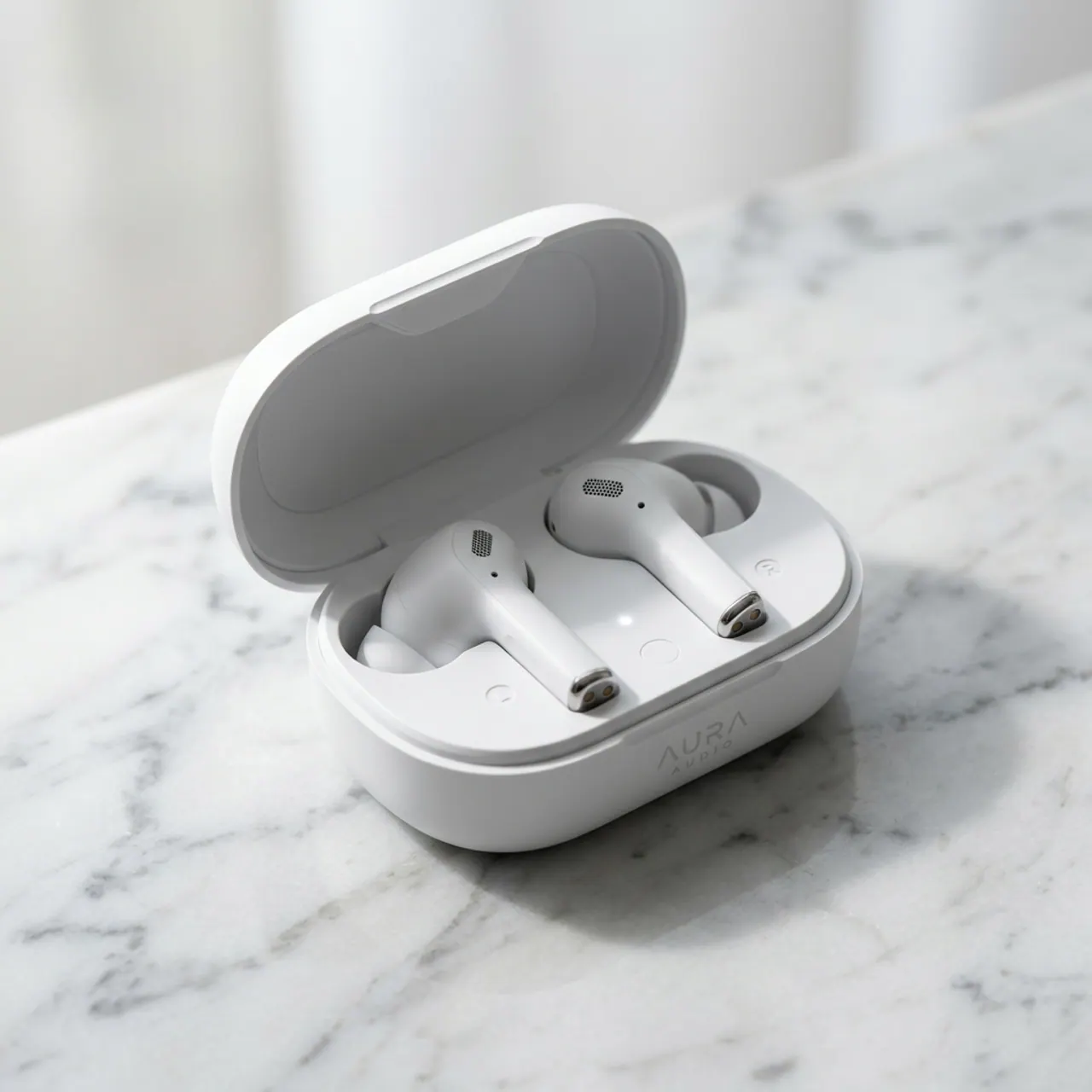
_Generated on Genosai.io with Nano Banana 2. Prompt: E-commerce product shot of premium white wireless earbuds in an open charging case on a light marble surface, soft studio lighting, crisp shadows, clean minimal background._
!Nano Banana 2 storefront scene, generated on Genosai
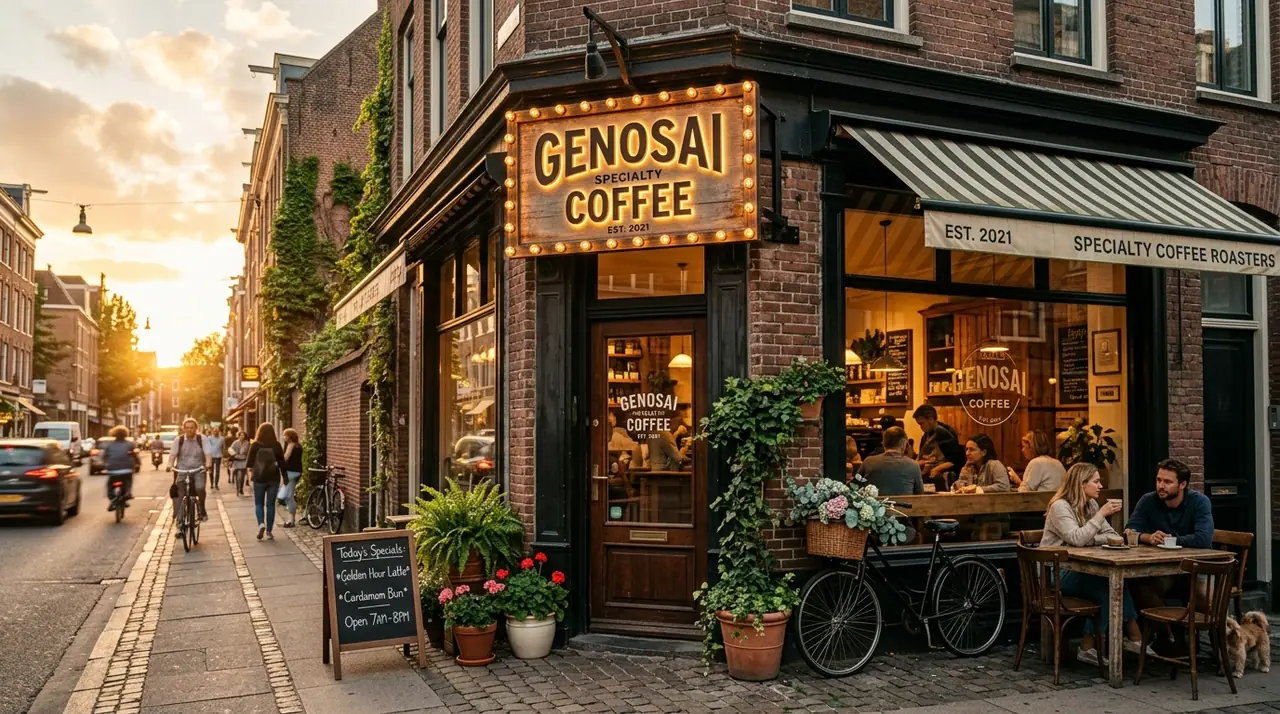
_Generated on Genosai.io with Nano Banana 2. Prompt: A cozy coffee shop storefront at golden hour with a glowing sign that reads GENOSAI COFFEE, warm cinematic light, photorealistic, ultra detailed._
Notice the legibility of the sign in the third frame — accurate text became a strength of this generation. The portrait shows clean skin rendering and soft light, while the product shot keeps tidy shadows and materials ready for a product card.
How to use on Genosai
Everything runs in the browser through the photo studio — nothing to install.
- Open the Genosai photo studio and sign in.
- Pick Nano Banana 2 from the model list.
- Describe the scene and set the resolution you want — 1K, 2K or 4K.
- If the frame has a caption, type its exact text in quotes right in the prompt.
- Attach references for an object, style or character if needed.
- Run the generation and refine the result with edits in the chat.
For text mockups, state the exact caption and its role in the composition. Choose resolution to fit the task: 1K for drafts and web, 2K as the sweet spot, 4K for print and large formats.
Prompts
Ready-made templates — drop your details in for the values in angle brackets.
Photorealistic 2K portrait: <who>, soft window light, detailed skin, editorial stylePoster with the caption "<text>": <scene>, tidy typography, large legible font4K product shot: <product> on <surface>, studio light, clean shadows, minimal backgroundGroup scene: <characters> in <location>, keep each face consistent, natural lightGreeting card with the text "<message>": <style and background>, legible multilingual captionChange the background and light of this photo: <new setting>, keep the subject and its detailsMerge references into one frame: <object> from the first, <style or background> from the second, 2KGeneration cost
On Genosai, Nano Banana 2 is priced by resolution — you pay for the quality you need and avoid overpaying when a web frame is enough. The rate is 8 credits for 1K, 12 credits for 2K and 18 credits for 4K. For everyday work 1K and 2K are usually enough, and 4K is worth taking for print and large formats.
Starter credits after sign-up let you try Nano Banana 2 for free, and top-ups work with local cards without a VPN. For current rates and your balance, see Pricing.
How it compares
Nano Banana 2 is the versatile default choice. Next to it in the catalog are the family flagship, a fast lightweight version and a strong rival — the choice depends on your priority.
| Model | Class | Strength | Price per shot |
|---|---|---|---|
| Nano Banana 2 | New generation | Balance of speed, 4K and text | from 8 credits |
| Nano Banana Pro | Flagship | Best text and studio control | from 18 credits |
| Nano Banana 2 Lite | Fast | Around 4-second speed | 4 credits |
| Flux 2 Pro | Rival | Detail and artistic style | from 5 credits |
If your work needs the maximum in text and studio light, take Nano Banana Pro. When speed and low price matter more, Nano Banana 2 Lite fits, and the most affordable way into the family is the base Nano Banana. Among strong rivals, compare Flux 2 Pro. For the full list, see the model catalog.
Limitations and tips
Nano Banana 2 is strong but not all-powerful. For the hardest long text, fine typography and studio control over light and camera, Nano Banana Pro is cleaner. And if a task is high-volume and does not need 2K, there is no need to pay for high resolution — Nano Banana 2 Lite handles it faster and cheaper.
Like any generative model, Nano Banana 2 can get small geometry, hands and symmetry wrong — check important details and regenerate if needed. Every image carries an invisible SynthID mark and Content Credentials recording provenance, which is worth noting in tasks with transparency requirements.
To get the most out of it, put the exact caption in quotes, set resolution to fit the task, and describe light and materials concretely. Build complex scenes in iterations: the overall frame first, then targeted edits by words. For series with recurring heroes, lock their look in the prompt.
FAQ
What is Nano Banana 2?
It is Google's image model powered by the Gemini 3.1 Flash Image engine, released on February 26, 2026. It generates at 2K by default, supports 4K and renders text on images more accurately. On Genosai pricing starts at 8 credits for 1K.
How is Nano Banana 2 better than the base Nano Banana?
Resolution rose from 1K to 2K by default with 4K access, on-image captions render more accurately, and the frame now holds up to five characters. All of this keeps the high Flash-line speed. It is a clear step forward in quality and detail.
How much does a Nano Banana 2 generation cost on Genosai?
The price depends on resolution: 8 credits for 1K, 12 for 2K and 18 for 4K. So you pay for the quality you need and avoid overpaying for high resolution when a web frame is enough.
Can Nano Banana 2 write text on an image?
Yes, and noticeably more accurately than the base version. It renders legible captions for mockups, cards and thumbnails and supports multilingual and mixed-script layouts. For the hardest long text, the flagship Nano Banana Pro is still cleaner.
How many characters does Nano Banana 2 hold in a frame?
The model holds up to five characters and many objects in one scene while preserving their looks and details. This is handy for group scenes, ad mockups and series with recurring heroes.
What is the difference between Nano Banana 2 and Nano Banana Pro?
Nano Banana 2 is the versatile workhorse balancing speed, price and quality. Nano Banana Pro is the flagship with stronger text, studio control over light and camera, and more reference images. Pro costs more but is more precise on hard tasks.