Nano Banana: image generation and editing by Google
Nano Banana is Google's base image model powered by the Gemini 2.5 Flash Image engine, released on August 26, 2025. It generates photorealistic pictures at up to 1K, edits them with plain language, and keeps one character consistent across scenes. On Genosai.io a shot costs a flat 4 credits.
Updated: August 10, 2026
- 1K photorealism — Generates detailed images at up to 1024 by 1024 pixels from a text description of the scene, light and style.
- Edit with words — Swaps backgrounds, removes or adds objects, fixes pose and color with no masks or layers — just describe the change in text.
- Consistent character — Keeps the same face or product across different angles and scenes, which is handy for series and brand assets.
- Reference fusion — Blends several source images into one frame, carrying a style, object or composition over from your references.
- World knowledge — Relies on Gemini's world knowledge, so it understands the meaning of a scene, not just the words in the prompt.
Contents
- What is Nano Banana
- Capabilities
- Generation examples
- How to use on Genosai
- Prompts
- Generation cost
- How it compares
- Limitations and tips
- FAQ
What is Nano Banana
Nano Banana is Google's base image-generation model. Under the hood it runs the Gemini 2.5 Flash Image engine, and it was unveiled publicly on August 26, 2025, becoming generally available in October of that year. "Nano Banana" is the nickname users adopted for it, and that name stuck across model catalogs.
The idea is simple: fast, affordable photorealistic image generation you can edit on the spot. You describe a scene in words, and the model returns an image at up to 1K, roughly 1024 by 1024 pixels. From there you refine the picture in a conversation: ask it to remove an object, swap the background or adjust the light without ever opening an image editor.
The key difference from later family members is generation and resolution. Nano Banana works at 1K and handles text on an image more simply. The next generation, Nano Banana 2, generates at 2K by default and renders captions more precisely, while the flagship Nano Banana Pro adds 4K plus studio control over light and camera. The base version stays the most affordable way into the family.
On Genosai.io, Nano Banana is built into the photo studio and costs a flat 4 credits per shot, no matter how long the prompt is. That price makes it handy for drafts, idea exploration and tasks where you need many variants in a row. Every image carries an invisible SynthID mark that flags the content as AI-generated.
Capabilities
Nano Banana covers the core visual-content loop: generate a frame from a description and refine it with edits. Here is where that pays off most.
Text-to-image generation
The model builds a scene from your prompt: it understands light, angle, materials and style. Describe what you need — a portrait in soft window light, a product shot on marble, a coffee-shop storefront at sunset — and get a finished image at up to 1K.
Natural-language editing
Its main strength is editing with words. You draw no masks and touch no layers: type "remove the extra item on the table" or "make the background lighter," and the model applies the change to the right part of the frame. This makes it easy to refine a picture in iterations without leaving the chat.
Consistent character and product
Nano Banana can hold the same face or the same product across different scenes and angles. That helps with post series, product cards and brand materials where the hero or the packaging must look the same from frame to frame.
Reference fusion
The model accepts several source images and merges them into one frame — carrying an object, a style or a composition from your references into a new scene. You can, for example, place your product in a new setting or assemble a collage from multiple sources.
World knowledge
Because it is built on Gemini, the model relies on world knowledge and grasps the meaning of a scene, not just the literal set of words. This helps it interpret prompts more accurately and fill in details you did not spell out but that logically belong in the scene.
Generation examples
Below are real images generated by Nano Banana on Genosai. Under each frame is the exact prompt that produced it.
!Nano Banana portrait, generated on Genosai
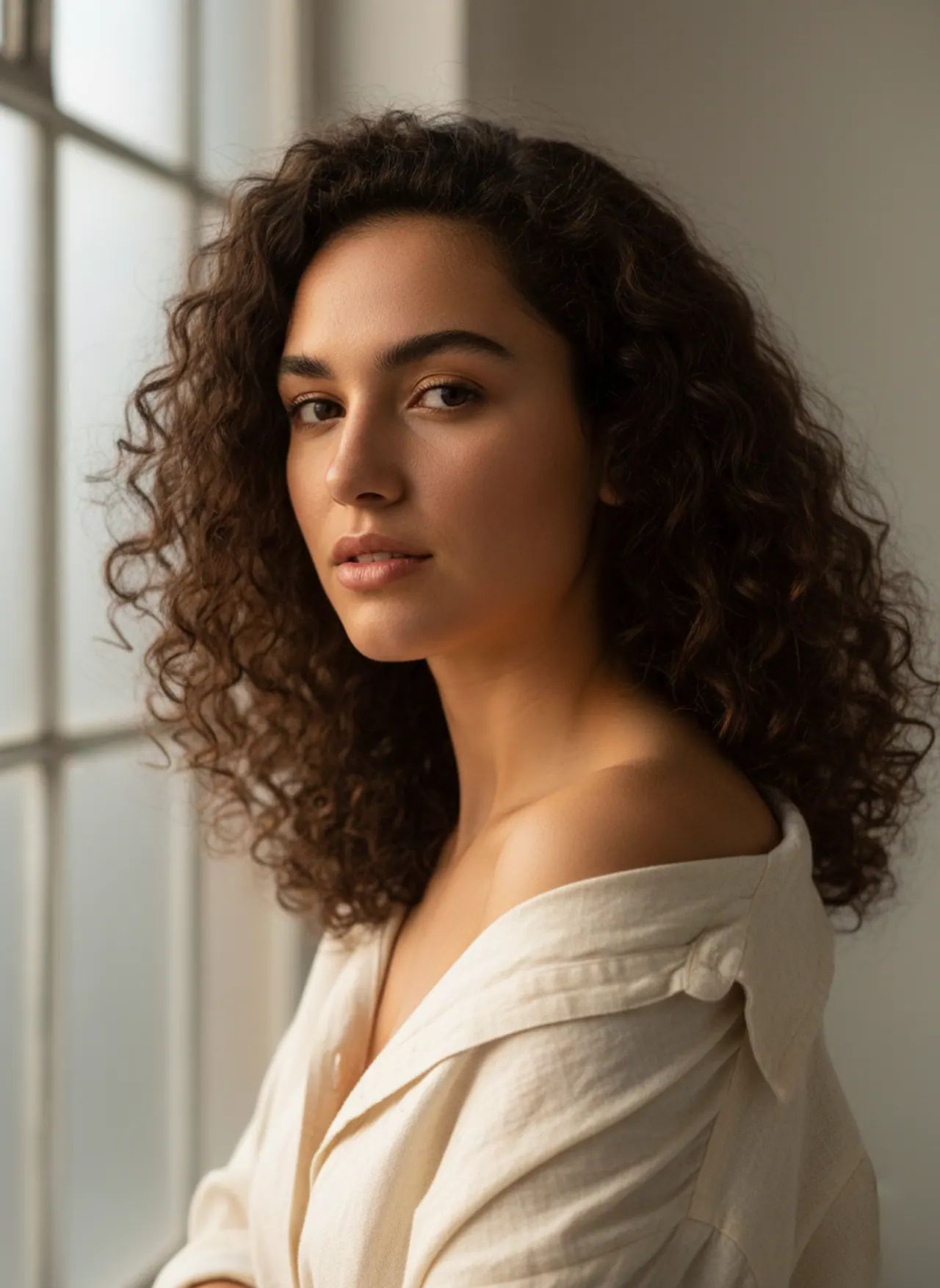
_Generated on Genosai.io with Nano Banana. Prompt: Professional studio portrait of a confident young woman, soft natural window light, shallow depth of field, photorealistic, detailed skin texture, editorial photography._
!Nano Banana product shot, generated on Genosai
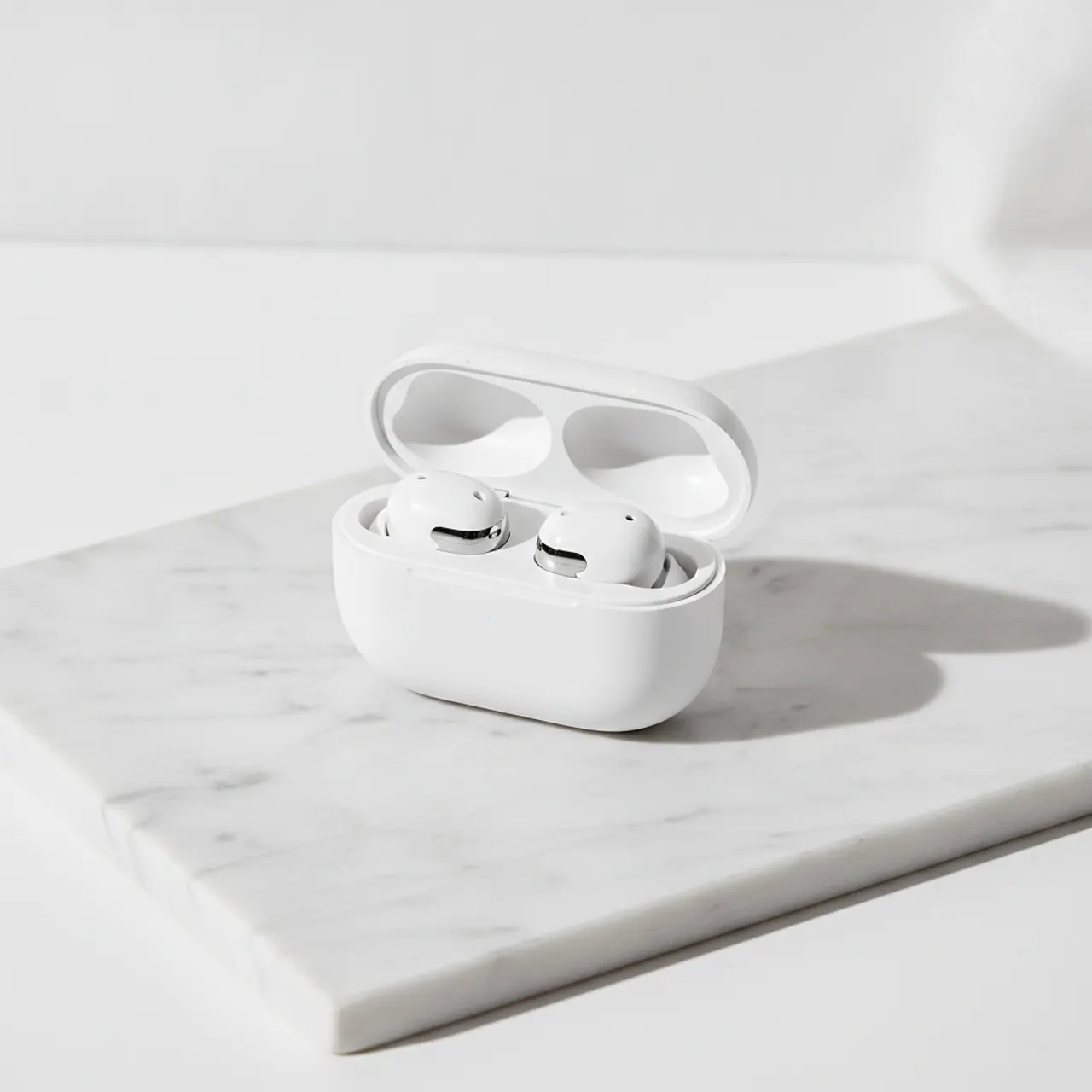
_Generated on Genosai.io with Nano Banana. Prompt: E-commerce product shot of premium white wireless earbuds in an open charging case on a light marble surface, soft studio lighting, crisp shadows, clean minimal background._
!Nano Banana storefront scene, generated on Genosai
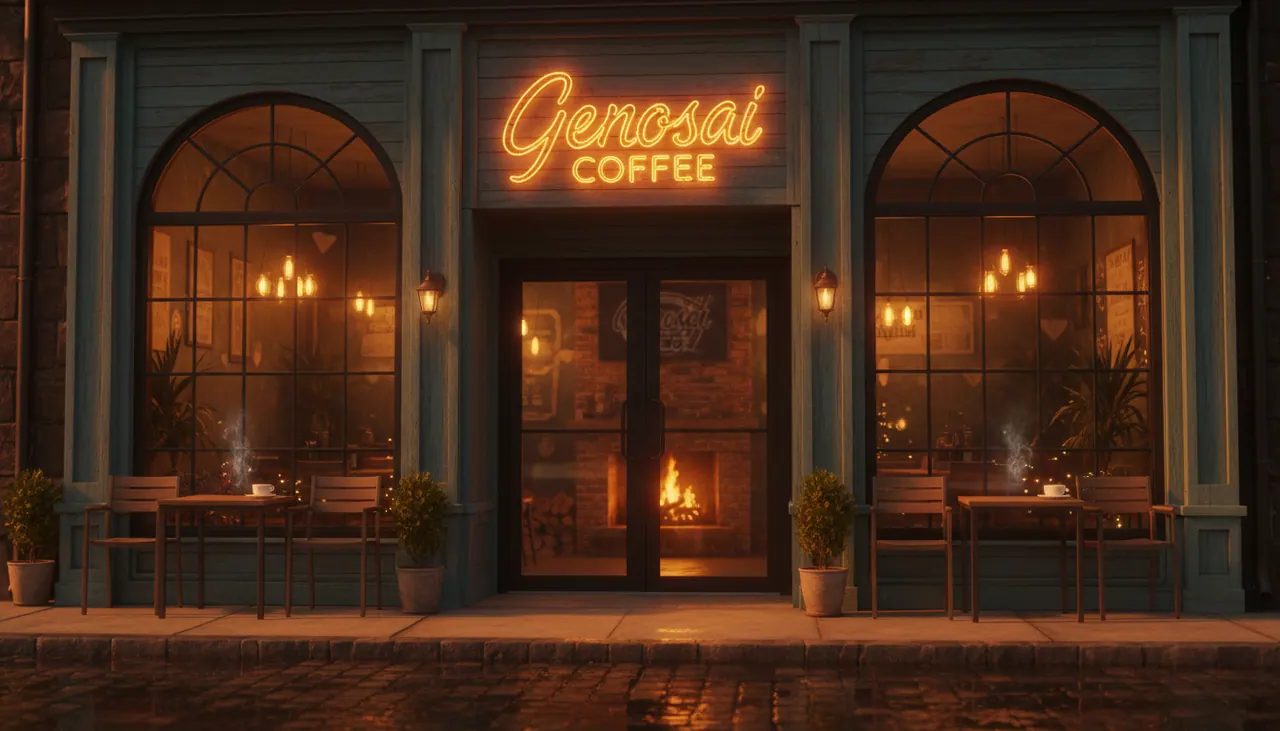
_Generated on Genosai.io with Nano Banana. Prompt: A cozy coffee shop storefront at golden hour with a glowing sign that reads GENOSAI COFFEE, warm cinematic light, photorealistic, ultra detailed._
Notice how the model holds photographic light and materials: skin keeps its texture in the portrait, the metal and plastic of the earbuds read through their highlights, and the evening scene gets warm cinematic lighting. The short storefront sign renders legibly, though longer text is harder for the base generation.
How to use on Genosai
Everything runs in the browser through the photo studio — no installs or setup required.
- Open the Genosai photo studio and sign in.
- Pick Nano Banana from the model list.
- Describe the scene: subject, light, angle, style and mood.
- Attach a reference if you want to lock an object or composition.
- Run the generation and wait for a frame at up to 1K.
- Refine the result with edits in the chat — swapping backgrounds, removing objects or adjusting light.
Write the prompt concretely: the more precisely you describe light, materials and mood, the closer the result lands to your intent. For a series with one hero, define them once and ask the model to preserve their look in new scenes.
Prompts
Ready-made templates for common tasks — drop your own details in for the values in angle brackets.
Photorealistic studio portrait: <who>, soft window light, shallow depth of field, detailed skinE-commerce product shot: <product> on <surface>, soft studio light, clean backgroundAtmospheric scene: <place> at sunset, warm cinematic light, photorealistic, highly detailedChange the background of this photo to <new background>, keep the subject and lightingRemove <unwanted object> from the image and cleanly fill in the backgroundBuild one frame from references: take <object> from the first and <background or style> from the secondPlace <my product> into a new scene: <description of the setting and light>Generation cost
On Genosai, Nano Banana uses a simple flat rate — 4 credits per shot, regardless of resolution or prompt complexity. It is one of the most affordable prices in the photo catalog, which makes the model handy wherever you need many variants in a row: drafts, composition scouting, idea exploration.
Starter credits after sign-up let you try Nano Banana for free, and top-ups work with local cards without a VPN. For current rates and your balance, see Pricing.
How it compares
Nano Banana is an affordable base model. The catalog also has newer versions of the same family and rival models — the choice depends on what matters most: price, resolution or text handling.
| Model | Class | Strength | Price per shot |
|---|---|---|---|
| Nano Banana | Base | Cheap generation and edits at 1K | 4 credits |
| Nano Banana 2 | New generation | 2K by default and accurate text | from 8 credits |
| Nano Banana 2 Lite | Fast | Around 4-second speed | 4 credits |
| Z-Image | Rival | Lowest generation price | 1 credit |
If you want the same look but higher resolution and better text, take Nano Banana 2. For maximum speed at the same price, Nano Banana 2 Lite is the answer. Among affordable rivals, compare Z-Image and Grok Imagine. For the full list of models, see the model catalog.
Limitations and tips
Nano Banana is a base model with honest limits. Resolution is capped at 1K, so for large-format print or shots with fine detail, Nano Banana 2 or Nano Banana Pro are the better fit. Long, small text on an image is harder for the first generation: it will draw a short sign, but a paragraph in a brand typeface is unlikely to come out clean.
Like any generative model, Nano Banana sometimes gets small geometry, hands and symmetry wrong — check important details and, if needed, regenerate or fix the frame with words. Every image carries an invisible SynthID mark flagging it as AI-generated, which is worth noting in tasks where content provenance matters.
To get the most out of it, describe light, materials and mood concretely, and build complex scenes in iterations: the overall frame first, then targeted edits. For series with one hero, lock their look in the prompt and ask the model to preserve it from frame to frame.
FAQ
What is Nano Banana?
It is Google's base image model powered by the Gemini 2.5 Flash Image engine, unveiled on August 26, 2025. It generates and edits photorealistic pictures at up to 1K. On Genosai a single shot costs 4 credits.
How does Nano Banana differ from Nano Banana 2?
Nano Banana is the first generation at up to 1K with simpler text-on-image handling. Nano Banana 2 generates at 2K by default, renders captions more accurately and holds more characters in a frame. The base version is simpler and cheaper.
Can I edit existing photos in Nano Banana?
Yes. The model understands plain language and changes individual parts of an image: it replaces the background, removes clutter, and adjusts pose, color or lighting. There are no masks or layers to draw — just describe the edit in words.
How much does a Nano Banana generation cost on Genosai?
One shot costs a flat 4 credits regardless of prompt complexity. That is one of the most affordable prices in the photo catalog, so the model is handy for drafts and high-volume image work.
What resolution does Nano Banana output?
The base model generates images at up to 1K, roughly 1024 by 1024 pixels. For 2K and 4K, the newer Nano Banana 2 and Nano Banana Pro are the better fit.
Is Nano Banana good at text on an image?
It renders short captions, but long or small text is harder for it than for the newer models in the family. If a caption is the main element of a layout, pick Nano Banana 2 or Nano Banana Pro instead.