Z-Image on Genosai — an open photorealistic image model
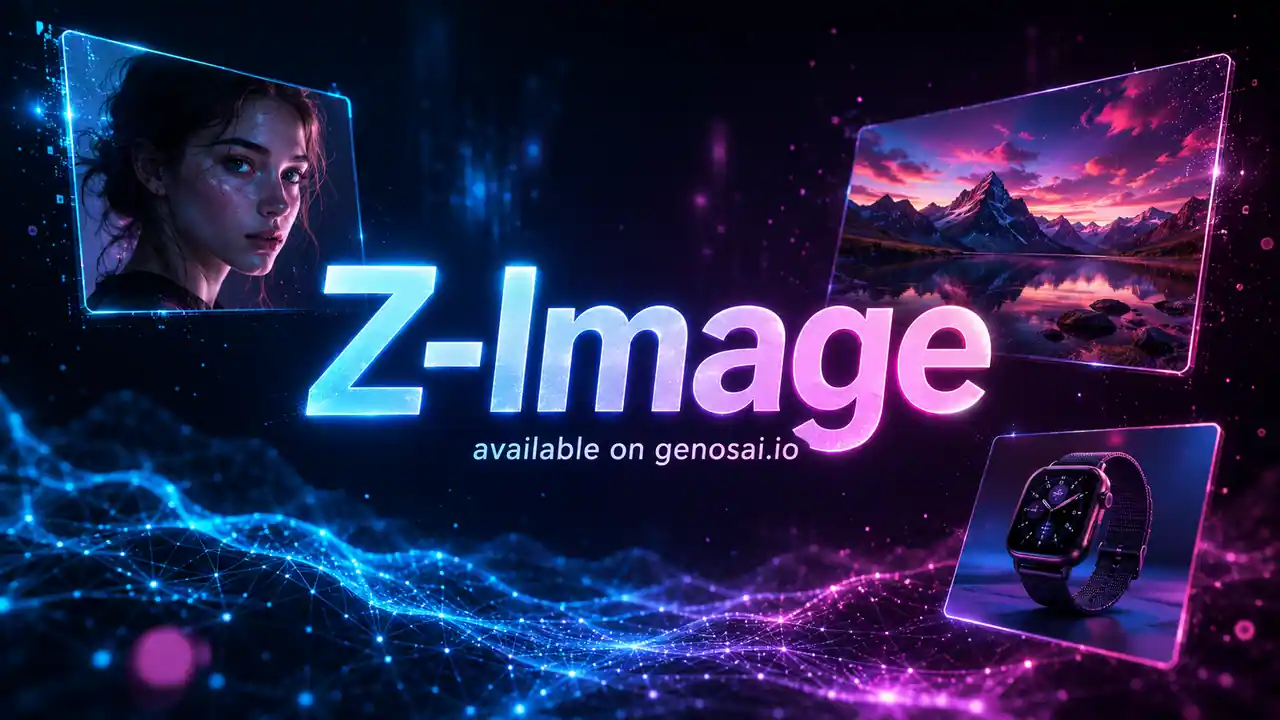
Z-Image is Alibaba's open image generation model, available on Genosai. A compact network of about 6 billion parameters produces photorealistic pictures and portraits, renders text in two languages and works fast. On Genosai the model runs online, with no API setup — one image costs just 1 credit, the most economical photo model in the catalog.
Updated: August 10, 2026
- Lowest price — One Z-Image picture costs 1 credit — the minimum in the Genosai photo catalog, handy for volume and drafts.
- Photorealism and portraits — The model is strong at realistic images of people: faces, skin and light look believable.
- Text in two languages — Z-Image renders captions in English and other languages — handy for posters, covers and graphics with text.
- Open model — Z-Image is released under the Apache-2.0 license with open weights — transparent and free for commercial use.
- Fast generation — The distilled Turbo version makes an image in just a few steps, so the frame is ready quickly.
Contents
- What is Z-Image
- Capabilities
- Examples
- How to use on Genosai
- Prompts
- Generation cost
- Comparison
- Limitations and tips
- FAQ
What is Z-Image
Z-Image is an open image generation model built by Alibaba's Tongyi Lab team. It is a compact network of about 6 billion parameters: small by the standards of image generators, yet the model delivers a photorealistic result. The fast Z-Image Turbo version was released in late November 2025, and the base version in early 2026. The line also has variants for image editing, but this article is about generation from text.
The key trait of Z-Image is its openness. The model is released under the Apache-2.0 license with open weights and is free for commercial use. In practice that means transparency and independence: the community actively fine-tunes the model and builds LoRAs for it. On Genosai you do not need to download weights, set up an environment or own a GPU — the model is already connected online and you work in the browser.
The second important difference is efficiency. The Turbo version is distilled and generates an image in just a few steps instead of dozens, so the frame is ready quickly. Thanks to its compact size the model is light on resources: it can realistically run even on a consumer GPU with 16 GB of memory. On Genosai the platform provides this speed and compute, so for you the difference simply shows up as fast and cheap generation.
Who is Z-Image best for first. Anyone who needs a stream of low-cost visuals: social media specialists, authors, small business owners. Designers at the draft stage, when it matters to quickly go through many variants. And those who need posters and graphics with embedded text in two languages. The 1-credit price per frame makes the model a convenient entry point into image generation.
Capabilities
Z-Image covers the basic scenarios of generating images from text at a minimal price. Here is what the model does in practice.
Photorealism and portraits
Despite its compact size, Z-Image is strong at realistic images of people: faces, skin, gaze and light look believable. That makes it handy for avatars, characters and lifelike frames where naturalness matters.
Text in two languages
Bilingual text rendering is a notable trait of the model. Z-Image places captions neatly in English and other languages, which helps with posters, covers and graphics where text is part of the composition. Long paragraphs are still worth checking.
Speed and lightness
The Turbo version is distilled and generates an image in just a few steps. The model is compact — about 6 billion parameters — so it is light on resources. On Genosai this shows up as fast generation without queues and without your infrastructure.
Openness and transparency
The Apache-2.0 license and open weights mean the model is transparent and its development is not locked inside a single vendor. There is an active community around Z-Image that fine-tunes it for specific styles. On Genosai you get access to the result of that work with no technical steps.
Examples
Below are real examples generated on Genosai with Z-Image.
!Z-Image — portrait _Generated on Genosai.io with Z-Image. Prompt: Professional studio portrait of a confident young woman, soft natural window light, shallow depth of field, photorealistic, detailed skin texture, editorial photography._

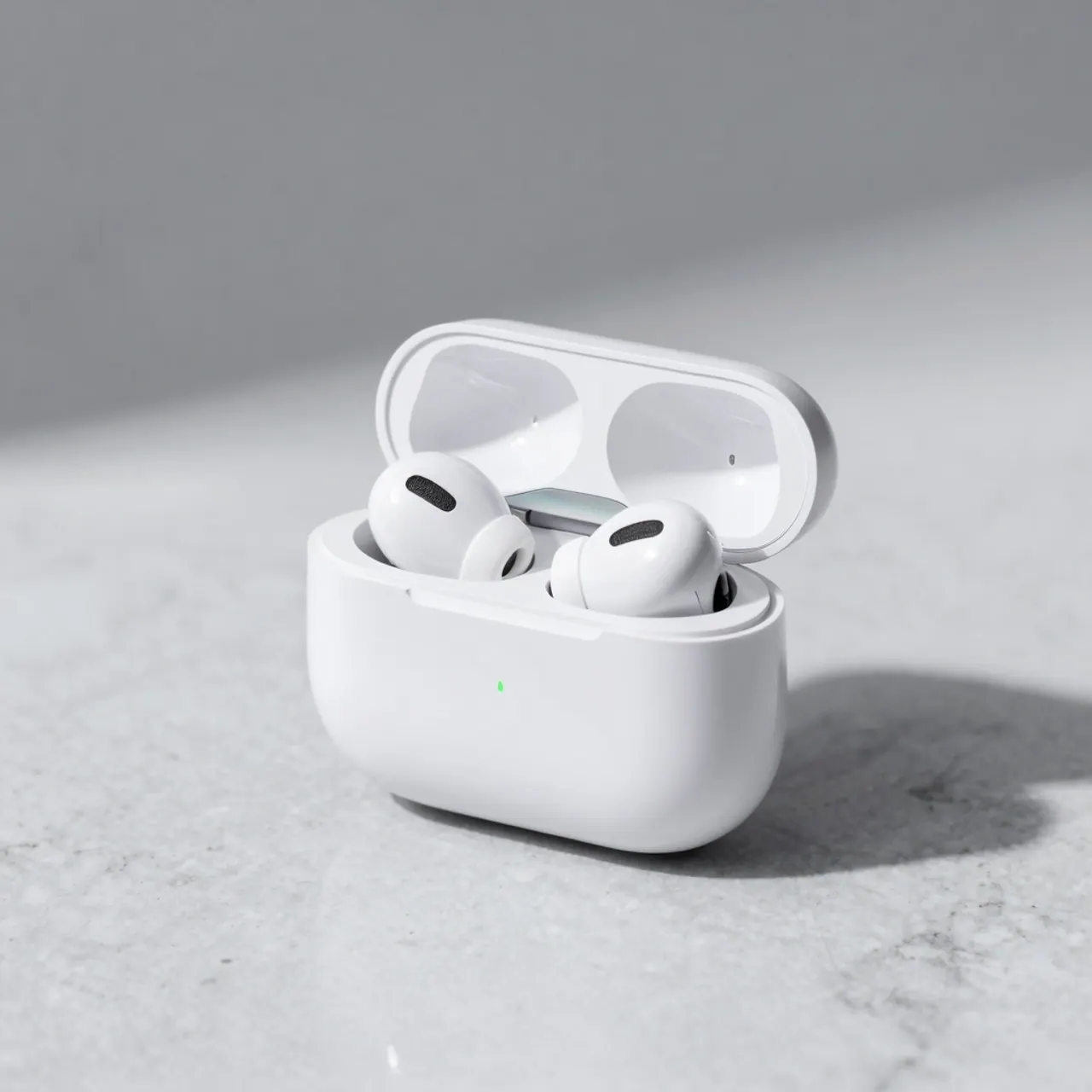
!Z-Image — product shot _Generated on Genosai.io with Z-Image. Prompt: E-commerce product shot of premium white wireless earbuds in an open charging case on a light marble surface, soft studio lighting, crisp shadows, clean minimal background._
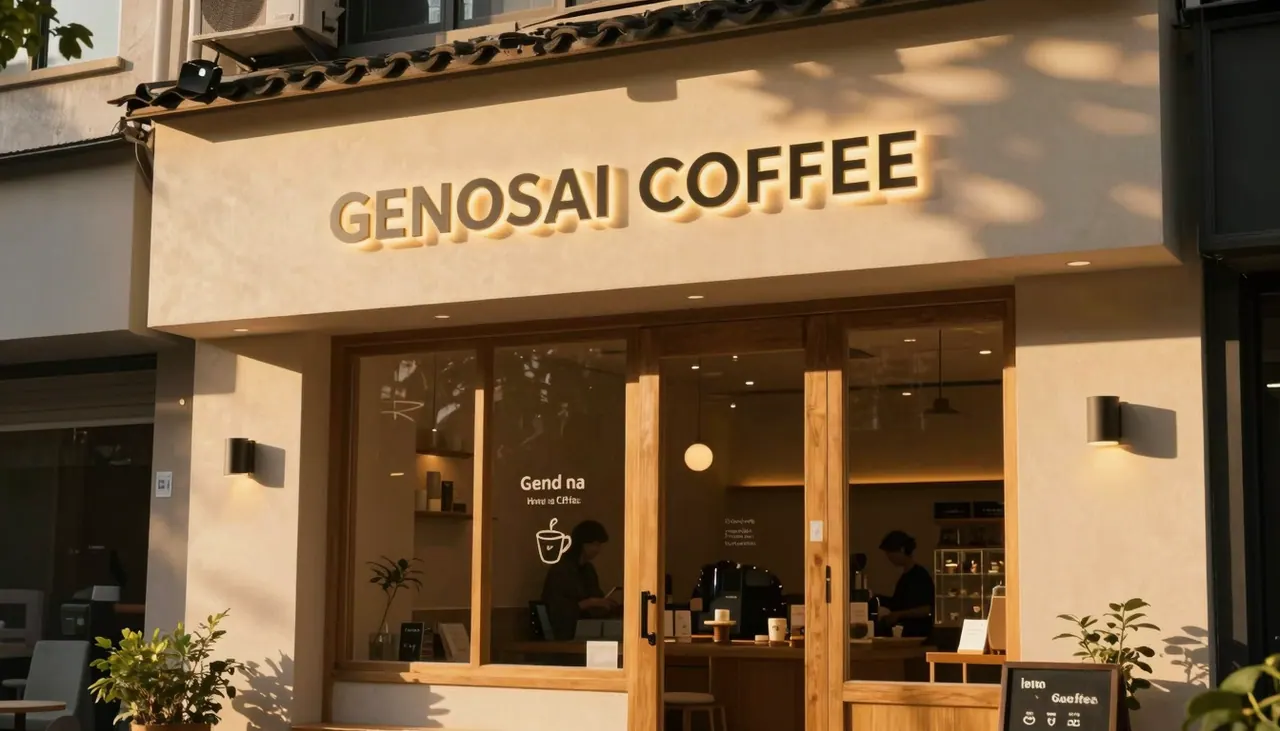
!Z-Image — scene _Generated on Genosai.io with Z-Image. Prompt: A cozy coffee shop storefront at golden hour with a glowing sign that reads GENOSAI COFFEE, warm cinematic light, photorealistic, ultra detailed._
How to use on Genosai
Launching Z-Image on Genosai requires no setup: everything happens in the browser and the model is already connected. The basic path from an idea to a finished image looks like this.
- Sign in to your Genosai account and open the photo studio.
- Pick Z-Image in the model list.
- Describe the image: object, style, setting, light and text if you need it.
- If needed, set the aspect ratio.
- Run the generation — thanks to the 1-credit price you can make several variants at once.
- Download the best frame or refine the prompt and regenerate.
Prompts
These templates show how to phrase tasks for Z-Image. Replace the text in square brackets with your own data and add details about light, angle and style — the more specific the prompt, the closer the result.
Photorealistic portrait of [person], soft natural light, looking into the camera, background [setting].Poster for [topic] with a short caption [text], neat typography, contrasting composition.Illustration for a post on [topic], clean style, bright colors, simple composition.Presentation background: [scene], calm tones, plenty of free space for text, 16:9 format.Graphic with the headline [text] in two languages, minimalism, a large readable caption.Concept frame of [object] in the style of [style], detailed surroundings, natural light.Avatar of [character], close-up, neutral background, realistic lighting, 1:1 format.Generation cost
On Genosai one Z-Image image costs a fixed 1 credit — the lowest price among the catalog's photo models. You pay for actual generations, with no monthly subscription, so the spend is easy to plan even at large volumes: a hundred images is a hundred credits. That price makes Z-Image handy for drafts, a stream of visuals and going through variants.
Starter credits after sign-up let you try Z-Image for free. Current packages and balance are in the Pricing section.
Comparison
Z-Image is the best choice when minimal price and a stream of visuals matter. If you need stronger photorealism and on-image text, look at Grok Imagine; for 2K and complex scenes with typography, Seedream 5 Lite; maximum photorealistic detail is in Flux 2 Pro; and a cheap tidy option with editing is Nano Banana 2 Lite.
| Model | Strength | Price on Genosai |
|---|---|---|
| Z-Image | Minimal price, open model | 1 credit |
| Grok Imagine | Photorealism and on-image text | 4 credits |
| Seedream 5 Lite | 2K resolution and typography | ~5.5 credits |
| Flux 2 Pro | Photorealistic detail | from 5 credits |
All models are available in one Genosai interface, so you can compare them on your own task and pick the best by price and quality. A practical approach is to keep a couple of models handy: Z-Image for drafts and volume, and a more expensive one for final frames. Thanks to the 1-credit price, Z-Image works well as a default model when you need many images quickly and without extra cost.
Limitations and tips
Z-Image is a compact and cheap model, so on maximum detail and complex multi-object scenes the more expensive catalog models can give a slightly cleaner result. The model's exact rank in independent comparisons and its resolution ceiling differ across sources, and there are few official specs, so we do not quote specific benchmark figures — rely on the actual result in the studio.
Another common trap is an overly general request. If you just write "portrait", the model fills in details for you and returns an average frame. The more inputs — light, angle, setting, style — the less randomness. For on-image text, put the caption itself in quotes and keep it short: the longer the phrase, the higher the risk of letter errors.
Work iteratively and use the low price: make several variants at once for 1 credit each, pick a close one and refine it with short edits. Z-Image is handy as a first quick pass: go through ideas cheaply, and if needed finish the final frame on Grok Imagine or Seedream 5 Lite, where detail and realism are higher.
FAQ
What is Z-Image and who built it?
Z-Image is an open image generation model from Alibaba's Tongyi Lab team. The fast Z-Image Turbo version was released in late November 2025, and the base version in early 2026. On Genosai the model is available online with no API setup.
How much does a Z-Image image cost on Genosai?
One image costs 1 credit — the lowest price among the catalog's photo models. You pay for actual generations, with no monthly subscription. Credits are topped up as needed.
Is Z-Image really an open model?
Yes. Z-Image is released under the Apache-2.0 license with open weights and is free for commercial use. On Genosai you do not need to download weights or set up infrastructure — the model is already connected online.
Can Z-Image render text on an image?
Yes, bilingual text rendering is a strength of the model: it places captions neatly in English and other languages. That is handy for posters, covers and graphics. Long paragraphs are worth double-checking.
How fast and lightweight is Z-Image?
Z-Image is a compact model of about 6 billion parameters. The distilled Turbo version generates an image in just a few steps, so the frame is ready quickly. On Genosai the platform provides the speed — you do not need your own GPU.
What tasks is Z-Image good for?
The model is good for volume generation: photorealistic portraits, images from a description, posters and graphics with embedded text. It is handy for drafts and large batches thanks to the 1-credit price. For maximum detail, choose more expensive catalog models.